The 9 Essential Tools for Faster Coding and Deployment in 2026
We’ve selected 9 tools available on Freelance Stack , together, form a cohesive stack to help you code and deploy faster. Each tool addresses a specific need in the development pipeline, and all can be integrated into your existing workflow without requiring a complete overhaul.
Why Do You Need to Change the Way You Code in 2026?
Software development is undergoing a period of profound transformation. It’s not just about generative AI writing code for you-it’s the entire value chain that’s being reshaped. From the ideation phase to production monitoring, every step can now be streamlined, automated, or accelerated using tools designed to move quickly without sacrificing quality.
For an entrepreneur developer, a startup, or a small tech team, time to market is often the number one competitive advantage. A product launched in three weeks versus a competitor that takes three months: the math is simple. And yet, many teams continue to use rigid tech stacks, manual processes, and tools that haven’t evolved in five years.
By 2026, the most successful teams will have one thing in common: they will combine specialized tools that are tightly integrated to cover the entire development cycle. From AI-assisted code generation to continuous deployment, including serverless database management and real-time error tracking, every link in the chain matters.
That is precisely the focus of this article. We have selected 9 tools available on Freelance Stack that, together, form a cohesive stack for faster coding and deployment. Each addresses a specific need in the development pipeline, and all can be integrated into your existing workflow without requiring a complete overhaul.
Whether you're a solo developer, the CTO of a growing startup, or a lead developer at an SME, you'll find plenty here to challenge your routines-and maybe even free up some time where you thought you had none left!
#1 - Lovable: The AI app generator that turns an idea into a working product.
Benefit from our free deal on Lovable .
16% off on annual plan
Find over 300 free deals as well as over 850 Premium deals right now with Lovable and save on your software subscriptions. Whether you're an entrepreneur, a startup or a solo freelancer, save hundreds of euros thanks to our discounts and promo codes.
Lovable is part of a new generation of tools sometimes referred to as "vibe coding"-a way of building applications by describing what you want, rather than writing every line of code manually. The promise is ambitious: start with a simple description in natural language and end up with a complete web application, complete with front-end, business logic, and connections to third-party services.
While other tools generate snippets or isolated components, Lovable takes a holistic approach to the application. The result is clean, exportable React code that you can modify, host, and scale just like any traditional project.
Key features :
Lovable supports the generation of complete interfaces from text prompts, with native support for authentication, forms, API calls, and databases via Supabase. It includes a visual editor that allows you to refine the result without touching the source code, as well as a system for instant deployment to preview environments. The generated code is readable, structured, and designed to remain maintainable over the long term: not hastily generated spaghetti code.
The platform also offers a "chat with your code" feature that lets you interact with your existing project, identify bugs, or request updates directly within the interface.
Pricing:
Free Plan: limited access, ideal for trying out the platform.
Pro Plan: approximately $25/month (monthly rate; check the Freelance Stack deal Freelance Stack the latest terms).
Teams Plan: Pricing based on a quote tailored to your needs.
Who is this for? 👤
The non-developer founder or junior developer:
Lovable is probably the most transformative tool for startups with a solid idea but limited technical resources. In just a few hours, you can build an MVP that’s ready to show to investors or early users.
The developer who wants to speed up their prototyping:
Even for an experienced developer, generating the skeleton of a new feature in a matter of minutes rather than hours represents a real boost in productivity.
A small agency or an early-stage startup:
Testing a product hypothesis without committing to a week of development: that’s exactly what Lovable makes possible in the early stages of a project.
✅ Benefits:
Development of complete applications (not just isolated components).
Exportable and maintainable code, with no strict vendor lock-in.
Native integration with Supabase for the backend.
Very easy to learn.
Instant deployment for demos and testing.
⚠️ Disadvantages:
Complex or highly specialized applications may require significant manual adjustments.
Less suitable for projects that require a highly customized backend architecture.
The level of fine-grained control over code quality remains limited compared to fully manual development.
Benefit from a on Lovable .
Additional 10% off on annual plan
Find our best discount right now with Lovable and save on your software subscriptions. We offer over 850 promo codes and discounts on the best software and SaaS on the market.
#2 - Bolt.new: The full-stack AI development environment in the browser.
Bolt.new, developed by StackBlitz, takes a slightly different approach than Lovable. While Lovable focuses on a guided experience and a turnkey solution, Bolt.new is geared more toward technical users who want to retain control over their code while still benefiting from the power of AI-driven code generation. The environment runs entirely in the browser, featuring a built-in terminal, a package manager, and a real-time preview system.
One of its key strengths: Bolt.new can write, install, and run code all within a single environment, which significantly reduces the friction between development and testing.
Key features :
The tool generates full-stack projects based on prompts, with support for many popular frameworks (React, Vue, Next.js, Astro, etc.). It features a conversational iteration system: you describe a change, the AI applies it, and you see the result immediately in the preview. Bolt.new also offers features for exporting to GitHub or deploying to Vercel or Netlify with just a few clicks.
Dependency management is automatic: the AI installs the necessary packages without you having to worry about it.
Pricing:
Free Plan: Limited tokens per day.
Basic Plan: about $10/month.
Pro Plan: About $20/month with a more generous token allowance.
Teams Plans: Plans designed specifically for teams.
Who is this for? 👤
The developer who frequently creates prototypes:
Bolt.new is particularly well-suited for developers who are used to testing ideas quickly and want to eliminate setup time entirely.
The intermediate technical learner:
The fully browser-based environment, combined with AI-driven generation, makes it an ideal learning environment for understanding how the various components fit together.
The developer on a short-term assignment or freelancer:
Start a new project cleanly and quickly, without having to reconfigure a local environment: Bolt.new is the perfect solution to this common problem.
✅ Benefits:
No local installation required.
Extensive support for multiple frameworks.
Rapid iteration thanks to real-time previews.
Easy export to GitHub.
Complete runtime environment (including terminal and package manager).
⚠️ Disadvantages:
Token limits that can restrict long sessions on basic plans.
Less suitable for projects that require a very specific development environment.
The quality of the generated code may vary depending on the complexity of the request.
Benefit from a on Bolt.new .
25% off on "Pro" and "Teams" plan
Find our best discount right now with Bolt.new and save on your software subscriptions. We offer over 850 promo codes and discounts on the best software and SaaS on the market.
#3 - Replit: The collaborative cloud-based IDE with built-in deployment.
Replit has been around for several years, but the platform has evolved significantly to become much more than just a browser-based IDE. By 2026, Replit has established itself as a comprehensive development environment, featuring built-in hosting, real-time collaboration, and an AI assistant (Replit Agent) capable of generating and iterating on code autonomously.
What sets Replit apart from the competition is its "all-in-one" approach: you code, test, and deploy on the same platform, without needing to set up an external CI/CD pipeline or a separate hosting service.
Key features :
Replit offers preconfigured environments for dozens of languages and frameworks. With Replit Agent, you can describe what you want to build and let the AI generate the initial project, then iterate through a conversational workflow. The Deployments feature lets you deploy an application in just a few clicks, with custom domain management included. Real-time collaboration (multiple developers working on the same Repl simultaneously) is particularly popular with distributed teams.
The platform also includes a system for managing secrets and environment variables, as well as integration with GitHub for code synchronization.
Pricing:
Free Plan: Access to public Repls, limited resources.
Core Plan: approximately $15/month, including extended resources and deployments.
Teams plan: approximately $25 per user per month for advanced collaboration.
Who is this for? 👤
The distributed or remote team:
Real-time collaboration and the hosted environment make Replit an ideal solution for teams working from different locations who don’t want to deal with local setup issues.
The developer who wants to test quickly:
Launch a Repl, test an idea, share it with a link: it doesn't get any easier than this to validate a concept in just a few minutes.
The trainer or the bootcamp team:
Replit is widely used in tech training settings, precisely because it eliminates all the hassles associated with setting up local environments.
✅ Benefits:
A fully functional environment without the need for local installation.
Seamless real-time collaboration.
Integrated deployment, with no external configuration required.
Support for a wide range of languages and frameworks.
Replit Agent for AI generation and iteration.
⚠️ Disadvantages:
Performance may be lower than in a properly configured local environment.
Vendor lock-in is more pronounced than with other tools.
The resources provided by basic plans can become insufficient for large-scale projects.
Benefit from a on Replit .
$10 off on any plan
Find our best discount right now with Replit and save on your software subscriptions. We offer over 850 promo codes and discounts on the best software and SaaS on the market.
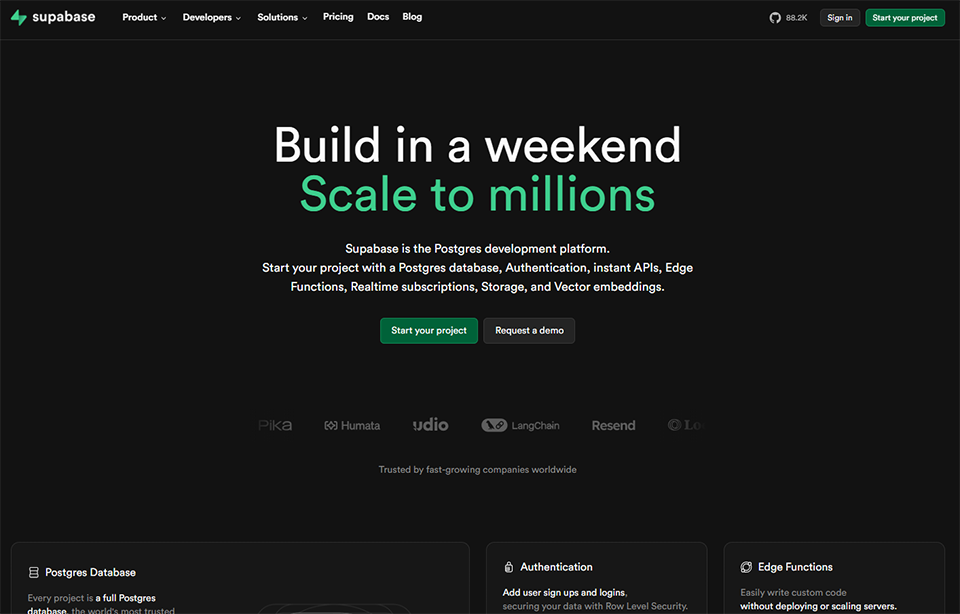
#4 - Supabase: The open-source backend that replaces Firebase.
Supabase has established itself as the go-to Backend as a Service (BaaS) solution for teams seeking an open-source alternative to Firebase, offering quality standards on par with professional-grade infrastructure. In just a few minutes, you’ll have a PostgreSQL database, a comprehensive authentication system, file storage, serverless functions, and a real-time system-all accessible via a REST API and a well-documented TypeScript SDK.
The core idea behind Supabase is to give you the same capabilities as a dedicated backend team, without having to hire staff or set up servers.
Key features :
The Postgres database is at the heart of the product: it can be accessed via a polished graphical interface, via direct SQL, or via the automatically generated API. The authentication system supports the most common providers (Google, GitHub, Apple, magic link, etc.) without requiring any additional code. Supabase Edge Functions allows you to run serverless code in TypeScript as close as possible to users. The Realtime system pushes data changes in real time to connected clients, opening the door to collaborative applications or live dashboards without requiring additional infrastructure.
Native integration with tools like Lovable, Retool, and n8n makes it a highly versatile backend hub.
Pricing:
Free Plan: 2 active projects, 500 MB of database storage-perfect for getting started.
Pro Plan: $25/month, expanded resources, daily backups, priority support.
Team Plan: $599/month for organizations with advanced needs (SAML SSO, advanced logging, etc.).
Who is this for? 👤
The solo full-stack developer:
Supabase is probably the tool that offers the best return on effort for a developer who wants to handle the entire backend without wasting time on infrastructure.
The fast-growing startup:
Choosing Supabase means choosing PostgreSQL: a solid foundation that scales well and can be migrated to a more complex infrastructure if needed. There are no unpleasant surprises down the road.
The system integrator or technical consultant:
The wide range of integrations and the high quality of the SDKs make Supabase a natural choice for projects that need to connect multiple services.
✅ Benefits:
Powered by PostgreSQL: an industry standard, robust, and portable.
Full authentication without complex configuration.
High-quality REST API and TypeScript SDK.
Open source: can be self-hosted if necessary.
A highly robust integration ecosystem.
⚠️ Disadvantages:
The limits of the free plan can be reached quickly on active projects.
There is a learning curve for non-technical roles.
The Team plan is expensive for small businesses.
Benefit from a on Supabase .
$50 in free credits
Find our best discount right now with Supabase and save on your software subscriptions. We offer over 850 promo codes and discounts on the best software and SaaS on the market.
#5 - Vercel: The leading frontend deployment platform.
Vercel has redefined what it means to "deploy an application." Whereas you used to have to manually configure servers, CI/CD pipelines, and CDNs, Vercel simplifies all of that to a git push. The platform is built using Next.js (which it created), but now supports the entire modern JavaScript ecosystem. Every commit automatically triggers a preview deployment, and every merge to the main branch updates the production environment: without manual intervention.
Vercel also manages global distribution through its Edge network, which means your users load your app from the node closest to them, with optimal performance by default.
Key features :
The Preview Deployments system is one of the most popular features: each Pull Request automatically generates a unique preview URL, making it easier to conduct code reviews and test in real-world conditions before merging. Vercel also offers built-in analytics to monitor performance (Core Web Vitals, response times) directly from the dashboard. The v0 offering, also available on Freelance Stack, is an AI interface generator developed by Vercel that integrates natively into its deployment workflows.
The platform fully supports the management of environment variables, custom domains, and SSL certificates.
Pricing:
Hobby Plan: Free, for personal use only.
Pro Plan: $20 per user per month, for professional and commercial projects.
Enterprise Plan: Custom pricing, with a guaranteed SLA and dedicated support.
Who is this for? 👤
The front-end or full-stack JavaScript team:
Vercel is the natural choice for any Next.js project, as well as for React, Svelte, Astro, or Vue: it offers broad support and an exceptional developer experience (DX).
The developer who wants frictionless deployments:
If you're still spending time setting up your deployment pipeline, Vercel will save you several hours a week.
The startup that rapidly iterates on its product:
Preview Deployments are truly transforming the way teams collaborate on front-end code: code reviews are faster, and bugs are caught earlier.
✅ Benefits:
Deployment in seconds after a Git push.
Preview automatic deployments for each pull request.
Global CDN Edge, exceptional performance.
DX is among the best on the market.
Native integration with Next.js and the JavaScript ecosystem.
⚠️ Disadvantages:
The Hobby plan prohibits commercial use (please note the restriction).
Costs can rise significantly with high-traffic serverless functions.
Less suitable for heavy-duty backend applications or non-JavaScript stacks.
Benefit from a on Vercel .
No deals currently available
Find our best discount with Vercel and save on your software subscriptions. We offer over 850 promo codes and discounts on the best software and SaaS on the market.
#6 - GitHub: Much more than just a code repository.
GitHub is so deeply ingrained in developers' routines that we sometimes forget it continues to evolve rapidly. By 2026, GitHub is no longer just a version control tool: it’s a comprehensive DevOps platform that covers collaboration, automation, code security, and now AI-powered assistance via GitHub Copilot. For teams looking to streamline their workflow, GitHub lets you centralize everything: code, CI/CD, issues, PRs, releases, and documentation.
GitHub Actions, the built-in automation system, has transformed the way teams manage their continuous integration and deployment pipelines.
Key features :
GitHub Actions lets you create automated workflows triggered by events (pushes, PRs, issues, cron jobs, etc.) to test, build, and deploy your code. GitHub Copilot, the AI assistant, provides context-aware code suggestions directly in your editor, and the Copilot Workspace version allows you to manage more complex tasks in a semi-autonomous manner.
The Advanced Security feature offers static code analysis, detection of exposed secrets, and monitoring of vulnerable dependencies. GitHub Projects also allow you to manage development tasks in a Kanban or list view, directly linked to issues and pull requests.
Pricing:
Free Plan: Unlimited public and private uploads, limited calls (2,000 minutes/month).
Team Plan: $4 per user per month, 3,000 minutes of Actions, advanced branch protection.
Enterprise Plan: $21 per user per month, advanced security features, SAML SSO.
(GitHub Copilot is billed separately: approximately $10/month for individuals.)
Who is this for? 👤
Any development team:
GitHub is the de facto standard for technical collaboration. Even if you use other tools for certain tasks, it’s hard to do without it entirely in a professional setting.
The team that takes security seriously:
With its code scanning and secret detection features, GitHub is the go-to tool for teams that want to avoid discovering security incidents in production.
Developers who want to leverage AI in their editor:
GitHub Copilot remains the AI assistant most deeply integrated into popular code editors (VS Code, JetBrains, etc.).
✅ Benefits:
An industry standard, integrated into all tools on the market.
GitHub Actions is a powerful tool for CI/CD automation.
GitHub Copilot right in the editor.
Robust security features.
A vast community and extensive documentation.
⚠️ Disadvantages:
GitHub Copilot comes with a significant additional cost.
The interface can be complex for non-technical teams.
Large volumes of data (large files, data science) require Git LFS, which incurs additional costs.
Benefit from a on GitHub .
$10,000 in credits
Find our best discount right now with GitHub and save on your software subscriptions. We offer over 850 promo codes and discounts on the best software and SaaS on the market.
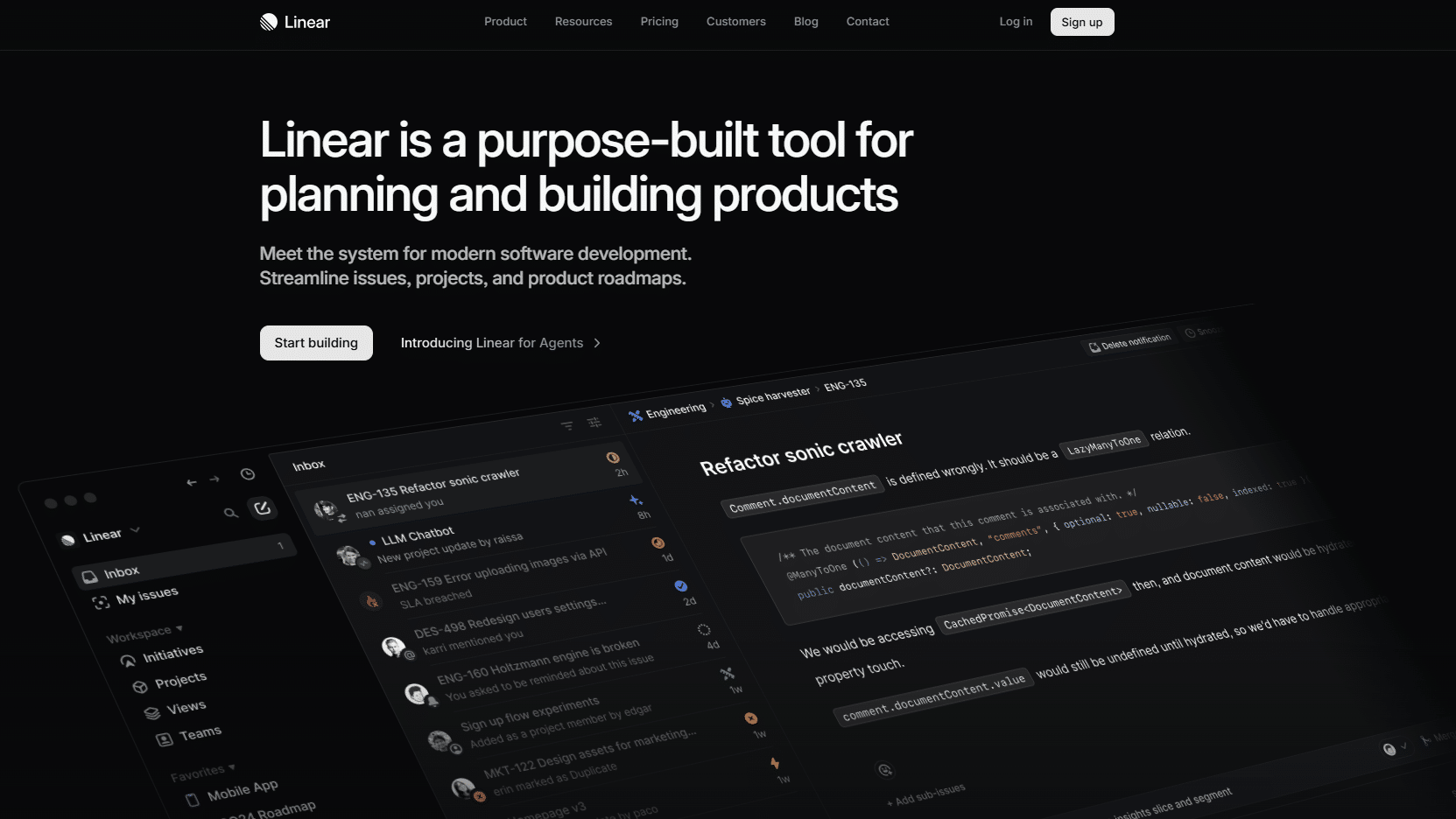
#7 - Linear: The project management tool designed for product and tech teams.
Linear was born out of a simple frustration: existing project management tools were too slow, too cumbersome, and too generic. The tool was designed from the ground up for software development teams, with a focus on performance (the interface is nearly instantaneous) and a streamlined user experience. It’s not a one-size-fits-all tool; it’s a tool that does one thing very well: helping tech teams organize and track their work seamlessly.
In 2026, Linear integrated AI capabilities (Linear Asks, automatic triage, and intelligent issue creation) that further strengthen its market position.
Key features :
Linear offers cycle management (sprints), visual roadmaps, a clear prioritization system, and customizable statuses. Its integration with GitHub is particularly well-designed: Linear issues sync with Git pull requests, commits, and branches, enabling two-way tracking of work.
Creating issues is quick and easy: all it takes is a keyboard shortcut from anywhere in the interface. The Kanban, list, and timeline views adapt to different ways of working within the same team. The Linear AI feature can create issues from Slack messages or support emails, and automatically suggest a priority and an assignee.
Pricing:
Free Plan: Up to 250 active issues, essential features.
Standard Plan: $8/user/month, unlimited issues, cycles, and roadmaps.
Plan Plus: $16 per user per month, advanced admin features, SLA, priority support.
Who is this for? 👤
A development team of 2 to 50 people:
Linear is in its element when working with medium-sized tech teams that need structure without excessive bureaucracy.
The startup that holds weekly sprints:
Linear's sprint system is particularly well-suited for teams that deliver frequently and need to track their velocity.
For developers looking for a project management tool that doesn't slow them down:
If you've ever given up on a project management tool because it was too slow or too complicated, Linear might change your perception of the genre.
✅ Benefits:
An ultra-fast interface designed for productivity.
High-quality GitHub/GitLab integration.
Well-designed cycle and roadmap management.
Useful and well-integrated AI features.
A sleek design that doesn't distract.
⚠️ Disadvantages:
Less suitable for non-technical teams (not designed for marketing or HR).
The 250-issue limit on plan can be reached quickly.
Less flexible than tools like ClickUp for non-technical uses.
Benefit from a on Linear .
3 months free
Find our best discount with Linear and save on your software subscriptions. We offer over 850 promo codes and discounts on the best software and SaaS on the market.
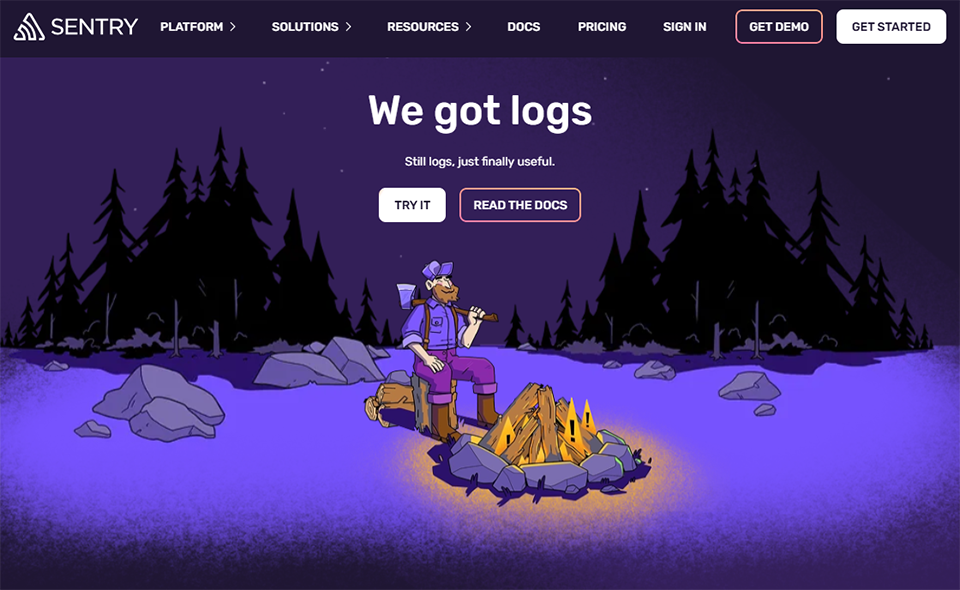
#8 - Sentry: Essential error monitoring for production.
Coding quickly is great. Knowing what’s happening in production is essential. Sentry is the gold standard for error monitoring for web and mobile apps: a tool that often takes just five minutes to set up and that you’ll never want to turn off. Every unhandled exception, every crash, and every slow request is captured, enriched with context (user, environment, full stack trace), and reported in real time.
What sets Sentry apart from a basic logger is context. You don’t just see an error message-you see the user’s journey leading up to it, the relevant code version, technical breadcrumbs, and often a suggested fix.
Key features :
The intelligent error grouping system prevents your dashboard from being cluttered with thousands of instances of the same bug: they are grouped, counted, and sorted by impact. Sentry Tracing lets you track a request end-to-end across your services, which is invaluable in microservices or serverless architectures. The Session Replay feature records a replay of the user session at the moment an error occurs, which significantly speeds up front-end debugging. Sentry AI (Autofix) offers suggestions for fixes directly within the interface, with contextual information drawn from the source code.
Integration with GitHub and Linear allows you to create issues directly from a Sentry error.
Pricing:
Developer Plan: Free, 5,000 errors/month, 1 user.
Team Plan: approximately $26/month (for 50,000 errors), multi-user.
Business Plan: approximately $80/month, with advanced features (Session Replay, unlimited tracing, etc.).
Who is this for? 👤
Any team that deploys to production:
Honestly, Sentry should be part of the stack for any application exposed to real users. Bugs are inevitable: what matters is detecting them before your users do.
For developers who want to stop hunting for bugs blindly:
Sentry completely transforms the debugging experience. Instead of laboriously reproducing a bug, you have the entire context at your fingertips.
The team that wants to assess the health of its product:
Error metrics, trends, and configurable alerts make Sentry as much a tool for software quality management as it is a debugging tool.
Customizable alerts and Slack/email notifications.
Integration with the entire development ecosystem
A generous free plan to get you started.
⚠️ Disadvantages:
Costs can rise quickly if there are a large number of errors.
Advanced configuration (source maps, release tracking) requires a bit of initial work.
The interface may seem overwhelming to teams who are new to the tool.
Benefit from a on Sentry .
8 months free on "Team" plan
Find our best discount right now with Sentry and save on your software subscriptions. We offer over 850 promo codes and discounts on the best software and SaaS on the market.
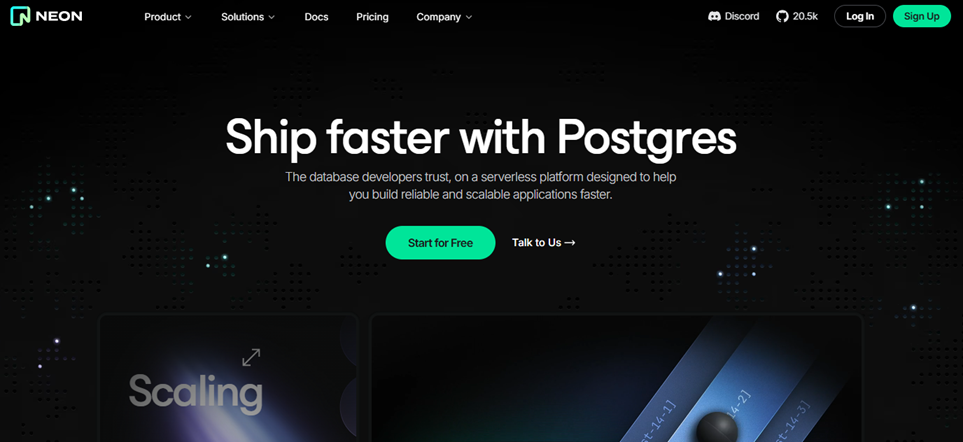
#9 - Neon: The serverless PostgreSQL database for modern projects.
Neon is reinventing the PostgreSQL database for the serverless era. The core idea is simple: separate compute (processing power) from storage (data storage), allowing the database to "sleep" when not in use and wake up instantly on demand. The result: you pay only for what you actually use, and you can scale seamlessly.
Neon is particularly well-suited for teams that develop multiple projects or environments simultaneously, as creating database branches (similar to Git branches) allows for an isolated staging environment without having to fully duplicate the data.
Key features :
The Database Branching system is Neon’s signature feature: you can create a branch of your database in seconds, run tests or perform migrations on it, and then delete or merge it without impacting production. The serverless mode with autoscaling ensures that your database only uses resources when queries actually arrive. Neon also supports standard PostgreSQL extensions, making it compatible with the existing ecosystem (PostGIS, pgvector for AI, etc.).
Integration with Vercel, Supabase, and most modern ORMs (Prisma, Drizzle, SQLAlchemy) is built-in.
Pricing:
Free Plan: 1 project, 0.5 GB of storage, autoscaling included.
Launch Plan: $19/month, 10 projects, 10 GB of storage.
Neon is particularly well-suited for teams that juggle development, staging, and production environments and want isolated databases for each environment without incurring additional costs.
A developer working on AI projects:
Support for the pgvector extension makes Neon a natural choice for applications that use vector embeddings or semantic search.
The project with flexible use:
The serverless model is a very cost-effective option for projects that experience irregular traffic spikes or are still in the growth phase.
✅ Benefits:
Standard PostgreSQL, with a seamless migration process.
Database Branching for modern development workflows.
Serverless autoscaling, pay-as-you-go.
Support for pgvector in AI applications.
A very generous free plan.
⚠️ Disadvantages:
A cold start (waking up the database) can cause latency during the first few requests after a period of inactivity.
Less suitable for applications that require a persistent, always-on connection.
Still relatively new compared to more established solutions like RDS or Cloud SQL.
Comparison chart of the 9 tools 😊
To quickly see the differences between these nine tools and identify which ones are best suited to your situation, here is a side-by-side comparison.
FAQ ❓ Your questions about development tools in 2026.
Here are a few frequently asked questions to help you think more deeply about the issue and make the right choices for your specific situation.
1️⃣ Are these tools suitable for beginner developers?
It really depends on the tool. Lovable, Bolt.new, and Replit are designed to be accessible even to users with little technical experience. Supabase, GitHub, and Neon require a basic level of technical knowledge to be used to their full potential. Linear and Sentry are geared more toward professional settings with a team, although they’re still intuitive to use.
2️⃣ Can you build a complete product using only these 9 tools?
Absolutely. By combining Lovable or Bolt.new to generate front-end code, Supabase for the backend, Neon for the database, Vercel for deployment, GitHub for version control and CI/CD, Linear for project management, and Sentry for production monitoring, you cover the entire development cycle. Replit can replace or complement several of these components depending on your workflow.
3️⃣ Do these tools work well together?
Yes, that is precisely one of the selection criteria. Supabase and Vercel are natively integrated. GitHub integrates with all the others. Sentry connects to GitHub and Linear. Neon is compatible with the main ORMs used in the Vercel ecosystem. These tools are designed to work within a modern cloud ecosystem, and their teams are often working on official integrations between them.
4️⃣ Do AI code generation tools like Lovable or Bolt.new produce professional-quality code?
The generated code is of sufficient quality for prototypes and MVPs, and is constantly improving. For high-traffic production applications or those with strict security requirements, an experienced developer will likely want to review and refine the generated code. AI is a catalyst, not a substitute for technical judgment.
5️⃣ What tools should I prioritize if I have a very limited budget?
GitHub (free for public and private repositories), Sentry (5,000 errors/month for free), Linear (up to 250 issues), Supabase (2 free projects), and Neon (a very generous free plan) let you get started without spending a dime. Vercel also offers a free Hobby plan, perfect for testing. Lovable and Bolt.new offer entry-level plans for less than $25/month.
6️⃣ Are there any alternatives to these tools if one of them doesn't meet my needs?
Several alternatives are also available on Freelance Stack. For project management, ClickUp or Notion are good options. For no-code/low-code solutions, Bubble, Webflow, or Xano can meet similar needs depending on the context. For automation, Make or n8n can be valuable additions to your stack.
7️⃣ How do I know which tools I should prioritize?
The answer depends on where you’re wasting the most time right now. If you spend hours setting up development environments: start with Replit or Bolt.new. If your deployments are tedious: Vercel is your top priority. If you’re discovering bugs in production thanks to your users: install Sentry today. If your team lacks organization: Linear will change your daily routine. There’s no one-size-fits-all order, but each tool addresses a specific pain point.
This guide brings together the 12 must-have e-commerce tools must-have 2026, selected for how well they complement each other: platforms to create your…