






Multichannel prospecting: solutions that combine LinkedIn, email, and SMS
What exactly is multichannel prospecting? during , sales prospecting relied on a single channel: the telephone,…
Read more


Sales prospecting has changed dramatically in recent years. Whereas sales teams used to spend hours manually searching for contacts, copying and pasting email addresses, and following up with each prospect one by one, they now have an arsenal of tools capable of automating much of this work without sacrificing personalization.
The numbers speak for themselves: according to a Salesforce study, salespeople spend an average of only 28% of their time on active selling. The rest? Data entry, searching for contacts, and organizing sales pipelines. This is precisely where automated lead generation tools come in.
By 2026, the market had become significantly more structured. Today, there are several major categories of tools: all-in-one platforms that cover the entire process (databases, sequences, analytics), specialized LinkedIn tools for social outreach, data enrichment solutions to populate your CRM systems, and platforms for sending cold emails at scale. Categories to these Categories now next-generation tools powered by AI that even automate the search for buying signals and the personalization of messages.
Whether you’re a growing startup, a freelancer or consultant looking to streamline your lead generation, or a sales team of 5 to 50 people aiming to scale your lead generation efforts, the tools featured in this article cover all of these needs. Here’s our selection of the 8 best automated lead generation software solutions for 2026, all available through on Freelance Stack.


Apollo.io has established itself as one of the market leaders. And for good reason: the platform combines a B2B database of over 275 million contacts with a comprehensive multi-channel sequencing module, a lightweight CRM, and advanced analytics features. It’s hard to find a tool this comprehensive at this price point.
The process is simple: you search for prospects directly in the Apollo database using detailed filters (industry, company size, job title, technology used, funding raised, etc.), incorporate them into automated sequences that combine emails, calls, and LinkedIn, and then track performance in real time-all without leaving the interface.
Apollo excels in several areas. Its prospecting capabilities are incredibly effective thanks to its filters: over 65 targeting criteria are available. The sequences module allows you to combine channels (email, phone, LinkedIn, manual tasks) with conditional trigger rules. The tool also includes a native phone dialer, lead scoring, and generative AI for email drafting, while integrating with the leading CRMs on the market (Salesforce, HubSpot, Pipedrive).
Apollo offers a free plan that lets you thoroughly test the tool, with 50 email credits per month. The paid plans are as follows:
It offers one of the best values on the market for such a comprehensive platform.
Apollo is particularly well-suited for structured sales teams (with 2–3 sales reps or more) that want to centralize all their prospecting in a single tool. It’s also an excellent option for Consultants who want a reliable database without having to sign up for multiple separate subscriptions. SDRs and BDRs engaged in high-volume prospecting will find it highly beneficial thanks to the quality of the database and the smooth flow of sequences.
Apollo is hard to beat when it comes to feature completeness. The database is constantly being expanded, the free plan allows you to thoroughly test the product, and the interface remains user-friendly even for users with limited technical expertise. Managing multichannel campaigns is intuitive, and the analytics tools enable effective performance management.
The limitations are primarily related to data quality: like any B2B database, the information isn’t always up to date, particularly in niche markets or for very specific products. The tool may also seem a bit complex when you first start using it, given the sheer number of features. And despite its CRM capabilities, it doesn’t replace a full-fledged CRM system for advanced use cases.


Lemlist has built its reputation a simple yet powerful idea: visual personalization in prospecting emails. The tool has popularized the inclusion of personalized images (featuring the prospect’s first name, their company logo, etc.) and customized videos in cold email campaigns. This approach stands in stark contrast to standardized sequences and translates into significantly higher response rates.
Since then, Lemlist has significantly expanded its scope. The platform now offers multi-channel workflows that integrate email, LinkedIn, and phone calls, a lead generation module (Lemlist Database), and generative AI to create personalized campaigns based on a simple description of your target audience. It has become an end-to-end lead generation tool.
The heart of the product remains the campaign editor, which has been meticulously designed. You define your steps (email, LinkedIn visit, LinkedIn message, phone call, etc.), your timelines, and trigger conditions, and then Lemlist orchestrates everything automatically. The tool natively manages the warm-up of sending domains via its Lemwarm feature, which significantly improves deliverability. The built-in database contains over 600 million contacts, which can be filtered using standard criteria. The entire system integrates seamlessly with HubSpot, Salesforce, Pipedrive, as well as tools like Clay and Hunter Email.
A 14-day free trial is available on all plans. The monthly rates are as follows:
The Multichannel Expert plan is the most popular choice for teams that really want to cover multiple channels.
Lemlist is particularly well-suited for growth hackers and marketing teams that place a high priority on message personalization. It’s also an excellent choice for lead generation agencies that manage multiple clients: the interface makes it easy to separate workspaces. Small and medium-sized businesses and startups looking to stand out in crowded inboxes will find the visual personalization features particularly valuable.
The visual customization options are unmatched in the market, and the inclusion of email warm-up in the plan is a real plus. The interface is clear and well-documented, and the product’s community is very active. The campaign templates available in the library let you get started quickly without having to start from scratch.
On the other hand, the most affordable plans are limited to email-only. To access the full range of multichannel features, the cost quickly rises. The built-in database, while substantial, sometimes needs to be cross-referenced with other sources for highly precise targeting.


Waalaxy (formerly ProspectIn) is a French solution that has carved out a strong position in the LinkedIn automation market. Its mission is clear: to make LinkedIn outreach accessible to everyone, without requiring any special technical skills. The product works as a Chrome extension that overlays LinkedIn and automates the most time-consuming manual tasks: profile visits, connection requests, automated messaging, and follow-ups.
What sets Waalaxy apart from many competitors is its extremely streamlined interface and its onboarding process, which guides users step by step through the creation of their first campaigns. In less than an hour, even a sales representative with no prior experience in automation can launch a fully functional sequence.
At the heart of Waalaxy are LinkedIn sequences: you define a series of actions (profile visit, invitation, message 1, message 2...) with the corresponding time intervals, and the tool handles it automatically. All while staying within LinkedIn’s acceptable limits, Waalaxy incorporates security mechanisms to prevent account suspensions. The tool also offers an email sending module (via data enrichment) and a centralized inbox to manage your LinkedIn and email conversations from a single interface.
The platform now features an AI-powered message drafting assistant and offers integration with CRMs such as HubSpot and data enrichment tools like Kaspr and DropContact.
A free trial is available for each plan. The pricing structure is clear and tiered:
Waalaxy is the ideal tool for freelancers, consultants, and solopreneurs who rely on LinkedIn as their primary lead generation channel. Its user-friendly interface also makes it an excellent first tool for salespeople new to automation. Recruiters also rely heavily on Waalaxy for reaching out to candidates on LinkedIn.
Its user-friendliness is truly a major advantage. The interface is clean, the sequence templates are well-designed, and customer support is responsive. The tool is also one of the most secure on the market for LinkedIn automation, with action quotas that comply with the platform’s limits.
Waalaxy's main limitation remains its heavy reliance on LinkedIn. For truly multi-channel prospecting, you'll need to combine the tool with other solutions. Its analytics capabilities are also fairly basic compared to platforms like Apollo.
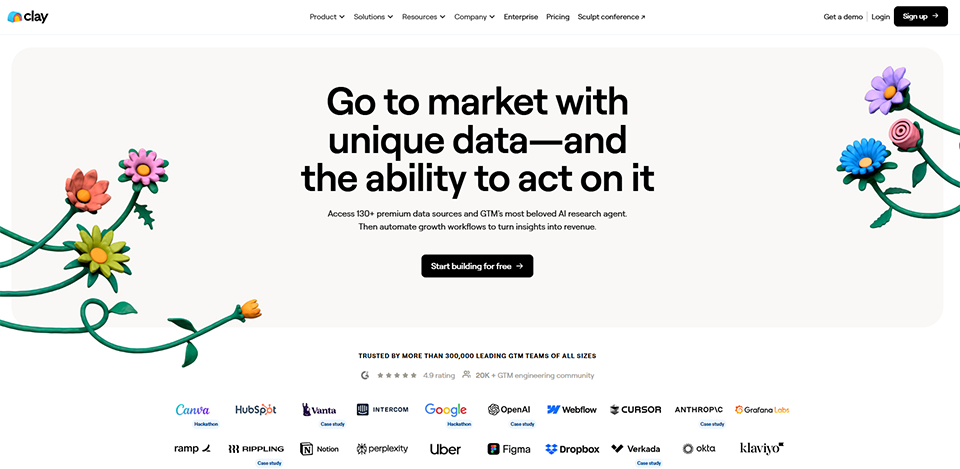
Clay represents a new category of tools that has emerged over the past two years. It is not a cold email tool, nor is it a LinkedIn automation tool in the traditional sense. It is primarily a data enrichment and prospecting workflow platform that connects over 75 different data sources to build highly qualified lists and hyper-personalized messages at scale.
The concept is powerful: you import a list of prospects (from LinkedIn, a CSV file, a Google search, etc.), define data enrichment steps (find the email address, verify the job title, find company information, detect buying signals, etc.), and Clay automates the entire process. Then, AI generates personalized messages based on the collected data without you having to write each email individually.
Clay's interface resembles a spreadsheet enhanced with a layer of automation. Each column can contain different types of data: professional email addresses via Hunter Email, firmographic data, recent company news, technology used... The "Claygent" (AI agent) module can even perform automatic web searches to find contextual information about each prospect. Clay integrates natively with Lemlist, Instantly, Smartlead, and most cold email tools for sending campaigns.
Clay's pricing is based on a system in credits with each enhancement, which requires a bit of planning. A free plan is available for testing:
The more data sources your workflow includes, the more in credits you’ll use in credits keep this in mind before choosing your plan.
Clay is clearly designed for technical or data-driven professionals: growth engineers, revenue ops specialists, or salespeople who are comfortable working with data. It’s the go-to tool for teams that want to go beyond standard sequences and build truly personalized outreach campaigns at scale. High-growth startups and growth agencies are the typical users.
Clay is simply unmatched when it comes to data-driven personalization. Its ability to aggregate so many different sources into a single workflow is impressive, and the results in terms of response rates are often spectacular. The tool is also highly flexible: you can build very sophisticated workflows tailored to very specific use cases.
There is, however, a definite learning curve. The first few hours on Clay can be confusing, and the in credits system in credits a solid understanding before you can launch large-scale workflows. It’s not the ideal tool if you’re looking for something that’s ready to use in 30 minutes.



Instantly has quickly established itself as the top choice for teams engaged in high-volume email outreach. Its promise is clear: to send cold emails at scale while maintaining deliverability. And in this regard, the tool is hard to beat.
Instantly's key strength is its email account rotation system. Rather than sending everything from a single domain (which inevitably leads to spam issues), the tool distributes emails across multiple connected email accounts, with automatic warm-up included in all plans. In practice, you can connect as many accounts as you want and send thousands of emails per day without compromising your deliverability.
Instantly focuses on what it does best: cold email campaigns. The sequence editor is simple and effective, featuring personalization variables, trigger conditions, and unsubscribe management that complies with legal requirements. The tool includes a unified inbox (Unibox) to centralize all responses received across your various sending accounts. A B2B prospect database has recently been added to round out the offering, featuring over 160 million verified contacts. The platform also provides detailed analytics on open, click-through, and response rates.
Instantly stands out for its highly competitive rates relative to the allowed data allowances. Billing is monthly or annual:
This is one of the most competitive rates on the market for the allowed shipment volumes.
Instantly is the go-to tool for prospecting and lead generation agencies that manage multiple clients and handle high volumes. It’s also an excellent choice for SaaS startups that rely heavily on outbound email, and for anyone who needs to scale their email campaigns without technical complications.
The value for money is unbeatable. The tool is stable, deliverability is top-notch, and multi-account management is incredibly seamless. The Unibox feature for centralizing responses is a real time-saver for teams managing multiple sending domains.
On the other hand, Instantly focuses exclusively on email. No LinkedIn, no calls, and no true multichannel sequences. For a comprehensive lead generation strategy, you’ll need to pair it with other tools. The interface is also less visually polished than some competitors’, even though the functionality is there.


Hunter.io is one of those tools that has stood the test of time without losing any of its appeal. Launched in 2015, it remains one of the most reliable and widely used solutions for finding professional email addresses in 2026. It works simply: you enter a domain name or the name of someone at a company, and Hunter returns the associated email addresses along with a confidence score.
Over the years, Hunter has significantly expanded its offerings. In addition to its core business (email search and verification), the platform now offers a comprehensive email campaign module that allows users to send prospecting sequences directly from the interface.
Domain Search remains the flagship product. In just a few seconds, Hunter retrieves all known email addresses associated with a domain name, along with their format, reliability score, and source. The Email Finder lets you find a specific person’s email address by entering their first name, last name, and company. The Email Verifier checks the validity of an address in real time before sending. The Chrome extension makes it easy to search directly on LinkedIn or company websites. The Campaigns module lets you launch basic email sequences with tracking of opens and clicks.
Hunter offers a free plan to get started with no commitment, including 50 credits per month. Paid plans are based on in credits volume:
The Starter plan is more than enough for a freelancer or a sales representative who regularly reaches out to new prospects.
Hunter is a must-have tool must-have anyone engaged in email outreach, regardless of their company size. Freelancers and entrepreneurs appreciate it for its simplicity and generous free plan. Marketing and sales teams often use it alongside an email sending platform like Instantly or Lemlist. It’s often one of the first tools people adopt when they start organizing their outreach efforts.
Hunter is reliable and well-researched, and its Chrome extension makes it an everyday tool for many salespeople. The accuracy of its results is generally very good, and its email verification is among the most robust on the market, helping to avoid bounce rates that can negatively impact deliverability.
However, the tool remains relatively limited compared to all-in-one platforms: email campaigns are basic, and Hunter doesn’t offer LinkedIn automation or advanced data enrichment. It’s an excellent niche tool for finding email addresses, but it works best when used in conjunction with other solutions.


Kaspr has built a solid reputation in a very specific niche: extracting phone numbers and email addresses directly from LinkedIn profiles. It’s a Chrome extension that overlays the LinkedIn interface and displays a profile’s contact information with a single click, drawing from a database of over 500 million contacts.
For business development teams that primarily work on LinkedIn and need accurate contact information (especially mobile phone numbers, which are hard to come by elsewhere), Kaspr is often the most straightforward solution.
The Kaspr extension lets you view the contact information (work email, mobile number, and landline number) for any LinkedIn profile you visit. The tool also offers a dashboard to manage exported contacts, create lists, and sync them directly with your CRM (HubSpot, Salesforce, Pipedrive...) or with prospecting tools like Lemlist or Waalaxy. The tasks module lets you organize follow-ups for extracted contacts. Kaspr has been owned by Cognism since 2022, which enhances the available database.
Kaspr offers a free plan so you can test the data quality before committing. The paid plans are as follows:
A 25% discount is available for annual billing.
Kaspr is particularly well-suited for SDRs and field sales reps who conduct cold calling and need direct phone numbers. It’s also an excellent tool for recruiters looking to contact candidates on LinkedIn, or for B2B sales teams whose sales cycle involves phone conversations.
The quality of contact data-particularly mobile phone numbers-is Kaspr’s key strength. Very few tools provide this level of accuracy. The extension is lightweight, fast, and integrates seamlessly into an existing LinkedIn workflow.
The main limitation is that Kaspr remains a data enrichment tool, not a lead generation platform per se. It will need to be used in conjunction with other tools for sending and tracking campaigns. Data coverage may also vary by geographic market.

Breakcold offers a different approach to lead generation: rather than automating the sending of mass messages, it focuses on social selling and building genuine relationships with prospects through their LinkedIn and Twitter content. It’s a lead generation CRM that aggregates your prospects’ news feeds, allowing you to interact with them in a contextually relevant way even before sending your first message.
The concept is appealing and reflects a reality: in a world where inboxes are overflowing with automated cold emails, a relationship-based approach-such as commenting on prospects’ posts and reacting to their updates-generates far more responses than a traditional follow-up.
Breakcold’s main interface looks like a personalized news feed: you can see your prospects’ LinkedIn posts and tweets in real time, and you can like, comment, and reply directly from the tool without switching between apps. A visual sales pipeline lets you track the progress of each relationship. The tool also includes a module for sending emails and LinkedIn messages for more direct outreach. Everything is connected: social interactions feed into the CRM, and the CRM guides your daily actions.
Breakcold is one of the most affordable tools in this selection, offering a 14-day free trial on all plans:
Given what the tool offers, it's hard to argue with the value for money.
Breakcold is designed for sales professionals who prioritize relationships and personalization over volume. It’s an ideal tool for startup founders, consultants, and business developers working on long sales cycles and high-value deals. Active LinkedIn users who regularly post content will find that it naturally complements their social media strategy.
The approach is truly innovative and effective for high-value niche targets. The interface is user-friendly, the visual pipeline is well-designed, and the aggregation of social media feeds saves you from spending hours on LinkedIn. The entry price is one of the lowest in this selection.
However, Breakcold isn't suited for high-volume prospecting: the social selling approach is designed for high-quality follow-ups with each contact, not for mass-mailing campaigns. It's a niche tool that complements a more traditional outbound approach rather than replacing it.

Here is an overview to help you make your choice based on your priorities.
| Tool | Type | Main channel | Starting price | Ideal for |
|---|---|---|---|---|
| Apollo.io | All-in-one | Email + LinkedIn + Phone | $49/month | Structured sales teams |
| Lemlist | Multichannel sequences | Email + LinkedIn | $79/month | Advanced customization |
| Waalaxy | LinkedIn Automation | LinkedIn + Email | $19/month | Solopreneurs, beginners |
| Clay | Data Enrichment + AI | Email (via integrations) | $149/month | Data-driven teams |
| Instantly | Bulk cold emailing | $37/month | Branches, high volume | |
| Hunter.io | Search for emails | $49/month | Find and verify email addresses | |
| Kaspr | Contact Enrichment | LinkedIn (data) | $59/month | SDR, cold calling |
| Breakcold | Social Selling CRM | LinkedIn + Email | $29/month | Long sales cycles, high-ticket items |
To access the negotiated discounts on all these tools, find our selection in the Automated Prospecting category on Freelance Stack.
Questions about automated lead generation come up frequently, whether they concern legality, strategy, or tool selection. Here are the answers to the most commones.
Yes, under certain conditions. In B2B, the GDPR permits commercial outreach via email to professionals provided that the message is relevant to their business and that an opt-out option is available. Automation itself is not illegal; it is its use that can pose a problem (data collected without a legal basis, lack of an opt-out option, etc.). For LinkedIn prospecting, the platform’s terms of use also regulate the volume of automated actions permitted.
There is no universal rule, but a best practice is to limit yourself to 50 to 100 emails per domain per day for a new domain that is in the warm-up phase. A well-established domain with a good reputation can send several hundred emails per day. Tools like Instantly or Lemlist include automatic warm-up mechanisms to build this reputation gradually.
Benchmarks vary by industry and the quality of targeting. A response rate of 5% to 10% is considered good for cold email campaigns, and over 15% for highly targeted and well-personalized campaigns. These figures improve significantly with advanced personalization and precise targeting.
It depends on your volume and the length of your sales cycle. For quick transactional prospecting, the pipelines built into these tools (Apollo, Breakcold) may be sufficient. For longer sales cycles involving multiple contacts, a dedicated CRM system will provide real added value.
Absolutely, and it’s actually often recommended. A common setup includes Kaspr to extract contact information from LinkedIn, Clay to enrich and qualify leads, Instantly or Lemlist to send email sequences, and a CRM for post-response follow-up. Most of these tools offer native integrations with one another or via automation tools like Make or Zapier.
To get started without getting overwhelmed, Waalaxy is often the perfect starting point for LinkedIn prospecting, and Hunter.io for email prospecting. Both tools offer ease of use, attractive free plans, and a short learning curve. Once you’re comfortable with the basics, transitioning to a more comprehensive platform like Apollo or exploring Clay becomes much more natural.
Data enrichment involves filling in missing information in your contact records (email, phone number, firmographic data, etc.). This is what Kaspr, Hunter, and Clay do, in part. Automated prospecting refers to the automatic sending of messages to these contacts according to predefined sequences. The two are complementary: first, you enrich your data, then you prospect. Find ourdata enrichment tools in the dedicated category on Freelance Stack.
Yes, most of these tools offer international coverage, with particularly strong coverage in English-speaking markets (the United States, the United Kingdom, and the DACH region). Apollo and Kaspr are among the top performers when it comes to U.S. data. For prospecting in specific European markets, it is recommended that you verify data coverage before committing to a plan.
