Top 5 Best Software Programs for Extracting Data Online.
This article presents five solutions that truly stand out in this market, each with its own unique value proposition. All are available for a discount at Freelance Stack.
Web Scraping in 2026: Why Has It Become a Business Standard?
There was a time when extracting data from the web was the exclusive domain of seasoned developers, armed with Python scripts and a healthy dose of patience. Those days are gone. Today, automated online data collection has become so widespread that it has evolved into a strategic tool for a wide variety of purposes: competitive intelligence, lead generation, price monitoring, content aggregation, and database populating.
The web scraping market has exploded in recent years. According to estimates by Grand View Research, it was worth more than $900 million in 2023, with projected annual growth of around 13 to 15 percent through 2030. This figure speaks volumes about companies’ appetite for raw, unfiltered data sourced directly from the web.
But with the growing number of available solutions, choosing a tool can quickly become complicated. More secure website architecture, CAPTCHA management, IP rotation, JavaScript rendering, the volume of data to be processed… each use case calls for a different solution. It’s not about finding “the best tool” in an absolute sense, but rather the one that fits your context, your resources, and your goals.
This article presents five solutions that truly stand out in this market, each with its own unique value proposition. All are available for a discount at Freelance Stack.
#1 - ScrapingBee: The web scraping API that does the dirty work for you.
ScrapingBee is a web scraping API founded in France, and that’s worth mentioning because it shows in the quality of their support and the clarity of their documentation. The product is easy to use: you send a URL, and ScrapingBee returns the rendered HTML, without you having to worry about proxy rotation, JavaScript rendering, or dealing with blockers.
Specifically, the tool relies on a network of rotating proxies (residential and data center) and natively handles JavaScript rendering via headless browsers. This means you can scrape pages that load their content asynchronously, which is now the norm on virtually all modern websites. ScrapingBee also handles CAPTCHAs, cookies, and sessions, features that many solutions overlook.
Key features :
Native JavaScript rendering (headless Chrome).
Automatic rotation of residential and data center proxies.
CAPTCHA Management.
Screenshots of pages.
Structured data extraction (extraction of CSS/XPath rules).
SDKs are available in Python, Node.js, PHP, and Ruby.
Integration takes just a few lines of code. For a developer who wants to stop maintaining their own scraping infrastructure, this is a very compelling proposition.
Pricing:
Hobby Plan: $49/month (150,000 API credits, standard proxy access).
Startup Plan: $99/month (500,000 API credits, residential proxies included).
Business Plan: $249/month (3,000,000 API credits, priority support).
Business Plan: Pricing based on a quote.
What kind of profile?
👨💻 For developers and technical teams:
This is ScrapingBee's natural element. If you're developing a project that requires regularly populating a database from diverse web sources, the API will save you weeks of maintenance work on your own infrastructure. You write your business logic; ScrapingBee takes care of the rest.
🧑💼 For marketing and growth teams:
A team that tracks competitors' prices, monitors online reviews, or aggregates product data can integrate ScrapingBee via Zapier or Make without writing a single line of code. The volume of in credits available even on entry-level plans is more than enough for common marketing use cases.
🚀 For startups in the growth phase:
ScrapingBee is often the first scraping tool that startups adopt because it's easy to set up and has a predictable monthly cost. It's ideal for rapid prototyping without having to invest in your own infrastructure.
✅ The benefits:
Very clear documentation, quick onboarding.
Managed infrastructure, zero client-side maintenance.
Proven reliability in highly secure environments.
A French company with responsive customer support.
⚠️ The downsides:
Pay-as-you-go model: Volumes can increase rapidly depending on usage.
Less suitable for cases requiring complex workflow orchestration.
Limited advanced customization compared to a self-hosted solution.
Benefit from a on ScrapingBee .
25% off on any plan
Find our best discount right now with ScrapingBee and save on your software subscriptions. We offer over 850 promo codes and discounts on the best software and SaaS on the market.
#2 - Apify: The all-in-one platform for scaling your web scraping projects.
Benefit from our free deal on Apify.
10% off on annual plan
Find over 300 free deals as well as over 850 Premium deals right now with Apify and save on your software subscriptions. Whether you're an entrepreneur, a startup or a solo freelancer, save hundreds of euros thanks to our discounts and promo codes.
Apify takes a different approach. While ScrapingBee is a specialized API, Apify is a comprehensive cloud platform for web scraping and automation. It is built on two core components: Actors (encapsulated scraping scripts that you can code, share, or purchase) and a cloud infrastructure that handles execution, storage, and monitoring.
What makes Apify particularly powerful is its Actors marketplace. Thousands of pre-built extractors are available there: Amazon, LinkedIn, Instagram, Google Maps, TripAdvisor, and Indeed scrapers, among others. You can use them as is or customize them however you like. And if you develop one yourself, you can monetize it by selling it to other users.
Key features :
A marketplace featuring over 3,500 ready-to-use actors.
Support for Playwright, Puppeteer, and Crawlee (an open-source library developed by Apify).
Built-in data storage (dataset, key-value store, request queue).
Residential and data center proxies are included in the paid plans.
Scheduling, webhooks, and a full-featured REST API.
No-code interface for simple Actors.
Pricing:
Free Plan: $5/month in credits s included (access to all public Actors).
Starter Plan: $49/month (includes $49 in credits , residential proxies).
Plan Scale: $499/month (extended credits and residential proxies).
Business Plan: Custom pricing.
What kind of profile?
👨💻 For developers who want to get things done quickly:
The Crawlee SDK is one of the best open-source frameworks for Node.js web scraping. When combined with the Apify infrastructure, it provides you with a complete development and deployment environment without having to manage a server.
🏢 For data teams and agencies:
The ability to create customizable Actors, schedule them, and route data to external destinations (Google Sheets, Airtable, databases, etc.) makes Apify a powerful tool for scaling up data collection. Several data agencies use it as the foundation for their services.
🛒 For e-commerce businesses and pricing teams:
Actors designed for e-commerce scraping (Amazon, Booking, Airbnb, Shopify, etc.) are among the most widely used on the platform. For a team that tracks competitors' prices or monitors its online reputation, this is a valuable resource.
✅ The benefits:
A rich ecosystem and a one-of-a-kind marketplace.
Robust infrastructure, suitable for high volumes.
The open-source Crawlee is a true technical benchmark.
Maximum flexibility for technical profiles.
⚠️ The downsides:
A longer learning curve for non-technical candidates.
The " in credits " model can be surprising if you underestimate your proxy needs.
The marketplace sometimes creates duplicate Actors of varying quality.
Benefit from a on Apify .
3 months at 20% off, then an additional 30% off on any plan
Find our best discount right now with Apify and save on your software subscriptions. We offer over 850 promo codes and discounts on the best software and SaaS on the market.
#3 - Browse AI: No-code web scraping, finally, something you can actually use.
Benefit from our free deal on Browse AI.
20% off on annual plan
Find over 300 free deals as well as over 850 Premium deals right now with Browse AI and save on your software subscriptions. Whether you're an entrepreneur, a startup or a solo freelancer, save hundreds of euros thanks to our discounts and promo codes.
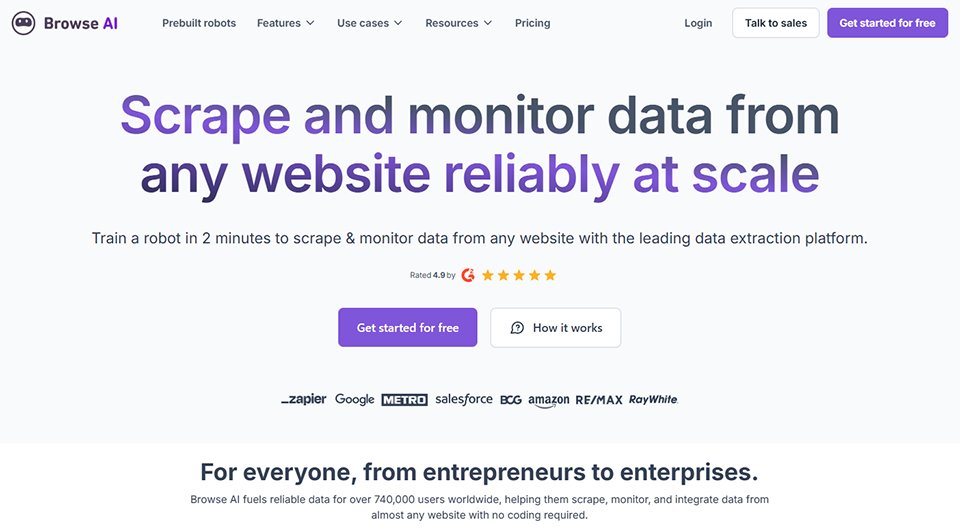
Browse AI completely changes the value proposition: here, there’s no code, no APIs to integrate, and no complex configuration. You go to any web page, visually indicate what you want to extract, and Browse AI takes care of the rest. It’s the tool designed for business users who need data but aren’t developers.
The system works by “training” a bot on a page: you show it the elements to capture (text, prices, images, tables, etc.), it learns the layout, and can then continuously monitor the page or extract entire lists. Pattern recognition is handled by AI, which makes it relatively robust in the face of changes to website structures.
Key features :
Visual training interface (point-and-click).
Automatic page monitoring with alerts when changes occur.
Extracting paginated lists.
Interactions with web pages (filling out forms, clicking, navigating).
Native integrations with Google Sheets, Airtable, Zapier, and Make.
Professional Plan: $99/month (10,000 runs/month, unlimited bots).
Team Plan: $249/month (extended storage, multi-user collaboration).
What kind of profile?
👩💼 For business analysts and non-technical teams:
This is clearly the audience for which Browse AI is optimized. Tracking a competitor's prices, extracting job postings in a specific industry, monitoring a competitor's Google reviews—all without relying on a developer. The increased autonomy is real.
📊 For competitive intelligence:
The continuous monitoring feature is probably the most distinctive. Browse AI can monitor a page around the clock and alert you as soon as any data changes. It’s very effective for tracking price changes, changes to offers, or content updates among your competitors.
🧩 For teams that already use no-code tools:
If you work with Make, Zapier, or Airtable, Browse AI integrates natively into these workflows. This means you can build complete automations without ever having to write a line of code.
✅ The benefits:
Very easy to get started with; suitable for everyone.
Automatic page monitoring, a rare feature.
Native no-code integrations.
Very affordable rates to get you started.
⚠️ The downsides:
Less reliable on highly dynamic or secure websites (compared to a technical solution).
Limited number of runs for entry formulas.
Limited advanced customization for complex use cases.
Benefit from a on Browse AI .
Additional 20% off on any plan
Find our best discount right now with Browse AI and save on your software subscriptions. We offer over 850 promo codes and discounts on the best software and SaaS on the market.
#4 - Bright Data: The most comprehensive proxy and data collection infrastructure on the market.
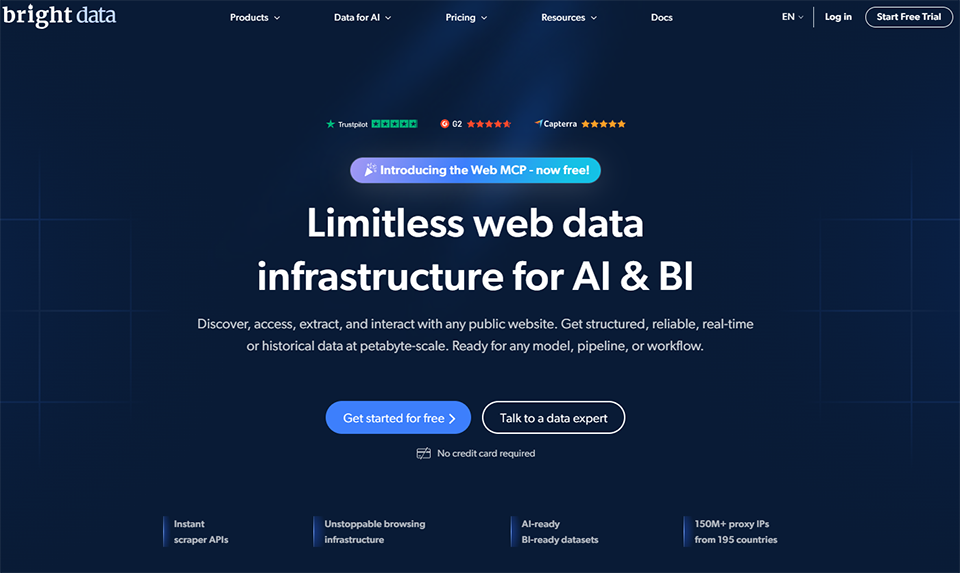
Bright Data, formerly Luminati Networks, is in a league of its own. The company is the global leader in residential proxy infrastructure, with more than 72 million IP addresses in its network. If you have large-scale needs, heavily secured websites to scrape, or specific geographic constraints, Bright Data is likely the most powerful solution available on the market.
Beyond proxies, Bright Data offers a comprehensive ecosystem: Web Scraper IDE (for coding and deploying scrapers), ready-to-use datasets from popular sources (LinkedIn, Amazon, Instagram, etc.), and a dedicated browser for simulating real browsers.
Key features :
A network of more than 72 million residential IP addresses in 195 countries.
Residential, data center, mobile, and ISP proxies.
Web Scraper IDE: A cloud-based environment for coding and running web scrapers.
Scraping Browser: a cloud-based browser with advanced fingerprint management.
Datasets: data pre-collected on major platforms.
SERP API, E-commerce APIs, and Web Unlocker.
Pricing:
Bright Data is primarily billed based on data usage.
Residential proxies: starting at ~$8.40/GB.
Data center proxies: starting at ~$0.90 per IP per month.
Web Scraper IDE: starting at $0.001 per record.
Monthly subscription plans: available with a minimum commitment.
What kind of profile?
🏗️ For companies with industrial needs:
If you scrape millions of pages a month, Bright Data is the gold standard. Its ability to handle massive volumes with high availability is unmatched in the consumer market. Large companies and data teams use it as their underlying infrastructure.
🌍 For uses with geographic constraints:
Bright Data's ultra-precise geographic targeting (by city, mobile carrier, and connection type) is a key advantage when you need to simulate a local user in a specific country or city to access geo-restricted content.
🔬 For data science and research teams:
Bright Data's pre-collected datasets from LinkedIn, Amazon, TikTok, and Google search results provide access to structured data without having to handle the extraction yourself. For market analysis, this saves a considerable amount of time.
✅ The benefits:
A proxy infrastructure unmatched in terms of size and quality.
A level of reliability suited to demanding professional applications.
⚠️ The downsides:
Pay-as-you-go pricing, which can be hard for beginners to predict.
It takes more time to get the hang of than consumer-grade tools.
This could represent a significant expense if the volume increases rapidly.
Benefit from a on Bright Data .
50% off on annual plan
Find our best discount right now with Bright Data and save on your software subscriptions. We offer over 850 promo codes and discounts on the best software and SaaS on the market.
#5 - Firecrawl: The data extraction tool designed for the AI era.
Benefit from our free deal on Firecrawl.
16% off on annual plan
Find over 300 free deals as well as over 850 Premium deals right now with Firecrawl and save on your software subscriptions. Whether you're an entrepreneur, a startup or a solo freelancer, save hundreds of euros thanks to our discounts and promo codes.
Firecrawl is the new kid on the block that has quickly gained significant recognition in the developer and AI communities since its launch. Its positioning is clear: where traditional scrapers return raw HTML, Firecrawl returns clean Markdown that can be used directly as context for an LLM. It’s the scraping tool designed to power artificial intelligence applications.
The concept is simple yet effective: crawl any website, and Firecrawl automatically converts the pages into structured Markdown, filters out the noise (navigation, ads, repetitive elements), and returns only the content. It significantly speeds up the process of building RAGs (Retrieval-Augmented Generation), AI agents, or specialized chatbots based on an external knowledge base.
Key features :
Crawling and scraping to Markdown, JSON, or plain text.
Automatic content cleaning (noise removal).
Map Mode: Map all the URLs on a website before scraping.
Structured extraction using a JSON schema.
Support for sites rendered in JavaScript.
LLM Extract: AI-prompt-guided extraction.
SDKs for Python, Node.js, Go, and Rust are available.
Compatible with LangChain, LlamaIndex, and CrewAI.
Pricing:
Free Plan: 500 credits/month.
Starter Plan: $16/month (3,000 credits/month).
Standard Plan: $83/month (100,000 credits/month).
Plan Scale: $333/month (500,000 credits/month).
What kind of profile?
🤖 For developers building AI applications:
This is the use case Firecrawl was designed for. If you’re developing an AI agent, a RAG chatbot, or an LLM pipeline that needs to ingest web content, Firecrawl eliminates hours of preprocessing. The clean Markdown it produces fits right into a Claude, GPT, or Mistral context.
🔍 For content monitoring and analysis projects:
Crawling an entire industry, extracting editorial content from dozens of sources, and then analyzing it with an LLM: Firecrawl makes this workflow accessible with minimal coding. Ideal for teams engaged in business intelligence or AI-assisted industry monitoring.
🧑🔬 For AI researchers and makers:
Its native compatibility with LangChain, LlamaIndex, and CrewAI makes it a go-to tool in the no-code/low-code AI ecosystem. If you’re building AI prototypes quickly, Firecrawl is often integrated into the stack from the very beginning.
✅ The benefits:
Markdown output that can be used directly by LLMs.
Native integrations with the AI ecosystem (LangChain, LlamaIndex, etc.).
Open source, with an active community on GitHub.
Very competitive rates for small volumes.
⚠️ The downsides:
Less suitable for large-scale data extraction or residential proxy needs.
Not ideal for scraping purely structured e-commerce data.
It's newer than its competitors, and some features are still in development.
Benefit from a on Firecrawl .
Additional 10% off on any plan
Find our best discount with Firecrawl and save on your software subscriptions. We offer over 850 promo codes and discounts on the best software and SaaS on the market.
The pricing information below is for reference only. It is subject to change depending on current offers. Please check each deal's page directly for the most up-to-date terms and conditions.
Tool
Ideal Profile
No-code
Residential proxies
AI-ready
Admission price
Deal Available
ScrapingBee
Developers, startups
❌
✅
Midterm
~$49/month
✅
Apify
Developers, data teams
Midterm
✅
✅
Freemium
✅
Browse AI
Non-technical roles
✅
✅
Midterm
$19/month
✅
Bright Data
Businesses, massive volumes
❌
✅✅
✅
At the store
✅
Firecrawl
AI developers, makers
❌
Limited
✅✅
Freemium
✅
Who is each tool really best suited for? 🎯
Rather than ranking these tools as "best" or "worst", which wouldn't make much sense, here's how to distinguish between them based on your actual needs.
👨💻 If you're a developer and want a reliable API without having to worry about the infrastructure:
ScrapingBee is probably the most logical place to start. The documentation is clear, integration is quick, and it offers good value for money for medium-sized volumes.
🏭 If you're looking to scale up and automate complex web scraping projects:
Apify offers the most comprehensive ecosystem, thanks in part to its Actors marketplace and Crawlee for Node.js profiles.
🖱️ If you don't have technical skills and need to monitor or extract data on a regular basis:
Browse AI is perfect for you. The visual "point-and-click" approach is truly accessible.
🌍 If you handle large volumes, have specific geographic constraints, or scrape highly secured websites:
Bright Data is the only solution that truly meets these requirements without compromise.
🤖 If you're building AI applications and need structured web content to feed your LLMs:
Firecrawl is the most suitable and best-integrated tool in this ecosystem.
See all the software of this category: Donnés
Check out all the other software and discount we offer in this category. Explore other tools and choose the perfect solution to grow your business.
This is the question that comes up time and again, and the answer is nuanced. Scraping publicly available data is generally considered legal, particularly following several court rulings in the United States (such as the LinkedIn v. HiQ case, etc.). In Europe, the framework is similar for public data, but the GDPR applies whenever you collect personal data. In any case, comply with the regulations robots.txt, adhering to the terms of use for websites and avoiding the collection of personal data without a legal basis remains the golden rule. If you have any doubts about a specific use, it is advisable to seek legal counsel.
2️⃣ What’s the difference between a scraper and an official API?
An official API is a gateway to data that the platform voluntarily provides, subject to defined limits and conditions. A scraper, on the other hand, extracts data exactly as it appears in your browser, without prior consent. Official APIs are always preferable when available (they are stable and comply with the Terms of Service), but most data sources on the web do not offer them, which justifies the use of scraping.
3️⃣ What is JavaScript rendering, and why is it important for web scraping?
The vast majority of modern websites load their content dynamically, via JavaScript, after the page has initially loaded. A basic scraper that reads raw HTML doesn't see this content, it arrives too early. Tools like ScrapingBee, Apify, or Firecrawl use headless browsers (Chrome or Firefox without a graphical user interface) to simulate a real user and wait for the content to load before extracting the data.
4️⃣ What is a residential proxy, and why would you need one?
A residential proxy is an IP address associated with a real home device (a private individual whose connection is used in exchange for compensation). These IPs are much less likely to be blocked by websites because they resemble connections from real users, unlike data center IPs, which are easily identifiable. If you need to scrape websites that aggressively protect their content (e-commerce sites, social media platforms, news sites, etc.), residential proxies are often essential.
5️⃣ How long does it take to get a web scraping project up and running?
It depends on the tool and the use case. With Browse AI, you can extract data from a web page in less than 10 minutes, without writing a single line of code. With ScrapingBee or Firecrawl and some knowledge of Python or JavaScript, expect to spend a few hours building a first working prototype. For a large-scale project on Apify or Bright Data involving high volumes and automated processing, it can take anywhere from several days to a few weeks, depending on the complexity.
6️⃣ Can these tools scrape social media?
Technically, yes, within certain limits. LinkedIn, Twitter/X, Instagram, and TikTok are common targets, but they are also the most heavily protected and legally sensitive. Most of these platforms explicitly prohibit scraping in their Terms of Service. Some tools, such as Apify, offer dedicated Actors for these sources, but their use remains subject to strict conditions. For professional use, it’s best to use solutions that provide pre-collected data (such as Bright Data datasets) or to stick to what the official APIs allow.
7️⃣ Do I need to know how to code to use these tools?
Not necessarily. Browse AI requires no technical skills. Apify offers no-code Actors for common use cases. ScrapingBee, Firecrawl, and Bright Data, on the other hand, are clearly geared toward developers, even though Zapier or Make integrations allow you to get quite far without writing code.