Our selection of tools for creating a visual identity using AI
In this article, we’ve reviewed the best tools available on Freelance Stack let you create or enhance your visual identity using AI. Each tool featured has an active deal on the platform.
Why is AI a real game-changer for your brand image?
Just a few years ago, creating a cohesive visual identity required either a substantial budget to hire a graphic designer or several weeks of learning software like Adobe Illustrator or Photoshop. For freelancers, solopreneurs, and small teams, it was often a real struggle.
Those days are well and truly gone.
Artificial intelligence has fundamentally transformed access to visual design. Today, in just a few minutes and without any special design skills, it’s possible to generate a professional logo, visuals for social media, advertising banners, or even complete communication materials. All of this is achieved with a level of visual consistency that few could have attained on their own just five years ago.
According to a Gartner study published in 2024, more than 30% of small marketing teams now incorporate generative AI tools into their visual content creation workflow. This figure is growing rapidly, driven in particular by the surge in accessible solutions-often SaaS-based-designed for non-designers.
What we call "visual identity" is much more than just a logo. It encompasses all the graphic elements that define a brand: typography, color palette, photographic style, communication templates, and visual tone. And to build it in a cohesive way, you need tools tailored to the different stages of the creative process.
In this article, we’ve reviewed the best tools available on Freelance Stack that let you create or enhance your visual identity using AI. Each tool featured has an active deal on the platform.
#1 - Looka: The AI logo generator designed for non-designers.
Looka is probably one of the best-known tools for creating a professional logo without hiring a graphic designer. The process is simple: you answer a few questions about your business, your style preferences, and your favorite colors, and the AI generates dozens of logo designs that you can then customize as you like.
What sets Looka apart is that it doesn't stop at the logo. The platform offers a complete branding kit: business cards, email signatures, social media covers, favicons, and more. Everything is automatically generated based on your logo's graphic elements.
Key features:
Unlimited logo generation during design phase.
Full customization (colors, fonts, icons, layout).
Branding kit with over 200 ready-to-use files and templates.
Export to vector formats (SVG, EPS) and raster formats (PNG, JPG).
Trademarkable: The designs generated are entirely yours.
Pricing:
Brand Kit Subscription Plan: ~$96/year, with ongoing access to the complete brand kit and updates.
Logo files only plan: ~$65 one-time payment, to receive only the logo files.
Brand Kit Plan: ~$129 one-time payment, includes over 200 brand templates.
Who is this really useful for?
🧑💻 Freelancers starting their own business:
Looka is perfect for anyone who needs a professional visual identity quickly, without spending days on it. In less than an hour, you’ll have a logo, a color palette, and templates ready to go.
🏢 Startups in the launch phase:
Before you start looking for an investor or pitching your idea, having a consistent visual brand is practically must-have. Looka lets you put that together quickly and at a very reasonable price.
🛍️ E-commerce entrepreneurs:
When starting an online store, having a logo and a clear brand identity is essential. Looka fits seamlessly into this rapid launch workflow.
👍 The benefits:
Very user-friendly; no design skills required.
Professional results in less than an hour.
Complete branding kit included in the premium packages.
Vector files provided, usable anywhere.
👎 The downsides:
The logos may lack originality (the tool is widely used).
Customization is limited to predefined parameters.
For a truly customized identity, a human designer remains irreplaceable.
Benefit from a on Looka.
Find our best discount right now with Looka and save on your software subscriptions. We offer over 850 promo codes and discounts on the best software and SaaS on the market.
#2 - Simplified: The all-in-one tool for creating AI-powered visual content.
Benefit from our free deal on Simplified.
Up to 35% off on annual plan
Find over 300 free deals as well as over 850 Premium deals right now with Simplified and save on your software subscriptions. Whether you're an entrepreneur, a startup or a solo freelancer, save hundreds of euros thanks to our discounts and promo codes.
Simplified is often compared to a version of Canva powered by artificial intelligence. But that would be an oversimplification. The platform is, above all, a comprehensive creative suite that covers writing, graphic design, video, and social media-all powered by generative AI.
For visual identity design, Simplified offers a drag-and-drop graphic editor with a library of thousands of templates. Its real strength lies in its built-in AI assistant, which can generate visuals from simple text descriptions, rewrite marketing copy, automatically adapt visuals to different social media formats, and create variations of the same design in just a few seconds.
Key features:
Graphics editor with customizable templates.
AI-generated images (text-to-image).
Automatic resizing for all formats (Instagram, LinkedIn, etc.).
Built-in image background removal tool.
Social media scheduling and posting.
AI assistant for creating visual content.
Brand Kit for storing colors, fonts, and logos.
Pricing:
Free Plan: limited features, with a watermark on certain exports.
Pro Plan: ~$12/month, access to nearly all AI features and unlimited exports.
Business Plan: ~$24/month, for teams needing collaboration and advanced brand management.
Who is this really useful for?
📱 Community managers and content creators:
The ability to create and customize visuals for any format with just a few clicks saves a considerable amount of time.
🚀 Startup marketing teams:
Simplified eliminates the need to juggle multiple tools. Writing, design, and publishing: everything is centralized.
🎨 Entrepreneurs who handle their own communications:
For those who lack the time or budget to outsource their visual communications, Simplified offers a level of quality that is hard to match.
👍 The benefits:
A truly comprehensive creative suite-not just design.
Powerful, built-in image-generation AI.
Team collaboration is available starting with premium plans.
Excellent value for money.
👎 The downsides:
The wide range of features can be intimidating at first.
AI generations consume credits according to the plan.
Less sophisticated than a tool designed specifically for certain functions (e.g., video-only).
Benefit from a on Simplified.
An additional 25% off on any plan
Find our best discount right now with Simplified and save on your software subscriptions. We offer over 850 promo codes and discounts on the best software and SaaS on the market.
#3 - AdCreative.ai: The power of AI at the service of advertising visuals.
Benefit from our free deal on AdCreative.ai.
40% off on annual plan
Find over 300 free deals as well as over 850 Premium deals right now with AdCreative.ai and save on your software subscriptions. Whether you're an entrepreneur, a startup or a solo freelancer, save hundreds of euros thanks to our discounts and promo codes.
AdCreative.ai occupies a very specific niche and excels at it: the automated creation of advertising visuals optimized for conversion. While Looka designs your logo and Simplified handles your day-to-day content needs, AdCreative.ai focuses on creatives that need to deliver results: Google Ads banners, Facebook and Instagram ads, and promotional posts.
The tool is powered by an AI model trained on millions of high-performing ads. After entering your brand details (logo, colors, font), you can generate dozens of ad creative variations in just a few seconds, each accompanied by an estimated performance score based on the model’s training data.
Key features:
Batch generation of advertising creatives.
AI performance score to prioritize the best visuals.
Sign-in with Facebook Ads and Google Ads.
Generation of advertising copy (headlines, descriptions).
Templates by industry.
Creation of visuals for social media (organic posts).
"Creative Insights" feature to analyze what works.
Pricing:
Starter Plan: ~$21/month, for entrepreneurs a limited number of monthly designs.
Professional plan: ~$141/month, for agencies and teams with higher volumes
A 7-day free trial is available.
Who is this really useful for?
📊 E-commerce businesses and online stores:
Testing a wide range of visual variations is key to effective advertising. AdCreative.ai automates this process.
🎯 Independent marketing or growth professionals:
Being able to quickly present clients with several creative concepts to test is a strong selling point that sets you apart.
🏪SMEs that manage their own campaigns:
Without having to hire a designer for every new campaign, it is possible to maintain a high pace of production.
👍 The benefits:
Significant time savings in creative production.
AI performance score: a real competitive advantage.
Native integration with major advertising platforms.
Suitable for rapid testing cycles (visual A/B testing).
👎 The downsides:
A tool heavily focused on paid advertising, less relevant for organic content.
Prices are relatively high for those on a tight budget.
The quality of the creative work depends on the brand assets provided.
Benefit from a on AdCreative.ai.
Additional 50% off on annual plan
Find our best discount right now with AdCreative.ai and save on your software subscriptions. We offer over 850 promo codes and discounts on the best software and SaaS on the market.
#4 - Picsart: The creative visual editor with AI for everyone.
Benefit from our free deal on Picsart.
Find over 300 free deals as well as over 850 Premium deals right now with Picsart and save on your software subscriptions. Whether you're an entrepreneur, a startup or a solo freelancer, save hundreds of euros thanks to our discounts and promo codes.
Picsart is a visual creation platform that has made a seamless transition to generative AI. Historically known as a mobile photo editing app, Picsart is now available as a web-based service and offers a wide range of features designed for creating visual content.
What makes Picsart a valuable tool for building a visual identity is the combination of its photo and video editor with its AI features: background removal, text-to-image generation, smart artistic effects, and automatic retouching. The platform also offers a library of templates for social media, marketing materials, and presentations.
Key features:
Photo and video editor with built-in AI tools.
Text-to-image generation.
Remove and replace the background with a single click.
AI-generated effects and artistic styles (style transfer, generative filters).
Library of stickers, fonts, and templates.
Collaboration features for teams.
High-performance mobile app for iOS and Android.
Pricing:
Free Plan: Basic features available, with limitations.
Gold Plan: ~$5/month (annual), access to premium AI features.
Team Plan: Pricing based on a quote depending on the size of the team.
Who is this really useful for?
📸 Content creators and influencers:
The power of the photo editor, combined with AI filters, makes it the tool of choice for creating eye-catching visual content for social media.
📲 Teams that frequently work on mobile devices:
The Picsart app is one of the most comprehensive on the market, making it ideal for those who create on the go.
🎨 Entrepreneurs who want to master their visual identity:
Picsart offers more creative freedom than highly guided tools like Looka, for those who want to develop their own style.
👍 The benefits:
Excellent value for money.
High-quality mobile app.
Intuitive and user-friendly AI tools.
Extensive library of visual resources.
👎 The downsides:
The interface is a bit overwhelming for complete beginners.
Less brand-focused than Looka or Simplified.
Some advanced AI features require credits.
Benefit from a on Picsart.
Find our best discount right now with Picsart and save on your software subscriptions. We offer over 850 promo codes and discounts on the best software and SaaS on the market.
#5 - OpenArt AI: AI image generation taken to the next level.
Benefit from our free deal on OpenArt AI.
Find over 300 free deals as well as over 850 Premium deals right now with OpenArt AI and save on your software subscriptions. Whether you're an entrepreneur, a startup or a solo freelancer, save hundreds of euros thanks to our discounts and promo codes.
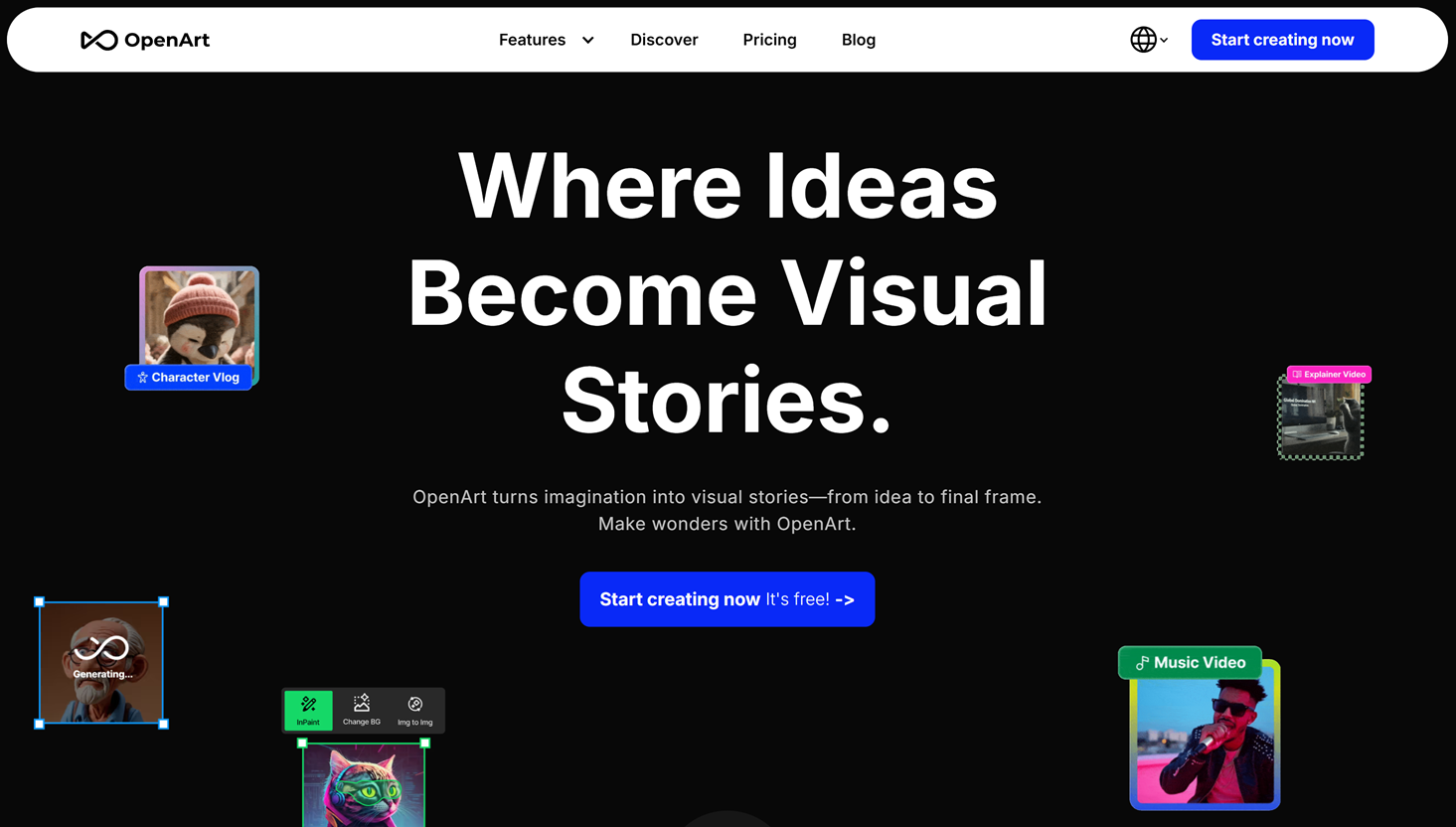
OpenArt AI is a platform dedicated to generating images using artificial intelligence, designed for those who want to go beyond predefined templates. While other tools treat AI as just one feature among many, OpenArt has made it the core of its product.
The tool provides access to several image-generation models (Stable Diffusion, DALL-E, and other specialized models), with advanced features such as generating visuals from a reference image (img2img), applying specific styles, and creating consistent characters (consistency model) to maintain a stable visual identity across images. This last point is particularly valuable for brands.
Tool for creating custom workflows (workflow builder).
Fine-tuning models using your own images.
Design of logos and graphic elements.
Community prompt library.
Pricing:
Free Plan: limited credits for testing.
Starter Plan: ~$9/month, a good starting point for regular users.
Hobbyist Plan: ~$19/month, for more intensive use.
Pro Plan: ~$49/month, with access to advanced fine-tuning features.
Who is this really useful for?
🏷️ Brands looking for a unique visual identity:
The style consistency feature allows you to generate images that remain true to a defined visual style, which is very useful for brand identity.
🧪 Curious designers and creatives:
OpenArt provides a vast playground for exploring new styles, testing visual concepts, or creating original assets.
🛒 E-commerce businesses looking for product images:
Creating product staging visuals without a photo shoot is exactly what OpenArt enables with its img2img workflows.
👍 The benefits:
Access to a wide range of AI models, including the latest ones.
A feature that ensures style consistency, which is invaluable for brands.
You can fine-tune it for a truly personalized look.
An active community that shares workflows.
👎 The downsides:
A steep learning curve, especially for advanced features.
You need to master the art of "prompting" to get the most out of it.
Less "turnkey" than tools like Looka or Simplified.
Benefit from a on OpenArt AI.
Find our best discount with OpenArt AI and save on your software subscriptions. We offer over 850 promo codes and discounts on the best software and SaaS on the market.
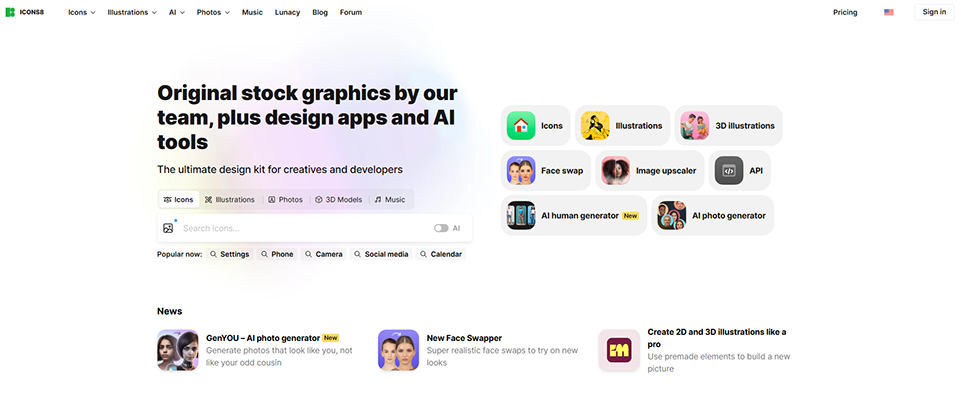
#6 - Icons8: The AI-powered graphic resource library.
Icons8 is often the overlooked yet essential building block of a strong visual identity. The platform offers a massive library of icons, illustrations, photos, and music, complemented by several AI tools for creating or customizing graphic assets.
What makes Icons8 so powerful is the consistency of its libraries. The icons are available in dozens of consistent graphic styles, allowing you to maintain visual harmony across all your platforms. And in recent years, Icons8 has integrated AI tools such as Lunacy (a graphic design alternative to Figma) and a generator of stock photos of fictional people to illustrate your interfaces without any image rights issues.
Key features:
Over 200,000 icons in a variety of styles (flat, outline, filled, glassmorphism, etc.).
Consistent vector illustrations in various styles (Ouch, Blobs, etc.).
Photos of people generated by AI (Smart Upscaler, Face Swapper).
AI photo generator (text-to-image).
Lunacy: a free vector design editor (an alternative to Figma and Sketch).
API available for integration into applications.
Pricing:
Free Plan: Access to a wide range of resources, but registration is required.
Monthly Plan: ~$13/month for unattributed access and unlimited downloads.
Annual Plan: ~$9/month (billed annually), best value.
Who is this really useful for?
👨💻 Developers and designers who create user interfaces:
Icons8 is must-have UI/UX designers who need consistent icons and illustrations for their mockups.
📝 Teams that produce editorial content:
The wide variety of images available makes it easy to illustrate blog posts, presentations, or internal documents with consistent visuals.
🎨 Freelancers in communications:
Having access to thousands of ready-to-use graphic resources saves a considerable amount of time and money.
👍 The benefits:
Libraries of remarkable richness and coherence.
Very affordable pricing.
Lunacy is a serious, free alternative to Figma.
Resources that can be used on any device.
👎 The downsides:
The free offer requires attribution (link to Icons8).
Generative AI tools are less advanced than specialized platforms.
The main interface (the website) can be a bit difficult to navigate.
Benefit from a on Icons8.
20% off on any plan
Find our best discount right now with Icons8 and save on your software subscriptions. We offer over 850 promo codes and discounts on the best software and SaaS on the market.
#7 - Yay Images: The image and video library with built-in AI generation.
Yay Images is a visual content library (photos, vectors, videos) that has integrated AI-generated content to complement its traditional library. It’s a particularly useful tool for those who need authentic visuals to illustrate their communications without worrying about copyright issues.
The platform offers over 220 million licensed visual assets, in addition to AI-generated visuals created on demand. For brands seeking a consistent visual identity across their editorial communications (blogs, newsletters, presentations), Yay Images offers a rare combination: stock images and AI all in one place.
Key features:
Over 220 million licensed photos, vectors, and videos.
AI image generator (text-to-image).
Visual search by image.
Basic built-in editing features.
Commercial licenses included (unrestricted use).
Monthly or annual plans with bulk downloads.
Pricing:
Monthly Plan: ~$19/month for 100 downloads.
Annual Plan: ~$15/month (billed annually).
Plans with unlimited downloads available for teams.
Who is this really useful for?
✍️ Content creators and bloggers:
Yay Images’ main offering is to help you illustrate articles, LinkedIn posts, or newsletters with professional-quality images-without worrying about copyright issues.
📣 Marketing teams:
Having access to a catalog of millions of licensed images for advertising campaigns or corporate communications greatly simplifies the workflow.
🏢 Communications agencies:
The extensive catalog and commercial licenses make it a tool well-suited for client projects.
👍 The benefits:
Extensive catalog available under a commercial license.
Integrated AI: one tool for two needs.
Visual search by image-convenient and effective.
Competitive pricing compared to competitors.
👎 The downsides:
The AI-generated content feature is still less advanced than OpenArt or Runway.
Less useful if you already have a subscription to another stock photo site.
The quality of the images in the catalog varies depending on the source.
Benefit from a on Yay Images.
50% off on annual plan
Find our best discount with Yay Images and save on your software subscriptions. We offer over 850 promo codes and discounts on the best software and SaaS on the market.
#8 - Runway AI: Generative AI for video and brand motion design.
Runway AI is in a league of its own. While the previous tools mainly focus on static visuals, Runway tackles video creation and motion design using artificial intelligence. For a modern visual identity, video has become must-have Stories, Reels, video ads, motion logos...
Runway is the industry standard. The platform lets you create videos from text or images, animate still images, apply sophisticated visual effects, and even remove and replace backgrounds in videos. Just two years ago, this tool was only available to professional studios, but today it’s accessible to everyone.
Key features:
Text-to-video generation (Gen-3, the latest model).
Image-to-video generation (animating a still image).
Real-time video background removal.
Motion Brush: Animate specific parts of an image.
Video inpainting (editing a specific area of a video).
Built-in AI image generation.
Basic video editing tool.
Pricing:
Free Plan: ~125 credits to try it out.
Standard Plan: ~$12/month, 625 credits/month.
Pro Plan: ~$28/month, 2,250 credits/month, access to the latest features.
Unlimited Plan: ~$76/month for heavy users.
Who is this really useful for?
🎥 Video content creators:
Runway makes effects and techniques available that previously required After Effects and hours of work.
📱 Social media teams:
Creating regular, high-quality video content for social media is one of the biggest challenges today. Runway drastically reduces production time.
🏷️ Brands looking to bring their visual identity to life:
Turning a static logo into an animated logo, creating animated intros for videos: that’s what Runway does best.
👍 The benefits:
AI video generation quality that ranks among the best on the market.
Advanced features (Motion Brush, inpainting) that are unmatched in terms of accessibility.
Regular updates with new models.
Useful even if you don't know how to edit videos.
👎 The downsides:
The credit system can add up quickly depending on usage.
Learning curve for the most advanced features.
Video generation still has room for improvement when it comes to complex subjects (people, fast-moving objects).
Benefit from a on Runway AI.
25% off on any plan
Find our best discount right now with Runway AI and save on your software subscriptions. We offer over 850 promo codes and discounts on the best software and SaaS on the market.
Each tool addresses a specific need in the process of building a visual identity. Here is a summary table to help you evaluate each solution based on your priorities.
Tool
Primary use
Target profile
Required level
Admission price
Looka
Logo + kit de marque
Freelancer, startup
Beginner
~$65 (one-time)
Simplified
Daily visual content
Solo, Marketing Team
Beginner/Intermediate
~$12 per month
AdCreative.ai
Advertising creatives
E-commerce, growth
Intermediate
~$21 per month
Picsart
Retouching + Visual Design
Creators, social media
Beginner/Intermediate
~$5 per month
OpenArt AI
Advanced AI image generation
Designers, brands
Intermediate/Advanced
~$9 per month
Icons8
Graphic resources (icons, illustrations)
Designers, developers
Beginner
~$9 per month
Yay Images
Image Library + AI
Content creators
Beginner
~$15 per month
Runway AI
AI Video and Motion Design
Video creators, social media
Intermediate
~$12 per month
Note: The prices listed are current as of the time of writing and may have changed. Visit the Freelance Stack deals pages Freelance Stack see the best offers available.
Which tool should you choose based on your profile? 🎯
There is no one-size-fits-all answer, but here are some guidelines for the most common situations.
🌱 Are you starting your freelance business or startup from scratch?
Start with Looka to lay the groundwork for your brand identity (logo, colors, fonts), then use Simplified to create your day-to-day marketing materials. It’s the most effective combination for staying within budget.
📣 Do you manage advertising campaigns and need a large volume of creative assets?
AdCreative.ai is perfect for you. Pair it with Yay Images to access a catalog of licensed visual assets, and you’ll have most of your creative production needs covered.
🎨 Are you a designer, a creative professional, or looking for a truly distinctive visual style?
OpenArt AI will give you the creative freedom you need, with Icons8 providing additional graphic resources (icons, illustrations).
🎬 Is video at the heart of your content strategy?
Runway AI is must-have-pair it with Picsart for the accompanying static visuals.
Of course, most of these tools can be used together. A typical tech stack for a startup in its launch phase might look something like this: Looka for basic branding + Simplified for daily content + Runway AI for social media video content.
See all the software of this category: Marketing
Check out all the other software and discount we offer in this category. Explore other tools and choose the perfect solution to grow your business.
FAQ: Here are the most frequently asked questions about creating a visual identity using AI ❓
Rights, uniqueness, budget, required skills-all the answers you need to use these tools with confidence.
1️⃣ Are AI-generated logos truly unique?
Most logo-generation tools like Looka combine pre-existing graphic elements (icons, fonts) according to your preferences. The result isn’t “unique” in the sense that every pixel is created specifically for you, but there are enough possible combinations to ensure your logo stands out in practice. For a registered trademark, it’s advisable to check the logo’s availability with a lawyer.
2️⃣ Can AI really replace a professional graphic designer?
For the standard needs of an SME or a freelancer in the startup phase, AI tools cover a vast majority of visual requirements at a fraction of the cost. However, for strategic brand identity, a major redesign, or projects requiring in-depth semiotic and cultural expertise, a human designer remains irreplaceable. In fact, the two approaches can complement each other: AI for day-to-day tasks, and a designer for key moments.
3️⃣ Do I own the rights to the visuals generated by these AI tools?
This depends on the terms of use for each platform. Most of the tools mentioned grant a commercial license for creations generated through their services. Looka, for example, transfers full ownership of your files. OpenArt AI and Runway AI specify the terms for commercial use in their Terms of Service. It is always recommended to read the specific terms for each tool before engaging in extensive commercial use.
4️⃣ How much should you budget for a good suite of AI visual tools?
A complete, professional tech stack can be put together for 30 to 60 euros per month, depending on the tools you choose, by taking advantage of the deals available on platforms such as Freelance Stack. The deals available often provide access to premium plans at significantly reduced rates, particularly for startups and freelancers.
5️⃣ Do you need technical skills to use these tools?
The vast majority of the tools featured in this article are accessible without any design or development skills. Looka, Simplified, Picsart, and Yay Images are designed to be used by anyone. OpenArt AI and Runway AI have a steeper learning curve, but their interfaces remain intuitive, and their communities offer plenty of tutorials.
6️⃣ Do these tools work in French?
Most offer an English interface, although some are beginning to localize their platforms. In practice, the text-to-image features work perfectly well with French prompts. Simplified and Picsart are partially available in French. When it comes to templates and libraries, the interface language has little impact on actual usage.
7️⃣ Can we use several of these tools together?
Absolutely, it’s actually recommended. These tools complement each other rather than competing. A typical use case might be: Looka to create the basic brand identity, Icons8 for graphic assets, Simplified for day-to-day content, and Runway AI for videos. Files can be exported in standard formats (PNG, SVG, MP4) that can be imported into any other tool.