A Few Golden Rules for a Landing Page That Won’t Drive Your Visitors Away
This guide is for anyone who wants to understand what makes a landing page effective and who is looking for the right tools to create one without needing a full technical team. We’ll review the essential principles and then explore the solutions best suited to your profile and needs.
Why Your Landing Page Might Be Driving Visitors Away?
A landing page isn’t just a web page that’s a little shorter than the others. It’s often the first real point of contact between your offer and a visitor who doesn’t know you yet. In just a few seconds, they decide whether it’s worth staying or whether to close the tab.
The problem is that many pages suffer from the same flaws: a vague message, an overly long form, a design that lacks consistency, or a promise that doesn’t live up to its visual expectations. The result: conversion rates that struggle to exceed 2–3%, whereas a well-designed page can reach 10, 15, or even 20% in certain niches.
This guide is for anyone who wants to understand what makes a landing page effective and who is looking for the right tools to create one without needing a full technical team. We’ll review the essential principles and then explore the solutions best suited to your profile and needs.
Basic guidelines to consider before choosing a tool.
Before we talk about tools, we need to talk about methodology. Good software will never make up for unclear positioning or a poorly crafted message.
🎯 One goal per page:
That’s the number one rule. A landing page should lead to a single action: sign up, buy, download, or schedule an appointment. As soon as you include multiple CTAs or offer several paths, visitors don’t know where to look. Their attention is scattered, and so is the conversion rate.
⚡ The message must be immediate:
Visitors first read the headline, then the subheading, and then scan the rest of the text. You have about 5 seconds to make them understand what you’re offering and why it’s relevant to them. If your headline is too abstract, too full of jargon, or too generic, you’ve lost the battle before you’ve even started.
A good headline answers three implicit questions: What is it? Who is it for? And what’s in it for me?
⭐ Social proof isn’t optional:
Customer reviews, partner logos, key statistics (“used by 12,000 freelancers”), and video testimonials play a decisive role in the decision-making process. People don’t trust a promise without external validation, especially when they’re discovering a brand for the first time.
📝 Forms: less is more:
Every additional field on a form lowers the completion rate. Ask only for what you really need for the next step. An email address is often enough to get started. The rest can come later.
🎨 Design should serve the message, not the other way around:
A design that’s too cluttered, too creative, or too original can hinder readability. The goal isn’t to impress—it’s to guide. A clear visual hierarchy, visible buttons, and ample white space: everything should make it easier for users to take action.
📱 Mobile optimization is no longer optional:
More than 60% of web traffic comes from mobile devices. A landing page that doesn’t display properly on a smartphone means a lost conversion before the text is even read. All the tools we present below support responsive design, but always check how they look on mobile devices before publishing.
The Best Tools for Creating Your Landing Page 🛠️
We’ve selected seven tools available at Freelance Stack, covering a range of complexity levels and budgets. Whether you’re a solopreneur, freelancer, or startup in the launch phase, there’s one that fits your situation.
#1 - Landingi: The landing page specialist with over 400 ready-to-use templates.
Benefit from our free deal on Landingi.
2 months free
Find over 300 free deals as well as over 850 Premium deals right now with Landingi and save on your software subscriptions. Whether you're an entrepreneur, a startup or a solo freelancer, save hundreds of euros thanks to our discounts and promo codes.
Landingi is one of the few tools designed exclusively for creating landing pages. No scattered features, no confusion about its purpose: we’re here to convert.
Concept and features:
The platform offers a smooth drag-and-drop editor, more than 400 templates organized by industry and objective (lead generation, event promotion, product launches, etc.), and advanced features such as A/B testing, pop-ups, smart forms, and integrations with leading CRMs and marketing tools. It also includes a funnel creation module for linking multiple pages into a cohesive user journey.
Pricing:
Free Plan: free (limited features).
Pro Plan: starting at ~$24/month (for business use).
For whom?
Ideal for freelancers, consultants, and marketing teams who want to launch campaigns quickly without touching the code. With a wide variety of templates, you can get started in less than an hour.
✅ The benefits:
Very user-friendly interface; easy to get started with.
One of the most extensive template libraries on the market.
Natively integrated A/B testing.
Good range of integrations (HubSpot, Mailchimp, ActiveCampaign, etc.).
👎 The downsides:
Advanced customization is limited compared to tools like Webflow.
The most comprehensive plans can be costly for small organizations.
Benefit from a on Landingi.
Find our best discount right now with Landingi and save on your software subscriptions. We offer over 850 promo codes and discounts on the best software and SaaS on the market.
#2 - Unbounce: The industry standard with built-in AI to optimize conversions.
Unbounce is one of the pioneers in the landing page space. Launched in 2009, it has established itself as the go-to solution for marketing teams seeking performance and flexibility.
Concept and features:
The tool stands out for its intelligent optimization features: Smart Traffic, its AI engine, automatically redirects each visitor to the page variant most likely to convert them based on their profile. It’s A/B testing taken to its highest level. The editor is precise, the customization options are advanced, and there are numerous integrations.
Unbounce also offers pop-ups and sticky bars to capture users’ attention at specific points in their journey.
Pricing:
Pro Plan: starting at ~$74/month (for business use).
For whom?
For growing startups, agencies, and marketing teams that manage multiple campaigns simultaneously and need reliable data to optimize their results.
✅ The benefits:
Smart Traffic: automatic AI optimization.
Publishing quality that ranks among the best on the market.
Accurate and comprehensive reporting.
A robust library of templates.
👎 The downsides:
High price for a freelancer or a very small business with few pages.
The learning curve is a bit longer than with solutions like Landingi.
Benefit from a on Unbounce.
20% off during 3 months
Find our best discount right now with Unbounce and save on your software subscriptions. We offer over 850 promo codes and discounts on the best software and SaaS on the market.
#3 - Leadpages: The affordable solution that doesn’t compromise on performance.
Benefit from our free deal on Leadpages.
Find over 300 free deals as well as over 850 Premium deals right now with Leadpages and save on your software subscriptions. Whether you're an entrepreneur, a startup or a solo freelancer, save hundreds of euros thanks to our discounts and promo codes.
Leadpages occupies an interesting position: it’s affordable and offers robust features. It’s often the best choice for entrepreneurs and small businesses that want a professional tool without breaking the bank.
Concept and features:
The editor is quick and easy to learn. Leadpages offers a real-time conversion score that evaluates your page as you build it, which is very helpful when you’re just starting out. It also includes pop-ups, alert bars, and comprehensive form management. Hosting is included.
Integrations with email marketing tools (Mailchimp, Kit (formerly ConvertKit), Brevo, etc.) are well-designed and easy to set up.
Pricing:
Pro Plan: starting at ~$37/month.
For whom?
For solopreneurs, coaches, consultants, and content creators who want pages that convert without investing too much time or money. The real-time conversion score is especially useful for those who don’t yet have experience with optimization.
✅ The benefits:
Live conversion score as you build the page.
Unbeatable value for the money for this range of features.
An intuitive interface, even for beginners.
Hosting is included with no additional setup required.
👎 The downsides:
Less creative flexibility than Webflow or Framer.
Fewer templates than Landingi.
Benefit from a on Leadpages.
30% off on annual “Pro” plan
Find our best discount right now with Leadpages and save on your software subscriptions. We offer over 850 promo codes and discounts on the best software and SaaS on the market.
#4 - Instapage: The premium platform for teams that prioritize customization at scale.
Benefit from our free deal on Landingi.
2 months free
Find over 300 free deals as well as over 850 Premium deals right now with Landingi and save on your software subscriptions. Whether you're an entrepreneur, a startup or a solo freelancer, save hundreds of euros thanks to our discounts and promo codes.
Instapage is clearly positioned in the high-end segment. The tool is designed for teams that manage numerous advertising campaigns and need to customize the experience for each audience segment.
Concept and features:
Instapage’s flagship feature is dynamic personalization: the page’s content adapts based on where the visitor is coming from, the keyword used in an ad, or the visitor’s profile. For high-volume Google Ads or Meta Ads campaigns, this is a major competitive advantage.
The editor is very precise, the real-time collaboration system makes teamwork easier, and the analyses are particularly detailed.
Pricing:
Pro Plan: starting at ~$99/month.
For whom?
For growth teams, marketing managers at Series A startups and beyond, and agencies that manage high-volume paid campaigns. Not suitable for occasional use or tight budgets.
✅ The benefits:
Dynamic content customization based on the traffic source.
Real-time team collaboration.
Advanced analytics and heat maps.
Optimized loading speed (AMP technology).
👎 The downsides:
The cost is prohibitive for small organizations.
Features that are sometimes overkill for simple needs.
Benefit from a on Instapage.
An additional 25% off on annual plan
Find our best discount right now with Instapage and save on your software subscriptions. We offer over 850 promo codes and discounts on the best software and SaaS on the market.
#5 - Framer: The playground for designers who want total creative freedom.
Benefit from our free deal on Framer.
30% off on annual plan
Find over 300 free deals as well as over 850 Premium deals right now with Framer and save on your software subscriptions. Whether you're an entrepreneur, a startup or a solo freelancer, save hundreds of euros thanks to our discounts and promo codes.
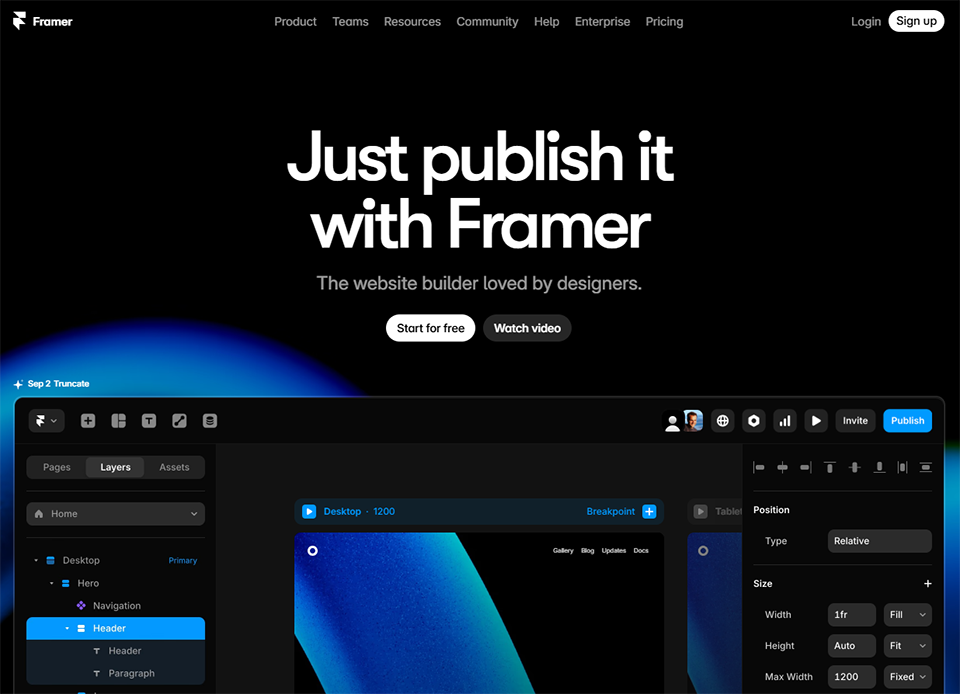
Framer started out as a prototyping tool before evolving into a full-fledged platform for creating websites and landing pages. Today, it occupies a unique position in the industry, straddling the line between a no-code tool and an advanced design environment.
Concept and features:
Framer lets you create pages with highly ambitious designs, featuring smooth animations, advanced interactions, and visual rendering that is often superior to what traditional page builders produce. The tool now includes AI components that speed up the generation of sections and content.
It offers ultra-fast hosting, effective SEO management, and is designed for those who want their landing page to be as visually memorable as it is commercially effective.
Pricing:
Free Plan: free (with a Framer subdomain).
Personal Plan: starting at ~$5/month.
Professional Plan: starting at ~$15 to $20/month.
For whom?
For designers, front-end developers, creative agencies, and startup founders who place a high priority on visual identity. Less suitable for someone looking for an immediate start without design skills.
✅ The benefits:
Unparalleled creative freedom and visual quality in the no-code category.
Advanced animations and interactions without coding.
Very good performance and SEO out of the box.
A generous free plan to get you started.
👎 The downsides:
The learning curve is steeper than that of the other tools on this list.
Fewer built-in marketing features (no built-in A/B testing).
Benefit from a on Framer.
Framer Pro Plan free for a year
Find our best discount with Framer and save on your software subscriptions. We offer over 850 promo codes and discounts on the best software and SaaS on the market.
#6 - Systeme.io: The all-in-one tool that does much more than just create web pages.
Benefit from our free deal on Systeme.io.
2 months free on annual plan
Find over 300 free deals as well as over 850 Premium deals right now with Systeme.io and save on your software subscriptions. Whether you're an entrepreneur, a startup or a solo freelancer, save hundreds of euros thanks to our discounts and promo codes.
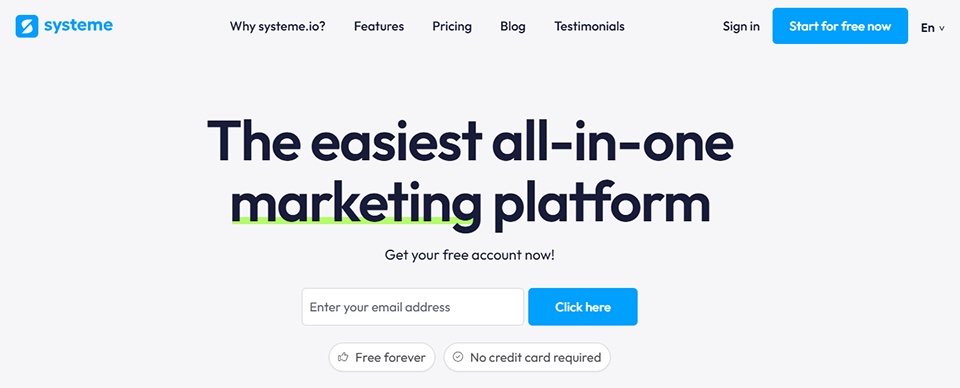
Systeme.io is often described as the Swiss Army knife of digital marketing for entrepreneurs and small businesses. Beyond landing page creation, it integrates email marketing, sales funnel management, online training, and affiliate programs into a single platform.
Concept and features:
The page editor works well, though it isn’t exceptional. What makes Systeme.io appealing is the consistency of its ecosystem: you create your landing page, then connect it directly to an email sequence, a sales funnel, or a members-only area without leaving the platform. There’s no need for third-party tools to manage the entire cycle.
For content creators, trainers, coaches, and entrepreneurs who want to manage all of their digital marketing from a single place, while keeping their budget under control. The free plan is one of the most generous on the market.
✅ The benefits:
All-in-one: landing pages, emails, sales funnels, training, and affiliates.
A comprehensive free plan to get you started.
Excellent value for money.
A simple and user-friendly interface.
👎 The downsides:
Limited design and creative flexibility compared to Framer or Webflow.
The tool does everything, but it doesn’t excel at any one feature in particular.
Benefit from a on Systeme.io.
60% off on any plan during 12 months
Find our best discount right now with Systeme.io and save on your software subscriptions. We offer over 850 promo codes and discounts on the best software and SaaS on the market.
#7 - GetResponse: An email marketing service that has grown into a full-fledged marketing platform.
GetResponse started out as an email marketing solution and has gradually added features for creating landing pages, hosting webinars, and marketing automation. It’s a comprehensive solution for those who put email at the center of their strategy.
Concept and features:
GetResponse’s landing page builder is robust, featuring well-designed templates and seamless native integration with contact lists and email automations. It also includes forms, pop-ups, and built-in webinar management—a rarity in this category.
Pricing:
Free Plan: free (limited to 500 contacts).
Pro Plan: starting at ~$15/month.
For whom?
For companies that already use GetResponse for email marketing and want to centralize their marketing efforts, or for those that place a high priority on webinars as part of their customer acquisition strategy.
✅ The benefits:
Seamless, native integration with email marketing.
A unique, built-in webinar module in this product line.
Good value for the money with the free plan.
Powerful email automation features to complement your pages.
👎 The downsides:
The page builder is less advanced than dedicated solutions such as Unbounce or Instapage.
The overall interface can sometimes be a little difficult to get the hang of.
Benefit from a on GetResponse.
40% off on any plan
Find our best discount with GetResponse and save on your software subscriptions. We offer over 850 promo codes and discounts on the best software and SaaS on the market.
Whether you’re launching your first landing page or optimizing high-volume campaigns, here’s how to identify the tool that best suits your current stage and goals.
🧑💻 Freelancers or consultants just starting out:
You’re launching an offer and need a clean, fast page without a large budget. Systeme.io or Leadpages are your best options. Choose Systeme.io if you want to manage emails and pages in one place, or Leadpages if you’re looking for a dedicated landing page builder that offers good value for the price.
🚀 The startup in its launch phase:
You need to test several messages quickly, ideally using A/B testing. Landingi offers the flexibility you need at this stage. If your budget allows and visual appeal is important, Framer provides a strong competitive edge at a stage where every impression counts.
📈 The marketing team that manages paid campaigns:
Volume, personalization, and data matter more than ease of use. Unbounce (Smart Traffic) or Instapage (dynamic personalization) are right for you. These are investments that pay off when the cost per click is high and every conversion improves your overall ROI.
🎨 The designer or creative agency:
Framer is the obvious choice. No other tool on this list offers this level of creative freedom while remaining no-code. For projects where visual identity is a key selling point, this is hard to dispute.
📧 The content creator or trainer:
If email and webinars are at the heart of your strategy, GetResponse or Systeme.io let you manage the entire cycle from a single platform, which eliminates integration issues between tools.
Comparison chart. 📊
Pricing information is provided for reference only. Please check current prices directly on the publishers’ websites before making a purchase.
It’s important to provide an introduction to these topics before delving deeper into the practical questions that most landing page creators ask themselves.
See all the software of this category: Développement Web
Check out all the other software and discount we offer in this category. Explore other tools and choose the perfect solution to grow your business.
All the answers to the questions you might have before creating your first landing page or optimizing your existing campaigns.
1️⃣ Are a landing page and a website really that different?
Yes, and the distinction is important. A website is an ecosystem of multiple pages with navigation, varied content, and multiple objectives. A landing page is a page designed for a single, specific action, often linked to an advertising campaign or an email. The absence of a navigation menu is, in fact, intentional: it prevents visitors from getting sidetracked.
2️⃣ What conversion rate is considered good for a landing page?
The average across all industries is around 2 to 5 percent. But the best pages, in well-targeted contexts (high-intent traffic, a very specific offer, an extremely relevant message), can exceed 20 percent. The benchmark really depends on your industry, your traffic source, and the nature of the offer.
3️⃣ Can you create a landing page without technical skills?
Absolutely. That’s exactly what tools like Landingi, Leadpages, Systeme.io, and GetResponse offer: visual editors that require no coding knowledge. On the other hand, for Framer or Webflow, a design sensibility or intermediate no-code experience is a real advantage.
4️⃣ Do you need a custom domain for your landing page?
For a test page or an MVP, a subdomain provided by the tool (such as votrepage.landingi.com) may be sufficient. For professional and long-term use, a custom domain is highly recommended: it’s more credible, better for SEO, and consistent with your brand identity. Most of the tools on this list allow you to connect your own domain.
5️⃣ Are A/B tests really necessary?
They become relevant once you have enough traffic for the data to be statistically significant (generally starting at a few hundred visitors per week). Below this threshold, the results are not reliable. To start, focus on the clarity of your message and the quality of your offer before optimizing through testing.
6️⃣ Can these tools be used for Google Ads or Meta Ads campaigns?
Yes, all the tools on this list integrate well with advertising platforms. Instapage and Unbounce are particularly effective in this context thanks to dynamic customization (Instapage) and automatic traffic optimization (Unbounce Smart Traffic). For modest advertising budgets, Landingi or Leadpages will work just fine.
7️⃣ What is the difference between a sales funnel and a landing page?
A landing page is a single page with a specific goal. A sales funnel is a sequence of interconnected pages that guides visitors through several stages: discovery, interest, decision, and action. Tools like Systeme.io or GetResponse allow you to create both of these elements within the same environment.
8️⃣ Is Systeme.io really free?
Yes, Systeme.io offers a permanent free plan (not a time-limited trial) that includes up to 2,000 contacts, 3 sales funnels, and email marketing features. It’s one of the most generous free plans on the market for an all-in-one marketing tool, making it ideal for testing before committing.
This guide is intended for freelancers who want to automate their client follow-ups, as well as small and medium-sized businesses looking to streamline more complex processes...