logo anime freelance stack white
Logo de l’outil videoscribe sur le deal de Freelance Stack
All deals (850+)
Freelance Stack > Marketing > Audio, Video and Podcast >

Videoscribe Promo Code

Logo de l’outil videoscribe sur le deal de Freelance Stack

Videoscribe

Free Deal
2 deals available
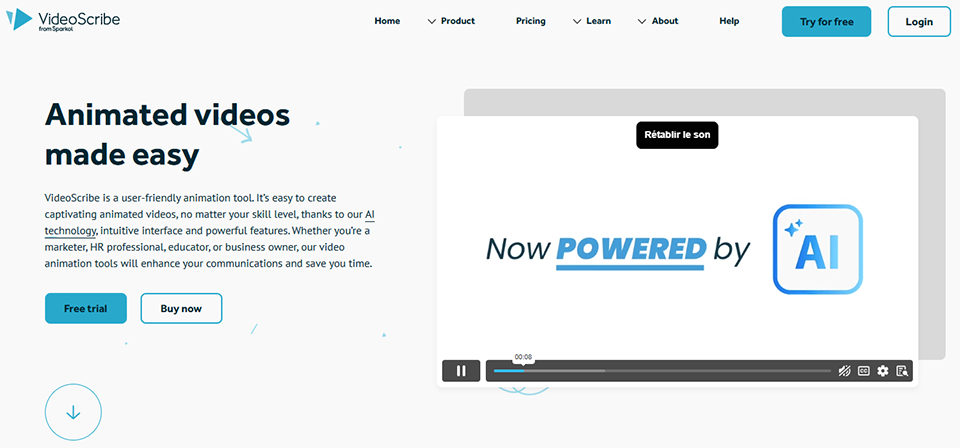
Animated videos made easy.
Quickly create your own whiteboard video. VideoScribe is simple, fast, and inexpensive. You can create a great video in no time!
Save big with 850+ deals 💶
Explore all deals
Illustration of VideoScribe on Freelance Stack's deal page
2 deals available
Free Deal
Premium Deal #1

Up to 60% off on annual plan

All our deals are negotiated by our team to give you the best discount and are updated regularly.
This deal requires you to create a new account to benefit from the discount. It is reserved for new customers

Additional 20% off on any plan

All our deals are negotiated by our team to give you the best discount and are updated regularly.
This deal requires you to create a new account to benefit from the discount. It is reserved for new customers
Save Money !
Logo Freelance Stack blanc
Freelance Stack 
Premium
Access our 850+ exclusive promo code for $55/year.
and over 850 other deals.
and +850...
general information
ALTERNATIVES
YOU MAY ALSO LIKE...

📅 May 2026 -

 Our promo code verified with the software 

Videoscribe

Benefit from additional 20% off on any plan on Videoscribe

Save an additional 20% off on any plan Videoscribe through our exclusive partnership.

Freelance Stack is the first deals platform to access best discounts, coupon codes and credits on 850+ software, SaaS and online services for entrepreneurs and startups. We offer exclusive and validated discounts that we negotiate directly with partners to help you to grow and save money. Our coupon codes enable thousands of entrepreneurs, startups, freelancers and consultants to save thousands of euros on the best softwares.

Don’t wait any longer and save an additional 20% off on any plan on Videoscribe

📄 Information about 

Videoscribe

VideoScribe is a hand-drawn animation video creation application, often used to produce explanatory videos and engaging visual presentations. It allows users to design videos using a variety of graphics, illustrations and text, with animation effects that mimic hand-drawn on a whiteboard. VideoScribe offers an intuitive interface and a wide range of pre-designed templates and elements, making it easy to create videos without advanced technical skills.

The platform also lets you add voice-overs, music and transitions to personalize videos. Thanks to its visual creation tools and simple animation features, VideoScribe helps users produce captivating content that explains concepts, presents ideas and captures the attention of their audience.

Why VideoScribe?

  • It's easy to use: Select images, enter text and add music or voice-over. VideoScribe takes care of the rest.
  • It's fast: Create captivating, memorable content in minutes, then publish and share.
  • Fantastic value: Produce as many videos as you like, with the most economical tool available.

Choose VideoScribe and get:

  • Easy-to-use drag-and-drop functionality.
  • Instant access to a library of thousands of customizable images and music.
  • The support of a professional team and a community ready to help you at any time.
  • A host of other features make it preferred by businesses, educators, and millions of people around the world.

📋 Videoscribe features:

In this section, you will find our opinion the main features of Videoscribe. All of these features are subject to regular updates. We recommend that you check that they are available before purchasing any software.

VideoScribe is revolutionizing the creation of whiteboard animation videos by enabling anyone to produce engaging visual content without advanced technical skills. This British platform, developed by Sparkol, has established itself as a leader in the world of animated visual communication, offering an accessible alternative to traditional, complex animation software.

The tool stands out for its intuitive approach, which faithfully replicates the effect of a hand drawing in real time on a whiteboard. This technique, which is particularly effective at holding the viewer’s attention, has applications in a variety of fields: online training, sales presentations, explainer videos, educational content, and even internal corporate communications. VideoScribe thus makes an animation style accessible to everyone-a style previously reserved for motion design professionals.

VideoScribe's strength lies in its ability to transform abstract concepts into engaging visual stories using a rich library and advanced customization tools. The drag-and-drop interface greatly simplifies the creative process, allowing users to focus on the message rather than the technical aspects of video production.

  • Vector Image Library: VideoScribe offers over 8,000 hand-drawn images, organized into Categories (business, education, healthcare, technology, etc.). These vector illustrations are perfectly suited to the whiteboard style and ensure a professional look even when scaled up significantly.
  • Importing Custom Content: You can enhance your designs by importing your own images in SVG, PNG, or JPG format, as well as custom audio files. This feature allows you to incorporate your visual identity and create fully customized content tailored to your brand or message.
  • Smooth transition animations: The tool automatically manages camera movements between the various elements of your story, creating natural transitions that keep the viewer engaged. You can adjust the duration and style of these animations to match the desired pace of your presentation.
  • Advanced voice-over management: VideoScribe offers several options for adding audio to your videos, including direct recording via microphone, importing external audio files, or using the built-in text-to-speech feature, which is available in multiple languages. Synchronizing the animation with the narration is intuitive.
  • Customizing drawing styles: Various "hand-drawn" styles are available for creating your elements, ranging from classic pencil to colored markers and brushes. This variety allows you to tailor the look and feel of your video to its tone and target audience.
  • Timeline and timing control: A timeline system allows you to precisely control the duration of each element, the pauses between frames, and the overall speed of the animation. This control over pacing is crucial for maintaining engagement and helping viewers understand the message.
  • Royalty-free music: A selection of royalty-free soundtracks is available directly through the interface, covering a variety of musical styles to complement your creations. This music can be combined with your voice-overs to create a complete audiovisual experience.
  • Multi-format export: Finished videos can be exported in multiple resolutions (up to 1080p Full HD) and formats tailored to various distribution platforms, including social media, websites, presentations, and training materials. Export options also include the ability to create animated GIFs specifically for web use.

This combination of features makes VideoScribe an ideal tool for trainers, marketers, teachers, and entrepreneurs who want to create impactful video content without investing in complex technical solutions or hiring external service providers.

📊 Videoscribe Pros and Cons:

This section provides a summary of the advantages and limitations of using Videoscribe on a daily basis. We are not paid or influenced by brands, and this content is solely our own. These features, their advantages and disadvantages are likely to change regularly, both positively and negatively. If you have complex needs, we invite you to contact the software publisher directly for more information about your requirements. 

👍 Pros with Videoscribe:

  • An intuitive interface that’s easy to pick up for everyday use: VideoScribe allows users with no animation experience to create decent videos fairly quickly, thanks to smooth drag-and-drop functionality and well-organized menus. To produce a standard whiteboard video, the learning curve is really short. It’s a different story when you want to fine-tune the timing of animations, precisely sync a voice-over, or create something truly engaging-in those cases, it takes a few weeks of practice before you feel comfortable.
  • Built-in library of graphic elements and support for importing custom elements: Over 7,000 vector images covering most industries, with a consistent style that ensures a harmonious look without needing to search for external resources. Importing custom logos, images, and fonts helps maintain consistency with your visual identity. For complex animations or a truly distinctive graphic style, the tool’s limitations will become apparent, but for standard use, the library more than gets the job done.
  • Captivating and memorable hand-drawing effect: The animation of a hand drawing in real time creates a unique, hypnotic effect that holds the viewer’s attention throughout the video. This visual approach naturally stimulates curiosity and significantly improves information retention compared to traditional static presentations. The psychological effect is particularly powerful in educational or commercial contexts, as it gives the impression of witnessing the creation of a work of art live, reinforcing emotional engagement and the retention of the message being conveyed.
  • Creative flexibility with custom element import: In addition to its built-in library, VideoScribe lets you import your own images, logos, graphics, and even custom fonts. This feature is essential for maintaining consistency with your corporate visual identity or for incorporating elements specific to your industry. The software supports various image formats and automatically adapts to the constraints of whiteboard animation, giving you total creative freedom while maintaining the tool’s signature ease of use.
  • Narration options and audio integration features: VideoScribe allows you to record your voice directly within the interface, import external audio files, or use the built-in text-to-speech feature. Synchronization with animations can be adjusted to create a consistent narrative flow. This is sufficient for the vast majority of use cases, although advanced audio editing, fine-tuning, or complex sound effects will require additional dedicated software.
  • A wide range of export formats for every need: The tool generates your videos in several high-quality formats, including MP4, MOV, WMV, and even formats specifically optimized for social media platforms like YouTube, Facebook, or Instagram. This versatility saves you from tedious conversions and ensures optimal quality for your chosen distribution channel. VideoScribe also offers export options for sequential images, allowing for advanced post-production in other software if needed, while maintaining the fluidity of the initial creative process.

👎 Cons with Videoscribe:

  • Not enough customization to truly stand out: The library is extensive, but all VideoScribe users draw from it, which ultimately gives the videos a similar look. Animation options remain limited to the whiteboard effect and do not allow for the development of a truly unique visual style. For brands that need to stand out visually, this uniformity can become a real problem in the long run.
  • Performance and rendering issues: VideoScribe frequently experiences performance problems, particularly when working on long projects or those containing many elements. Rendering times can be extremely long-sometimes taking several hours for a video that’s only a few minutes long-which significantly impacts your productivity. The software also tends to crash or become unstable during extended work sessions, forcing you to constantly save your work and restart the application. This technical instability can be particularly problematic if you’re working under tight deadlines.
  • High cost for heavy professional use: VideoScribe’s monthly subscription can quickly become expensive, especially if you use it only occasionally or for one-off projects. Unlike some competitors that offer robust free versions or one-time purchases, VideoScribe requires a recurring subscription model with no viable free alternative. For freelancers or small businesses on a tight budget, this pricing structure can be a difficult investment to justify, particularly if you only use a fraction of the available features.
  • Audio tools too basic for polished productions: VideoScribe covers basic audio needs but stops there. There’s no audio editing in the interface, no equalization, and no sound effects. For anyone who wants a truly polished soundtrack, using third-party software is unavoidable, which lengthens the workflow and requires mastering an additional tool.
  • A steeper learning curve than advertised for polished productions: The basics are indeed simple to grasp, but producing truly engaging videos takes more time than the marketing hype suggests. Synchronizing visual elements, timing animations, and integrating a smooth voice-over are learned through trial and error, and the official tutorials don’t always cover the real-world situations you encounter in practice.

💰 Videoscribe pricing:

All prices listed are taken from the Videoscribe software website. However, these prices are subject to change regularly. We recommend that you check them directly on each software's website to be sure. 

VideoScribe offers a range of pricing plans tailored to different needs, from occasional creators to businesses. The plans include access to the image and music library, with flexible options based on how often you use the software.

All plans allow you to create HD-quality videos and export them without a watermark, with variations in the number of simultaneous projects and collaborative features.


Plan Rates Included
Free trial Free for 7 days Temporary full access, watermark on exports
Monthly €25/month Unlimited projects, full library, HD export
Annual €14/month (billed annually) All the benefits of the Monthly plan, save 44%
Pay Once €665 one-time purchase lifetime license, full features, updates included


The monthly planis ideal for testing the tool one-off projects or exploring its capabilities before committing to a longer-term plan. The subscription renews automatically but can be canceled at any time, offering valuable flexibility for creators whose needs vary from time to time.

The annual subscriptionoffers the best value for money, with a substantial 44% savings compared to the monthly rate. This plan is designed for regular users, trainers, marketers, and agencies who incorporate VideoScribe into their daily workflow. Payment is made in a single installment at the start of the term, ensuring uninterrupted access during months.

A lifetime licenseis a strategic investment for heavy users or organizations. Although the initial investment is significant, this option pays for itself after about four years of use compared to an annual subscription. It includes all future updates and eliminates recurring costs entirely, making it particularly attractive for educational institutions or businesses with capital budgets rather than operating budgets.

All paid plans provide access to the entire asset library, which includes over 8,000 hand-drawn images, hundreds of royalty-free music tracks, and a collection of custom fonts. Exporting is available with no resolution or duration limits, and multiple formats are supported, including MP4, MOV, and WMV. Import capabilities are also comprehensive: custom images, audio files, system fonts, and even SVG drawings for advanced users.

The seven-day trial periodallows you to fully evaluate the software with no financial commitment. during period, you have access to all premium features; only the VideoScribe watermark will appear on your exports. This restriction is removed immediately upon subscribing to a paid plan, and the projects you created during remain accessible.

VideoScribe offers a 30-day money-backguarantee on all its plans, giving you the peace of mind to test whether the tool meets your specific needs. This guarantee even applies to the lifetime license, demonstrating the publisher’s confidence in the quality of its product.

Educational ratesoffer a discount upon presentation of appropriate documentation. Schools, universities, and nonprofit organizations can obtain volume licenses under preferential terms. These special rates apply to both individual licenses and volume deployments for classrooms or multimedia labs.

For teams and businesses, VideoScribe offers customized solutions with centralized billing, user management, and priority support. These enterprise plans often include personalized training and early access to new features. Pricing is tailored to the number of users and specific deployment and integration needs.

💬 Frequently asked questions about Videoscribe's promo:

In this section, you will find all the main questions you may have about accessing this discount. We wanted to provide you with as much information as possible to help you save as much as possible on your software subscriptions. 

1️⃣ How to access to the deal with Videoscribe?

This promo code allows you to save money and enjoy premium features on Videoscribe paid plans and subscriptions. Check the eligibility criteria on this page to see if you can benefit from this discount. Don't miss out on the opportunity to pay less for your subscription to one of the best tools on the market.

2️⃣ Why Freelance Stack can help you to access to Videoscribe discount?

As a partner of Videoscribe, you can easily save on your subscription to this software. Without us or another affiliate partner, you will have difficulties to activate the discount. We are the largest discount promo code platform for software and SaaS in the world.

3️⃣ How to use Videoscribe deal?

To use the discount with Videoscribe, you need to click on the various buttons that may be available on the right side of the deal page and follow the instructions to unlock this promotion.

4️⃣ What are Videoscribe's promo requirements?

We specify all the terms and conditions on each deal page. You must click on the various buttons on the deal page to view all the terms and conditions. This deal requires you to create a new account to benefit from the discount. It is reserved for new customers of Videoscribe.

🔄 Alternatives to Videoscribe software:

Find the right software with our suggestions for alternative solutions.

When growing a business, comparing the right tools is essential. With thousands of options available, these solutions are strong alternatives to Videoscribe 
Indeed, Videoscribe is a solution that can adapt according to your needs:

1️⃣ If you are a freelancer or consultant:

For your solo video creation needs, Vyond stands out as an excellent option with its customizable templates and intuitive interface, allowing you to create professional animations without advanced technical skills. The tool offers a variety of character and asset libraries, perfect for creating impactful client presentations. Powtoon is also a smart choice, with its storytelling features and ease of use that let you quickly produce animated content for your marketing campaigns or training materials. Its drag-and-drop system and ready-to-use templates are perfectly suited to the time constraints of freelancers. Renderforest is also worth considering, with its affordable pricing and versatility that covers everything from explainer videos to corporate presentations, offering you a comprehensive solution to diversify your video content creation services.

2️⃣ If you are a startup:

Loom has established itself as a modern alternative that’s particularly well-suited for agile teams that need to quickly create product demo videos or internal tutorials. Its ease of use and collaborative features allow the entire team to participate in video content creation without any prior training. Animaker offers excellent value for money with its templates specifically designed for corporate presentations and its 2D animation tools, which will help you create animated pitch decks to win over your investors. The tool also offers brand kit features to maintain visual consistency in your communications. Moovly stands out for its integration capabilities with other tools in your tech stack and its flexibility, which allows it to adapt to your startup’s evolving needs-from early explainer videos to more sophisticated marketing campaigns.

3️⃣ If you are a small business or an SME:

For established organizations seeking robust solutions, Adobe After Effects combined with Adobe Premiere Pro offers the most comprehensive creative control, even if it requires an investment in training. This professional suite allows you to create broadcast-quality animations and maintain a premium brand image. Camtasia strikes an ideal balance between power and simplicity, making it particularly effective for creating internal training materials, customer tutorials, or corporate presentations. Its built-in screen recording and video editing features make it a versatile tool for your marketing and training teams. Wistia is also worth considering if you’re looking for a comprehensive platform that combines video creation and professional hosting, with detailed analytics to help you measure the impact of your video content on your business goals and optimize your digital communication strategy.

Otherwise, these other software programs may also be a good alternative to Videoscribe

🆕 Our new Premium deals:

We offer discounts on 650+ different software. We regularly add new discounts on the best software for freelancers, consultants and entrepreneurs.

Discover these new software in addition to the deal we offer with Videoscribe.

👤 Our members have just used these other deals:

We offer on 850+ different software. That's both a lot and a little compared to all the software that exists and that could help you in your business as entrepreneur or business owner.

Discover new software and discounts to complement the deal we offer on Videoscribe