logo anime freelance stack white
Logo de MeetGeek sur Freelance Stack
All deals (850+)
Logo de MeetGeek sur Freelance Stack

MeetGeek

Free Deal
3 deals available
Maximize the value of your meetings.
Cut all the unnecessary extras that lead to more meetings, missed information, and plummeting productivity. Boost meeting efficiency at every level, from Sales and HR to company-wide meeting management.
Save big with 850+ deals 💶
Explore all deals
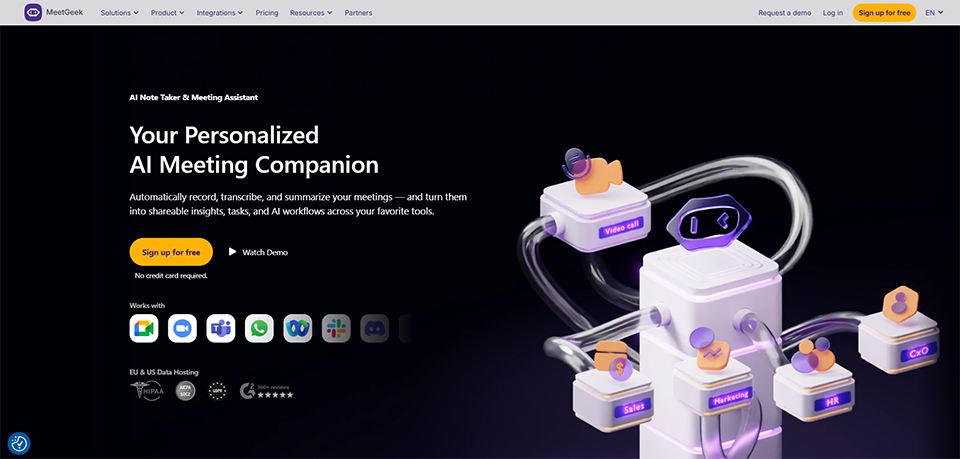
Illustration of MeetGeek on Freelance Stack's deal page
3 deals available
Free Deal
Premium Deal #1
Premium Deal #2

Up to 40% off on annual plan

All our deals are negotiated by our team to give you the best discount and are updated regularly.
This deal requires you to create a new account to benefit from the discount. It is reserved for new customers

Additional 30% off on any plan

All our deals are negotiated by our team to give you the best discount and are updated regularly.
This deal requires you to create a new account to benefit from the discount. It is reserved for new customers

3 months free on "Business" plan

All our deals are negotiated by our team to give you the best discount and are updated regularly.
This deal is available to new customers or customers on a free plan of the tool.
Save Money !
Logo Freelance Stack blanc
Freelance Stack 
Premium
Access our 850+ exclusive promo code for $55/year.
and over 850 other deals.
and +850...
general information
ALTERNATIVES
YOU MAY ALSO LIKE...

📅 April 2026 -

 Our promo code verified with the software 

MeetGeek

Benefit from an additional 30% off on any plan on MeetGeek.

Save an additional 30% off on any plan on MeetGeek through our exclusive partnership.

Freelance Stack is the first deals platform to access best discounts, coupon codes and credits on 850+ software, SaaS and online services for entrepreneurs and startups. We offer exclusive and validated discounts that we negotiate directly with partners to help you to grow and save money. Our coupon codes enable thousands of entrepreneurs, startups, freelancers and consultants to save thousands of euros on the best softwares.

Don’t wait any longer and save an additional 30% off on any plan on MeetGeek.

📄 Information about 

MeetGeek

MeetGeek is an advanced AI tool designed to automate meeting transcription, summarization, and analysis. It records conversations, extracts key insights, and generates detailed summaries, helping teams stay organized and focused.

Perfect for teams looking to streamline communication, boost productivity, and make meetings more effective.

Here are key functions of MeetGeek:

  • Automated Transcription:

MeetGeek.ai provides real-time transcription during meetings, ensuring that every word spoken is captured accurately. This feature eliminates the need for manual note-taking, allowing team members to stay focused on the conversation instead of worrying about writing everything down.

  • AI-Powered Summarization:

Using advanced AI algorithms, MeetGeek.ai generates concise and clear meeting summaries. It identifies key topics, decisions, and action items discussed, saving you time by providing a distilled version of the meeting, so you don't need to go through lengthy transcripts.

  • Meeting Recording:

MeetGeek records both audio and video from your meetings, ensuring that all details are captured for future reference. Whether you need to revisit a discussion or provide access to team members who couldn't attend, the meeting recordings are always available.

  • Action Item Detection:

The tool automatically identifies and highlights action items discussed in the meeting, ensuring that no important tasks are overlooked. It tracks who is responsible for each action and sends follow-up reminders to ensure accountability.

  • Speaker Identification:

MeetGeek differentiates between speakers in the conversation, labeling their contributions clearly in the transcript. This feature enhances readability and helps to identify who said what, making it easier to follow up with specific team members.

  • Searchable Meeting Notes:

All meeting notes are stored in a searchable format, allowing you to quickly find specific information, topics, or decisions discussed during any meeting. This eliminates the need to sift through lengthy documents or recordings to find key details.

  • Integration with Productivity Tools:

MeetGeek seamlessly integrates with popular platforms like Zoom, Google Meet, Microsoft Teams, Slack, Trello, and Notion, allowing you to effortlessly sync meeting notes, task assignments, and team communications with the tools your team already uses.

  • Meeting Insights & Analytics:

The platform provides data-driven insights into meeting efficiency, highlighting trends and patterns in your meetings. It can track metrics such as speaking time per participant, sentiment analysis, and task completion rates, helping to improve future meetings.

  • Collaboration Features:

MeetGeek fosters teamwork by enabling users to share meeting notes, leave comments, and make edits collaboratively. This ensures that everyone involved in the meeting is on the same page and can contribute to refining the meeting outcomes.

  • Multilingual Support:

MeetGeek supports multiple languages, allowing global teams to use the platform seamlessly. It transcribes and summarizes meetings in various languages, making it accessible to teams across different regions.

  • Keyword & Topic Detection:

The AI scans meeting discussions and automatically highlights keywords and key topics mentioned during the conversation. This feature ensures that significant issues are identified, making it easier to review and address important points quickly.

  • Automated Meeting Highlights:

MeetGeek identifies and extracts the most crucial parts of your meetings, such as decisions, action items, and key discussions. This feature allows users to quickly access meeting highlights without having to go through the entire meeting recording or transcript.

  • Sentiment Analysis:

MeetGeek provides sentiment analysis, analyzing the tone of conversations to gauge the mood of the meeting. This helps in understanding the emotional dynamics, whether the meeting was collaborative, tense, or positive, offering valuable feedback for improving team interactions.

  • Customizable Summaries:

MeetGeek gives you the flexibility to adjust the level of detail in the meeting summaries. Whether you need a high-level overview or a detailed breakdown, the tool allows you to tailor the summaries according to your needs.

  • Compliance & Security:

MeetGeek ensures that your meeting data is secure and complies with industry standards for data privacy and security, such as GDPR. This makes it a safe and reliable option for organizations with strict compliance requirements.

  • Email & Calendar Integration:

The platform integrates with your email and calendar tools to automatically join and record meetings. It can also send meeting reminders and summaries directly to participants, ensuring everyone stays updated.

  • Team & User Permissions:

MeetGeek allows you to manage access to meeting notes and data based on user roles. You can set permissions to ensure sensitive information is only accessible to the appropriate team members, adding an extra layer of control and security.

  • Export & Sharing Options:

After a meeting, you can export meeting notes, action items, and summaries in various formats (PDF, DOC, etc.). This makes it easy to share the information with team members who need to reference or act on the meeting outcomes.

  • Automated Follow-Ups:

After the meeting, MeetGeek automatically sends follow-up emails to attendees, including meeting summaries, action items, and next steps. This ensures that nothing falls through the cracks and that all tasks are addressed promptly.

  • Live Meeting Assistance:

MeetGeek provides real-time insights and support during meetings, helping facilitators stay on track and ensuring important points are highlighted as they occur. This feature enhances meeting flow and ensures key takeaways are captured in the moment.

📋 MeetGeek features:

In this section, you will find our opinion the main features of MeetGeek. All of these features are subject to regular updates. We recommend that you check that they are available before purchasing any software.

MeetGeek transforms the way you manage meeting documentation and analysis by providing comprehensive AI-powered recording and transcription capabilities. This platform addresses one of the most persistent challenges in modern business communication: ensuring that valuable insights, decisions, and action items from meetings are properly captured, organized, and made actionable. Rather than relying on manual note-taking or scattered recordings, MeetGeek creates a centralized hub for all your meeting intelligence.

The platform stands out for its sophisticated approach to automatic meeting analysis and insight extraction. Going beyond simple transcription, MeetGeek identifies key themes, tracks speaking patterns, and generates structured summaries that highlight the most critical elements of each conversation. This intelligent processing capability allows you to Focus on participating in discussions while the platform handles the documentation workload in the background.

What sets MeetGeek apart is its seamless integration ecosystem that connects with popular video conferencing tools, CRM platforms, and project management systems. This interconnected approach ensures that meeting insights aren't left in isolation but flow naturally into your existing workflows, creating a more cohesive and efficient work environment where information automatically goes where it needs to go.

  • Automatic Recording and Transcription: MeetGeek joins your video calls across multiple platforms, including Zoom, Google Meet, and Microsoft Teams, to capture complete audio and video recordings. The platform generates highly accurate transcriptions using advanced speech recognition technology, handling multiple speakers, accents, and technical terminology with impressive precision.
  • AI-Powered Meeting Summaries: The platform analyzes your recorded meetings to extract key points, decisions made, and action items discussed during the conversation. These summaries are automatically generated and formatted for easy reading, allowing team members who missed the meeting to quickly understand what happened and what requires their attention.
  • Speaker Analytics and Insights: MeetGeek tracks individual speaking patterns, participation levels, and engagement metrics throughout your meetings. This feature provides valuable insights into team dynamics, helping you understand who contributes most actively and identify opportunities to encourage more balanced participation among team members.
  • Custom Meeting Templates: You can create specialized templates for different types of meetings, whether they're sales calls, project reviews, or team standups. These templates guide the AI analysis to Focus on specific elements relevant to your meeting type, ensuring that the generated summaries and insights align with your particular objectives and requirements.
  • Integration with CRM and Project Management Tools: The platform integrates seamlessly with popular business tools such as Salesforce, HubSpot, Slack, and Trello to automatically sync meeting insights where they are most useful. This integration capability eliminates manual data entry and ensures that important meeting outcomes are immediately available in your existing workflows.
  • Team Collaboration Features: MeetGeek allows team members to add comments, highlights, and annotations to meeting recordings and transcripts. This collaborative layer transforms static meeting documentation into dynamic, interactive resources where team members can continue discussions, clarify points, and build upon ideas introduced during the original conversation.
  • Advanced Search and Filtering: You can search across all your meeting content using keywords, speaker names, date ranges, or specific topics to quickly locate relevant discussions. This powerful search functionality turns your accumulated meeting data into a searchable knowledge base where past decisions and insights remain easily accessible.
  • Privacy and Security Controls: The platform includes robust privacy settings that allow you to control who can access specific recordings and transcripts. You can set automatic deletion schedules, restrict access to sensitive meetings, and ensure compliance with your organization's data handling requirements.

MeetGeek essentially serves as your organization's meeting memory system, ensuring that valuable conversations translate into actionable insights rather than forgotten discussions. The platform's comprehensive approach to meeting intelligence creates a foundation where every conversation contributes to your team's collective knowledge and operational efficiency.

📊 MeetGeek Pros and Cons:

This section provides a summary of the advantages and limitations of using MeetGeek on a daily basis. We are not paid or influenced by brands, and this content is solely our own. These features, their advantages and disadvantages are likely to change regularly, both positively and negatively. If you have complex needs, we invite you to contact the software publisher directly for more information about your requirements. 

👍 Pros with MeetGeek:

  • Automated Meeting Transcription and Speaker Identification: MeetGeek offers a reliable way to capture the text of your conversations without manual note-taking. The tool identifies different speakers and provides a timestamped transcript for Zoom, Google Meet, and Microsoft Teams. It allows participants to stay engaged in the discussion while the software creates a written record of the dialogue. This is a practical solution for archiving meetings where a verbatim record is more useful than memory alone.
  • Comprehensive Meeting Intelligence and Analytics: Going beyond simple transcription, MeetGeek transforms your meetings into actionable insights through sophisticated analytics. The platform automatically identifies key topics, tracks speaking time distribution, monitors engagement levels, and highlights decision points. You can easily identify patterns in your meeting habits, understand which discussions generate the most value, and optimize future sessions based on concrete data. This intelligence helps teams make more strategic use of their time and improve meeting effectiveness.
  • Integration with Standard Workflow Tools: The platform is designed to send your meeting data directly to the tools you already use, such as Slack, Trello, or your CRM. Once configured, the transcripts and highlights move through your workflow automatically. This reduces the administrative work of copying and pasting notes into different applications. It works well with the major video conferencing suites to ensure your meeting history is consolidated in one searchable place.
  • Intelligent Meeting Summaries and Action Item Extraction: The platform automatically generates concise, well-structured summaries that capture the essence of each meeting without requiring manual effort. MeetGeek identifies and extracts action items, decisions, and follow-up tasks, presenting them in clear, actionable formats. These summaries can be customized to meet your team’s specific needs and can be instantly shared with relevant stakeholders. This feature is invaluable for maintaining accountability and ensuring nothing falls through the cracks between meetings.
  • Searchable Meeting Archive and History: The platform creates a centralized library for all your recorded interactions. Instead of trying to remember what was decided in a meeting three months ago, you can use a search bar to find specific keywords or mentions across your entire history. This serves as a useful reference point for onboarding new members or checking the status of past decisions, providing a consistent trail of information for long-term projects.
  • Flexible Sharing and Collaboration Features: The platform offers granular control over how meeting content is shared and accessed within your organization. You can create custom highlights, share specific segments with relevant team members, and set permissions to ensure sensitive information remains secure. Collaboration features allow team members to add comments, annotations, and additional context to meeting recordings, creating a rich, interactive record that goes beyond the original discussion.

👎 Cons with MeetGeek:

  • Limited real-time collaboration features: While MeetGeek excels at recording and analyzing meetings, it lacks robust real-time collaboration tools during live sessions. You won't find features like shared whiteboards, breakout rooms, or interactive polling that many competitors offer. This means you'll likely need to combine MeetGeek with other tools if your team requires extensive interactive collaboration during meetings, which can complicate your workflow and increase costs.
  • Technical dependency on third-party platforms: Because the tool relies on bots joining your calls, its performance is dependent on the current access rules of platforms like Zoom or Teams. Any changes to their security settings or API structures can affect how the recorder joins or processes a session. Furthermore, if you work in an environment with strict firewall settings or use specialized, non-standard conferencing software, you may find that the integration process requires more technical troubleshooting than a standard setup.
  • Privacy protocols and participant consent: Recording meetings by default requires clear communication and legal consideration. Depending on your region and industry, you must ensure that all participants are aware they are being recorded by a third-party bot. Some clients or partners may be uncomfortable with their conversations being stored in a cloud database, which might require you to disable the tool for sensitive sessions or undergo an internal legal review to meet compliance standards.
  • Verification required for summaries and action items: While the raw transcript is generally accurate, the automated summaries can sometimes miss the subtle intent behind a conversation. The software may struggle with sarcasm, rapid crosstalk, or complex technical terms that aren't in its standard dictionary. You should expect to spend a few minutes reviewing the generated action items and key takeaways to ensure that the context has been captured correctly before sharing them with your team or clients.
  • Storage and data management costs: As your organization grows and holds more meetings, the volume of recorded content and generated data can become substantial. MeetGeek's pricing tiers are based on storage limits and features, which means that scaling up usage can quickly become expensive. Long-term storage of meeting recordings also requires careful data management planning, and you may find yourself needing to delete older recordings or upgrade to higher-tier plans sooner than expected.

💰 MeetGeek pricing:

All prices listed are taken from the MeetGeek software website. However, these prices are subject to change regularly. We recommend that you check them directly on each software's website to be sure. 

MeetGeek offers a tiered pricing structure that allows teams of all sizes to take advantage of its meeting recording and analysis features. The free plan is a great way to get started and explore essential features, while the paid plans unlock advanced AI capabilities and integration options.

Monthly pricing offers significant flexibility, particularly for teams that want to test the platform before making a long-term commitment. AI-powered analysis features are the main benefit of the premium plans.


Plan Price Included
Basic Free 5 hours/month, transcription, basic summaries, 3 integrations
Pro $15 per user per month 20 hours/month, advanced AI, detailed insights, unlimited integrations
Business $29/month per user 40 hours/month, team analytics, custom branding, priority support
Enterprise Custom quote Unlimited capacity, custom deployment, enhanced security, guaranteed SLA

💬 Frequently asked questions about MeetGeek's promo:

In this section, you will find all the main questions you may have about accessing this discount. We wanted to provide you with as much information as possible to help you save as much as possible on your software subscriptions. 

1️⃣ How to access to the deal with MeetGeek?

This promo code allows you to save money and enjoy premium features on MeetGeek paid plans and subscriptions. Check the eligibility criteria on this page to see if you can benefit from this discount. Don't miss out on the opportunity to pay less for your subscription to one of the best tools on the market.

2️⃣ Why Freelance Stack can help you to access to MeetGeek discount?

As a partner of MeetGeek, you can easily save on your subscription to this software. Without us or another affiliate partner, you will have difficulties to activate the discount. We are the largest discount promo code platform for software and SaaS in the world.

3️⃣ How to use MeetGeek deal?

To use the discount with MeetGeek, you need to click on the various buttons that may be available on the right side of the deal page and follow the instructions to unlock this promotion.

4️⃣ What are MeetGeek's promo requirements?

We specify all the terms and conditions on each deal page. You must click on the various buttons on the deal page to view all the terms and conditions. This deal requires you to create a new account to benefit from the discount. It is reserved for new customers of MeetGeek.

🔄 Alternatives to MeetGeek software:

Find the right software with our suggestions for alternative solutions.

When growing a business, comparing the right tools is essential. With thousands of options available, these solutions are strong alternatives to MeetGeek 
Indeed, MeetGeek is a solution that can adapt according to your needs:

1️⃣ If you are a freelancer or consultant:

For independent professionals looking for a more affordable solution, Otter.ai is an excellent starting point. This platform offers a generous free plan with 600 minutes per month and provides accurate real-time transcriptions. Its intuitive interface allows you to quickly capture client insights without technical complexity. Fathom is an alternative particularly well-suited for consultants who conduct many client interviews. It stands out for its ability to automatically identify key moments in a conversation and generate structured summaries tailored to your specific needs. The tool integrates seamlessly into a consulting workflow where you need to quickly document client needs and share professional reports. For freelancers who prioritize simplicity, Krisp combined with a basic recorder may be sufficient, offering exceptional noise cancellation for professional-quality recordings.

2️⃣ If you are a startup:

Fast-growing startups will find Grain to be a solution particularly well-suited to their need for agility. This platform excels at capturing product insights during user interviews and makes it easy to share key moments with the entire team. Its ability to create video clip libraries allows you to quickly build a customer knowledge base that can be used by all departments. Chorus by ZoomInfo is perfectly suited for B2B startups developing their sales strategy. The tool analyzes sales conversations to identify success patterns and optimize closing processes. For product teams, Gong offers advanced conversational analysis features that enable a nuanced understanding of user feedback and accelerated development cycles. These solutions naturally scale with company growth while maintaining a data-driven approach essential to startup success.

3️⃣ If you are a VSB or SME:

Established companies seeking a robust and scalable solution will naturally turn to Rev.ai for its enterprise integration capabilities and exceptional transcription accuracy. This platform offers powerful APIs that enable the integration of conversational analysis directly into your existing systems. Avoma is a strategic choice for SMEs looking to professionalize their meeting processes at scale. The tool offers comprehensive scheduling, recording, and analysis features that are perfectly suited for organizations with multiple teams and concurrent projects. For companies prioritizing compliance and security, Microsoft Viva Sales integrates seamlessly into the Microsoft 365 ecosystem while offering professional conversational analysis capabilities. This approach ensures smooth adoption by existing teams while adhering to the enterprise security standards required by established SMEs.

Otherwise, these other software programs may also be a good alternative to MeetGeek

🆕 Our new Premium deals:

We offer discounts on 650+ different software. We regularly add new discounts on the best software for freelancers, consultants and entrepreneurs.

Discover these new software in addition to the deal we offer with MeetGeek.

👤 Our members have just used these other deals:

We offer on 850+ different software. That's both a lot and a little compared to all the software that exists and that could help you in your business as entrepreneur or business owner.

Discover new software and discounts to complement the deal we offer on MeetGeek