logo anime freelance stack white
Logo du logiciel Chatbot.com
All deals (850+)
Freelance Stack > Customers > Chatbot >

Chatbot.com Promo Code

Logo du logiciel Chatbot.com

Chatbot.com

Free Deal
2 deals available
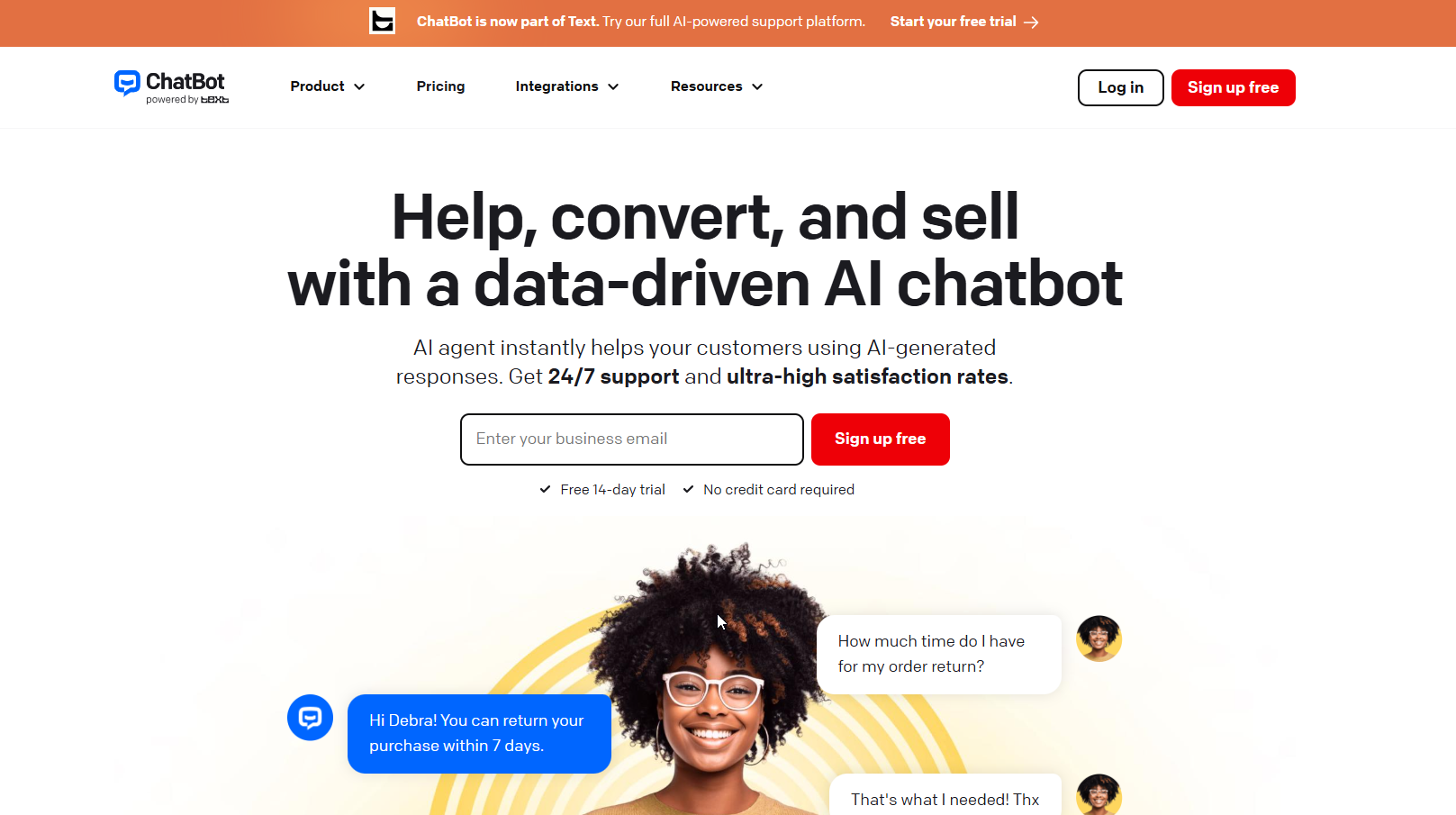
Get help, convert leads, and make sales with a data-driven AI chatbot.
AI Agent instantly assists your customers with AI-generated responses. Enjoy 24/7 support and exceptionally high satisfaction rates.
Save big with 850+ deals 💶
Explore all deals
Illustration of Chatbot.com on Freelance Stack's deal page
2 deals available
Free Deal
Premium Deal #1

15% off on annual plan

All our deals are negotiated by our team to give you the best discount and are updated regularly.
This deal requires you to create a new account to benefit from the discount. It is reserved for new customers

Additional 30% off on any plan

All our deals are negotiated by our team to give you the best discount and are updated regularly.
This deal requires you to create a new account to benefit from the discount. It is reserved for new customers
Save Money !
Logo Freelance Stack blanc
Freelance Stack 
Premium
Access our 850+ exclusive promo code for $55/year.
and over 850 other deals.
and +850...
general information
ALTERNATIVES
YOU MAY ALSO LIKE...

📅 April 2026 -

 Our promo code verified with the software 

Chatbot.com

Benefit from discount additional 30% discount on any plan on any plan on any plan byChatbot.com.

Save an extra 30% on any plan sign up for a plan at Chatbot.com through our exclusive partnership.Freelance Stack

Freelance Stack the leading deal platform offering discount, promo codes, and credits on over 650 software tools, SaaS solutions, and online services for entrepreneurs and startups. We provide verified discount that we negotiate directly with providers to help you save money. Our promo codes help thousands of entrepreneurs, startups,entrepreneurs, and consultants save thousands of euros when subscribing to these software solutions.

Don’t wait any longer—save an extra 30% on any plan by Chatbot.com.

📄 Information about 

Chatbot.com

ChatBot.com is an artificial intelligence platform that makes it easy to create conversational chatbots without any technical expertise. Using a drag-and-drop visual editor, users can design custom conversation flows to automate customer support, lead generation, and online sales. The tool leverages natural language processing technologies to understand user intent and provide relevant responses, while also being trainable using data from sources such as a website or a knowledge base. It can be deployed across various channels, including websites, Messenger, and Slack, making it a flexible solution for businesses.

Beyond chatbot creation, ChatBot.com offers a comprehensive ecosystem for automating customer communication and enhancing the user experience. The platform allows you to collect data, segment users, analyze conversations, and easily integrate other tools such as LiveChat, Zapier, or CRM solutions. It also includes advanced features such as sending proactive messages, using ready-to-use templates, and transferring to a human agent when necessary. Available via a SaaS model with a free trial, ChatBot.com is designed for small businesses as well as marketing and support teams looking to save time, reduce repetitive tasks, and offer 24/7 support.

Support customers across multiple channels:

Your customers are everywhere. Now your chatbot is too. One AI handles support across your website, Messenger, SMS, and more.

Show offers to boost sales:

Show the right product at the right moment. Your chatbot identifies hesitant shoppers and offers assistance before they leave.

Deliver spot-on answers with AI automation:

Answer questions instantly and accurately, 24/7. Your chatbot learns from your website and knowledge sources. Every response is tailored to your business context.

An AI agent that sells like your best salesperson:

By answering questions and recommending relevant products in real time, the AI agent knows your products and policies and helps shoppers complete their purchase with ease.

  • Closing sales with an average order value of $430.
  • Generating an average of $11,000 per month in additional revenue.
  • Supporting all your customers 24 hours a day, 7 days a week, 365 days a year.

Test and implement quickly and confidently:

The AI agent learns directly from your existing knowledge sources. Your team can test it and start benefiting from it right away.

  • Create your first AI agent: Set up your Text AI agent and train it using your business knowledge. Choose the right skills and sources to make it work exactly the way you want. Most teams start by sharing a website URL. Text then builds its knowledge base in just a few minutes.
  • Deploy and see the initial results: Deploy your AI agent and watch it handle chats on its own or alongside your team right away. Add more data sources as needed to tailor its behavior to your business. Most teams start by having the AI agent answer the most repetitive questions to clear the backlog.
  • Expand and scale what works: Once you see results, it’s easy to roll out Text across more touchpoints and use cases. Help more customers and turn service into a scalable growth engine. Teams add new sources, skills, and communication channels to the AI agent to grow through service.

All your customer support workflows in one place:

Enhance your AI chatbot with more features, workflows, and automations through built-in tools and plug-and-play integrations.

📋 Chatbot.com features:

In this section, you will find our opinion the main features of Chatbot.com. All of these features are subject to regular updates. We recommend that you check that they are available before purchasing any software.

ChatBot is a no-code AI chatbot platform developed by Text, the same company behind LiveChat, HelpDesk, and KnowledgeBase. Founded in 2013 and based in Poland, the Text ecosystem serves over 35,000 businesses worldwide. ChatBot specifically addresses a concrete operational challenge: most businesses need automated customer conversations running 24/7, but building a chatbot traditionally requires engineering resources that small and mid-market teams do not have. The platform solves this by offering a visual flow builder combined with an AI layer trained on the company’s own knowledge, so a non-technical operator can deploy a working chatbot in a matter of hours.

A key technical distinction sets ChatBot apart from a growing number of competitors: it does not rely on third-party AI providers such as OpenAI, Google, or Microsoft. It operates on its own proprietary technology stack. This design choice means that responses are deterministic and controllable rather than unpredictably generative, which is crucial for regulated industries or any business that cannot afford a chatbot providing incorrect, off-brand, or fabricated answers. Every response the bot delivers traces back to a defined knowledge source or flow, not a probabilistic language model.

  • The Visual Flow Builder: is the core interface for building chatbot conversations. Using drag-and-drop, operators design conversation paths as sequences of elements: text messages, user input requests, conditional branches, data collection questions, actions, and integrations. The builder supports A/B testing to compare which conversation paths perform best, and version control allows any earlier version of a flow to be previewed or restored. A test mode lets the entire bot be validated directly in the builder before going live. One acknowledged limitation is that the builder does not offer a single overview of all flows simultaneously, which can make navigation complex for large, multi-flow bots.
  • AI Training and Custom Skills: allow the chatbot to go beyond predefined scripts. Operators feed the AI knowledge sources, including help articles, internal documents, URLs, and PDF files (up to 50 MB per file), and the AI Assist block uses this knowledge base to handle questions that fall outside scripted flows. Custom Skills let operators define how the AI agent should behave in specific situations: triggers based on user intent, the page a visitor is on, their geographic location, language, or time of day. Up to 10 custom skills can be configured per AI agent. Custom instructions set the agent's role, tone of voice, response length, and supported languages, so every reply sounds consistent with the brand.
  • The AI Agent: is the intelligent layer above the flow builder. It tracks past chats, pulls in customer details such as names, emails, and purchase history, uses website behavior signals (visited pages, time on site), and draws on connected integrations to respond with context rather than generic answers. Each AI agent operates within a specific team and has its own independent knowledge base configuration. The agent can handle multi-turn conversations with full awareness of prior exchanges, and it escalates to a human agent through the built-in live chat when the situation falls outside its scope.
  • Live Chat, Shared Inbox, and Help Desk Ticketing: are included in every plan as part of the Text platform integration. The chatbot does not operate in isolation: it sits at the top of a unified support stack. When a customer needs a human agent, the transition is seamless, with the full conversation history passed to the agent. A shared inbox consolidates all incoming chats and tickets in a single workspace. The AI Copilot assists human agents with reply suggestions, chat summaries, and ticket summaries, reducing handle time without requiring a separate AI subscription. Tag suggestions and canned responses with AI-based relevance scoring speed up agent responses at scale.
  • Deployment Channels: include the website chat widget, Facebook Messenger, Shopify, Slack, and WordPress. The chat widget is fully customizable: logo, brand colors, 48 available languages for the widget interface, and multilingual agent groups. Proactive chat greetings can be configured to trigger based on the page visited, time spent on site, or whether the visitor is returning, converting passive visits into active conversations.
  • Workflows and Campaigns: Automate actions beyond individual conversations. Workflows link conditional logic, integrations, and messaging into multi-step processes. Campaigns enable targeted, proactive messages to be delivered to segments of live visitors. Live visitor tracking monitors who is currently on the website in real time, with the number of tracked visitors varying by plan.
  • Integrations: Connect ChatBot to Zapier, HubSpot, Salesforce, Shopify, WooCommerce, BigCommerce, Slack, WordPress, and an open API for custom implementations. An MCP server is available on all plans.

📊 Chatbot.com Pros and Cons:

This section provides a summary of the advantages and limitations of using Chatbot.com on a daily basis. We are not paid or influenced by brands, and this content is solely our own. These features, their advantages and disadvantages are likely to change regularly, both positively and negatively. If you have complex needs, we invite you to contact the software publisher directly for more information about your requirements. 

👍 Pros with Chatbot.com:

  • The proprietary AI stack is a true differentiator for businesses that need reliable, predictable answers: Most modern chatbot platforms rely on OpenAI or similar providers for language understanding. This creates a fundamental tension: generative AI is powerful but unpredictable, and businesses in finance, healthcare, e-commerce, or any regulated sector cannot tolerate a chatbot that occasionally fabricates answers or strays from the brand’s messaging. ChatBot’s decision to run its own stack ensures that every response comes either from a defined workflow or from verified knowledge sources. The trade-off is a limit on creative language generation, but for support and sales automation, that limit matters far less than the baseline: zero tolerance for incorrect answers.
  • Integration with the broader Text ecosystem eliminates the tool fragmentation that plagued older chatbot setups: For years, companies purchasing a standalone chatbot product still needed a separate live chat tool, a separate ticketing system, and a separate knowledge base. ChatBot by Text consolidates all of these into a single platform, with a single login, a single billing account, and seamless handoffs between layers. An AI agent handles the initial wave of conversations, escalates to a human agent when necessary, creates a ticket if the issue remains unresolved, and logs everything in a shared inbox. Wembley Stadium reported adding $1.5 million in revenue over six months using this stack, and Funded Trading Plus achieved a 93% customer satisfaction rate while reducing team workload by 18%. These are outcome-based results, not dashboard metrics.
  • The no-code flow builder truly lowers the barrier to entry for non-technical teams: Many platforms marketed as no-code still require a technical operator to configure integrations, manage webhooks, or write conditional logic in JSON. ChatBot’s visual builder handles all of this graphically. An operations manager or a customer support lead can design, test, and publish a complete chatbot flow without involving a developer. The test mode is available directly within the builder, so validation occurs before deployment rather than after a live incident.
  • Version control is a professional-grade feature that most small chatbot platforms lack: The ability to preview and restore any earlier version of a chatbot flow is not merely a cosmetic feature. Organizations that regularly update their bots need to roll back changes when an update causes issues, or to review what a bot was saying at a specific point in time. This is particularly important in regulated industries. The fact that this feature is available across all plans—not just Enterprise—is a practical advantage over cheaper competitors that treat versioning as a premium add-on.

👎 Cons with Chatbot.com:

  • The platform's channel coverage is limited compared to competitors focused on social commerce: ChatBot is available as a website widget and on Facebook Messenger, Shopify, Slack, and WordPress. It does not natively support WhatsApp, Instagram Direct, Telegram, or SMS. For businesses whose customer conversations primarily take place on messaging apps—particularly in markets where WhatsApp dominates—this is a significant shortcoming. Tools like Tidio, Manychat, or Intercom cover significantly more channels at comparable price points.
  • The lack of a flow overview panel creates practical challenges when managing complex bots: The visual builder displays and edits one flow at a time, with no bird’s-eye view of how multiple flows connect. For a simple support bot with three or four flows, this is a minor inconvenience. For a large e-commerce bot covering product discovery, order tracking, returns, account management, and promotional campaigns across multiple languages, the lack of a global flow map makes maintenance considerably harder. Multiple reviewers have flagged this as a real day-to-day pain point.
  • The AI resolution cap model creates unpredictable cost exposure for businesses with fluctuating chat volumes: The Essential plan includes 10 AI resolutions per month, and the Growth plan includes 200. When these limits are exceeded, additional packages of 50 resolutions are automatically charged at $49.50 each. For a business running a seasonal promotion, a product launch, or any event that spikes inbound volume, costs can escalate significantly without prior approval. The automatic refill mechanism prevents service interruptions but eliminates budget control. Teams with highly variable chat volumes should carefully model worst-case monthly overage costs before committing to a plan.
  • The older standalone ChatBot pricing (starting at $52/month for 1,000 chats) still appears in many third-party reviews and comparison articles, which creates confusion: The product has transitioned to Text platform pricing, which is based on users and AI resolutions rather than chat volume. Prospective buyers researching the tool through external sources will encounter outdated pricing information that no longer reflects what they will actually pay. The current entry-level pricing is lower ($19/user/month annually) but includes the AI resolution cap described above.

💰 Chatbot.com pricing:

All prices listed are taken from the Chatbot.com software website. However, these prices are subject to change regularly. We recommend that you check them directly on each software's website to be sure. 

ChatBot is now available for purchase as part of the Text platform, under the "ChatBot by Text" brand.

Pricing is per user per month and includes the full suite of features: AI agent, live chat, shared inbox, help desk ticketing, and workflows. All plans include a 14-day free trial with no credit card required. Annual billing saves up to 24% compared to monthly billing. Overages are automatically billed at $49.50 per additional 50 AI resolutions when monthly limits are exceeded.


Plan Annual price Monthly price Key features
Essential $19 per user per month $25 per user per month 1 AI agent, 10 AI resolutions per month, 5 reply suggestions, 5 AI text editing tasks, 10 custom skills, 50 tracked live visitors, MCP server, AI Copilot, shared inbox and ticketing, 3 workflows, 10,000+ API calls
Growth $79 per user per month $99 per user per month 10 AI agents, 200 AI resolutions per month, 50 reply suggestions, 100 AI text edits, 400 live visitors tracked, unlimited chat history, advanced reporting, tag suggestions, ticket and chat summaries, team canned responses, 10 workflows, 30 campaigns, advanced widget customization, 200,000+ API calls
Enterprise Custom Custom 50 AI agents, 2,000+ AI resolutions per month, unlimited reply suggestions and AI text editing, 1,000+ live visitors tracked, SLAs, dedicated account manager, dedicated onboarding, white-label widget, custom dashboards, audit logs, SSO, security assistance, software engineer support, legal assistance, alternative payment terms


Overage: $49.50 per 50 additional AI resolutions, automatically charged when the monthly limit is reached. Annual billing saves up to 24% compared to monthly billing.

💬 Frequently asked questions about Chatbot.com's promo:

In this section, you will find all the main questions you may have about accessing this discount. We wanted to provide you with as much information as possible to help you save as much as possible on your software subscriptions. 

1️⃣ How to access to the deal with Chatbot.com?

This promo code allows you to save money and enjoy premium features on Chatbot.com paid plans and subscriptions. Check the eligibility criteria on this page to see if you can benefit from this discount. Don't miss out on the opportunity to pay less for your subscription to one of the best tools on the market.

2️⃣ Why Freelance Stack can help you to access to Chatbot.com discount?

As a partner of Chatbot.com, you can easily save on your subscription to this software. Without us or another affiliate partner, you will have difficulties to activate the discount. We are the largest discount promo code platform for software and SaaS in the world.

3️⃣ How to use Chatbot.com deal?

To use the discount with Chatbot.com, you need to click on the various buttons that may be available on the right side of the deal page and follow the instructions to unlock this promotion.

4️⃣ What are Chatbot.com's promo requirements?

We specify all the terms and conditions on each deal page. You must click on the various buttons on the deal page to view all the terms and conditions. This deal requires you to create a new account to benefit from the discount. It is reserved for new customers of Chatbot.com.

🔄 Alternatives to Chatbot.com software:

Find the right software with our suggestions for alternative solutions.

When growing a business, comparing the right tools is essential. With thousands of options available, these solutions are strong alternatives to Chatbot.com 
Indeed, Chatbot.com is a solution that can adapt according to your needs:

1️⃣ If you are a freelancer or consultant:

For a solo consultant or small agency that needs a chatbot on their website without committing to per-user pricing at scale, Tidio is the most practical option. It combines a visual flow builder, a live chat widget, and an AI assistant (Lyro) in a single platform, with a free tier available and paid plans starting under $30 per month for light usage. The Lyro AI component automatically handles FAQ-style questions using uploaded knowledge, which closely mirrors how a solo consultant would use ChatBot’s AI Assist. Chatbase is the right choice for someone who needs an even simpler setup: paste a website URL or upload a document, and a working chatbot is ready to embed in minutes, with no flow building required. It is less flexible but faster to deploy for basic Q&A coverage.

2️⃣ If you are a startup:

Startups that need omnichannel coverage—particularly WhatsApp and Instagram in addition to the website widget—should consider Intercom. Starting at around $29 per user per month, it supports more channels than ChatBot and integrates seamlessly with product analytics and CRM data, making it a natural fit for SaaS companies tracking user behavior throughout onboarding and support. For startups whose growth channel is Facebook, Instagram, or WhatsApp DMs, Manychat is purpose-built for automated marketing flows on social channels, offering broadcast messaging, sequencing, and lead capture—features that ChatBot does not provide. The trade-off is that Manychat is optimized for marketing automation rather than support resolution.

3️⃣ If you are an SMB or mid-market company:

At this scale, the focus shifts to the depth of integration with existing CRM and support systems, high-volume handling, and SLA management. Zendesk, with its AI capabilities, combines helpdesk ticketing, AI-powered answer suggestions, and a chatbot builder into a single enterprise-grade platform featuring deep integrations with Salesforce and HubSpot, compliance controls, and reporting capabilities that scale far beyond what ChatBot’s Growth plan offers. Freshdesk with Freddy AI is the mid-market alternative that offers a similar combination at a price point closer to ChatBot’s, but with broader native channel coverage—including WhatsApp, email, phone, and social media—all within a single omnichannel inbox. For companies already running their support on Freshdesk, the Freddy AI layer extends their existing investment rather than requiring a separate chatbot subscription.

Otherwise, these other software programs may also be a good alternative to Chatbot.com

🆕 Our new Premium deals:

We offer discounts on 650+ different software. We regularly add new discounts on the best software for freelancers, consultants and entrepreneurs.

Discover these new software in addition to the deal we offer with Chatbot.com.

👤 Our members have just used these other deals:

We offer on 850+ different software. That's both a lot and a little compared to all the software that exists and that could help you in your business as entrepreneur or business owner.

Discover new software and discounts to complement the deal we offer on Chatbot.com