logo anime freelance stack white
Logo de l'outil Cal.com sur Freelance Stack
All deals (850+)
Logo de l'outil Cal.com sur Freelance Stack

Cal.com

Free Deal
2 deals available
Scheduling infrastructure for absolutely everyone.
Scheduling infrastructure for absolutely everyone. Cal.com, the event-juggling scheduler for everyone. focus on meeting, not making meetings.
Save big with 850+ deals 💶
Explore all deals
Illustration of Cal.com on Freelance Stack's deal page
2 deals available
Free Deal
Premium Deal #1

20% off on annual plan

All our deals are negotiated by our team to give you the best discount and are updated regularly.
This deal requires you to create a new account to benefit from the discount. It is reserved for new customers

Additional 20% off on any plan

All our deals are negotiated by our team to give you the best discount and are updated regularly.
This deal requires you to create a new account to benefit from the discount. It is reserved for new customers
Save Money !
Logo Freelance Stack blanc
Freelance Stack 
Premium
Access our 850+ exclusive promo code for $55/year.
and over 850 other deals.
and +850...
general information
ALTERNATIVES
YOU MAY ALSO LIKE...

📅 May 2026 -

 Our promo code verified with the software 

Cal.com

Benefit from additional 20% off on any plan on Cal.com

Save an additional 20% off on any plan Cal.com through our exclusive partnership.

Freelance Stack is the first deals platform to access best discounts, coupon codes and credits on 850+ software, SaaS and online services for entrepreneurs and startups. We offer exclusive and validated discounts that we negotiate directly with partners to help you to grow and save money. Our coupon codes enable thousands of entrepreneurs, startups, freelancers and consultants to save thousands of euros on the best softwares.

Don’t wait any longer and save an additional 20% off on any plan on Cal.com

📄 Information about 

Cal.com

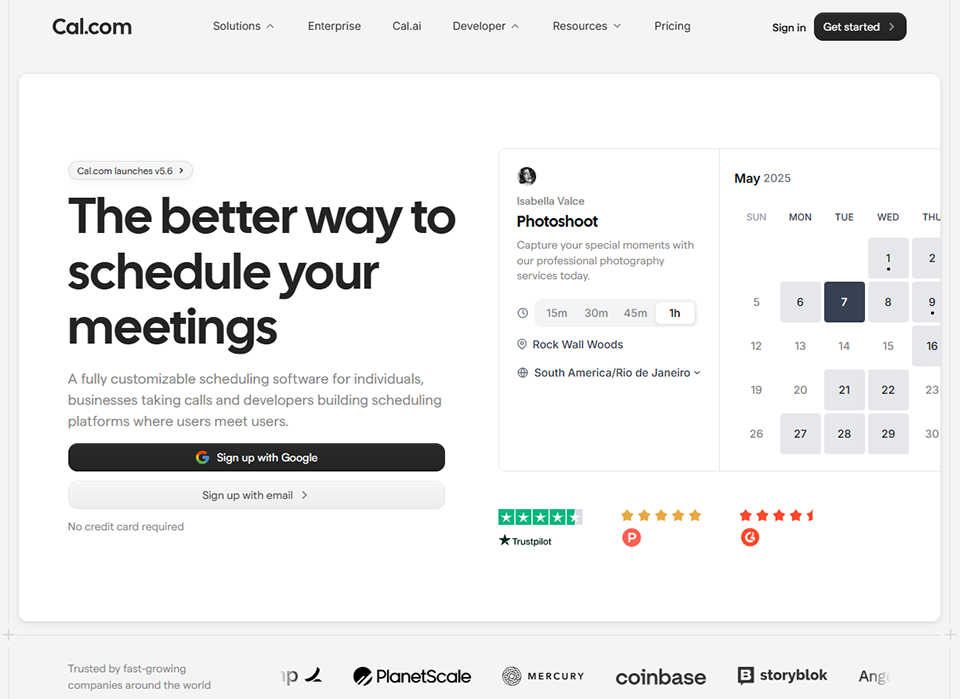
Cal.com is a scheduling platform that enables users to manage appointments and simplify online booking. It offers features such as synchronization with various calendars, customizable booking links, and flexible availability options. Users can also create recurring events, send automatic reminders, and integrate video conferencing tools.

With a user-friendly interface, Cal.com makes it easy to coordinate meetings, whether for individual consultations, interviews, or group events. By choosing Cal.com, businesses and professionals can enhance their scheduling efficiency and provide a seamless user experience.

Meeting is simple now: Share the link to your Cal page and let people pick a time that works for them.
Who has time to track and then send their availability to everyone for every meeting?

  • Connect your calendars: Cal reads your availability from all your existing calendars ensuring you never get double booked!
  • Set your availability: Set repeating schedules for the times of the day and week that you want people to be able to book you.
  • Create event types templates: Create templates for regularly scheduled events with availability, locations and control how and when you get booked.
  • Share your cal.com link: Share your short cal.com personal link and make it incredibly easy for people to book a meeting at a time that works for both of you!

Avoid meeting overload: Limit people from booking too many meetings per day or week or too close together. Set minimum notice periods so you don't get any surprise meetings.

  • Set buffers before & after events
  • Set minimum notice periods
  • Set limits on how often you can get booked
  • Claim Username

Sync availability across all your calendars
Create multiple availability schedules and apply them to your event types. Control availability on the fly with date overrides and never get booked when you don't want to be.

Default schedules for all your event types
Time overrides to make yourself unavailable

Scheduling for your team
Enable your team to be booked easily with Round-Robin scheduling ensuring even distribution of calls and Collective availability making it easy to get everyone on when needed.

Round robin scheduling
See availability across your team
Collective scheduling

📋 Cal.com features:

In this section, you will find our opinion the main features of Cal.com. All of these features are subject to regular updates. We recommend that you check that they are available before purchasing any software.

Cal.com has established itself as a compelling open-source alternative to traditional scheduling platforms, offering businesses and professionals a self-hosted solution that prioritizes both functionality and data ownership. Unlike conventional scheduling tools that lock you into their ecosystem, Cal.com provides the flexibility to deploy the platform on your own infrastructure while maintaining complete control over your scheduling data and user interactions.

The platform stands out thanks to its comprehensive feature set, which rivals enterprise-level scheduling solutions while remaining accessible to individual professionals and small teams. What makes Cal.com particularly appealing is its transparent development approach and the ability to customize every aspect of the scheduling experience. Whether you're a consultant managing client appointments, a sales team coordinating meetings with prospects, or an educational institution handling student consultations, Cal.com adapts to your specific workflow requirements without forcing you to compromise on functionality.

Built with modern web technologies, Cal.com offers a responsive and intuitive interface that works seamlessly across desktop and mobile devices. The platform's architecture ensures reliable performance while providing extensive customization options that allow you to brand and configure the scheduling experience to meet your professional needs.

  • Multiple Calendar Integration: supports seamless synchronization with Google Calendar, Outlook, Apple Calendar, and CalDAV-compatible systems, ensuring your availability remains accurate across all platforms while preventing double-bookings through real-time conflict detection.
  • Customizable Event Types: allows you to create unlimited appointment categories with specific durations, buffers, locations, and availability windows, enabling you to offer different services such as 15-minute quick calls, hour-long consultations, or multi-day workshops with customized booking parameters.
  • Advanced Availability Management: provides granular control over your schedule through recurring availability patterns, date-specific overrides, and buffer times between meetings, while supporting multiple time zones for international clients and team coordination.
  • Team Scheduling Capabilities: enables collaborative booking scenarios where clients can schedule appointments with specific team members, request round-robin assignment, or book group meetings, complete with individual availability management and team-wide scheduling policies.
  • Automated Workflow Integration: connects with popular tools such as Zapier, webhooks, and direct API access to trigger actions when bookings are created, modified, or canceled, streamlining your business processes and reducing manual administrative tasks.
  • Video Conferencing Integration: seamlessly integrates with Zoom, Google Meet, Microsoft Teams, and other platforms to automatically generate meeting links and include them in booking confirmations, eliminating the need for separate coordination steps.
  • Payment Processing: includes Stripe integration for paid consultations and services, allowing you to collect payments at the time of booking while managing different pricing structures for various appointment types.
  • Custom Branding and White-labeling: provides extensive customization options, including custom domains, branded booking pages, personalized email notifications, and CSS modifications to maintain a consistent brand identity throughout the scheduling experience.
  • API and Developer Tools: offers comprehensive REST API access and webhook support for custom integrations, enabling developers to build sophisticated scheduling workflows and connect Cal.com with existing business systems and applications.
  • Multi-language Support: caters to international users with localization options for booking interfaces and automated communications, ensuring a native experience for clients regardless of their preferred language.
  • Analytics and Insights: provides detailed reports on booking patterns, popular time slots, and client engagement metrics, helping you optimize your availability and understand scheduling trends that impact your business performance.

The combination of these features positions Cal.com as a mature scheduling solution that doesn't compromise on functionality in favor of the flexibility offered by open-source software. The platform continues to evolve through community contributions and regular updates, ensuring that your scheduling infrastructure stays up to date with modern business needs while maintaining the autonomy that comes with self-hosted deployment options.

📊 Cal.com Pros and Cons:

This section provides a summary of the advantages and limitations of using Cal.com on a daily basis. We are not paid or influenced by brands, and this content is solely our own. These features, their advantages and disadvantages are likely to change regularly, both positively and negatively. If you have complex needs, we invite you to contact the software publisher directly for more information about your requirements. 

👍 Pros with Cal.com:

  • Complete scheduling automation: Cal.com transforms your booking process into a seamless, self-service experience that eliminates endless back-and-forth emails. Your clients can view your real-time availability, select their preferred time slot, and automatically receive confirmation details without any manual intervention your part. The platform syncs with your existing calendar systems (Google Calendar, Outlook, Apple Calendar) to prevent double bookings and automatically blocks out your personal time. This automation extends beyond basic scheduling to include buffer times between meetings, location details, and even custom intake forms that collect essential information before the appointment.
  • Advanced customization and branding capabilities: Unlike generic scheduling tools, Cal.com allows you to create a booking experience that truly reflects your professional brand. You can customize everything from the color scheme and fonts to match your website’s aesthetic, add your logo, and even embed the scheduling widget directly into your site. The platform offers multiple booking page layouts, custom domain options, and personalized confirmation emails that maintain brand consistency throughout the entire client journey. This level of customization helps build trust and professionalism, making your scheduling process feel like a natural extension of your business rather than a third-party tool.
  • Intelligent availability management: The platform goes beyond simple time blocking with sophisticated availability controls that adapt to your work patterns. You can set different availability schedules for different types of meetings, create rolling availability windows that automatically adjust, and establish complex recurring patterns that account for your varying schedule. Cal.com also handles time zone conversions automatically, displaying available slots in your client’s local time while maintaining your preferred working hours. The system can even account for preparation time before meetings and recovery time afterward, ensuring you never feel rushed between appointments.
  • Seamless integration ecosystem: Cal.com connects with virtually every tool in your professional workflow, creating a unified scheduling hub that enhances your existing processes. Beyond basic calendar sync, it integrates with video conferencing platforms like Zoom, Google Meet, and Microsoft Teams to automatically generate meeting links. The platform also connects with CRM systems, payment processors, and project management tools, allowing you to trigger workflows, collect payments, and update client records automatically when appointments are booked. This integration capability means Cal.com becomes part of your business infrastructure rather than just another standalone tool.
  • Flexible meeting types and workflows: The platform supports virtually any scheduling scenario with its comprehensive range of meeting types. You can create one-on-one sessions, group bookings, round-robin team scheduling, and even complex multi-step booking flows that include questionnaires or pre-meeting requirements. Each meeting type can have its own duration, pricing, location settings, and confirmation processes. This flexibility makes Cal.com suitable for everything from brief consultation calls to lengthy workshop sessions, client onboarding processes, or recurring team meetings, all managed through a single platform.
  • Open-source transparency and security: As an open-source solution, Cal.com offers unparalleled transparency regarding how your data is handled and stored. You can examine the code, contribute to its development, and even self-host the platform if you require complete control over your scheduling infrastructure. This transparency extends to security practices, with regular audits and community-driven improvements ensuring your client data remains protected. The open-source nature also means you're not locked into proprietary systems, giving you the freedom to migrate or modify the platform according to your evolving business needs while maintaining full ownership of your scheduling data and processes.

👎 Cons with Cal.com:

  • Learning curve for advanced design customization: While Cal.com offers more styling freedom than most competitors (including custom CSS for higher tiers and an API-first approach), achieving a truly "pixel-perfect" custom look requires some technical knowledge. For non-technical users, the advanced styling options can be intimidating, making it harder to move beyond the (already sleek) default templates without help from a developer.
  • Niche corporate integration gaps: Cal.com has a rapidly growing App Store, but some legacy enterprise-grade CRM or older ERP systems may still prefer established players like Calendly. While Cal.com is the leader for modern tech stacks (integrating with tools like Deel, Raycast, or Discord), some very specific "old-school" corporate environments may still require Zapier to bridge the gap.
  • Technical overhead for self-hosting: One of Cal.com's greatest strengths is the ability to self-host, but this can be a double-edged sword for non-technical freelancers. Maintaining your own instance requires server management skills and regular updates. Most users should stick to the hosted "Cal.com" version to avoid the technical burden of managing their own scheduling infrastructure.
  • Limited reporting and analytics capabilities: Cal.com's reporting features are quite basic compared to more established scheduling platforms. You won't find advanced analytics such as conversion tracking, detailed booking funnel analysis, or comprehensive revenue reporting-features that many business owners need for strategic decision-making. The insights provided Focus on basic metrics like the number of bookings and popular time slots, which may not meet the needs of users who require deeper business intelligence from their scheduling data.
  • The newer mobile ecosystem: Although Cal.com recently launched native iOS and Android apps, the mobile ecosystem is still less mature than its web counterpart. While it handles core scheduling needs and notifications perfectly, some complex administrative settings (such as in-depth workflow editing or multi-team routing logic) are still best managed via the desktop interface for a smoother experience.

💰 Cal.com pricing:

All prices listed are taken from the Cal.com software website. However, these prices are subject to change regularly. We recommend that you check them directly on each software's website to be sure. 

Cal.com offers a transparent pricing structure with plans tailored to a variety of needs, from individual users to large corporations. The platform stands out for its free open-source solution and flexible hosting options.

Here is a detailed overview of the pricing and features available for each subscription plan.


Plan Pricing Includes
Free $0/month Unlimited bookings, 1 connected calendar, basic events, Cal.com branding
Starter $12/month Everything included in the Free plan: unlimited calendars, removal of branding, basic workflows, and advanced integrations
Essentials $20/month Everything in the Starter plan plus advanced workflows, custom booking pages, detailed analytics, and priority support
Professional $40/month Everything in Essentials, plus team features, role management, advanced CRM integrations, and a full API
Enterprise Custom quote Custom solutions, dedicated hosting, SSO, GDPR/HIPAA compliance, 24/7 dedicated support


The Cal.com free plan offers a particularly generous way to get started with scheduling tools. Unlike many competitors that severely limit free features, Cal.com provides unlimited bookingsright from the start. This approach reflects the company’s open-source philosophy and allows freelancers and small businesses to try out the platform without financial constraints. The only notable trade-off is the display of Cal.com branding on your booking pages, which may be acceptable to many early-stage users.

The pricing structure follows a clear logic, with the Starter plan at $12 per month, which removes the main limitations of the free plan. The ability to connect an unlimited number of calendars quickly becomes essential when managing multiple professional and personal schedules. Removing the Cal.com branding adds a more professional touch to your interactions with clients, while basic workflows allow you to automate the initial communication sequences following a booking.

The Essentials plan, priced at $20, is designed for established professionals looking to streamline their scheduling process. Advanced workflows enable the creation of complex sequences, including automatic reminders, pre-appointment questionnaires, and personalized follow-ups. Fully customizable booking pages serve as a powerful marketing tool, allowing you to incorporate your brand’s visual identity and create a consistent brand experience. Detailed analytics provide valuable insights into your booking patterns, the most popular time slots, and client behavior.

For teams and consultants working with multiple collaborators, the Professional plan, priced at $40, introduces collaborative features. Role management allows you to assign different access levels based on individual responsibilities, while team features make it easier to coordinate shared schedules. Advanced CRM integrations automatically sync booking data with your client management tools, creating a unified ecosystem for your business.

The Enterprise quote-based planis designed for organizations with specific security, compliance, and customization needs. Dedicated hosting ensures optimal performance and full control over your data, while GDPR and HIPAA certifications meet the requirements of regulated industries. 24/7 dedicated support ensures continuous availability, which is essential for companies whose operations rely entirely online scheduling.

Cal.com also stands out for its hosting flexibility. In addition to traditional cloud plans, the platform offers a free self-hosting modelbased on open-source code. This option is particularly appealing to companies concerned about data privacy or those with technical teams capable of managing the infrastructure. Self-hosting requires system administration skills but offers complete control over features and data.

Cal.com's pricing strategy takes a progressive approach, with each tier offering significant features without creating unnecessary frustration. Annual plans typically come with substantial discounts-often equivalent to two free months-making a long-term commitment particularly attractive. This policy encourages customer loyalty while reducing costs for regular users.

One of the most appreciated aspects of Cal.com’s approach is the transparency regarding additional costs. Unlike some competitors that charge hidden fees for premium integrations or advanced features, Cal.com includes most essential tools in its listed rates. The only exceptions involve certain third-party integrations that may charge their own usage fees, but these costs are clearly communicated upfront.

For educational organizations and nonprofits, Cal.com offers discounted ratesupon request. This initiative is part of the company’s open-source philosophy and makes scheduling tools more accessible to organizations with limited budgets. The eligibility requirements are reasonable, and the verification process is straightforward, avoiding the administrative red tape often associated with these types of programs.

The 14-day free trialfor all paid plans allows you to fully evaluate advanced features without any financial commitment. This period is long enough to test complex workflows, evaluate integrations with your existing tools, and assess the impact on your productivity. The fact that no credit card is required during the trial period builds trust and simplifies the discovery process.

💬 Frequently asked questions about Cal.com's promo:

In this section, you will find all the main questions you may have about accessing this discount. We wanted to provide you with as much information as possible to help you save as much as possible on your software subscriptions. 

1️⃣ How to access to the deal with Cal.com?

This promo code allows you to save money and enjoy premium features on Cal.com paid plans and subscriptions. Check the eligibility criteria on this page to see if you can benefit from this discount. Don't miss out on the opportunity to pay less for your subscription to one of the best tools on the market.

2️⃣ Why Freelance Stack can help you to access to Cal.com discount?

As a partner of Cal.com, you can easily save on your subscription to this software. Without us or another affiliate partner, you will have difficulties to activate the discount. We are the largest discount promo code platform for software and SaaS in the world.

3️⃣ How to use Cal.com deal?

To use the discount with Cal.com, you need to click on the various buttons that may be available on the right side of the deal page and follow the instructions to unlock this promotion.

4️⃣ What are Cal.com's promo requirements?

We specify all the terms and conditions on each deal page. You must click on the various buttons on the deal page to view all the terms and conditions. This deal requires you to create a new account to benefit from the discount. It is reserved for new customers of Cal.com.

🔄 Alternatives to Cal.com software:

Find the right software with our suggestions for alternative solutions.

When growing a business, comparing the right tools is essential. With thousands of options available, these solutions are strong alternatives to Cal.com 
Indeed, Cal.com is a solution that can adapt according to your needs:

1️⃣ If you are a freelancer or consultant:

Calendly remains the most popular choice for solo professionals thanks to its intuitive interface and robust free plan. You can set up multiple meeting types, customize availability windows, and integrate seamlessly with Google Calendar or Outlook. The automated reminder system helps reduce no-shows, while the professional booking pages enhance your brand image. Acuity Scheduling offers more customization options if you need intake forms, package deals, or class scheduling. Its advanced features, such as buffer times between meetings and time zone intelligence, make it ideal for consultants working with international clients. The intake questionnaires help you better prepare for each meeting by gathering relevant information in advance. For those seeking a more affordable solution, SimplyBook.me offers excellent value with features like online payments, customer reviews, and multilingual support. Its flexibility in handling different service types makes it particularly suitable for consultants offering various packages or session lengths.

2️⃣ If you are a startup:

HubSpot Meetings integrates seamlessly into the broader HubSpot ecosystem, making it ideal for startups that already use HubSpot’s CRM or marketing tools. You can track interactions with prospects, sync meeting data with your sales pipeline, and create automated follow-up sequences. The round-robin scheduling feature helps distribute leads evenly among team members, while the meeting analytics provide insights into the efficiency of your sales process. Chili Piper excels at revenue optimization with features like Instant Booker and Form Concierge that immediately convert website visitors into booked meetings. Its sophisticated routing rules ensure prospects are directed to the right team member based on territory, product interest, or company size. For budget-conscious startups, YouCanBookMe offers enterprise-level features at a fraction of the cost. Its booking page customization, automated confirmations, and integration capabilities make it suitable for growing teams that need professional scheduling without breaking the bank. The detailed reporting helps you understand booking patterns and optimize your availability.

3️⃣ If you are a small business or SME:

Microsoft Bookings offers excellent value for companies that have already invested in the Microsoft 365 ecosystem. It integrates seamlessly with Teams, Outlook, and other Microsoft applications while offering features such as staff management, service catalogs, and customer self-scheduling. Support for multiple locations and staff permissions make it ideal for growing businesses with multiple team members or offices. Square Appointments combines scheduling with payment processing, making it perfect for service-based businesses that need to collect deposits or full payments upfront. Its inventory management features help track resources, while the customer database maintains detailed profiles and booking history. The mobile app allows staff to manage schedules on the go, which is essential for field service companies. Setmore offers a comprehensive solution with features such as recurring appointments, class scheduling, and team calendars. Its customer portal allows clients to reschedule or cancel appointments independently, reducing administrative overhead. The integration with popular tools like Stripe, Mailchimp, and Zoom makes it suitable for businesses with established workflows. The white-label options help maintain brand consistency across all customer touchpoints.

Otherwise, these other software programs may also be a good alternative to Cal.com

🆕 Our new Premium deals:

We offer discounts on 650+ different software. We regularly add new discounts on the best software for freelancers, consultants and entrepreneurs.

Discover these new software in addition to the deal we offer with Cal.com.

👤 Our members have just used these other deals:

We offer on 850+ different software. That's both a lot and a little compared to all the software that exists and that could help you in your business as entrepreneur or business owner.

Discover new software and discounts to complement the deal we offer on Cal.com