Paymo
Additional 30% off on any plan








✅ Information to access to the deal :
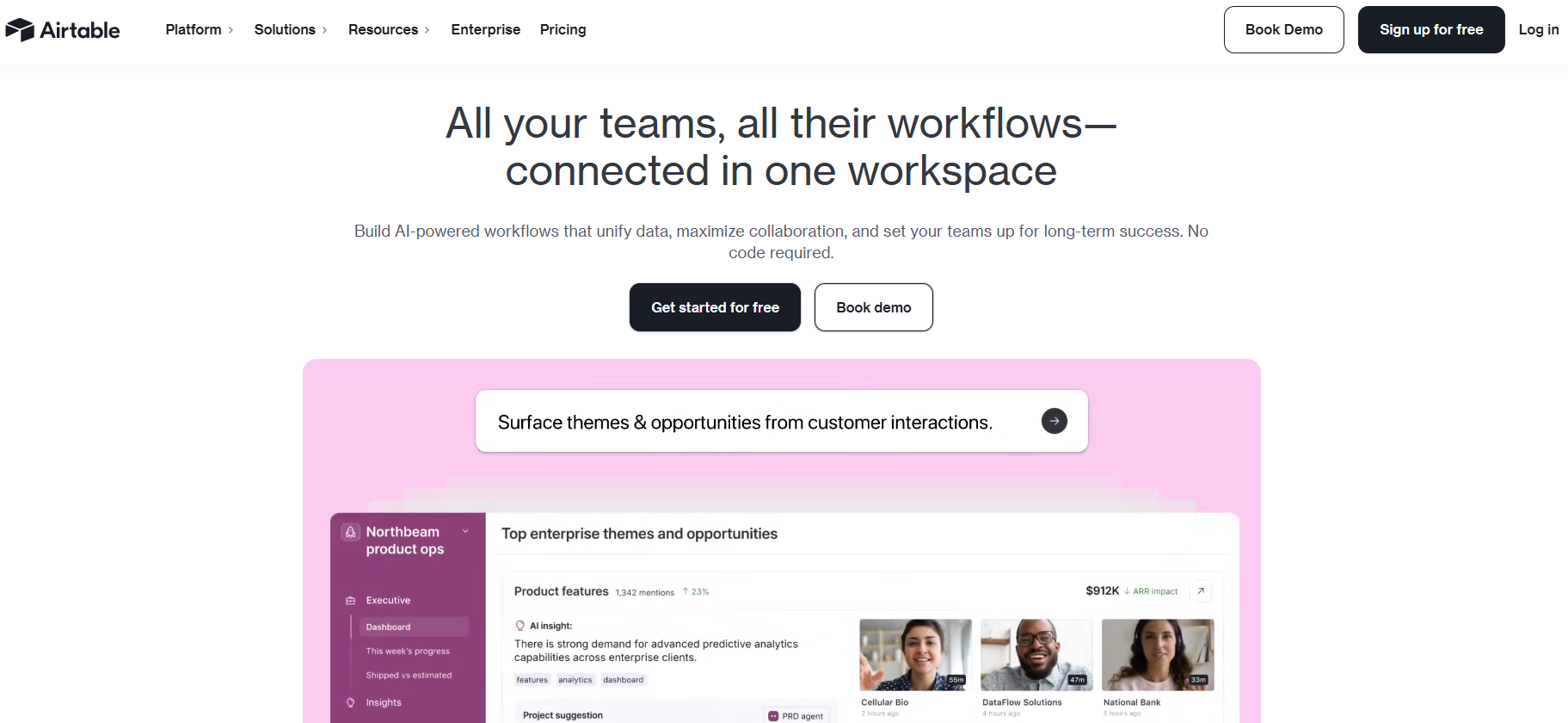
Airtable is a data management platform that combines the features of a spreadsheet with the power of a database, allowing users to organize, track, and collaborate on projects in an intuitive way. With a visual interface and customizable options, Airtable enables users to create databases tailored to various needs, such as project management, sales tracking, or event planning.
The platform also integrates with numerous third-party tools, streamlining workflows. With flexible views like Kanban boards and calendars, teams can easily visualize and manage their data efficiently. By choosing Airtable, businesses gain a collaborative and adaptable solution that enhances productivity.
What we do?
We help organizations achieve their most ambitious goals and move with greater agility.
With our next-generation app platform, teams easily design and deploy flexible and engaging apps that power critical workflows and make valuable data actionable across the enterprise.
What features does Airtable have?
Agility at scale, for every function: Connect end-to-end business processes across departments
AI with real business impact: In minutes, embed AI into your workflows to perform recurring actions. Shape AI to the unique context of your business, defined by the people closest to the work.
Create and evolve apps instantly: With Cobuilder, use AI to build apps in seconds. Keep iterating with intuitive drag-and-drop interfaces and automations.
Manage and govern apps at scale: Standardize processes on top of shared data sets. Centrally control data access and AI usage.
Airtable offers a revolutionary approach to database management that bridges the gap between the simplicity of spreadsheets and the power of relational databases. This cloud-based platform transforms the way teams organize, track, and collaborate on data-driven projects by combining the familiar interface of a spreadsheet with robust database functionality. What sets Airtable apart is its visual-first approach and intuitive design, which make complex data management accessible to users regardless of their technical background.
The platform serves as a flexible workspace where businesses can build custom applications without needing to know how to code. From project management and content planning to inventory tracking and customer relationship management, Airtable adapts to virtually any workflow. Its strength lies in its ability to link related information across different tables, creating a comprehensive ecosystem where data flows seamlessly between different aspects of your business operations.
Airtable's appeal spans various industries and use cases because it makes database creation accessible to everyone. Teams can start with pre-built templates or create entirely custom solutions that adapt to their evolving needs. The platform's collaborative nature ensures that multiple stakeholders can contribute, edit, and access information in real time while maintaining the data integrity and security standards required by enterprise-level organizations.
The combination of these features creates a platform that scales from simple personal organization to complex enterprise-wide data management systems, making Airtable a versatile solution for organizations seeking to improve their data handling capabilities without the complexity traditionally associated with database management.
SELECT Users will find the visual filtering system limiting when dealing with very complex data manipulation. You are forced to use Airtable’s specific “Formula” and “Filter” logic, which, while powerful, isn’t as standardized as SQL.IF or SWITCH statement to identify errors. For high-level financial modeling or complex engineering calculations, the lack of a multi-line, commented code editor for formulas can make troubleshooting a nightmare.Airtable offers a variety of pricing plans designed to meet different needs, ranging from a free plan for personal projects to enterprise solutions for large organizations. Pricing is based on the number of users and includes increasingly advanced features depending on the plan selected.
Here is a detailed overview of the different pricing plans available on Airtable, along with their main features and respective limitations.
| Plan | Price | Includes |
|---|---|---|
| Free | Free | 5 creators, 1,000 records per database, 1 GB of storage space, Grid, Calendar, and Kanban views |
| Team | $20 per user per month | 50,000 records per database, 20 GB of storage, custom fields, Form and Gallery views, revision history |
| Business | $45 per user per month | 125,000 records per database, 100 GB of storage, automations, interfaces, advanced permissions, reporting |
| Enterprise-scale | Custom pricing | 500,000 records per database, 1,000 GB of storage, advanced administrative controls, enterprise compliance, priority support |
The Free planis ideal for beginner teams or personal projects, offering 1,000 records per database and essential features. It allows you to try out Airtable’s interface and explore its potential without any financial commitment. However, limitations on storage and the number of records can quickly become a constraint for more ambitious projects.
The Team plan, priced at $20 per user per month, is the first paid tier and unlocks key features such as custom fields and revision history. With 50,000 records per database and 20 GB of storage, it is ideal for small teams that have outgrown the limits of the free plan. The Form and Gallery views add an interesting collaborative dimension for collecting and presenting data.
The Business plan, priced at $45 per user per month, is designed for organizations that require automation and advanced features. With 125,000 records per database and 100 GB of storage, it enables the management of large-scale projects. Built-in automations are a key asset for optimizing workflows, while custom interfaces offer a tailored user experience. Granular permissions and reporting tools enhance data control and analysis.
The Enterprise Scale planis designed for large organizations with specific requirements regarding security, compliance, and support. With 500,000 records per database and 1 TB of storage, it can handle even the most demanding projects. Custom pricing allows features and costs to be tailored to the company’s exact needs. Advanced administrative controls and enterprise-grade compliance meet the requirements of regulated industries.
It is important to note that Airtable only charges for creators (users with editing rights), while commenters and readersgenerally use the service for free within certain limits. This approach helps optimize costs by paying only for active users. Annual pricing offers a substantial discount compared to monthly billing, with approximately 17% savings across all paid plans.
Upgrades and downgrades are seamless and can be made at any time as needs change. Airtable also offers paid extensionsfor certain specialized features, which are added to the base cost based on usage. For nonprofit organizations and educational institutions, special discounts may be available upon request to the sales team.
1️⃣ If you are a freelancer or consultant::
Notion is an excellent choice for independent professionals who need flexibility without complexity. This all-in-one workspace lets you create custom databases, manage client projects, and organize your documentation all within a single platform. Its template system helps you quickly set up project trackers or client portals without any technical expertise. Coda offers another compelling option, particularly if you work with data-heavy projects. Its document-database hybrid approach lets you build sophisticated workflows while maintaining the simplicity of a document editor. The automation features can handle repetitive tasks like invoice tracking or project status updates. For those seeking simplicity, Google Sheets combined with Google Forms provides a cost-effective solution. While less sophisticated than Airtable, this combination handles basic project management, client data collection, and financial tracking effectively. The collaborative features ensure seamless communication with clients, and the learning curve remains minimal for professionals transitioning from traditional spreadsheets.
2️⃣ If you are a startup:
Monday.com excels for growing teams that need visual project management with database capabilities. Its intuitive interface reduces onboarding time for new team members, while custom workflows adapt to your evolving processes. The platform scales well as your team grows, supporting everything from product development tracking to customer relationship management. ClickUp provides comprehensive project management with database features that rival Airtable's flexibility. Startups benefit from its extensive customization options, allowing you to build everything from bug tracking systems to content calendars. The time tracking and goal-setting features help maintain productivity during rapid growth phases. Smartsheet offers enterprise-grade functionality with spreadsheet-like familiarity, making it ideal for startups working with investors or enterprise clients who expect professional project reporting. Its automation capabilities and integration ecosystem support complex workflows while maintaining the accessibility that smaller teams require. The platform grows with your business, handling increased complexity without requiring a complete system overhaul.
3️⃣ If you are an SMB or SME:
Microsoft Lists integrates seamlessly into existing Microsoft 365 ecosystems, providing database functionality without the need for additional software investments. This solution works particularly well for companies already using Teams, SharePoint, or Office applications. The familiar Microsoft interface reduces training requirements, while robust permission controls ensure data security across departments. Zoho Creator enables businesses to build custom applications without coding knowledge, offering more advanced automation than traditional databases. Its comprehensive suite includes CRM integration, making it valuable for companies managing customer relationships alongside project data. The pricing structure remains predictable as you scale, with clear feature tiers. Caspio provides a powerful low-code platform for businesses requiring sophisticated database applications with web-based interfaces. While requiring more technical investment than simpler alternatives, it delivers enterprise-level functionality at SMB pricing. The platform handles complex data relationships and reporting needs that growing businesses often encounter. Its HIPAA compliance and security features make it suitable for companies in regulated industries seeking Airtable alternatives.
Otherwise, these other software programs may also be a good alternative to Airtable.