logo anime freelance stack white
Logo de l'outil Zoho Mail sur Freelance Stack
All deals (850+)
Logo de l'outil Zoho Mail sur Freelance Stack

Zoho Mail

Premium Deal
2 deals available
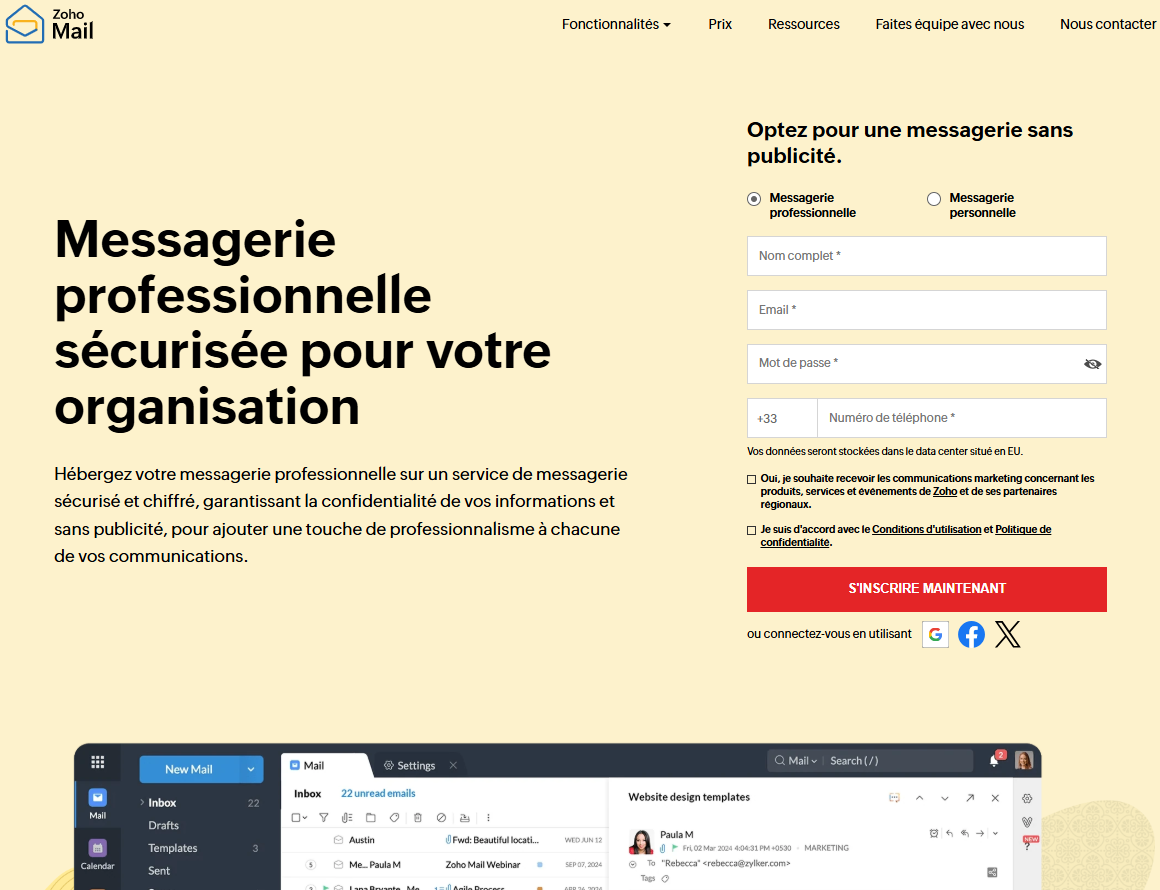
Secure professional messaging for your organization.
Host your professional messaging on a secure, encrypted, ad-free messaging service that guarantees confidentiality, adding a touch of professionalism to all your communications.
Save big with 850+ deals 💶
Explore all deals
Illustration of Zoho Mail on Freelance Stack's deal page
2 deals available
Premium Deal #1
Premium Deal #2

$100 in credits

All our deals are negotiated by our team to give you the best discount and are updated regularly.
This deal requires you to create a new account to benefit from the discount. It is reserved for new customers

Up to $4,000 in credits

All our deals are negotiated by our team to give you the best discount and are updated regularly.
This deal is available to new customers as well as existing customers.
Save Money !
Logo Freelance Stack blanc
Freelance Stack 
Premium
Access our 850+ exclusive promo code for $55/year.
and over 850 other deals.
and +850...
general information
ALTERNATIVES
YOU MAY ALSO LIKE...

📅 April 2026 -

 Our promo code verified with the software 

Zoho Mail

Benefit from a discount of $100 in credits on any plan on Zoho Mail.

Save $100 in credits on Zoho Mail thanks to our exclusive partnership.

Freelance Stack is the first deal platform to offer discounts, coupon codes and credits on 650+ software, SaaS and online services for entrepreneurs and startups. We offer exclusive, validated discounts that we negotiate directly with vendors to save you money. Our coupon codes enable thousands of entrepreneurs, startups, freelancers and consultants to save thousands of euros on software subscriptions.

Don't wait any longer and save $100 in credits on any plan on Zoho Mail.

📄 Information about 

Zoho Mail

Zoho Mail is a secure, ad-free business messaging service, with 99.9% uptime guaranteed. The service offers data encryption at rest, in transit and via S/MIME, ensuring the confidentiality of your exchanges. Your e-mails are hosted in certified data centers to guarantee maximum protection of your business information.

You can create personalized addresses on your own domain to reinforce your brand's credibility. The advanced administration console lets you manage users, aliases, moderation strategies and store emails according to your standards. Native mobile applications and Streams functionality provide seamless collaboration and anywhere access to your messaging.

Here are the main features of Zoho Mail :

  • Unrivalled security and confidentiality:

Zoho Mail's data centers offer first-class security and monitoring, with 99.9% reliable uptime. Benefit from a secure business e-mail hosting solution that supports encryption at rest and in transit, as well as S/MIME message encryption.

  • Stay professional at email@votredomaine.com:

Create a domain for your company and set up personalized e-mail addresses for users. Unique, professional e-mail addresses give your company the visibility and authenticity it deserves.

  • Advanced Admin Consol:

Zoho Mail's powerful Admin console is the ideal administration tool for managing all settings, configuration and personalization. Add users, manage group aliases, configure policies to moderate business e-mail content, and much more.

  • E-mail retention and e-Discovery:

Keep e-mails within your organization during a set period of time, to comply with corporate standards and counter legal attacks. e-Discovery allows you to quickly retrieve these stored e-mails.

  • Cell phone messaging:

Manage your business e-mails even when you're away from your desk. Native mobile applications for Mail, Mail Admin and Streams make it easy to stay in touch on the move.

  • Streams:

Add a touch of social networking to your inboxes with Streams. Replace endless e-mail threads with comments, identify teammates, share files, manage tasks and much more, right from your inbox.

📋 Zoho Mail features:

In this section, you will find our opinion the main features of Zoho Mail. All of these features are subject to regular updates. We recommend that you check that they are available before purchasing any software.

Zoho Mail is a professional email solution that goes far beyond simply sending emails. As part of the Zoho ecosystem, this platform offers a credible alternative to giants like Gmail or Outlook, while emphasizing data privacy and giving you full control over your business communications. Unlike consumer-focused solutions, Zoho Mail is specifically designed to meet the needs of professionals and businesses seeking a reliable, secure email service that integrates seamlessly with their everyday work tools.

What really sets Zoho Mail apart is its ad-free approach and its commitment to protecting user privacy. Your emails are never analyzed for advertising purposes, and you retain full control over your data. The platform also features a modern, intuitive user interface that makes email management easy even for less tech-savvy users, while offering advanced features for power users who need greater control over their communications.

The Zoho ecosystem offers native integration with over 40 business applications, transforming your email into a true command center for your professional activities. This seamless integration eliminates the need to switch between different tools and enables a smoother, more productive workflow.

  • Advanced webmail interface: Zoho Mail’s interface combines ease of use with professional features, including a clear email organization system, smart filters, and a powerful search function that lets you find any message in seconds. You can customize the interface to suit your work habits and visual preferences.
  • Multi-domain management and aliases: You can manage multiple domains from a single administrative interface and create unlimited aliases to organize your communications according to your business needs. This feature is particularly useful for companies that manage multiple brands or divisions.
  • Built-in calendar with advanced scheduling: Zoho Calendar offers much more than just basic appointment management, featuring collaborative scheduling, real-time availability tracking, and automatic integration of email invitations. You can also sync your external calendars and manage multiple time zones simultaneously.
  • Centralized Contacts and Lightweight CRM: Contact management goes beyond a simple address book by including conversation history, personalized notes, and two-way synchronization with other Zoho applications. This approach transforms your contact database into a true customer relationship management tool.
  • Enterprise Security and Compliance: Zoho Mail incorporates advanced security protocols, including end-to-end encryption, two-factor authentication, and configurable retention policies. The platform complies with GDPR standards and offers compliance options for regulated industries.
  • Team collaboration with shared spaces: Collaborative features allow you to create shared inboxes, discussion groups, and shared workspaces where teams can centralize their project communication. This approach promotes transparency and prevents the loss of critical information.
  • Native mobile apps: iOS and Android apps offer an optimized user experience with real-time synchronization, smart notifications, and an offline mode that lets you check your emails even without an internet connection. The mobile interface includes all the essential features of the desktop version.
  • Simplified migration and integration: Automated migration tools let you transfer your emails, contacts, and calendars from other platforms without losing any data. Integration with the most popular third-party tools ensures a smooth transition to the Zoho ecosystem.

This wealth of features makes Zoho Mail an ideal solution for entrepreneurs, small and medium-sized businesses, and teams looking for a comprehensive business email service without the constraints and costs of traditional enterprise solutions.

📊 Zoho Mail Pros and Cons:

This section provides a summary of the advantages and limitations of using Zoho Mail on a daily basis. We are not paid or influenced by brands, and this content is solely our own. These features, their advantages and disadvantages are likely to change regularly, both positively and negatively. If you have complex needs, we invite you to contact the software publisher directly for more information about your requirements. 

👍 Pros with Zoho Mail:

  • Native integration with the Zoho ecosystem: Zoho Mail integrates seamlessly with over 40 applications in the Zoho suite, creating a unified work environment that offers significant benefits for businesses. This synergy allows you to automatically sync your CRM contacts, schedule meetings directly from your emails, access your Zoho WorkDrive documents right from your inbox, and create tasks in Zoho Projects with a single click. This native integration eliminates workflow disruptions and time wasted switching between applications, delivering remarkable productivity for teams already invested in the Zoho ecosystem.
  • Exemplary privacy policy and secure hosting: Unlike American tech giants, Zoho Mail takes a privacy-first approach by never scanning your emails for advertising purposes. The India-based company strictly complies with the European GDPR and offers data hosting in various geographic regions to meet your compliance needs. This transparency regarding data location and the complete absence of targeted advertising are major advantages for businesses committed to protecting their confidential information and that of their customers.
  • A structured work environment and organized management: Zoho Mail offers an interface designed for professional efficiency, with a focus on rigorous organization of communications. The system enables methodical management of attachments and conversations through targeted search functions and tagging. This approach prioritizes clarity and the prioritization of information, providing a stable working environment for users who receive large volumes of emails and seek, above all, a well-organized inbox.
  • Advanced collaboration features and shared calendars: The platform excels at collaborative management with its sophisticated shared calendars, integrated virtual meeting rooms, and team planning tools. You can create discussion groups, share schedules across departments, and coordinate projects directly from your email interface. Delegation features allow assistants to manage their executives’ calendars, while automatic reminders and smart notifications ensure that no important appointments are missed.
  • A professional, ad-free solution starting at the entry level: Zoho Mail stands out for its very affordable pricing for small businesses, with a key selling point: the complete absence of ads, even at the entry-level service tiers. This policy ensures a distraction-free user experience that respects privacy. For startups, this allows them to benefit from a professional email address and a clean environment, while retaining the option to unlock advanced storage and archiving features through competitive pricing tiers.
  • Cross-platform accessibility and migration tools: The platform makes it easy to centralize your communications with automated migration tools that import your history from competing services. Dedicated mobile apps let you check your messages and stay connected on the go. By ensuring constant synchronization with the web version, Zoho Mail guarantees that your essential data is available across different devices, providing you with permanent access to your business email.

👎 Cons with Zoho Mail:

  • An interface that can feel dated and less intuitive: While functional, Zoho Mail’s interface may seem outdated compared to more modern solutions like Gmail or Outlook. Navigation isn’t always intuitive for new users, and some advanced features are hidden in hard-to-reach submenus. The user experience can sometimes feel clunky, particularly on mobile, where the app may seem less responsive than its direct competitors.
  • Limited collaboration features in the free version: While Zoho Mail does offer collaboration tools, the free version remains very limited, with only 5 GB of storage and a limited number of users. Companies that want to take advantage of advanced features such as extended calendar sharing, virtual meeting rooms, or granular permission management will quickly need to upgrade to paid versions, which can represent a significant cost for small businesses.
  • Room for improvement in performance and speed: Zoho Mail can sometimes be slow, particularly when loading large inboxes or syncing with external email clients. Response times aren’t always optimal, especially during peak usage periods, which can impact the productivity of users accustomed to more responsive services. Searching through large volumes of emails can also be time-consuming.
  • The Zoho ecosystem can sometimes be restrictive: While integration with the Zoho suite is an advantage, it can also become a limitation if you primarily use external tools. Interoperability with certain third-party software isn’t always optimal, and you might find yourself “locked in” to the Zoho ecosystem to take full advantage of its features. This can be a problem for companies that have already invested in other business solutions and want to maintain their technological flexibility.
  • Customer support varies by region: Zoho Mail support may vary depending on your geographic location and the plan you choose. French users sometimes report longer-than-desirable response times, and the French documentation is not always as comprehensive as the English version. For free or entry-level versions, support is often limited to community forums, which may not be sufficient to resolve complex technical issues urgently.

💰 Zoho Mail pricing:

All prices listed are taken from the Zoho Mail software website. However, these prices are subject to change regularly. We recommend that you check them directly on each software's website to be sure. 

Zoho Mail offers a range of pricing plans tailored to the diverse needs of users, from individuals to large enterprises. The solution stands out for its generous free offering and competitively priced paid plans.

All prices are listed per user per month, with discount for annual billing.


Plan Rates Included
Forever Free Free 5 GB of storage, 25 MB max per attachment, POP/IMAP, web interface
Mail Lite €1/month 10 GB of storage, 250 MB maximum per attachment, mobile access, email support
Premium Email €4/month 50 GB of storage, priority support, advanced integrations, eDiscovery
Workplace €3/month All Zoho apps, 5 GB of email storage, full collaboration capabilities


The Forever Free planis an excellent starting point for individual users or very small organizations. With 5 GB of storage and full access to the web interface, it meets basic business email needs with no time limit. This plan also includes POP/IMAP access, allowing you to use third-party email clients such as Outlook or Thunderbird.

The Mail Liteplan, priced at €1 per month, doubles your storage space and significantly increases the maximum attachment size to 250 MB. This plan is ideal for professionals who regularly exchange large files and want access to email customer support. Access to native mobile apps is also included, providing an optimized experience on smartphones and tablets.

For €4 per month, Mail Premiumis designed for demanding users who need a generous 50 GB of storage and priority support. This plan includes advanced features such as eDiscovery for legal searches in emails, as well as deep integrations with other tools in the Zoho ecosystem. Customer support is prioritized, with faster response times.

The Workplaceplan, priced at €3 per month, is uniquely positioned because it provides access to the full suite of Zoho applications (CRM, Projects, Documents, etc.) while offering 5 GB of email storage. This plan is particularly appealing to businesses looking to adopt a comprehensive office suite rather than a standalone email solution.

Annual billing offers discount of up to 20%on all paid plans. Zoho also offers volume discounts for organizations with more than 500 users, with the possibility of negotiating rates for large-scale deployments.

Advanced security featuressuch as two-factor authentication, email encryption, and spam protection are included in all plans, including the free one. This inclusive approach to security is a significant advantage over other providers that reserve these protections for premium plans.

For specific needs, Zoho offers add-ons thatare billed separately, such as extended archiving, advanced electronic signatures, and integration with third-party backup solutions. These add-ons allow you to tailor the solution precisely to your business requirements without overpaying for features you don’t use.

The 15-day free trialfor all paid plans allows you to thoroughly evaluate the advanced features before committing. During this period, all features of the selected plan are available, including customer support and integrations. This approach greatly simplifies the decision-making process, particularly for businesses weighing their options between several plans.

💬 Frequently asked questions about Zoho Mail's promo:

In this section, you will find all the main questions you may have about accessing this discount. We wanted to provide you with as much information as possible to help you save as much as possible on your software subscriptions. 

1️⃣ How to access to the deal with Zoho Mail?

This promo code allows you to save money and enjoy premium features on Zoho Mail paid plans and subscriptions. Check the eligibility criteria on this page to see if you can benefit from this discount. Don't miss out on the opportunity to pay less for your subscription to one of the best tools on the market.

2️⃣ Why Freelance Stack can help you to access to Zoho Mail discount?

As a partner of Zoho Mail, you can easily save on your subscription to this software. Without us or another affiliate partner, you will have difficulties to activate the discount. We are the largest discount promo code platform for software and SaaS in the world.

3️⃣ How to use Zoho Mail deal?

To use the discount with Zoho Mail, you need to click on the various buttons that may be available on the right side of the deal page and follow the instructions to unlock this promotion.

4️⃣ What are Zoho Mail's promo requirements?

We specify all the terms and conditions on each deal page. You must click on the various buttons on the deal page to view all the terms and conditions. This deal requires you to create a new account to benefit from the discount. It is reserved for new customers of Zoho Mail.

🔄 Alternatives to Zoho Mail software:

Find the right software with our suggestions for alternative solutions.

When growing a business, comparing the right tools is essential. With thousands of options available, these solutions are strong alternatives to Zoho Mail 
Indeed, Zoho Mail is a solution that can adapt according to your needs:

1️⃣ If you are a freelancer or consultant:

Gmail remains the most natural choice for launching your professional career. Its intuitive interface and seamless integration with Google Workspace let you easily manage your emails, calendars, and documents all within the same ecosystem. The 15 GB of free storage is more than enough to get started, and you benefit from a powerful spam filter. ProtonMail is an excellent alternative if the confidentiality of your client communications is paramount. This Swiss service offers automatic end-to-end encryption, ideal for consultants working on sensitive projects. Its streamlined interface makes it easy to get started, although advanced features require a paid subscription. Outlook.com is also worth considering, especially if your clients use the Microsoft ecosystem. Native integration with OneDrive and Teams greatly simplifies collaboration, while automatic sorting rules save you valuable time in the day-to-day management of your professional correspondence.

2️⃣ If you are a startup:

Google Workspace has established itself as the go-to solution for startups seeking a balance between features and a manageable budget. You get custom email addresses with your domain name, generous storage space, and powerful collaboration tools like Google Meet and Drive. Per-user billing makes it easy to scale as your needs grow. Microsoft 365 is a robust alternative, particularly popular with technical teams thanks to its deep integration with development and project management tools. The desktop applications remain more comprehensive than their web-based counterparts, a significant advantage for certain industries. Fastmail is worth considering if you prioritize simplicity and speed. This Australian solution excels at pure email management, without unnecessary frills. Its smart sorting features and unlimited aliases make it easy to organize your customer communications, while its high-performance servers ensure a smooth user experience even during peak activity.

3️⃣ If you are a small business or an SME:

Microsoft Exchange Online is the preferred choice for established businesses seeking a no-compromise enterprise email solution. Its centralized management capabilities, advanced security policies, and native integration with Active Directory greatly simplify IT administration. Mailboxes of 50 GB per user and regulatory compliance features meet the requirements of even the most demanding industries. Zimbra offers a particularly attractive open-source alternative for SMBs looking to control costs while maintaining full control over their data. Its comprehensive collaboration suite includes shared calendars, task management, and instant messaging, all of which can be hosted on your own servers. IceWarp is also worth considering thanks to its all-in-one approach, which is particularly well-suited for medium-sized businesses. This Czech solution combines email, collaboration, telephony, and document management into a unified interface, significantly reducing the number of software licenses to manage while providing a consistent user experience for your teams.

Otherwise, these other software programs may also be a good alternative to Zoho Mail

🆕 Our new Premium deals:

We offer discounts on 650+ different software. We regularly add new discounts on the best software for freelancers, consultants and entrepreneurs.

Discover these new software in addition to the deal we offer with Zoho Mail.

👤 Our members have just used these other deals:

We offer on 850+ different software. That's both a lot and a little compared to all the software that exists and that could help you in your business as entrepreneur or business owner.

Discover new software and discounts to complement the deal we offer on Zoho Mail