




logo anime freelance stack white
Logo de l’outil Vectary sur le deal de Freelance Stack
All deals (850+)
Logo de l’outil Vectary sur le deal de Freelance Stack

Vectary

Premium Deal
1 deal available
Get the job done with interactive 3D and AR
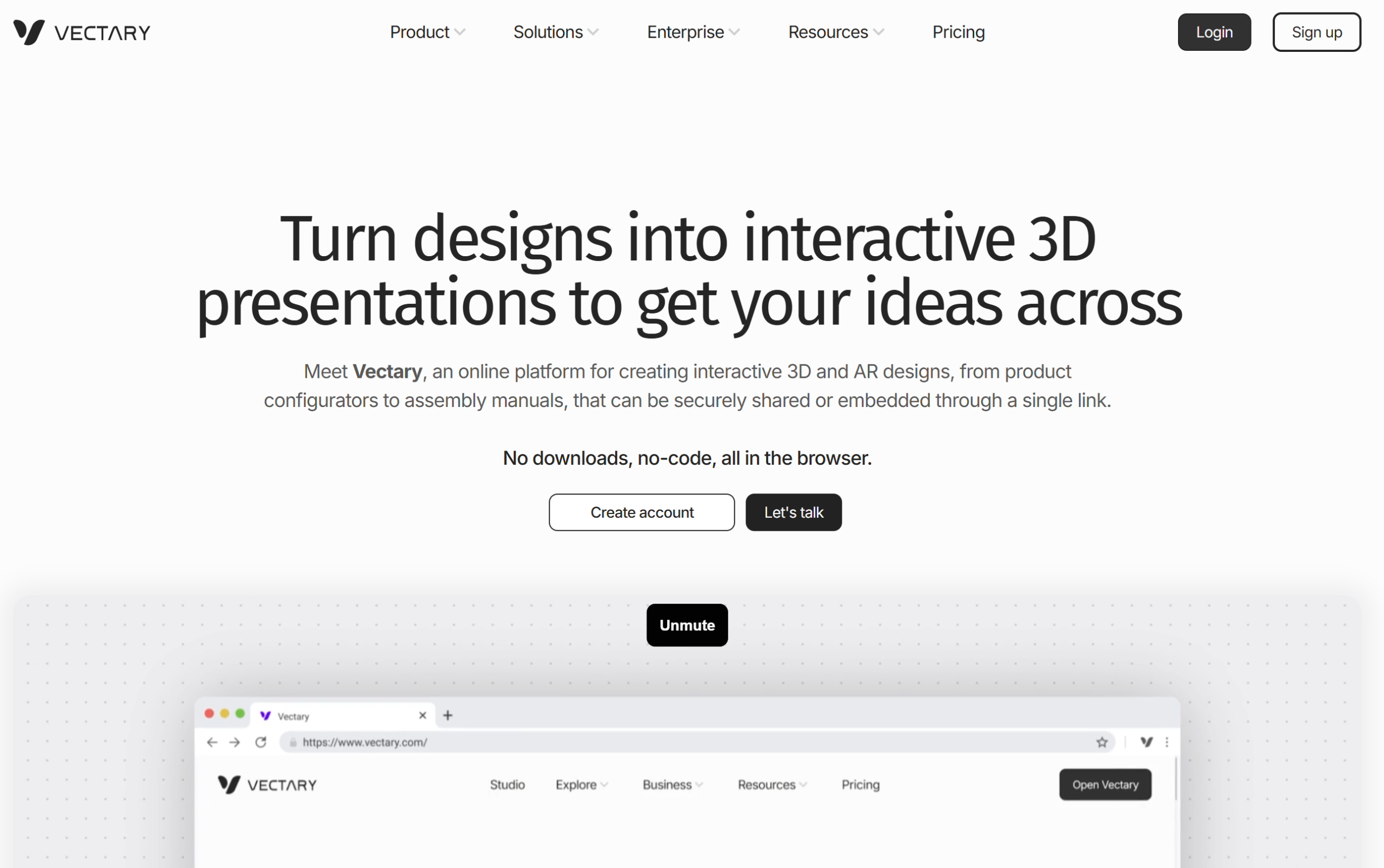
Meet Vectary, an online platform for creating and managing interactive 3D designs that inspire, educate and solve problems. No downloads, no-code: all in the browser.
Save big with 850+ deals 💶
Explore all deals
Illustration of Vectary on Freelance Stack's deal page
1 deal available
Premium Deal #1

No deals currently available

Register your email address to be notified when a promo code is available!
All our deals are negotiated by our team to give you the best discount and are updated regularly.
This deal requires you to create a new account to benefit from the discount. It is reserved for new customers
Save Money !
Logo Freelance Stack blanc
Freelance Stack 
Premium
Access our 850+ exclusive promo code for $55/year.
and over 850 other deals.
and +850...
general information
ALTERNATIVES
YOU MAY ALSO LIKE...

📅 April 2026 -

 Our promo code verified with the software 

Vectary

No deal currently available on Vectary.

No deal currently available on Vectary thanks to our exclusive partnership.

Freelance Stack is the first deals platform to access best discounts, coupon codes and credits on 650+ software, SaaS and online services for entrepreneurs and startups. We offer exclusive and validated discounts that we negotiate directly with partners to help you to grow and save money. Our coupon codes enable thousands of entrepreneurs, startups, freelancers and consultants to save thousands of euros on software subscriptions.

Don't wait any longer and save No deals currently available on Vectary.

📄 Information about 

Vectary

Vectary is an online 3D design platform that allows users to create, model, and share three-dimensional projects intuitively. With its user-friendly interface and drag-and-drop tools, Vectary makes it easy to create 3D models without requiring advanced modeling skills. The platform also offers collaboration features, enabling multiple users to work together in real-time on the same project.

Vectary supports the import and export of files in various formats, making it ideal for designers, developers, and artists looking to integrate 3D elements into their projects. By using Vectary, users can bring their creative ideas to life and create impressive visual presentations.

Everything your 3D workflow needs:

Create, collaborate, showcase and publish your concepts, all within one platform. Designers, engineers, product managers, marketers, and many more use Vectary to stay ahead and work with one of the most efficient in-browser, no-code workflows in the 3D industry.

Benefit from powerful 3D and AR tools:

Vectary platform offers high-quality real-time rendering, interactions, animation, numerous presets and other professional features made for turning product concepts into complete experiences - fast.

Explore virtual design and digital twins:

One step toward creating amazing, conversation-starting immersive experiences is to get your 3D creations into Augmented Reality. Import your own files or build your own models. No other app is needed, and it works from your desktop or cell phone.

Share ideas with clarity and impact:

Forget about file transfers or email attachments; one link is all you need. Just import your files and with one click you can make your 3D content perfectly accessible for viewing from any device, including AR glasses.

Empower small and large teams:

  • Collaboration: Practical features that save time and effort. Easy access to projects from any device. File cloning, design system options, custom libraries and easy embedding of the whole 3D scene into presentation or productivity tools.
  • Feedback loop: Real-time commenting directly in the design and in 3D space. Anyone with viewer rights can leave a feedback in design, directly in the location it applies to. Speeding up the feedback stage can speed up the overall production.
  • Organization: Set up team workspaces and access rights. Scale up as you go. Store your designs and access them right from the canvas. Share project links with anyone. Make it your integrated 3D design hub.

📋 Vectary features:

In this section, you will find our opinion the main features of Vectary. All of these features are subject to regular updates. We recommend that you check that they are available before purchasing any software.

Vectary stands out as a 3D design platform that transforms how teams create, collaborate, and present three-dimensional content directly in web browsers. Unlike traditional 3D software, which requires large downloads and has a steep learning curve, this cloud-based solution democratizes 3D creation by making it accessible to designers, marketers, and creators regardless of their technical expertise. The platform bridges the gap between professional-grade 3D modeling capabilities and user-friendly interfaces, enabling both seasoned professionals and newcomers to produce stunning visual content.

What sets Vectary apart in the crowded 3D design landscape is its real-time collaborative approach combined with instant web publishing capabilities. The platform eliminates the traditional workflow bottlenecks where designers create, export, compress, and then struggle with compatibility issues across different devices and browsers. Instead, Vectary provides a seamless end-to-end experience where your 3D creations remain interactive and optimized for web delivery from the moment of conception.

The platform is particularly well-suited to meeting modern digital marketing needs and product visualization requirements. Whether you're building interactive product configurators, designing immersive landing page elements, or creating engaging social media content, Vectary provides the tools and workflows that meet the demands of contemporary digital publishing while maintaining the depth and sophistication expected from professional 3D software.

  • Browser-based 3D modeling environment: The entire creation process takes place within your web browser without requiring any software installations or updates. This cloud-native approach ensures you can access your projects from any device while automatically benefiting from the latest features and improvements as they are released.
  • Drag-and-drop asset library: An extensive collection of pre-made 3D models, materials, and templates significantly speeds up your design process. Instead of starting from scratch, you can use professionally crafted components and customize them to match your specific vision and brand requirements.
  • Real-time collaboration tools: Multiple team members can work simultaneously on the same 3D project, with changes appearing instantly for all connected users. This collaborative functionality goes beyond simple sharing to include commenting systems, version control, and role-based permissions that streamline team workflows.
  • Interactive 3D web publishing: Your finished designs are deployed directly as interactive web experiences without additional coding or technical setup. Viewers can rotate, zoom, and interact with your 3D content on both desktop and mobile devices while maintaining smooth performance and visual quality.
  • Augmented reality integration: Projects automatically become AR-ready, allowing viewers to place and visualize your 3D models in their real-world environments using their smartphones or tablets. This feature is particularly valuable for product visualization and marketing applications where spatial context is important.
  • Advanced material and lighting systems: Sophisticated rendering capabilities include physically-based materials, dynamic lighting controls, and environmental reflections that produce photorealistic results. These professional-grade features ensure your 3D content maintains visual credibility across different viewing contexts and applications.
  • Animation and Interaction Builder: Create engaging animated sequences and interactive behaviors without programming knowledge using an intuitive timeline interface. You can create everything from simple rotation animations to complex multi-stage interactions that respond to user input and engagement.
  • Cross-platform embedding: Generated 3D content integrates seamlessly into websites, social media platforms, email campaigns, and presentation tools using simple embed codes. This versatility ensures your 3D creations reach audiences wherever they consume digital content.
  • Performance optimization engine: Automatic optimization ensures your 3D content loads quickly and runs smoothly across various devices and network conditions. The platform handles technical considerations such as mesh optimization, texture compression, and level-of-detail adjustments behind the scenes.

Vectary's strength lies in its ability to combine creative flexibility with technical accessibility, making it an ideal choice for teams that need to produce high-quality 3D content without the traditional barriers associated with professional 3D software. The platform's Focus on web-first design principles ensures that your creative output aligns perfectly with modern digital consumption patterns.

📊 Vectary Pros and Cons:

This section provides a summary of the advantages and limitations of using Vectary on a daily basis. We are not paid or influenced by brands, and this content is solely our own. These features, their advantages and disadvantages are likely to change regularly, both positively and negatively. If you have complex needs, we invite you to contact the software publisher directly for more information about your requirements. 

👍 Pros with Vectary:

  • Instant Access Without Installation: Vectary runs directly in your web browser, eliminating the hassle of large software downloads or manual updates. This cloud-synced environment allows you to switch seamlessly between a workstation and a laptop, ensuring your latest version is always available. By leveraging modern web standards, the platform provides a professional 3D workspace that feels as responsive as a desktop app, making high-end design tools available to any creative professional with a modern browser.
  • Intuitive interface designed for non-technical users: Unlike traditional 3D software that requires months of learning complex workflows, Vectary features a streamlined interface that feels familiar to anyone who has used modern design tools. The platform employs drag-and-drop functionality, contextual menus, and visual feedback that makes 3D modeling accessible to designers with a 2D background. You can start creating meaningful 3D content within minutes rather than weeks, with guided tutorials and smart defaults that help you avoid common beginner mistakes. The learning curve is significantly reduced compared to industry-standard tools like Blender or 3ds Max, allowing you to Focus on creativity rather than technical mastery.
  • Seamless collaboration and real-time sharing capabilities: Vectary excels at team collaboration with features that mirror modern web-based design tools. Multiple team members can work on the same 3D project simultaneously, with changes appearing in real time for all connected users. The sharing system allows you to generate public links for client reviews, embed 3D models directly into websites or presentations, and export content in various formats for different use cases. This collaborative workflow is particularly valuable for agencies working with remote teams or freelancers who need to present concepts to clients without requiring them to install specialized software to view 3D content.
  • Extensive library of pre-built assets and templates: The platform offers a comprehensive collection of 3D objects, materials, lighting setups, and scene templates that serve as building blocks for your projects. Rather than modeling everything from scratch, you can use professionally created assets to significantly speed up your workflow. The library includes common objects such as furniture, electronics, vehicles, and architectural elements, along with more specialized items for specific industries. These assets are optimized for web use and maintain consistent quality standards, allowing you to create polished results even if you’re not an experienced 3D modeler. The template system also provides starting points for common use cases such as product visualization, architectural presentations, or marketing materials.
  • Optimized output for web and AR applications: Vectary automatically optimizes your 3D models for web deployment and augmented reality experiences, handling technical considerations such as polygon count, texture compression, and file formats behind the scenes. The platform generates lightweight 3D files that load quickly in web browsers while maintaining visual quality, which is crucial for e-commerce product displays, interactive marketing content, or AR try-on experiences. You can export models in formats compatible with popular AR platforms or embed them directly into websites using Vectary's viewer, eliminating the need for additional conversion tools or technical expertise in web 3D optimization.
  • Cost-effective alternative to enterprise 3D software: For many use cases, Vectary delivers professional-quality results at a fraction of the cost of traditional 3D modeling software licenses. The subscription model eliminates large upfront investments and includes automatic updates, cloud storage, and technical support. This pricing structure makes 3D content creation feasible for smaller projects, startups, or individual creators who couldn’t justify expensive software licenses. The platform’s efficiency also reduces the time required to create 3D content, resulting in lower project costs and faster turnaround times for client work, making it a smart economic choice for businesses looking to incorporate 3D elements into their marketing or product development processes.

👎 Cons with Vectary:

  • Limited offline functionality: Vectary is primarily a cloud-based platform, which means you need a stable internet connection to access most of its features. While this ensures your projects are automatically saved and synced across devices, it can be problematic when working in environments with unreliable internet or when you need to work offline while traveling. Since it is browser-based, performance may vary depending on your internet speed and browser capabilities.
  • Spatial Logic for 2D Designers: Moving from a flat canvas like Figma or Illustrator to a 3D environment requires a shift in how you think about depth and perspective. While the buttons are easy to find, mastering the nuances of lighting and material physics takes time. You should expect a brief period of trial and error as you learn to navigate the XYZ axes and understand how light interacts with 3D surfaces compared to 2D effects.
  • Browser performance limitations: Since Vectary runs entirely in web browsers, it is limited by browser capabilities and system resources. Complex scenes featuring multiple high-polygon models, advanced materials, or intricate animations can cause performance issues, especially on older computers or those with limited RAM. This can result in laggy viewport navigation, slow rendering, and occasional crashes during intensive 3D operations.
  • Designed for Interactive Design Rather Than Character Art: Vectary is designed for product visualization, marketing, and web AR. If your goal is high-fidelity character sculpting or complex, movie-quality VFX, you will find the toolset too streamlined. It prioritizes clean geometry and interactive performance for the web, meaning it intentionally omits the dense, heavy workflows required for organic 3D sculpting or complex rigging used in the gaming and film industries.
  • Subscription requirement for full features: The free version of Vectary comes with significant limitations, including restricted export options, limited storage space, and watermarked renders. To access professional features such as high-resolution exports, advanced materials, collaboration tools, and commercial usage rights, you need a paid subscription. This ongoing cost can add up over time, especially for freelancers or small studios working on tight budgets who might prefer software alternatives that are purchased once.

💰 Vectary pricing:

All prices listed are taken from the Vectary software website. However, these prices are subject to change regularly. We recommend that you check them directly on each software's website to be sure. 

Vectary offers a flexible pricing structure tailored to the needs of creators, teams, and businesses. The platform provides a generous free plan to get started, as well as premium packages that unlock advanced features.

The pricing plans are designed to adapt to your needs, from occasional use to complex professional projects that require collaboration tools and high-quality exports.


Plan Pricing Includes
Free Free 3 private projects, limited exports, basic object library
Personal $12/month Unlimited projects, HD exports, full library, animations
Business $39/month Team collaboration, custom branding, advanced integrations, priority support

💬 Frequently asked questions about Vectary's promo:

In this section, you will find all the main questions you may have about accessing this discount. We wanted to provide you with as much information as possible to help you save as much as possible on your software subscriptions. 

1️⃣ How to access to the deal with Vectary?

This promo code allows you to save money and enjoy premium features on Vectary paid plans and subscriptions. Check the eligibility criteria on this page to see if you can benefit from this discount. Don't miss out on the opportunity to pay less for your subscription to one of the best tools on the market.

2️⃣ Why Freelance Stack can help you to access to Vectary discount?

As a partner of Vectary, you can easily save on your subscription to this software. Without us or another affiliate partner, you will have difficulties to activate the discount. We are the largest discount promo code platform for software and SaaS in the world.

3️⃣ How to use Vectary deal?

To use the discount with Vectary, you need to click on the various buttons that may be available on the right side of the deal page and follow the instructions to unlock this promotion.

4️⃣ What are Vectary's promo requirements?

We specify all the terms and conditions on each deal page. You must click on the various buttons on the deal page to view all the terms and conditions. This deal requires you to create a new account to benefit from the discount. It is reserved for new customers of Vectary.

🔄 Alternatives to Vectary software:

Find the right software with our suggestions for alternative solutions.

When growing a business, comparing the right tools is essential. With thousands of options available, these solutions are strong alternatives to Vectary 
Indeed, Vectary is a solution that can adapt according to your needs:

1️⃣ If you are a freelancer or consultant:

Blender remains the top choice for freelancers seeking complete creative freedom without budget constraints. This open-source powerhouse offers advanced 3D modeling, animation, and rendering capabilities that rival expensive professional software. While the learning curve is steeper than Vectary's browser-based approach, Blender's extensive community resources and tutorials make it accessible to dedicated freelancers. The software’s node-based material system and powerful Cycles renderer enable you to create photorealistic visualizations that command premium rates. SketchUp provides an excellent middle ground for architectural and product visualization freelancers. Its intuitive push-pull modeling system allows rapid prototyping and concept development, making it perfect for client presentations. The extensive 3D Warehouse library significantly speeds up your workflow. Figma serves freelancers who Focus on UI/UX design with occasional 3D elements, offering collaborative features that facilitate client feedback loops and real-time design iterations.

2️⃣ If you are a startup:

Spline stands out as the ideal startup companion, combining browser-based accessibility with powerful 3D capabilities specifically designed for modern web experiences. Its real-time collaboration features allow distributed teams to work together seamlessly, while direct export to web formats accelerates product development cycles. The learning curve is manageable for team members with varying technical backgrounds. Cinema 4D Lite, included with Adobe Creative Suite subscriptions that many startups already have, offers professional-grade motion graphics and 3D capabilities without additional licensing costs. Its integration with After Effects streamlines video content creation for marketing campaigns. Tinkercad provides an excellent starting point for startups focusing on product prototyping or educational content. While simpler than Vectary, its Autodesk backing ensures reliability and future development. The platform’s simplicity allows non-technical team members to contribute to 3D content creation, democratizing the design process across your organization.

3️⃣ If you are a small or medium-sized business:

Fusion 360 is a standout choice for manufacturing-focused SMEs, offering comprehensive CAD/CAM capabilities alongside cloud-based collaboration and affordable subscription pricing. Its parametric modeling approach ensures design consistency across product variations, while integrated simulation tools help validate designs before prototyping. The software’s manufacturing workspace connects directly to CNC machines and 3D printers. KeyShot excels for companies prioritizing product visualization and marketing materials. Its material library and lighting presets enable quick, professional renderings without extensive technical knowledge. The software integrates seamlessly with most CAD platforms your engineering team might already use. Gravity Sketch offers an innovative approach for teams embracing VR/AR technologies, allowing intuitive 3D sketching in virtual space. This tool bridges the gap between initial concept development and detailed CAD work, making it valuable for companies investing in immersive design processes. Its collaborative VR sessions enable remote design reviews with clients and stakeholders.

Otherwise, these other software programs may also be a good alternative to Vectary

🆕 Our new Premium deals:

We offer discounts on 650+ different software. We regularly add new discounts on the best software for freelancers, consultants and entrepreneurs.

Discover these new software in addition to the deal we offer with Vectary.

👤 Our members have just used these other deals:

We offer on 850+ different software. That's both a lot and a little compared to all the software that exists and that could help you in your business as entrepreneur or business owner.

Discover new software and discounts to complement the deal we offer on Vectary