logo anime freelance stack white
Logo de l'outil Sanebox sur Freelance Stack
All deals (850+)
Logo de l'outil Sanebox sur Freelance Stack

SaneBox

Free Deal
2 deals available
Read the important email in your Inbox.
Stop feeling overwhelmed by email. SaneBox sends you daily updates about what was sorted and other email activity, so you never miss anything important.
Save big with 850+ deals 💶
Explore all deals
Illustration of Sanebox on Freelance Stack's deal page
2 deals available
Free Deal
Premium Deal #1

Up to 45% off on annual plan

All our deals are negotiated by our team to give you the best discount and are updated regularly.
This deal requires you to create a new account to benefit from the discount. It is reserved for new customers

$25 in credits

All our deals are negotiated by our team to give you the best discount and are updated regularly.
This deal is available to new customers or customers on a free plan of the tool.
Save Money !
Logo Freelance Stack blanc
Freelance Stack 
Premium
Access our 850+ exclusive promo code for $55/year.
and over 850 other deals.
and +850...
general information
ALTERNATIVES
YOU MAY ALSO LIKE...

📅 April 2026 -

 Our promo code verified with the software 

SaneBox

Benefit from $25 in credits on SaneBox.

Save $25 in credits on SaneBox thanks to our exclusive partnership.

Freelance Stack is the first deals platform to access best discounts, coupon codes and credits on 650+ software, SaaS and online services for entrepreneurs and startups. We offer exclusive and validated discounts that we negotiate directly with partners to help you to grow and save money. Our coupon codes enable thousands of entrepreneurs, startups, freelancers and consultants to save thousands of euros on best software.

Don't wait any longer and save $25 in credits on SaneBox.

📄 Information about 

SaneBox

SaneBox is an email management solution that helps users organize their inbox and reduce clutter. It uses algorithms to filter important emails, automatically sorting them into specific folders, allowing users to focus on the most essential messages. SaneBox also offers features like reminders for unanswered emails, unsubscribe tools, and weekly email summaries.

Compatible with various email providers, the platform integrates seamlessly into existing workflows. In summary, SaneBox is an effective tool for boosting productivity and enhancing email management.

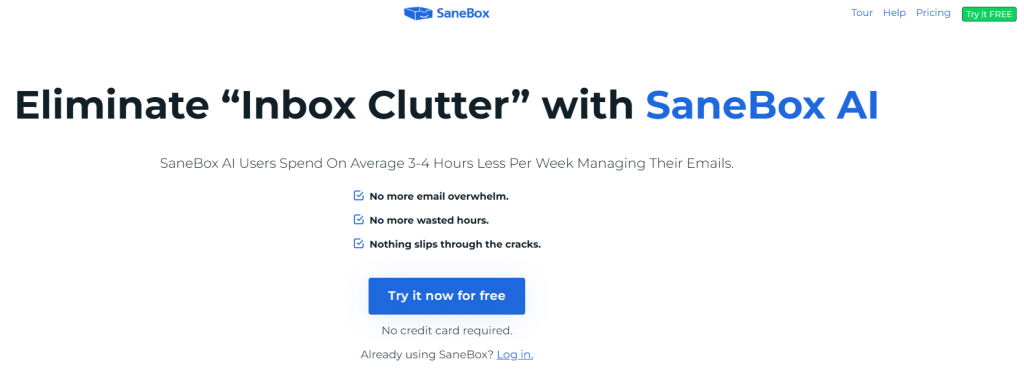
Get rid of Inbox clutter and focus on the email that matters.

Productivity's #1 Killer: Email wasn't always the enemy. But now, a glance at our inbox can crush our spirits.

  • Drowning in new email, newsletters, and promotions?
  • Running out of storage space?
  • Having trouble finding that really important email?
  • Forgetting to follow up when emails don't get a reply?
  • Trying to achieve Inbox Zero?

SaneBox is here to help! Turn your inbox from foe to friend with SaneBox.

Our commitment to Security and Privacy: We never sell or share your information. Your emails, contacts, and content stay between you and SaneBox. That's our promise.

  • Google Verified: Our security is annually assessed as a part of Google's Restricted Scopes verification process.
  • Independently audited: We have passed external security audits by Leviathan Security Group.
  • Continuously Tested: We use automated (WhiteHat) and human hackers (HackerOne) to test our security on an ongoing basis.
  • Minimum data, maximum security: SaneBox looks at the basics like sender, subject line and date of your mail. We never store full emails or attachments.
  • Access on your terms: You're in control with OAuth(with supporting services). Grant SaneBox access to your email, revoke anytime.
  • Encrypted credentials: The credentials for your account are encrypted and securely stored. We only use them to scan your mail and work our organized inbox magic.

A Productivity Game-Changer: SaneBox is like the world's best executive assistant - saving you hours a week on email. focus on your most important emails, and automatically filter out junk mail before it can interrupt your day.

Powerful features to give you back control: Remove unwanted interruptions and get through your email faster than ever before.

  • Banish annoying senders: Tired of unsubscribing from pesky senders? Use BlackHole to remove them from your inbox for good.
  • Out of sight, out of mind: Sometimes important emails should wait. Snooze sends emails away until you're ready for them. Like on Monday morning, instead of Saturday night.
  • Don't ever miss a thing: The Daily Digest is a daily summary of unimportant emails that haven't been opened yet.
  • Your personal follow-up assistant: Get a Reminder if someone doesn't respond to your email by a certain time and/or set reminders for your future self.

📋 SaneBox features:

In this section, you will find our opinion the main features of SaneBox. All of these features are subject to regular updates. We recommend that you check that they are available before purchasing any software.

SaneBox transforms your chaotic inbox into an organized productivity tool by intelligently filtering and prioritizing your emails based on importance. This AI-powered email management platform works seamlessly across all major email providers, including Gmail, Outlook, Apple Mail, and Yahoo, without requiring you to change your existing email client or workflow. Rather than forcing you to adopt a completely new system, SaneBox integrates seamlessly with your current setup, learning your email habits and automatically sorting messages into the appropriate folders.

The platform's core strength lies in its machine learning algorithms, which analyze your email behavior, contact relationships, and message content to determine what truly deserves your immediate attention. Unlike basic email filters that rely on rigid rules, SaneBox continuously adapts to your changing communication patterns, becoming more accurate over time. This intelligent approach means you can finally achieve inbox zero without the manual effort typically required for email organization, allowing you to Focus on high-priority messages while less critical emails are automatically sorted for later review.

What sets SaneBox apart is its non-intrusive implementation approach. You don't need to install software, change email addresses, or train your contacts on a new system. The service works entirely through your existing email infrastructure, creating special folders that organize your messages while maintaining full access to everything through your preferred email client.

  • SaneBlackHole: allows you to permanently unsubscribe from unwanted emails by simply dragging messages into this special folder, which automatically unsubscribes you from the sender and ensures that future emails from that source never reach your inbox. This feature eliminates the tedious process of clicking unsubscribe links and handles the entire process seamlessly in the background.
  • SaneLater folders: automatically capture emails that are important but not urgent, such as newsletters, promotional messages, or updates from social media, keeping them organized for review when you have time. The system creates multiple SaneLater folders with different time delays, allowing you to batch-process less critical communications on your own schedule rather than having them interrupt your workflow throughout the day.
  • SaneReminders: turns any email into a task by letting you forward messages to reminder addresses that will bounce the email back to your inbox at specified times. Whether you need to follow up on a proposal next week or remember to pay a bill next month, this feature ensures important messages resurface exactly when you need them without cluttering your current inbox.
  • Daily Digest: provides a consolidated summary of all messages that were filtered out of your main inbox, giving you complete visibility into what SaneBox has processed without overwhelming you with notifications. This digest includes quick actions for moving messages back to your inbox or training the system if it made incorrect filtering decisions.
  • SaneAttachments: automatically saves email attachments to cloud storage services such as Dropbox, Google Drive, or Box, reducing inbox clutter while ensuring that important files remain accessible. This feature is particularly valuable for professionals who receive numerous documents, contracts, or media files via email and need organized storage without manual intervention.
  • Snooze feature: allows you to temporarily move emails out of your inbox and have them automatically return at specified times, similar to hitting the snooze button your alarm clock. This feature helps keep your inbox organized while ensuring that time-sensitive messages reappear when they become relevant or require action.
  • Do Not Disturb: This mode prevents new emails from appearing in your inbox during specified time periods, allowing you to Focus on deep work without email interruptions. You can customize these quiet hours for different days of the week, ensuring your most productive periods remain free from distractions caused by incoming messages.

SaneBox's intelligent learning capabilities mean the system becomes increasingly effective at understanding your unique email patterns and preferences, creating a truly personalized email management experience that adapts to your professional and personal communication style.

📊 SaneBox Pros and Cons:

This section provides a summary of the advantages and limitations of using SaneBox on a daily basis. We are not paid or influenced by brands, and this content is solely our own. These features, their advantages and disadvantages are likely to change regularly, both positively and negatively. If you have complex needs, we invite you to contact the software publisher directly for more information about your requirements. 

👍 Pros with SaneBox:

  • Intelligent Email Prioritization: SaneBox analyzes your email habits and automatically separates important messages from less critical ones, placing lower-priority emails in designated folders such as SaneLater. This machine learning approach means the system becomes increasingly accurate over time, learning from your behavior to identify what truly matters to you. The result is a significantly cleaner inbox that focuses your attention emails that actually require your immediate response, reducing decision fatigue and helping you stay Focus on high-priority communications.
  • Seamless Integration with Existing Email Providers: Rather than forcing you to switch email clients, SaneBox works directly with your current email setup, whether you use Gmail, Outlook, Apple Mail, or virtually any IMAP-based service. This compatibility means you can continue using your preferred email interface while benefiting from SaneBox's organizational features. The setup process is straightforward, requiring no complex configuration or learning new software, making it an ideal solution for professionals who want enhanced email management without disrupting their established workflows.
  • Comprehensive Email Analytics and Insights: The platform provides detailed statistics about your email habits, showing you who sends you the most messages, how long emails typically sit in your inbox before being addressed, and patterns in your email behavior. These insights help you identify time-wasters and communication bottlenecks you might not have noticed otherwise. You can discover which contacts consistently send low-priority emails or which types of messages tend to pile up, enabling you to make informed decisions about unsubscribing, filtering, or adjusting your communication preferences.
  • Advanced Reminder and Follow-up Features: SaneBox includes powerful tools like SaneReminders, which allows you to set follow-up alerts for important emails that haven't received replies, and the ability to snooze emails until specific times when you're ready to address them. These features ensure that critical communications don't fall through the cracks while preventing your inbox from becoming cluttered with items that aren't immediately actionable. The system can remind you to follow up on sent emails that haven’t received replies, helping you maintain professional relationships and ensure important conversations continue.
  • Robust Email Security and Privacy Protection: The service uses enterprise-grade security measures to protect your email data, with strict privacy policies that ensure your messages are processed securely without being permanently stored on their servers. SaneBox accesses only email headers and metadata for most of its functions, preserving the confidentiality of your actual message content. This approach provides peace of mind for professionals handling sensitive information while still delivering powerful email management capabilities.
  • Customizable Training and Learning System: You maintain complete control over SaneBox's learning process through simple drag-and-drop training, allowing you to correct any misclassifications and teach the system your specific preferences. The platform takes manual corrections into account and incorporates them into future filtering decisions, creating a personalized email management experience that adapts to your unique communication patterns. This flexibility means you can fine-tune the system for different types of work, personal preferences, or changing priorities without having to start over.

👎 Cons with SaneBox:

  • Enterprise Administrative Challenges: Although SaneBox is technically compatible with Outlook and Gmail, many corporate IT departments block third-party IMAP/OAuth access by default. Even though SaneBox never reads the body of your emails, obtaining "whitelist" approval from a strict IT security committee can be a lengthy administrative process. This makes it more of a "personal productivity" win than a guaranteed tool for employees in highly regulated sectors such as banking or defense.
  • Initial Folder Management Overhead: While the AI categorizes emails accurately almost immediately, the sheer number of new folders (SaneLater, SaneNews, SaneCC) can initially clutter your folder tree. For users who prefer a minimalist sidebar, the first few days involve a "digital housekeeping" phase where you must decide which Sane folders to keep active and which to disable to avoid feeling overwhelmed by the new organizational structure.
  • Subscription cost for advanced features: The basic plan offers limited functionality, and accessing powerful features such as custom folders, email reminders, and advanced filtering requires upgrading to higher-tier plans, which can become expensive for individual users or small teams. The pricing structure can feel restrictive since many essential productivity features are locked behind premium tiers, making the total cost of ownership higher than initially anticipated.
  • Specificity as a Header Processor: SaneBox is designed to move emails, not to act as a full-scale project management tool. While it connects to thousands of apps via Zapier, it does not natively convert an email into a Trello card or a Salesforce lead within its own interface. It remains a specialized sorting engine; users looking for a tool that deeply integrates CRM functionality directly into the email body may find its "folder-move" logic too limited for their needs.
  • Occasional over-filtering and false positives: The AI-driven sorting system, while generally accurate, sometimes makes mistakes that can have serious consequences. Important emails from new contacts or containing unusual keywords might be filtered into lower-priority folders, potentially causing you to miss critical communications. The system's aggressive filtering can also struggle with context-dependent emails, such as personal messages that arrive during business hours or urgent requests that don't match typical patterns.

💰 SaneBox pricing:

All prices listed are taken from the SaneBox software website. However, these prices are subject to change regularly. We recommend that you check them directly on each software's website to be sure. 

SaneBox offers a straightforward pricing structure based on the number of email accounts you want to manage and the advanced features you need.

Rates are calculated monthly, with discounts available for annual subscriptions, allowing you to save up to 33% on your bill.


Plan Pricing Includes
Snack $7/month 1 email account, all basic features
Lunch $12/month 2 email accounts, advanced features
Dinner $36/month 4 email accounts, all with premium features

💬 Frequently asked questions about SaneBox's promo:

In this section, you will find all the main questions you may have about accessing this discount. We wanted to provide you with as much information as possible to help you save as much as possible on your software subscriptions. 

1️⃣ How to access to the deal with SaneBox?

This promo code allows you to save money and enjoy premium features on SaneBox paid plans and subscriptions. Check the eligibility criteria on this page to see if you can benefit from this discount. Don't miss out on the opportunity to pay less for your subscription to one of the best tools on the market.

2️⃣ Why Freelance Stack can help you to access to SaneBox discount?

As a partner of SaneBox, you can easily save on your subscription to this software. Without us or another affiliate partner, you will have difficulties to activate the discount. We are the largest discount promo code platform for software and SaaS in the world.

3️⃣ How to use SaneBox deal?

To use the discount with SaneBox, you need to click on the various buttons that may be available on the right side of the deal page and follow the instructions to unlock this promotion.

4️⃣ What are SaneBox's promo requirements?

We specify all the terms and conditions on each deal page. You must click on the various buttons on the deal page to view all the terms and conditions. This deal is available to new customers or customers on a free plan with SaneBox.

🔄 Alternatives to SaneBox software:

Find the right software with our suggestions for alternative solutions.

When growing a business, comparing the right tools is essential. With thousands of options available, these solutions are strong alternatives to SaneBox 
Indeed, SaneBox is a solution that can adapt according to your needs:

1️⃣ If you are a freelancer or consultant:

Boomerang for Gmail is an excellent option for freelancers who need a cost-effective solution with basic automation features. This Gmail extension lets you schedule emails, set follow-up reminders, and pause your inbox during focused work sessions. Its seamless integration with Gmail makes it particularly appealing to freelancers who prefer to work within their existing email environment without having to learn a new interface. The free tier covers essential needs, while paid plans remain significantly cheaper than SaneBox. Spark Mail offers another compelling option with its intelligent email categorization and team collaboration features. Although designed for teams, freelancers benefit from its smart notifications, unified inbox across multiple accounts, and powerful search capabilities. The interface feels modern and intuitive, making email management less of a chore and more of a streamlined workflow component.

2️⃣ If you are a startup:

Microsoft Outlook, with its advanced rules and automation features, provides startups with a robust email management solution that scales as the business grows. Its integration with the Microsoft 365 ecosystem makes it particularly valuable for startups already using Teams, SharePoint, or other Microsoft tools. Its advanced filtering, scheduling, and collaboration features effectively support team workflows. Front takes a different approach by transforming email into a collaborative workspace, perfect for startups where multiple team members need to manage customer communications, sales inquiries, or support requests. It provides shared inboxes, internal notes, and workflow automation that helps maintain consistency in external communications. Mixmax combines email productivity with sales automation features, making it ideal for startups focused on customer acquisition and relationship building through enhanced tracking, templates, and scheduling capabilities.

3️⃣ If you are a small business or an SME:

Clean Email offers a different approach to inbox management by focusing on organizing and cleaning up bulk email rather than ongoing automation. This makes it perfect for small businesses that need to tackle email overload without setting up complex rules. Its one-time cleanup capabilities and simple unsubscribe management help maintain long-term email hygiene with minimal ongoing effort. Mailbutler provides a comprehensive email productivity suite that works with Apple Mail, Gmail, and Outlook, offering features such as email scheduling, tracking, signatures, and note-taking. Its versatility across different email clients makes it suitable for small businesses with diverse email setups. Airmail stands out for businesses requiring advanced customization and powerful search capabilities. Its ability to integrate with numerous third-party services and its flexible notification system make it valuable for small businesses that need their email client to work seamlessly with their existing tool stack and workflow requirements.

Otherwise, these other software programs may also be a good alternative to SaneBox

🆕 Our new Premium deals:

We offer discounts on 650+ different software. We regularly add new discounts on the best software for freelancers, consultants and entrepreneurs.

Discover these new software in addition to the deal we offer with SaneBox.

👤 Our members have just used these other deals:

We offer on 850+ different software. That's both a lot and a little compared to all the software that exists and that could help you in your business as entrepreneur or business owner.

Discover new software and discounts to complement the deal we offer on SaneBox