logo anime freelance stack white
Logo de l'outil Mobbin sur Freelance Stack
All deals (850+)
Logo de l'outil Mobbin sur Freelance Stack

Mobbin

Free Deal
2 deals available
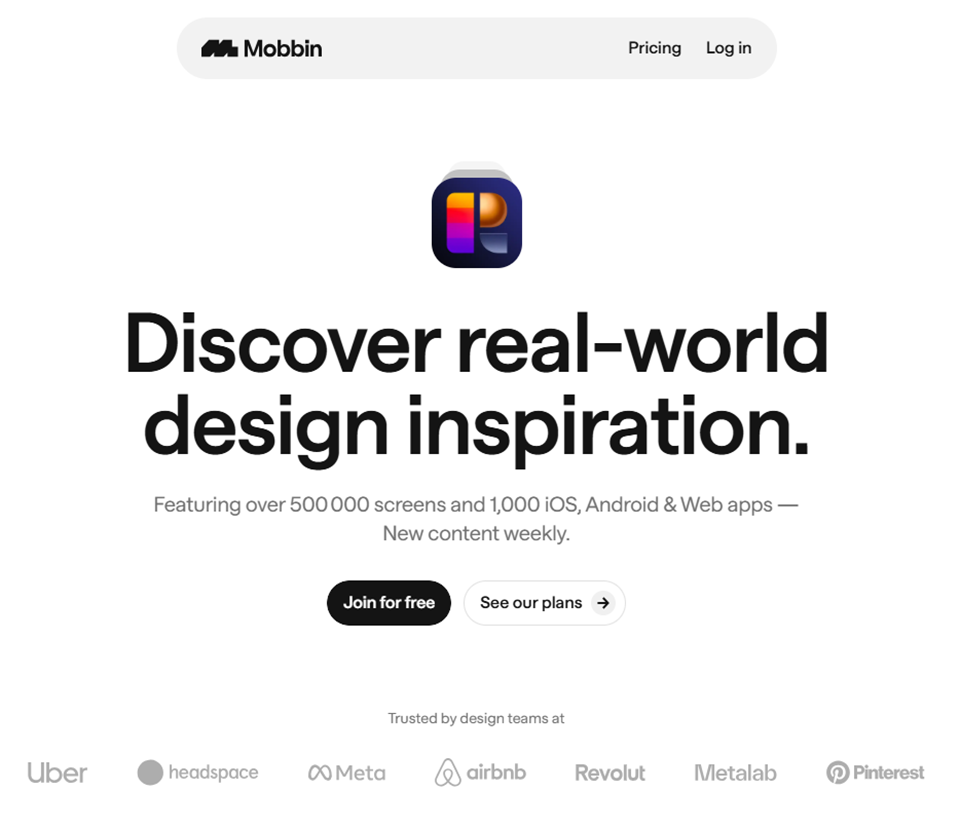
The world's largest mobile and web design library
Save hours of UI & UX research with our library of 300,000+ screens from the world's best designed apps.
Save big with 850+ deals 💶
Explore all deals
Illustration of Mobbin on Freelance Stack's deal page
2 deals available
Free Deal
Premium Deal #1

33% off on annual plan

All our deals are negotiated by our team to give you the best discount and are updated regularly.
This deal requires you to create a new account to benefit from the discount. It is reserved for new customers

Additional 50% off on any plan during 12 months

All our deals are negotiated by our team to give you the best discount and are updated regularly.
This deal requires you to create a new account to benefit from the discount. It is reserved for new customers
Save Money !
Logo Freelance Stack blanc
Freelance Stack 
Premium
Access our 850+ exclusive promo code for $55/year.
and over 850 other deals.
and +850...
general information
ALTERNATIVES
YOU MAY ALSO LIKE...

📅 May 2026 -

 Our promo code verified with the software 

Mobbin

Benefit from an additional 50% off on any plan during 12 months on Mobbin.

Save an additional 50% off on any plan during 12 months on Mobbin thanks to our exclusive partnership.

Freelance Stack is the first deals platform to access best discounts, coupon codes and credits on 850+ software, SaaS and online services for entrepreneurs and startups. We offer exclusive and validated discounts that we negotiate directly with partners to help you to grow and save money. Our coupon codes enable thousands of entrepreneurs, startups, freelancers and consultants to save thousands of euros on the best softwares.

Don’t wait any longer and save an additional 50% off on any plan during 12 months on Mobbin.

📄 Information about 

Mobbin

Mobbin is an inspirational design platform that allows mobile app designers to explore thousands of user interfaces (UI) from popular apps. It offers a vast collection of screenshots and UI flows from various app categories (iOS and Android), organized by features, interactions, and design elements.

Mobbin is valuable for designers seeking inspiration from UX/UI best practices, analyzing design trends, and optimizing the user experience of their own products. In summary, Mobbin is a valuable tool for app creators looking for ideas and visual references to enhance design and user experience.

Mobbin is a catalog of 150 app screenshots to boost your mobile UX intelligence.

Mobbin is the world's largest UI & UX reference library. It's always up-to-date, includes mobile and web, and lets you filter by specific app categories, UI elements, flow patterns, and more.

Mobbin brings together the latest versions of apps with over 8,000 screenshots of 150 mobile applications. An indispensable resource for analyzing, understanding and getting inspired by the best of existing mobile apps.

With Mobbin you can discover:

  • Apps
  • Screens
  • Marketing pages
  • UI elements
  • Flows

With a lot of categories:

  • Business
  • Finance
  • CRM
  • Shopping
  • Etc.

📋 Mobbin features:

In this section, you will find our opinion the main features of Mobbin. All of these features are subject to regular updates. We recommend that you check that they are available before purchasing any software.

Mobbin is a mobile and web design reference library designed for designers, product managers, and developers who need instant access to real-world interface examples. Instead of spending hours browsing through apps or websites for inspiration, you gain access to a meticulously curated collection of over 300,000 screenshots from top-performing applications across multiple platforms and industries.

What sets Mobbin apart from generic inspiration galleries is its Focus on actionable design patterns and user flow documentation. The platform doesn't just showcase attractive interfaces; it provides context on how leading companies solve specific UX challenges, from onboarding sequences to checkout processes. This makes it an invaluable resource whether you're designing a completely new feature or optimizing an existing user journey.

The platform's AI-powered search capabilities and sophisticated filtering system ensure you can find exactly what you're looking for in seconds, making it a practical tool for daily design work rather than just occasional browsing. Teams at companies like Spotify, Netflix, and Airbnb rely on Mobbin to accelerate their design process while ensuring they follow established best practices and keep up with emerging trends.

  • Extensive Screenshot Library: Access the world's largest collection of mobile app and web screenshots, with new examples added daily from popular applications across iOS, Android, and web platforms, ensuring you always have access to the latest design trends and interface solutions.
  • Smart Search and AI-Powered Discovery: Find specific design patterns instantly using natural language queries or visual search functionality, allowing you to locate examples of specific UI elements, user flows, or interaction patterns within seconds rather than manually browsing through thousands of images.
  • Advanced Filtering System: Narrow down your search results using multiple criteria, including platform (iOS, Android, Web), app category, company size, design pattern type, and color scheme, making it easy to find relevant examples that match your specific project requirements and target audience.
  • User Flow Documentation: Explore complete user journeys mapped out step-by-step, showing how users navigate through complex processes such as account creation, purchase flows, or feature discovery, providing valuable insights into conversion optimization and user experience design.
  • Team Collaboration Tools: Share discoveries with your team members through organized collections and boards, add comments and annotations to specific screenshots, and create collaborative mood boards that keep everyone on the same page regarding design direction and visual references.
  • Trend Analysis and Pattern Recognition: Identify emerging design trends and patterns across different industries and app categories, helping you stay ahead of the curve while making informed decisions about which interface conventions to follow or break in your own projects.
  • High-Quality Screenshots with Context: Access crisp, high-resolution images that capture interfaces in their actual usage context, complete with real content and data, giving you a more accurate representation of how designs perform in real-world scenarios.
  • Cross-Platform Comparison: Compare how different platforms and operating systems handle similar functionality, enabling you to make informed decisions about platform-specific design adaptations and ensure consistency across your multi-platform products.
  • Bookmark and Organization Features: Save interesting designs to personal collections, tag screenshots with custom labels, and create organized libraries of reference material that you can quickly access during active design work or client presentations.

The combination of these features transforms Mobbin from a simple inspiration gallery into a comprehensive design research tool that integrates seamlessly into professional workflows. By providing both a wide range of examples and in-depth contextual information, the platform enables design teams to make more informed decisions while significantly reducing the time typically spent on research and competitive analysis.

📊 Mobbin Pros and Cons:

This section provides a summary of the advantages and limitations of using Mobbin on a daily basis. We are not paid or influenced by brands, and this content is solely our own. These features, their advantages and disadvantages are likely to change regularly, both positively and negatively. If you have complex needs, we invite you to contact the software publisher directly for more information about your requirements. 

👍 Pros with Mobbin:

  • Massive Design Pattern Library: Mobbin provides access to over 50,000 mobile app screenshots and user flows from top-tier applications across iOS and Android platforms. This extensive repository serves as an invaluable reference for designers and product teams seeking inspiration or validation for their design decisions. Instead of spending hours browsing app stores or manually taking screenshots of competitors’ apps, you can quickly access high-quality examples of how leading companies solve specific UX challenges. The library is continuously updated with fresh content from popular apps, ensuring you always have access to current design trends and emerging patterns.
  • Useful Search and Filtering for Common Design Needs: Mobbin’s search functionality lets you filter designs by app categories, design patterns, UI components, and color schemes, covering the most common use cases and significantly reducing research time compared to manually browsing app stores. For well-documented patterns like onboarding flows or checkout processes in popular app categories, finding relevant examples is straightforward. For more niche UI elements or very specific interaction patterns, the filtering can feel less precise and may require some scrolling to find exactly what you need-the tagging system is useful but not exhaustive across the entire library.
  • Organized Collections and Flow Documentation: Unlike scattered inspiration saved in various folders, Mobbin automatically organizes screenshots into logical flows and user journeys. Each app’s interface is documented systematically, showing how users progress through different screens and interactions. This comprehensive documentation helps you understand not just individual screen designs, but entire user experiences and how they connect. You can view complete onboarding sequences, purchase flows, or account creation processes, providing crucial context for how individual design decisions fit into broader user experiences.
  • Team Collaboration and Knowledge Sharing: The platform facilitates seamless collaboration by allowing team members to create shared collections, comment on specific designs, and build internal libraries of approved patterns and references. This collaborative approach ensures design consistency across your team while building institutional knowledge about effective design patterns. Design teams can create curated collections for specific projects, share insights about why certain patterns work, and maintain a centralized repository of design decisions and rationale.
  • Time-Efficient Design Process: By providing instant access to proven design patterns and solutions, Mobbin significantly speeds up the design process from initial concept to final implementation. Rather than starting from scratch or spending a great deal of time researching competitors, designers can quickly identify effective approaches and adapt them to their specific context. This increase in efficiency is particularly valuable when working with tight project deadlines or when exploring new product areas where your team lacks extensive experience.
  • Cross-Platform Design Insights: The platform provides comprehensive coverage of design patterns for both iOS and Android, helping teams understand platform-specific conventions and user expectations. This cross-platform perspective is essential for teams building applications that need to feel native on both ecosystems while maintaining brand consistency. You can compare how different apps handle similar functionality across platforms, ensuring that your design decisions adhere to platform conventions while effectively serving your users.

👎 Cons with Mobbin:

  • Limited filtering and search capabilities: While Mobbin offers basic filtering options, the search functionality can feel somewhat rudimentary when you're looking for specific design patterns or components. You might find yourself scrolling through numerous screens to locate exactly what you need, especially when searching for niche UI elements or specific interaction patterns. The tagging system, though available, isn’t always comprehensive enough to help you narrow down results effectively. This can be time-consuming when you’re working under tight deadlines and need to quickly find relevant design inspiration for specific use cases.
  • Lack of design rationale and context: Mobbin excels at showcasing the visual aspects of mobile interfaces, but it falls short in explaining the reasoning behind design decisions. You won't find information about why certain design choices were made, what problems they solve, or how they perform in terms of user engagement and conversion. This lack of context can be problematic when you're trying to determine whether a particular pattern would work for your specific audience or use case. The absence of performance metrics or user feedback data means you're essentially getting only the surface-level design insights.
  • Strong Focus on with limited web support: Despite the growing importance of responsive design and cross-platform experiences, Mobbin remains primarily focused on mobile applications. If you're working on web projects or need to understand how certain design patterns translate across different screen sizes, you'll find the platform's capabilities quite limited. This narrow Focus on be restrictive for designers who work on omnichannel experiences or need to ensure consistency across multiple touchpoints.
  • The subscription cost may not be worth it for occasional users: Mobbin’s pricing structure can seem steep, especially for freelancers or small teams who don’t use the platform every day. While the Pro subscription offers additional features like higher-resolution downloads and more detailed filtering, casual users might find it hard to justify the monthly cost when they only need design inspiration from time to time. The free tier, while useful, has significant limitations that might force you to upgrade to a paid plan even if you only use it sporadically.
  • Static screenshots without interactive demonstrations: One of the most significant limitations is that Mobbin primarily offers static screenshots rather than interactive prototypes or recorded user flows. You can see what an interface looks like, but you won’t understand how animations, transitions, or micro-interactions work. This static approach means you’re missing crucial information about the user experience, the timing of interactions, and the overall flow between different screens. For designers who need to understand the complete interaction design, this limitation can be particularly frustrating and may require seeking additional resources elsewhere.

💰 Mobbin pricing:

All prices listed are taken from the Mobbin software website. However, these prices are subject to change regularly. We recommend that you check them directly on each software's website to be sure. 

Mobbin offers a simple pricing structure, including a free plan to get started and a Pro plan for professionals who need full access to the design library. The platform also offers discounts for teams and students.

The rates are particularly competitive within the design tool ecosystem, offering excellent value for access to over 300,000 carefully organized mobile screens

.

Plan Pricing Includes
Free Free Limited screen access, basic browsing, reduced previews
Pro $19/month or $228/year Full access, unlimited downloads, advanced filters, private collections
Student $9.50/month All Pro features with a 50% student discount
Team Starting at $57/month Multiple accounts, team collaboration, centralized management

💬 Frequently asked questions about Mobbin's promo:

In this section, you will find all the main questions you may have about accessing this discount. We wanted to provide you with as much information as possible to help you save as much as possible on your software subscriptions. 

1️⃣ How to access to the deal with Mobbin?

This promo code allows you to save money and enjoy premium features on Mobbin paid plans and subscriptions. Check the eligibility criteria on this page to see if you can benefit from this discount. Don't miss out on the opportunity to pay less for your subscription to one of the best tools on the market.

2️⃣ Why Freelance Stack can help you to access to Mobbin discount?

As a partner of Mobbin, you can easily save on your subscription to this software. Without us or another affiliate partner, you will have difficulties to activate the discount. We are the largest discount promo code platform for software and SaaS in the world.

3️⃣ How to use Mobbin deal?

To use the discount with Mobbin, you need to click on the various buttons that may be available on the right side of the deal page and follow the instructions to unlock this promotion.

4️⃣ What are Mobbin's promo requirements?

We specify all the terms and conditions on each deal page. You must click on the various buttons on the deal page to view all the terms and conditions. This deal requires you to create a new account to benefit from the discount. It is reserved for new customers of Mobbin.

🔄 Alternatives to Mobbin software:

Find the right software with our suggestions for alternative solutions.

When growing a business, comparing the right tools is essential. With thousands of options available, these solutions are strong alternatives to Mobbin 
Indeed, Mobbin is a solution that can adapt according to your needs:

1️⃣ If you are a freelancer or consultant:

For freelance designers working on mobile interface projects, UI Movement is an excellent free alternative that compiles interface animations and interactions on a daily basis. This resource allows you to stay inspired without any financial investment, which is particularly valuable when starting your business. Page Flows is also a wise choice, with its collection of detailed user flows from popular applications. Unlike Mobbin, which focuses on static screenshots, Page Flows shows you the complete user journey, which is invaluable for designing cohesive experiences for your clients. For freelancers specializing in design systems, Collect UI offers a daily curated selection of interfaces organized by categories, making it easy to find specific references. These alternatives allow you to maintain a high level of inspiration while keeping your operational costs under control-a crucial aspect of managing an independent business.

2️⃣ If you are a startup:

Startups in the product development phase will benefit greatly from Mobbin itself, but if you’re looking for alternatives, Patterned offers an interesting community-driven approach where your team can contribute to and access a collaborative interface library. This collaborative aspect fosters communication between product and design teams, which is essential in a startup environment. Lapa Ninja stands out for its curated collection of high-quality landing pages and web interfaces, which is particularly useful if your product requires a strong marketing component. For startups developing native applications, Mobile Patterns offers a systematic classification of mobile interface patterns by platform, allowing your team to make informed design decisions quickly. These tools support rapid iteration and continuous learning-two pillars of startup methodology-while maintaining professional quality standards in your design deliverables.

3️⃣ If you are a small or medium-sized business (SMB):

For SMB teams with limited design resources, Really Good UX offers a valuable educational approach featuring detailed interface analyses accompanied by explanations of the UX principles applied. This educational aspect helps your non-specialized teams understand design challenges and make informed decisions. Good Web Design complements this approach by focusing on web interfaces with concrete implementation examples, making it ideal if your business requires a strong digital presence. For SMBs managing diverse client projects, Screenlane organizes its collection by industry, making it easier to find relevant inspiration based on your areas of expertise. This segmentation saves you valuable time during your design phases. The advantage of these alternatives lies in their ability to train your teams while providing concrete references, thereby optimizing your return on investment for training and design tools.

Otherwise, these other software programs may also be a good alternative to Mobbin

🆕 Our new Premium deals:

We offer discounts on 650+ different software. We regularly add new discounts on the best software for freelancers, consultants and entrepreneurs.

Discover these new software in addition to the deal we offer with Mobbin.

👤 Our members have just used these other deals:

We offer on 850+ different software. That's both a lot and a little compared to all the software that exists and that could help you in your business as entrepreneur or business owner.

Discover new software and discounts to complement the deal we offer on Mobbin