




logo anime freelance stack white
Logo de l'outil Jibble sur Freelance Stack
All deals (850+)
Logo de l'outil Jibble sur Freelance Stack

Jibble

Free Deal
2 deals available
Powerful and simplified time tracking.
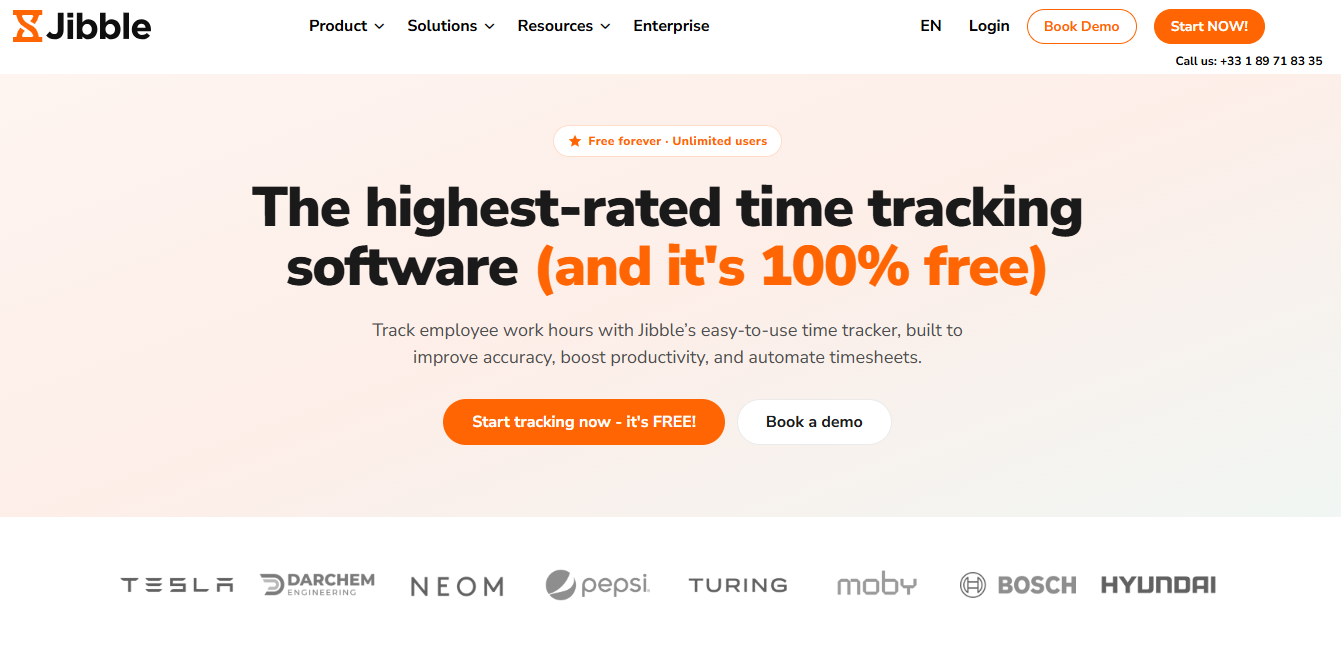
Jibble is time and attendance tracking software that is free for an unlimited number of users. It simplifies payroll management, boosts productivity, and provides complete visibility into working hours.
Save big with 850+ deals 💶
Explore all deals
Illustration of Jibble on Freelance Stack's deal page
2 deals available
Free Deal
Premium Deal #1

10% off on annual plan

All our deals are negotiated by our team to give you the best discount and are updated regularly.
This deal requires you to create a new account to benefit from the discount. It is reserved for new customers

Additional 30% off on any plan

All our deals are negotiated by our team to give you the best discount and are updated regularly.
This deal is available to new customers or customers on a free plan of the tool.
Save Money !
Logo Freelance Stack blanc
Freelance Stack 
Premium
Access our 850+ exclusive promo code for $55/year.
and over 850 other deals.
and +850...
general information
ALTERNATIVES
YOU MAY ALSO LIKE...

📅 April 2026 -

 Our promo code verified with the software 

Jibble

Benefit from an additional 30% off on any plan on Jibble.

Save an additional 30% off on any plan on Jibble through our exclusive partnership.

Freelance Stack is the first deals platform to access best discounts, coupon codes and credits on 850+ software, SaaS and online services for entrepreneurs and startups. We offer exclusive and validated discounts that we negotiate directly with partners to help you to grow and save money. Our coupon codes enable thousands of entrepreneurs, startups, freelancers and consultants to save thousands of euros on the best softwares.

Don’t wait any longer and save an additional 30% off on any plan on Jibble.

📄 Information about 

Jibble

Jibble is a time tracking and attendance management software that allows teams to easily clock in and track their working hours from a mobile device, computer, or browser. With advanced features such as facial recognition, GPS tracking, and automated timesheets, it offers great flexibility for companies on-site, on the go, or working remotely.

Its intuitive, centralized platform optimizes productivity while simplifying day-to-day team management.

Multi-platform and flexible features:

  • Available on Android, iOS, Windows, Mac, and web browsers, to suit all types of teams
  • Facial recognition to secure clocking in and prevent buddy punching
  • GPS tracking and geofencing to monitor workplaces and automate entry/exit
  • Automated timesheets, converting time entries into ready-to-use reports
  • Project and activity tracking to optimize productivity and billing

Advanced reports and integrations:

  • Detailed reports providing a clear overview of team activity and performance
  • Integrations with popular tools such as Slack, Microsoft Teams, Xero, etc., for a smooth workflow
  • Centralized dashboard enabling managers to track time in real time and make informed decisions

Benefits and flexibility for businesses:

  • Free for an unlimited number of users, ideal for startups, SMEs, and large companies
  • Intuitive and easy-to-use interface for employees and managers
  • Accuracy and safety thanks to facial recognition and GPS
  • Scalability: suitable for entrepreneurs, SMEs, and large organizations
  • Comprehensive solution covering everything from simple time tracking to project management and payroll-ready timesheets

📋 Jibble features:

In this section, you will find our opinion the main features of Jibble. All of these features are subject to regular updates. We recommend that you check that they are available before purchasing any software.

Jibble is a comprehensive time and attendance management solution that is revolutionizing the way companies track their teams' activity. This cloud-native platform combines ease of use with cutting-edge technology to provide real-time tracking that is particularly well-suited to modern organizations, whether they operate remotely, in a hybrid model, or on-site.

Jibble's strength lies in its ability to adapt to the specific needs of each industry. Its advanced geolocation features, multi-project tracking, andseamless integration with leading productivity tools make it the top choice for service companies, creative agencies, field teams, and geographically distributed organizations.

Jibble’s intuitive interface hides a sophisticated technical architecture that enables the management of complex time-tracking scenarios while maintaining a seamless user experience. This balanced approach explains why the platform appeals to both small businesses and mid-sized companies looking to professionalize their time management.

  • Smart, multi-channel clock-in: Jibble lets employees clock in using a variety of methods based on their needs and circumstances. The native mobile app provides accurate GPS clock-ins for field teams, while the web interface is ideal for office-based employees. Optional facial recognition adds an extra layer of security, which is particularly valuable in environments where authentication is critical.
  • Advanced project and task management: Jibble’s time-tracking system excels in the granularity of its tracking. You can allocate work time to specific projects, individual clients, or precise tasks, thereby ensuring complete traceability of resource allocation. This feature is particularly valuable for client billing and project profitability analysis.
  • Geofencing and Location Tracking: The built-in geofencing technology allows you to define virtual work zones where clock-in is permitted. This feature ensures that employees clock in from designated work locations, while providing the flexibility needed for mobile teams working at various client sites.
  • Smart Scheduling and Team Management: Jibble’s scheduling tool makes it easy to create complex rotating schedules and manage substitutions in the event of absences. The automatic alert system notifies managers in the event of tardiness, unplanned absences, or overtime, enabling optimal responsiveness in day-to-day team management.
  • Analytics Reports and Dashboards: Jibble’s analytical power transforms time-tracking data into actionable insights. Customizable reports cover hours worked, productivity by project, attendance trends, and labor costs. This data feeds directly into payroll processes and facilitates regulatory compliance audits.
  • Native integrations and a robust API: Jibble integrates natively with leading payroll, accounting, and project management solutions such as QuickBooks, Xero, Sage, Asana, and Trello. The comprehensive REST API also allows you to create custom connections with existing information systems, ensuring the continuity of established workflows.

Jibble's functional ecosystem demonstrates a deep understanding of today's time management challenges. The platform successfully balances operational simplicity with rich functionality, offering a scalable solution that supports organizational growth while maintaining high adoption rates among end users.

📊 Jibble Pros and Cons:

This section provides a summary of the advantages and limitations of using Jibble on a daily basis. We are not paid or influenced by brands, and this content is solely our own. These features, their advantages and disadvantages are likely to change regularly, both positively and negatively. If you have complex needs, we invite you to contact the software publisher directly for more information about your requirements. 

👍 Pros with Jibble:

  • Intuitive interface and immediate adoption: Jibble stands out for its remarkably simple user interface, which allows all members of your team to get started almost instantly. The mobile app and web version share the same user-friendly design philosophy, with clearly visible clock buttons and a clock-in process that takes just a single click. This simplicity significantly reduces the time needed for training and eliminates natural resistance to change, allowing teams to focus on their work rather than on the tracking tool.
  • Geographical flexibility and total mobility: The solution excels at managing dispersed teams thanks to its advanced geolocation features and native mobile app. You can define specific geographic zones for clock-in, enable remote work while maintaining precise control, and track your field teams’ movements in real time. This hybrid approach perfectly addresses new ways of working by offering the necessary freedom to mobile employees while maintaining the required administrative rigor.
  • Smart time tracking automation: Jibble eliminates manual calculation errors with its automated engine, which processes overtime, breaks, time off, and various payroll rules based on your custom settings. The system automatically recognizes work shifts, applies the appropriate rate adjustments, and generates detailed timesheets ready for payroll. This automation saves you hours of administrative work each week and ensures perfect accuracy in payroll calculations.
  • Clear visuals to keep track of what matters most: Jibble’s dashboard is excellent for getting an immediate overview. You can instantly see who’s working on what and how much time has been spent on each project. The charts are clean and easy to read, making them perfect for tracking your own profitability or that of a small team. It’s an effective day-to-day management tool, even if it’s simpler than pure Business Intelligence software.
  • Sign-in through your communication tools: Jibble stands out for its integration with Slack and Microsoft Teams. You can clock in directly from your messaging app without even opening the Jibble app, which is a real lifesaver for ensuring you don’t forget to start your timer. It also syncs seamlessly with standard payroll software like QuickBooks. It’s a solution that fits perfectly into an existing work routine built around traditional tools.
  • Regulatory compliance and a complete audit trail: The system automatically maintains a complete, tamper-proof history of all clock-ins, changes, and approvals, creating a detailed audit trail that is essential for regulatory audits. Jibble complies with international data protection standards and offers specific features to ensure compliance with your country’s labor regulations. This approach protects you during administrative audits and significantly simplifies the management of legal obligations related to time tracking.

👎 Cons with Jibble:

  • Limited project management features: Jibble focuses primarily on time tracking and attendance, which may disappoint teams looking for a more comprehensive solution. Its project planning, advanced task management, and collaboration features remain basic compared to dedicated tools like Asana or Monday. This narrow focus may require you to use multiple software tools simultaneously to cover all your team management needs.
  • Limited report customization options: Although Jibble offers detailed reports, customization options remain limited for companies with specific reporting needs. You won’t always be able to tailor report formats to the specific requirements of your clients or your accounting department. This lack of flexibility can be a problem for agencies or consultants who need to present their data in very specific formats.
  • Limitations of specialized business software: While Jibble works seamlessly with Slack and Google, it’s much less capable when you venture off the beaten path. If you use a CRM that’s highly specific to your industry (such as architecture or law), you may need to use integration tools like Zapier or perform some manual data entry. It’s perfect for general productivity, but it’s not yet open enough to support niche industry ecosystems.
  • Room for improvement in advanced cost and budget management: Jibble’s budget tracking feature remains basic and does not allow for granular cost control by project or client. You do not have sophisticated budget-overrun alerts or advanced financial forecasting tools. This limitation can be problematic for companies managing complex projects with tight budgets and margins that need to be closely monitored.
  • Battery consumption and GPS dependency: The app is incredibly efficient, but its strengths also come with some drawbacks. Since it uses real-time geolocation to ensure the accuracy of field check-ins, it can be quite a battery drain. Additionally, if your employees are working in dead zones with no network coverage, certain live synchronization features may experience some glitches, requiring you to wait until a stable connection is restored.

💰 Jibble pricing:

All prices listed are taken from the Jibble software website. However, these prices are subject to change regularly. We recommend that you check them directly on each software's website to be sure. 

Jibble offers a flexible pricing structure with a generous free plan and paid options for larger teams. The platform stands out for its straightforward pricing policy, with no hidden fees or long-term commitments.

Prices are calculated per active user per month, with discount for annual subscriptions. All essential time-tracking features remain available even in the free plan.


Plan Rates Included
FREE Free Up to 40 users, unlimited time tracking, basic reports, geolocation, facial recognition
PREMIUM $2.99/month per user Unlimited users, advanced reporting, payroll integrations, project management, team scheduling, time billing
ULTIMATE $4.99/month per user All Premium features + full API, custom fields, audit trail, priority support, SSO
COMPANY Upon request Customized solution, on-site deployment, specialized integrations, dedicated training, 24/7 support


Jibble's free plan is particularly appealing to small teams and startups. With 40 users included, it already offers a wide range of professional features. Time tracking remains unlimited, allowing you to log as many hours as needed without restriction. Geolocation and facial recognition are also available—features that many competitors reserve for their paid plans.

The basic reports included in the free plan cover timesheets, activity summaries, and attendance data. While they don’t offer the advanced customization options found in premium plans, they meet the essential needs of most teams. The full mobile app is, of course, included, allowing for unlimited on-the-go tracking.

Upgrading to the Premiumplan at $2.99 per useris primarily recommended for teams with more than 40 members or those requiring more advanced management features. Advanced reports offer much more extensive filtering and export options, along with detailed charts and productivity analytics. The integrated project management feature allows you to track time spent on specific tasks and monitor project progress.

The payroll integrations included in the Premium plan offer a significant advantage for companies that handle their payroll in-house. Jibble connects directly with solutions such as QuickBooks, Xero, and Sage, automating the transfer of time data to payroll systems. The team scheduling feature also allows you to create projected schedules and compare planned hours with actual hours.

The time-tracking feature is particularly useful for agencies and consultants. It automatically converts tracked hours into client invoices, with hourly rates that vary by project or team member. Customizable billing templates include company logos and the necessary legal disclaimers.

The Ultimateplan , priced at $4.99 per user, is designed for organizations with advanced technical requirements or stringent security constraints. The full API enables custom integrations with internal systems or specific business software. Developers will appreciate the detailed documentation and code samples provided to facilitate implementation.

The custom fields in the Ultimate plan offer complete flexibility when collecting information. You can create custom forms to capture data specific to your business: project codes, client references, service types, or any other relevant details. This data then enhances your reports and makes it easier to analyze performance.

The audit trail is a critical security feature for companies subject to strict regulations. Every action performed in the system is logged along with the user’s identity, a timestamp, and the nature of the change. This comprehensive traceability meets the compliance requirements of regulated industries such as finance and healthcare.

Single Sign-On (SSO) greatly simplifies access management in large organizations. Users log in once using their Google Workspace, Microsoft 365, or Azure AD corporate account, eliminating the tedious task of managing multiple passwords. Integration with corporate directories also automates the creation and deletion of user accounts.

The Ultimate plan’s priority support guarantees faster response times, typically within two business hours for critical requests. The dedicated team is familiar with advanced technical details and can directly address complex configurations. A single account manager provides personalized follow-up for high-priority requests.

The Enterpriseplan, available on a custom quote basis, is tailored to the needs of very large enterprises or organizations with specific requirements. On-premises deployment meets data sovereignty requirements or security policies that prohibit the use of the public cloud. Jibble can be installed on the company’s internal infrastructure while retaining all of its features.

The Enterprise plan’s custom integrations allow you to connect Jibble to legacy systems or proprietary business solutions. Jibble’s technical team develops custom connectors based on the specifications provided. These developments typically include ongoing maintenance and adaptations to updates in the connected systems.

Dedicated training supports deployment in large organizations. Customized sessions train administrators on advanced features and best practices for configuration. An end-user training program can also be implemented to facilitate adoption within teams. Customized documentation includes processes specific to the organization.

The Enterprise plan’s 24/7 support ensures critical service continuity for international organizations. A dedicated hotline guarantees an immediate response to critical incidents, with automatic escalation to senior technical teams. Customized SLAs (Service Level Agreements) clearly define availability and performance commitments.

The discount policy applies uniformly to all paid plans, typically offering two months free for any annual subscription. This approach allows businesses to achieve significant savings while securing their software budget. Switching between plans is possible at any time, with any amounts already paid adjusted on a pro-rata basis.

💬 Frequently asked questions about Jibble's promo:

In this section, you will find all the main questions you may have about accessing this discount. We wanted to provide you with as much information as possible to help you save as much as possible on your software subscriptions. 

1️⃣ How to access to the deal with Jibble?

This promo code allows you to save money and enjoy premium features on Jibble paid plans and subscriptions. Check the eligibility criteria on this page to see if you can benefit from this discount. Don't miss out on the opportunity to pay less for your subscription to one of the best tools on the market.

2️⃣ Why Freelance Stack can help you to access to Jibble discount?

As a partner of Jibble, you can easily save on your subscription to this software. Without us or another affiliate partner, you will have difficulties to activate the discount. We are the largest discount promo code platform for software and SaaS in the world.

3️⃣ How to use Jibble deal?

To use the discount with Jibble, you need to click on the various buttons that may be available on the right side of the deal page and follow the instructions to unlock this promotion.

4️⃣ What are Jibble's promo requirements?

We specify all the terms and conditions on each deal page. You must click on the various buttons on the deal page to view all the terms and conditions. This deal is available to new customers or customers on a free plan with Jibble.

🔄 Alternatives to Jibble software:

Find the right software with our suggestions for alternative solutions.

When growing a business, comparing the right tools is essential. With thousands of options available, these solutions are strong alternatives to Jibble 
Indeed, Jibble is a solution that can adapt according to your needs:

1️⃣ If you are a freelancer or consultant:

For entrepreneurs a simple and affordable solution, Toggl Track is an excellent alternative to Jibble. Its streamlined interface makes time tracking seamless, with reporting features that simplify client invoicing. The free version more than meets the needs of a solo freelancer. Clockify is also a solid choice, especially if you occasionally collaborate with other freelancers. Its unlimited projects in the free version and detailed reports simplify managing multiple clients. For those prioritizing productivity, RescueTime offers a different approach by automatically analyzing your screen time, helping you identify sources of distraction and optimize your efficiency without manual intervention.

2️⃣ If you are a startup:

Fast-growing startups will appreciate Harvest for its ability to simultaneously manage time tracking and invoicing, two critical aspects during this phase. Its native integrations with popular project management tools make it easy for technical teams to adopt. Time Doctor is particularly well-suited for distributed teams thanks to its optional monitoring features and automatic screenshots, which are useful for client projects requiring detailed traceability. For startups focused on agility, Monday.com offers a hybrid approach combining project management and time tracking, providing a comprehensive view of sprints and allocated resources. Its visual interface makes it easy for non-technical teams to adopt.

3️⃣ If you are a small business or an SME:

For established companies seeking a comprehensive solution, TimeCamp offers excellent value for money with its advanced billing modules and project profitability reports. Its ability to manage budgets and quotes makes it an effective sales management tool. Clockwise is ideal for small and medium-sized businesses looking to optimize team productivity, with its in-depth work slot protection features and interruption analytics. Companies with structured processes will appreciate Workstack for its advanced role and permission management, which allows for granular access control by department. Its hierarchical timesheet approval system streamlines HR processes while maintaining the operational flexibility needed by field teams.

Otherwise, these other software programs may also be a good alternative to Jibble

🆕 Our new Premium deals:

We offer discounts on 650+ different software. We regularly add new discounts on the best software for freelancers, consultants and entrepreneurs.

Discover these new software in addition to the deal we offer with Jibble.

👤 Our members have just used these other deals:

We offer on 850+ different software. That's both a lot and a little compared to all the software that exists and that could help you in your business as entrepreneur or business owner.

Discover new software and discounts to complement the deal we offer on Jibble