Zoho Forms
$100 in credits








✅ Information this deal:
✅ Information this deal:
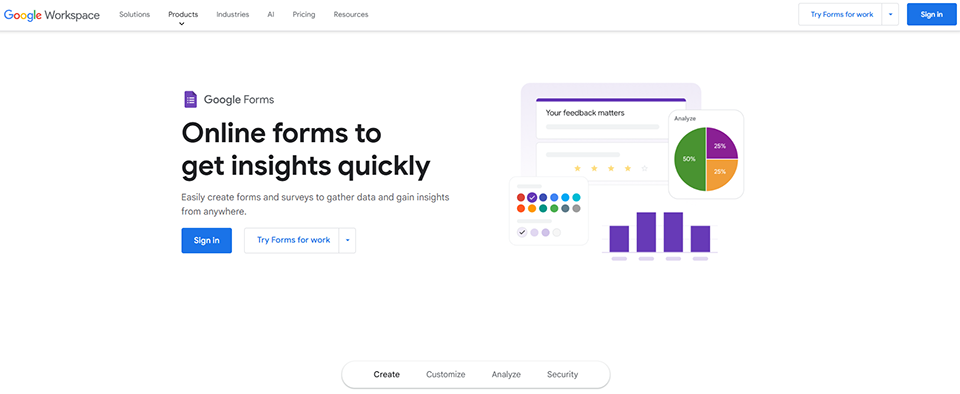
Google Forms is a free online tool from Google that makes it easy to create questionnaires, surveys, polls and registration forms. Accessible from any Internet-connected device, it lets you design customized forms in minutes, with options for adding multiple-choice questions, text fields, checkboxes and more.
Responses can be collected and viewed in real time, with the option of analyzing results in graphical form or exporting them to Google Sheets for further processing. Google Forms is particularly useful for businesses, educators, researchers and event organizers wishing to gather information simply and efficiently. It is integrated with other Google applications, making it easy to share, collaborate and automate tasks.
Create an online form as easily as a document: Choose from the different types of questions available, rearrange questions by drag-and-drop, and customize values by simply copying and pasting lists.
Send polished surveys and forms: Customize colors, images and fonts to refine the look of your documents or reflect your corporate image. Add personalized logic that matches questions to answers for a smoother experience.
Analyze responses from automatic summaries: View graphs updated in real time with collected responses. You can also access raw data via Google Sheets for further analysis or to automate procedures.
Create and answer surveys wherever you are: View, create and modify forms, wherever you're working and whatever the size of your screen. Respondents can take your survey wherever they are, and from any mobile device, tablet or computer.
Google Forms is one of the most accessible form-building tools on the market. Natively integrated into the Google Workspace ecosystem, this free service allows users to create questionnaires, surveys, and data collection forms without any technical expertise. Its strength lies in its ease of use combined with features robust enough to meet the needs of most users, from individuals to large enterprises.
The platform stands out for its intuitive approach, which lets you go from an idea to a fully functional form in just a few minutes. The drag-and-drop interface, ready-to-use templates, and automatic synchronization with Google Sheets make it a natural choice for anyone looking to collect information in a structured way. Whether you want to organize an event, conduct a satisfaction survey, or collect applications, Google Forms provides the necessary tools without unnecessary complexity.
The tool also leverages Google's infrastructure, ensuring near-perfect uptime, enhanced security, and impressive scalability. This technical robustness, combined with the fact that the service is free, explains why Google Forms has become the industry standard, used by millions of organizations around the world.
This combination of features makes Google Forms a tool that is particularly well-suited to modern data collection needs, offering an optimal balance between ease of use and advanced technical capabilities.
Google Forms is part of the Google Workspace ecosystem and offers a particularly affordable pricing structure. The platform provides a feature-rich free version that covers most standard needs, as well as paid plans for organizations requiring advanced features and professional support.
This pricing structure makes Google Forms appealing to all types of users, from individuals to large enterprises, with pricing tiers that scale gradually to meet the specific needs of each organization.
| Plan | Rates | Included |
|---|---|---|
| Staff | Free | Unlimited forms, 15 GB of Google Drive storage, basic Sheets integration |
| Google Workspace Business Starter | €5.75 per user per month | 30 GB of storage per user, custom domain, professional support |
| Google Workspace Business Standard | €11.50 per user per month | 2 TB of storage per user, advanced security features, Meet Premium |
| Google Workspace Business Plus | €17.25 per user per month | 5 TB of storage per user, enhanced security controls, archiving, and eDiscovery |
| Google Workspace for Enterprise | Upon request | Unlimited storage, enterprise-grade security, advanced compliance, premium support |
1️⃣ If you are a freelancer or consultant:
As a freelancer, you need simple yet professional tools to collect client information. Typeform stands out for its conversational interface that turns your questionnaires into engaging experiences, particularly useful for satisfaction surveys or creative briefs. The tool offers elegant templates that reinforce your professional brand image. Tally is a remarkable free alternative with advanced features like conditional logic and Notion integration-perfect if you already manage your projects on that platform. For a more technical approach, JotForm offers exceptional flexibility with its customizable widgets and payment integrations, ideal if you offer recurring services or training. These solutions allow you to professionalize your customer interactions while automating data collection-a valuable time-saver when every hour counts in your business.
2️⃣ If you are a startup:
Startups need scalable tools that can keep pace with their rapid growth. Airtable Forms excels in this context by combining forms with a relational database, allowing you to immediately structure the collected data for your product analysis or market research. This solution integrates seamlessly into a broader Airtable ecosystem for CRM or project management. Notion Forms is an attractive option if your team already uses Notion as a central hub, creating seamless continuity between data collection and internal documentation. For more sophisticated needs, Paperform offers a unique approach resembling a Word document, ideal for creating customer onboarding forms or detailed product questionnaires. These alternatives provide the flexibility needed to quickly experiment with different formats while maintaining consistency with your other collaborative work tools.
3️⃣ If you are a small business or an SME:
Established companies are looking for robust solutions with reliable customer support and advanced professional features. Microsoft Forms is the natural choice if your organization uses Office 365, offering native integration with Excel, SharePoint, and Teams for a seamless workflow. The solution benefits from Microsoft’s enterprise-grade security, which is crucial for GDPR compliance. SurveyMonkey remains the gold standard for sophisticated professional surveys with its advanced statistical analysis tools and extensive customization options, particularly well-suited for customer satisfaction surveys or HR surveys. Cognito Forms deserves attention for its ability to handle complex forms with automatic calculations and approval workflows, perfect for structured internal processes such as leave requests or performance reviews. These platforms offer the level of professionalism and reliability needed to support your daily operations while staying within your budgetary and organizational constraints.
Otherwise, these other software programs may also be a good alternative to Google Forms.No resources currently available.