logo anime freelance stack white
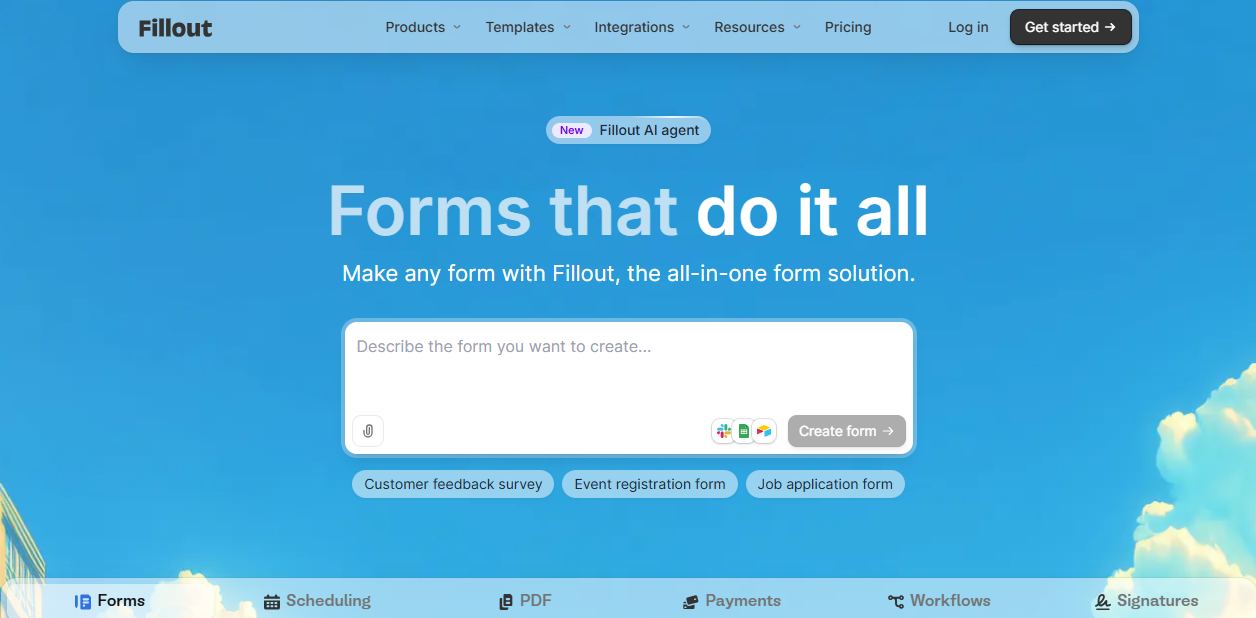
Logo de l'outil Fillout sur Freelance Stack
All deals (850+)
Freelance Stack >

Fillout Promo Code

Logo de l'outil Fillout sur Freelance Stack

Fillout

Premium Deal
2 deals available
Make any form in minutes
Create powerful forms, surveys and quizzes your audience will answer.
Save big with 850+ deals 💶
Explore all deals
Illustration of Fillout on Freelance Stack's deal page
2 deals available
Premium Deal #1
Premium Deal #2

1 month free

All our deals are negotiated by our team to give you the best discount and are updated regularly.
This deal is available to new customers or customers on a free plan of the tool.

50% off on any plan

All our deals are negotiated by our team to give you the best discount and are updated regularly.
This deal is available to new customers or customers on a free plan of the tool.
Save Money !
Logo Freelance Stack blanc
Freelance Stack 
Premium
Access our 850+ exclusive promo code for $55/year.
and over 850 other deals.
and +850...
general information
ALTERNATIVES
YOU MAY ALSO LIKE...

📅 May 2026 -

 Our promo code verified with the software 

Fillout

Benefit from 1 month free on Fillout.

Save 1 month on Fillout thanks our exclusive partnership.

Freelance Stack is the first deals platform to access best discounts, coupon codes and credits on 650+ software, SaaS and online services for entrepreneurs and startups. We offer exclusive and validated discounts that we negotiate directly with partners to help you to grow and save money. Our coupon codes enable thousands of entrepreneurs, startups, freelancers and consultants to save thousands of euros on best software.

Don't wait any longer and save 1 month free on Fillout.

📄 Information about 

Fillout

Fillout is an online form-building platform designed to help businesses and individuals create interactive and customized forms without requiring coding skills. It allows users to easily design forms suited for various purposes, such as surveys, registrations, or polls, with advanced customization options. Fillout offers an intuitive interface and seamless integrations with other tools like Google Sheets, Notion, and Zapier, streamlining data collection and processing.

Its features include response management, the ability to automate workflows, and access to real-time analytics. Suitable for a wide range of use cases, Fillout is ideal for users looking to create effective and elegant forms.

Fillout is a platform for creating forms, surveys and quizzes your audience will answer.

But - it's more than a form builder. Forms are often the starting point for critical internal and external-facing business workflows. Fillout integrates with the tools you already use to help you automate these workflows and scale your operations.

The form builder made for You: Collect or update data wherever you need it, in 60 seconds.

  • Connect your database or store responses in Fillout.
  • Drag and drop questions. That's it!
  • Share a link or embed forms anywhere

Build any form, without code: Collect the right answers with 40+ highly customizable question types, designed to delight.

Create even the most advanced forms with Fillout:

  • Accept payments: Collect payments from anyone, secured by Stripe. 0% additional fees on all plans.
  • Multi-page forms: Make forms with multiple pages. Customize which users see which pages with branching logic.
  • Powerful conditional logic: Show, hide and validate questions and pages based on any logical condition.
  • Login: Verify email addresses and phone numbers to keep your forms secure.
  • Scheduling: Add a scheduling page to your form to let users book a time with you or your team.

Single or multi-page forms: Beautifully crafted templates.

📋 Fillout features:

In this section, you will find our opinion the main features of Fillout. All of these features are subject to regular updates. We recommend that you check that they are available before purchasing any software.

Fillout is a powerful form builder that revolutionizes the way businesses collect, manage, and analyze data from their audiences. This platform goes beyond traditional form creation by offering a comprehensive suite of tools that seamlessly integrate data collection with advanced workflow automation and customer relationship management. What sets Fillout apart is its ability to handle complex conditional logic while maintaining an intuitive interface that doesn't require technical expertise to master.

The platform addresses a critical pain point for businesses of all sizes: the need to efficiently collect meaningful data while providing respondents with an engaging, user-friendly experience. Fillout’s drag-and-drop builder, combined with sophisticated backend capabilities, allows you to create everything from simple contact forms to elaborate multi-step surveys that adapt in real time based on user responses. The tool’s strength lies in its balance between simplicity and functionality, making it equally valuable for marketing teams launching quick campaigns and enterprise organizations managing complex data collection workflows.

Whether you're conducting market research, managing event registrations, processing job applications, or creating customer feedback loops, Fillout provides the infrastructure to handle these processes professionally while ensuring full control over data security and compliance requirements.

  • Advanced Conditional Logic Engine: The platform allows you to create dynamic forms that adapt based on user input, showing or hiding questions, redirecting users to different pages, or triggering specific actions based on their responses. This creates a personalized experience for each respondent and ensures you collect only relevant information, significantly reducing form abandonment rates.
  • Multi-Step Form Creation: You can break complex forms into manageable sections with progress indicators, making lengthy data collection processes feel more manageable for users. The platform handles the flow seamlessly, allowing respondents to save their progress and return later, while providing you with partial completion data for follow-up purposes.
  • Real-Time Collaboration Tools: Team members can simultaneously edit forms, leave comments, and track changes using a comprehensive revision history system. The platform maintains version control and allows you to assign specific roles and permissions to different team members, ensuring smooth collaborative workflows without conflicts.
  • Custom Branding and Design Flexibility: Beyond basic color schemes, Fillout offers extensive customization options, including custom CSS, branded email notifications, and white-label solutions for agencies. You can create forms that seamlessly align with your brand identity while maintaining professional presentation standards across all touchpoints.
  • Integrated Payment Processing: The platform integrates with major payment gateways, including Stripe and PayPal, allowing you to collect payments directly through your forms. This feature supports subscription models, one-time payments, and complex pricing structures with automatic calculation capabilities based on form responses.
  • Powerful Analytics and Reporting Dashboard: Fillout provides comprehensive insights into form performance, including completion rates, drop-off points, response patterns, and conversion metrics. The analytics engine helps you optimize form design and identify opportunities to improve user experience and data quality.
  • Automated Workflow Integration: The platform connects with over 1,000 third-party applications through native integrations and Zapier connections, allowing you to automatically route form data to your existing business systems. This eliminates manual data entry and ensures immediate action collected information.
  • Advanced Data Export and API Access: You can export data in multiple formats, including CSV, Excel, and JSON, while the robust API allows developers to programmatically access form responses and deeply integrate Fillout into existing business applications and custom workflows.
  • Security and Compliance Features: Fillout maintains enterprise-grade security standards with SSL encryption, GDPR compliance tools, and data residency options. The platform includes features for managing consent, data retention policies, and user data deletion requests to meet various regulatory requirements.

These capabilities combine to create a form-building experience that scales from simple data collection needs to complex business process automation, making Fillout a comprehensive solution for organizations seeking to streamline their information gathering and customer interaction processes.

📊 Fillout Pros and Cons:

This section provides a summary of the advantages and limitations of using Fillout on a daily basis. We are not paid or influenced by brands, and this content is solely our own. These features, their advantages and disadvantages are likely to change regularly, both positively and negatively. If you have complex needs, we invite you to contact the software publisher directly for more information about your requirements. 

👍 Pros with Fillout:

  • Intuitive drag-and-drop interface: Fillout stands out for its remarkably user-friendly form builder, which allows you to create professional forms without any coding knowledge. The visual editor responds instantly to your changes, making it possible to build complex multi-step forms, surveys, or applications in minutes rather than hours. The interface intelligently suggests field types based on your input, and the real-time preview ensures you see exactly how your form will appear to users on different devices.
  • Advanced conditional logic and branching: The platform offers sophisticated conditional logic capabilities that transform static forms into dynamic, personalized experiences. You can create forms that adapt based on user responses, showing or hiding specific questions, jumping to different sections, or even calculating values automatically. This feature is invaluable for applications, lead qualification forms, or complex surveys where the user experience depends on presenting only relevant questions.
  • Seamless integration ecosystem: Fillout seamlessly connects with over 3,000 applications through native integrations and Zapier compatibility. Whether you need to sync responses with your CRM, trigger email sequences, update spreadsheets, or create tasks in project management tools, the platform handles data flow automatically. The webhook functionality also allows for custom integrations with your existing tech stack, eliminating manual data entry and significantly reducing errors.
  • Comprehensive data collection and analytics: Beyond basic form responses, Fillout provides detailed analytics that help you understand user behavior and form performance. You can track completion rates, identify drop-off points, analyze response patterns, and export data in multiple formats. The platform also supports file uploads, digital signatures, and payment processing, making it suitable for everything from simple contact forms to complex business applications.
  • Professional customization and branding options: The platform offers extensive customization options to perfectly align with your brand identity. You can modify colors, fonts, and layouts, and even add custom CSS for advanced styling needs. White-label options remove all Fillout branding, while custom domains ensure that forms appear as native parts of your website. The responsive design automatically optimizes forms for mobile devices, maintaining a professional appearance across all screen sizes.
  • Robust security and compliance features: Fillout prioritizes data protection with enterprise-grade security measures, including SSL encryption, GDPR compliance tools, and data residency options. The platform offers password protection, expiration dates, and submission limits for sensitive forms. Additionally, you can configure detailed user permissions, enabling team collaboration while maintaining control over form access and data visibility across different organizational levels.

👎 Cons with Fillout:

  • Enterprise-level workflow orchestration: The limitation complex business logic has been removed. You can now build multi-stage approval workflows where a form submission triggers a sequence of internal reviews before moving to the next stage. The real challenge is no longer the capability, but the administrative overhead of managing these complex workflows. Large organizations must ensure their internal processes are clearly mapped out before digitizing them, as the software can now handle even the most intricate logic-based routing.

  • Full-stack visual customization: The design constraints mentioned are a thing of the past. The Canvas Engine provides granular control over every structural element, allowing you to build forms that are indistinguishable from custom-coded web applications. While this offers total brand alignment, it also increases the design time. Teams must decide between using the quick drag-and-drop builder for speed or the Canvas Engine for pixel-perfect branding, which requires a deeper understanding of web design principles.
  • Predictive friction and funnel analysis: Analytics are now a core strength of the platform. You get detailed heat maps showing exactly where users hesitate and a funnel view that highlights specific drop-off points. This data is no longer just descriptive; the AI provides proactive recommendations on how to shorten your form or reorder questions to maximize completions. For data-driven marketing teams, this eliminates the need for external heat-mapping tools or specialized conversion software.
  • High-speed native data syncing: Reliance on third-party middleware such as Zapier has been significantly reduced. Fillout now offers deep, two-way native integrations with platforms like Airtable, Notion, and Salesforce, enabling real-time record updates without latency. While niche legacy systems may still require a custom webhook, the vast majority of modern business tools now connect directly, reducing both costs and technical points of failure in the data stack.
  • Performance limitations with high-volume usage: Forms with complex conditional logic or a large number of fields may load more slowly, particularly on mobile devices. The platform also has practical limits on the number of submissions you can efficiently manage through the interface, although the exact thresholds depend on your subscription tier. Organizations expecting thousands of daily submissions may need to consider how these performance characteristics align with their user experience expectations and operational requirements.

💰 Fillout pricing:

All prices listed are taken from the Fillout software website. However, these prices are subject to change regularly. We recommend that you check them directly on each software's website to be sure. 

Fillout uses a freemium model with scalable plans that adapt to each user's needs. The platform offers a generous free plan to get started, followed by paid plans for teams and organizations that require advanced features.

The rates are particularly competitive in the form-builder market, with submission limits that vary depending on the plan selected.


Plan Pricing Includes
Free $0/month Unlimited forms, 1,000 submissions per month, basic integrations, file uploads up to 10MB
Basic $19/month 10,000 submissions per month, Remove Fillout branding, Advanced integrations, File uploads up to 100MB
Pro $39/month 25,000 submissions per month, Priority support, Advanced logic, Custom domains, Team collaboration
Business $79/month 100,000 submissions per month, Advanced security, HIPAA compliance, White-label options, Custom CSS


Fillout's free plan stands out for its generosity, allowing users to create unlimited forms with 1,000 monthly submissions. This limit is ideal for freelancers, small businesses, or personal projects just getting started with data collection. Basic integrationsinclude popular services like Google Sheets, Slack, and Zapier, enabling the automation of essential workflows at no extra cost.

Upgrading to the Basic plan at $19 per month increases the submission capacity tenfold to 10,000 responses per month. This upgrade also removes Fillout branding, a key benefit for professionals looking to maintain their brand image. Advanced integrations provide access to a broader ecosystem of productivity tools, while the file upload limit increases to 100 MB, which is sufficient for most professional documents.

The Pro plan, priced at $39 per month, is designed for growing teams with its 25,000 authorized submissions. Advanced logic enables the creation of dynamic forms that adapt to user responses, significantly enhancing the user experience. Custom domains boost professional credibility, while team collaboration facilitates joint work on complex form projects. Priority support guarantees rapid technical assistance, which is essential for mission-critical tasks.

The Business plan, priced at $79 per month, is designed for organizations with high-volume needs, offering 100,000 monthly submissionsand enhanced security features. HIPAA compliance meets the strict requirements of the healthcare and financial services sectors. White-label options allow for seamless integration into the company's visual ecosystem, while custom CSS offers nearly limitless design flexibility for technical teams.

Fillout offers annual billing with a 20% discounton all paid plans, significantly reducing costs for regular users. This policy encourages long-term engagement while providing the budget predictability that businesses value. Overages in submission quotas are handled flexibly; Fillout generally recommends an automatic upgrade rather than interrupting service, thereby ensuring the continuity of critical operations.

💬 Frequently asked questions about Fillout's promo:

In this section, you will find all the main questions you may have about accessing this discount. We wanted to provide you with as much information as possible to help you save as much as possible on your software subscriptions. 

1️⃣ How to access to the deal with Fillout?

This promo code allows you to save money and enjoy premium features on Fillout paid plans and subscriptions. Check the eligibility criteria on this page to see if you can benefit from this discount. Don't miss out on the opportunity to pay less for your subscription to one of the best tools on the market.

2️⃣ Why Freelance Stack can help you to access to Fillout discount?

As a partner of Fillout, you can easily save on your subscription to this software. Without us or another affiliate partner, you will have difficulties to activate the discount. We are the largest discount promo code platform for software and SaaS in the world.

3️⃣ How to use Fillout deal?

To use the discount with Fillout, you need to click on the various buttons that may be available on the right side of the deal page and follow the instructions to unlock this promotion.

4️⃣ What are Fillout's promo requirements?

We specify all the terms and conditions on each deal page. You must click on the various buttons on the deal page to view all the terms and conditions. This deal is available to new customers or customers on a free plan with Fillout.

🔄 Alternatives to Fillout software:

Find the right software with our suggestions for alternative solutions.

When growing a business, comparing the right tools is essential. With thousands of options available, these solutions are strong alternatives to Fillout 
Indeed, Fillout is a solution that can adapt according to your needs:

1️⃣ If you are a freelancer or consultant:

Typeform is an excellent choice for freelancers looking to create engaging client surveys, lead generation forms, and project intake questionnaires. Its conversational interface helps build stronger client relationships by making the form-filling experience feel more personal and interactive. The tool’s intuitive drag-and-drop builder allows you to create professional forms without technical expertise, while its robust analytics help you better understand client needs. Jotform offers a more budget-friendly alternative with an extensive template library particularly useful for service agreements, project briefs, and client onboarding processes. Its payment integration capabilities make it ideal for freelancers who need to collect deposits or process invoices directly through forms. The platform’s offline form functionality ensures you can collect data even during client meetings without an internet connection. Google Forms provides a completely free solution that integrates seamlessly with Google Workspace, making it perfect for freelancers who already use Gmail and Google Drive for their business operations.

2️⃣ If you are a startup:

Airtable Forms is a standout choice for startups because it combines form building with powerful database functionality, allowing you to manage collected data within comprehensive project management workflows. This integration eliminates the need for multiple tools and offers excellent value for growing teams. The platform’s collaboration features enable multiple team members to analyze responses and track lead progression effectively. HubSpot Forms offers exceptional value for startups focused on growth hacking and lead generation, as it integrates directly with HubSpot’s free CRM and marketing tools. This ecosystem approach helps startups build comprehensive customer acquisition funnels without significant upfront investment. Formstack provides advanced automation capabilities that startups can leverage to streamline operations and reduce manual data processing. Its workflow automation features help small teams manage higher volumes of submissions efficiently, while its security certifications ensure compliance as your startup scales and handles more sensitive customer data.

3️⃣ If you are an SMB:

Microsoft Forms offers excellent value for small and medium-sized businesses already using Microsoft 365, providing seamless integration with existing business tools such as Teams, SharePoint, and Excel. This integration reduces training time and maximizes the return on existing software investments. The platform’s enterprise-grade security features ensure sensitive business data remains protected while maintaining ease of use for non-technical staff members. Wufoo delivers robust form functionality with strong reporting capabilities that help smaller businesses track customer feedback, employee satisfaction, and operational metrics effectively. Its white-label options allow small and medium-sized businesses to maintain professional branding across all customer touchpoints. Formsite offers advanced features such as conditional logic and custom calculations at competitive pricing tiers, making it ideal for businesses with complex data collection needs. Its HIPAA compliance options make it particularly suitable for healthcare practices and professional services firms that handle sensitive client information while requiring sophisticated form functionality for intake processes.

Otherwise, these other software programs may also be a good alternative to Fillout

🆕 Our new Premium deals:

We offer discounts on 650+ different software. We regularly add new discounts on the best software for freelancers, consultants and entrepreneurs.

Discover these new software in addition to the deal we offer with Fillout.

👤 Our members have just used these other deals:

We offer on 850+ different software. That's both a lot and a little compared to all the software that exists and that could help you in your business as entrepreneur or business owner.

Discover new software and discounts to complement the deal we offer on Fillout