logo anime freelance stack white
Logo du logiciel Evaboot
All deals (850+)
Logo du logiciel Evaboot

Evaboot

Premium Deal
1 deal available
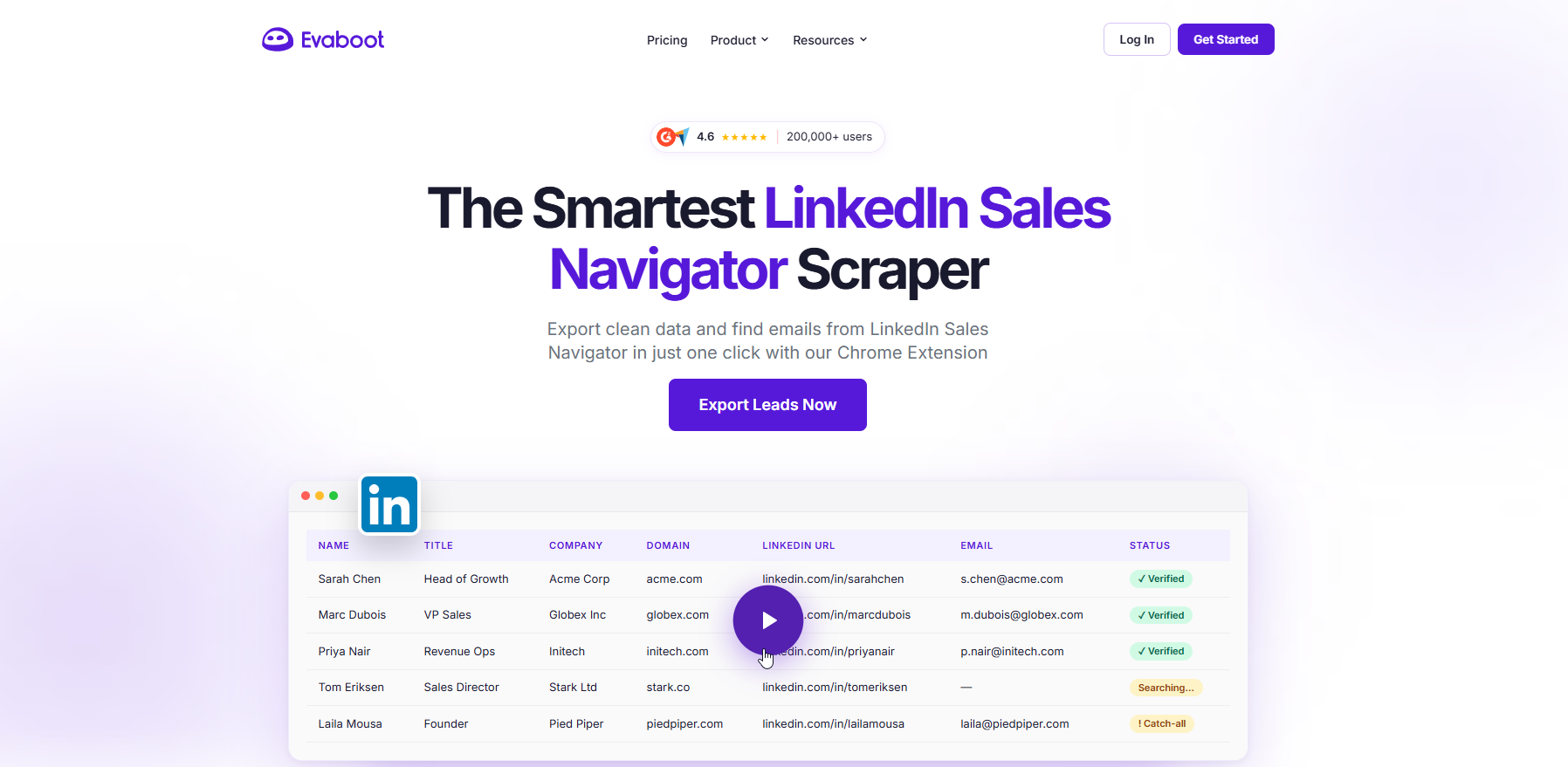
The Smartest LinkedIn Sales Navigator Scraper.
Evaboot automates every step of the email list building process. Export your lead lists and search results from LinkedIn Sales Navigator to a clean CSV file with just one click.
Save big with 850+ deals 💶
Explore all deals
Illustration of Evaboot on Freelance Stack's deal page
1 deal available
Premium Deal #1

20% off lifetime on any plan

All our deals are negotiated by our team to give you the best discount and are updated regularly.
This deal is available to new customers or customers on a free plan of the tool.
Save Money !
Logo Freelance Stack blanc
Freelance Stack 
Premium
Access our 850+ exclusive promo code for $55/year.
and over 850 other deals.
and +850...
general information
ALTERNATIVES
YOU MAY ALSO LIKE...

📅 April 2026 -

 Our promo code verified with the software 

Evaboot

Benefit from 20% off lifetime on any plan on Evaboot.

Save 20% off lifetime on any plan on Evaboot through our exclusive partnership.

Freelance Stack is the first deals platform to access best discounts, coupon codes and credits on 850+ software, SaaS and online services for entrepreneurs and startups. We offer exclusive and validated discounts that we negotiate directly with partners to help you to grow and save money. Our coupon codes enable thousands of entrepreneurs, startups, freelancers and consultants to save thousands of euros on the best softwares.

Don’t wait any longer and save 20% off lifetime on any plan on Evaboot.

📄 Information about 

Evaboot

Evaboot is a Chrome extension and API-powered tool designed to extract clean, accurate lead data from LinkedIn Sales Navigator with a single click. Trusted by over 200,000 users and more than 3,500 companies, including Uber, Amazon, Airtable, and Brevo, Evaboot automates the entire lead list building process—from exporting search results to a clean CSV file to automatically cleaning first names, last names, job titles, and company names by removing emojis, non-Latin characters, and legal suffixes, and filtering out false positives that don’t actually match the Sales Navigator search criteria. The tool also flags why certain leads do not match the applied filters, giving sales teams full transparency into the quality of their prospect lists.

Beyond data extraction, Evaboot includes a built-in email finder that combines scraping with email discovery algorithms, as well as an email verifier that tests each address for deliverability before outreach, flagging valid, catch-all, and bounce statuses to protect sender reputation. The platform integrates natively with popular tools like HubSpot, Make, Zapier, n8n, and Clay, and also offers a full API for teams that want to automate their lead generation workflows at scale. Rated 4.6/5 on both G2 and Capterra, Evaboot is designed to be safe (staying within LinkedIn’s scraping limits), GDPR-compliant, and scalable for teams managing multiple Sales Navigator accounts.

Sales Navigator Data Extraction:

  • One-click lead export from LinkedIn Sales Navigator: Evaboot lets users extract leads and account data directly from LinkedIn Sales Navigator and export them to clean CSV files in just a few minutes. The Chrome extension automates the entire process, eliminating the need for manual copy-and-paste workflows.
  • Structured and enriched datasets: The exported data includes key fields such as names, job titles, company information, LinkedIn URLs, and domains, making it immediately usable for outreach or CRM integration.

Automated Data Cleaning and Standardization:

  • Clean and normalized contact data: Evaboot automatically cleans raw LinkedIn data by removing emojis, correcting capitalization, standardizing company names, and formatting job titles to ensure consistency across datasets.
  • Ready-to-use outreach lists: This cleaning process ensures that exported lead lists are immediately ready for use in sales campaigns without the need for additional manual formatting.

Lead Filtering & Qualification:

  • Smart filter validation: Evaboot verifies whether the extracted leads actually match the filters applied in Sales Navigator (e.g., job title, industry, company size), and flags or removes any mismatches.
  • Improved lead accuracy: By eliminating false positives, the tool helps maintain high-quality prospect lists and reduces wasted outreach efforts.

Email Finder & Verification:

  • Professional email discovery: Evaboot combines web scraping with email-finding algorithms to generate professional email addresses based on prospect data (name + company domain).
  • Email verification system: Each email address is checked and categorized (valid, catch-all, risky, or bounce) to ensure deliverability and reduce bounce rates before outreach.

Workflow Automation & Integrations:

  • Native integrations & webhooks: Evaboot integrates with tools such as Make, Zapier, n8n, and custom webhooks, allowing users to automatically send extracted data to CRMs, spreadsheets, or outreach tools.
  • Automated lead pipelines: Users can trigger workflows immediately after data extraction, enabling fully automated lead generation and enrichment processes without manual intervention.

APIs & Developer Capabilities:

  • REST API for automation: Evaboot provides a JSON REST API that allows you to programmatically extract leads, enrich profiles, find email addresses, and verify addresses at scale.
  • Bulk processing and webhook support: The API supports batch enrichment, email lookup, and webhook notifications when jobs are completed, enabling integration into custom data pipelines.

Scalability, Safety, and Compliance:

  • LinkedIn-safe usage limits: Evaboot automatically applies daily limits to ensure compliance with LinkedIn scraping restrictions and reduce account risk.
  • GDPR & data compliance: The platform is designed to be GDPR-compliant, using real-time data extraction and focusing exclusively on professional email addresses.
  • Team scalability: Supports multiple users, unlimited seats, and multiple Sales Navigator accounts, making it ideal for team-based prospecting workflows.

📋 Evaboot features:

In this section, you will find our opinion the main features of Evaboot. All of these features are subject to regular updates. We recommend that you check that they are available before purchasing any software.

Evaboot is a LinkedIn Sales Navigator scraper designed specifically to solve a problem that sales teams face every day: LinkedIn holds some of the most accurate and regularly updated B2B data in the world, but offers no built-in way to export it cleanly. The platform was built by Jean-Baptiste Jezequel and has grown to over 200,000 users and more than 3,500 companies, including names like Brevo, Airtable, Uber, Amazon, and Databricks.

The tool operates entirely as a Chrome extension that integrates directly into the LinkedIn Sales Navigator interface. Once installed, an export button appears within Sales Navigator searches and lead lists, allowing users to trigger a data scrape with a single click. There is no separate interface to learn, no need to enter URLs, and no manual copy-pasting: the data is extracted from Sales Navigator and saved to a CSV file that is emailed to the user and can also be downloaded from the Evaboot dashboard.

  • Data cleaning: is one of the features that most competitors overlook and that Evaboot takes seriously. Raw data exported from LinkedIn is notoriously messy: first names with emojis, last names in all caps, company names with legal suffixes like "LTD" or "Inc" attached, non-Latin characters in titles, inconsistent capitalization. Evaboot automatically processes every exported field and delivers a standardized, ready-to-use file. For teams that feed this data directly into outreach sequences or CRMs, the time saved on manual cleaning adds up quickly.
  • Lead filtering and false positive removal: addresses a subtler but equally frustrating limitation of Sales Navigator. Even a carefully constructed search returns profiles that do not actually match all the selected criteria, because LinkedIn’s algorithm is imperfect. Evaboot runs each exported profile against the original filter criteria and flags leads that do not genuinely match, removing irrelevant results from the final list. This is a meaningful quality control step that prevents wasted outreach to people who never matched the target profile in the first place.
  • The Email Finder: uses proprietary algorithms to find professional email addresses for the scraped profiles. Crucially, Evaboot does not pull from a pre-existing database of stored email addresses. Every email is searched for and retrieved in real time at the moment of export, which means the data reflects current employment status rather than outdated records from a static database. This real-time extraction approach is also what underpins compliance with the GDPR and CCPA: no personal data is stored, reducing legal exposure for teams operating in regulated markets.
  • The Email Verifier: checks every found email address for deliverability before it makes it to the final list. Each address is classified as Valid, Catch-all, or Bounce, allowing users to remove bounces before launching any outreach campaign and protecting sender reputation and domain health.
  • LinkedIn URL Enrichment: works the other way around: users can upload a list of LinkedIn profile URLs they already have, and Evaboot will extract the corresponding contact and company data for each one. This is useful for teams that collect LinkedIn URLs through other channels and want to enrich them at scale without manual lookups.
  • The Bulk Upload feature: enables enrichment operations at scale without requiring users to go through the Sales Navigator interface for each request.
  • Integrations: Connect Evaboot's output to the broader sales and marketing stack via Zapier, n8n, Make, and a documented API, enabling automated workflows that push clean lead data directly into CRMs, outreach tools, or data warehouses without manual file handling.

📊 Evaboot Pros and Cons:

This section provides a summary of the advantages and limitations of using Evaboot on a daily basis. We are not paid or influenced by brands, and this content is solely our own. These features, their advantages and disadvantages are likely to change regularly, both positively and negatively. If you have complex needs, we invite you to contact the software publisher directly for more information about your requirements. 

👍 Pros with Evaboot:

  • Evaboot does one thing, and it does it very well: The most common praise in user reviews is some variation of "it does few things but does them very well." In a category full of tools that try to combine scraping, automation, outreach, CRM management, and analytics into one bloated platform, Evaboot's decision to stay focused on clean data extraction is a genuine competitive advantage. Sales teams that already have their outreach tools in place don’t need another all-in-one platform: they need a reliable, fast way to get high-quality lead data out of Sales Navigator and into whatever workflow they already use. Evaboot fits that role precisely without trying to replace everything else in the stack.
  • The data cleaning layer saves a significant and measurable amount of manual work: Any sales rep or SDR who has spent time cleaning up a raw LinkedIn export knows how tedious it is: correcting capitalization, removing emojis, stripping out legal suffixes, and deleting duplicate entries. A list of 500 leads can easily require an hour of cleanup before it’s ready for personalized outreach. Evaboot handles this automatically with every export. For teams conducting high-volume prospecting with multiple exports per week, this adds up to significant weekly time savings, allowing the tool to pay for itself quickly.
  • Extracting email addresses in real time rather than using database lookups reduces the problem of outdated data: Most email discovery tools draw from a database of addresses that were captured at some point in the past and may no longer reflect current employment. Evaboot finds every email address in real time at the moment of export, using the current LinkedIn profile as the source of truth. The practical result is that email addresses are more likely to reflect where a person actually works today rather than where they worked six months ago when their email was last scraped by a competitor’s database.
  • The pricing structure is transparent and credit-based, and scales proportionally: The credit model is simple: one credit per exported lead or account, one credit per email found and verified, and half a credit per email verified alone. There are no hidden usage tiers, no minimum seat commitments for small teams, and unused credits roll over as long as a subscription is active. For teams with fluctuating prospecting volumes from month to month, this flexibility is more practical than fixed-volume plans that force users to pay for more than they need.
  • A 4.6/5 rating across G2 and Capterra from over 200,000 users indicates genuinely reliable product performance: User reviews consistently highlight the support team’s responsiveness as a standout feature. Several reviewers note receiving responses within an hour to support inquiries, which is exceptional for a small tool in a crowded category and speaks to the team’s commitment to its user base.

👎 Cons with Evaboot:

  • Evaboot requires LinkedIn Sales Navigator, which adds a mandatory fixed cost of at least $99.99 per month: The tool does not work with a standard LinkedIn account or LinkedIn Recruiter. This means the actual starting cost of using Evaboot is never just the subscription price: it is always the Evaboot subscription plus the Sales Navigator fee. For a team on the entry plan, the actual monthly cost is at least $139. This dependency is not a flaw in Evaboot’s design, but it is a practical constraint that matters for budget planning and must be factored in from the start.
  • The 2-credit system for finding a lead with a verified email address effectively halves the number of leads: Exporting a lead costs one credit. Finding and verifying an email for that lead costs one additional credit. So obtaining a list of 500 contacts with verified emails actually requires 1,000 credits, not 500. This is the single most consistent source of confusion and frustration among users, and some reviews specifically mention feeling misled by the advertised credit quantities. The pricing page does explain this clearly, but it is easy to underestimate when evaluating plans based on headline credit numbers alone.
  • Phone number coverage is limited and inconsistent: LinkedIn profiles rarely include direct phone numbers, and Evaboot can only display what is actually listed on the profile. For outbound sales teams that rely on the phone as their primary channel, Evaboot’s phone number data will be too sparse to be useful without supplementing it with a dedicated enrichment tool like Dropcontact or Apollo. Several users explicitly note that they need to add a second tool to obtain complete contact information.
  • The tool offers absolutely no outreach capabilities: Evaboot is purely a data extraction and enrichment tool. It does not send messages, manage sequences, track opens, or automate any step of the sales process beyond delivering a CSV. This is intentional and is part of what keeps the tool focused and lightweight, but teams expecting an end-to-end prospecting solution will need to pair it with a separate outreach tool.
  • Using a Chrome extension that operates within your LinkedIn session carries an inherent account risk: Because Evaboot runs using your own LinkedIn credentials and browser session, LinkedIn can, in principle, detect and flag the automated activity. Evaboot imposes automatic daily export limits to stay within LinkedIn’s thresholds, and most users report no issues, but the risk exists in a way that it does not with tools that scrape LinkedIn without accessing it through a personal account. Teams managing LinkedIn accounts that are critical to their business should be aware of this distinction.

💰 Evaboot pricing:

All prices listed are taken from the Evaboot software website. However, these prices are subject to change regularly. We recommend that you check them directly on each software's website to be sure. 

Evaboot uses a credit-based pricing model with a sliding scale based on the number of credits purchased each month. All plans include the same features: Sales Navigator export, data cleaning, lead filtering, email finder, email verifier, LinkedIn URL enrichment, unlimited seats, unlimited linked Sales Navigator accounts, credit rollover (for active subscribers), and integrations. Monthly subscriptions can be canceled at any time, and annual billing saves approximately two months compared to monthly billing.


Plan Monthly price Credits per month Qualified leads (with email addresses)
Starter $9 100 50 leads with verified email addresses OR 100 leads/accounts exported
Growth $29 500 250 leads with verified email addresses OR 500 leads/accounts exported
Pro $49 1,500 750 leads with verified email addresses OR 1,500 leads/accounts exported
Scale $99 4,000 2,000 leads with verified email addresses OR 4,000 leads/accounts exported
Business $199 8,000 4,000 leads with verified email addresses OR 8,000 leads/accounts exported
Enterprise Starting at $499 $20,000 to $200,000+ Custom volume; contact our team for custom solutions


The credit system works as follows: exporting one lead or account costs 1 credit, finding and verifying one email costs 1 credit, and verifying one email alone costs 0.5 credit. Unused credits roll over to the next billing period as long as the subscription remains active. A LinkedIn Sales Navigator subscription (starting at $99.99/month) is required and is not included in any Evaboot plan.

💬 Frequently asked questions about Evaboot's promo:

In this section, you will find all the main questions you may have about accessing this discount. We wanted to provide you with as much information as possible to help you save as much as possible on your software subscriptions. 

1️⃣ How to access to the deal with Evaboot?

This promo code allows you to save money and enjoy premium features on Evaboot paid plans and subscriptions. Check the eligibility criteria on this page to see if you can benefit from this discount. Don't miss out on the opportunity to pay less for your subscription to one of the best tools on the market.

2️⃣ Why Freelance Stack can help you to access to Evaboot discount?

As a partner of Evaboot, you can easily save on your subscription to this software. Without us or another affiliate partner, you will have difficulties to activate the discount. We are the largest discount promo code platform for software and SaaS in the world.

3️⃣ How to use Evaboot deal?

To use the discount with Evaboot, you need to click on the various buttons that may be available on the right side of the deal page and follow the instructions to unlock this promotion.

4️⃣ What are Evaboot's promo requirements?

We specify all the terms and conditions on each deal page. You must click on the various buttons on the deal page to view all the terms and conditions. This deal is available to new customers or customers on a free plan with Evaboot.

🔄 Alternatives to Evaboot software:

Find the right software with our suggestions for alternative solutions.

When growing a business, comparing the right tools is essential. With thousands of options available, these solutions are strong alternatives to Evaboot 
Indeed, Evaboot is a solution that can adapt according to your needs:

1️⃣ If you are a freelancer or consultant:

Evaboot itself is arguably the best fit for a solo operator who uses Sales Navigator and needs a simple, reliable way to export and enrich lists without managing a complex tech stack. For those who want to avoid the Sales Navigator subscription cost entirely, Kanbox is worth considering: it includes its own native LinkedIn search with lead import from posts, events, and profile URLs, starting at $10/month (billed annually), and combines scraping with a Kanban pipeline and smart inbox in a single tool. Waalaxy offers a freemium option and covers basic LinkedIn scraping alongside message automation, which can be attractive for a freelance SDR who wants a single low-cost tool for both prospecting and outreach.

2️⃣ If you are a startup:

Startups that conduct systematic outbound prospecting often need both high-quality data and some level of outreach automation. Phantombuster offers cloud-based LinkedIn scraping along with over 50 automation templates that cover everything from post likers to event attendees, starting at around $69/month. It goes further than Evaboot in terms of automation, though it requires more setup and carries a slightly higher account risk profile due to more aggressive automation patterns. Apollo.io is the most comprehensive alternative at this level: it combines a database of over 275 million contacts, a LinkedIn prospecting layer, email sequences, and a built-in CRM, making it a natural upgrade for a startup that wants to consolidate its entire outbound stack into a single tool rather than piecing it together from separate components.

3️⃣ If you are an SMB or mid-market company:

Larger teams with structured sales operations typically require multi-user management, CRM integration, and the ability to handle larger data volumes. Kaspr is a strong alternative for teams focused on the European market, offering comprehensive GDPR compliance, extensive phone number coverage, and native integrations with HubSpot and Salesforce. The Growth Machine handles LinkedIn and email outreach through personalized multi-channel sequences, featuring CRM sync and robust analytics, and is widely used by mid-market sales teams seeking a production-grade outbound platform. For teams requiring the most reliable data extraction without accessing personal LinkedIn accounts, Datablist is a technical alternative that scrapes Sales Navigator without connecting to any user credentials, completely eliminating the risk of account bans, though it requires a more technical setup to implement.

Otherwise, these other software programs may also be a good alternative to Evaboot

🆕 Our new Premium deals:

We offer discounts on 650+ different software. We regularly add new discounts on the best software for freelancers, consultants and entrepreneurs.

Discover these new software in addition to the deal we offer with Evaboot.

👤 Our members have just used these other deals:

We offer on 850+ different software. That's both a lot and a little compared to all the software that exists and that could help you in your business as entrepreneur or business owner.

Discover new software and discounts to complement the deal we offer on Evaboot