logo anime freelance stack white
Logo de l'outil CapCut sur Freelance Stack
All deals (850+)
Logo de l'outil CapCut sur Freelance Stack

CapCut

Free Deal
2 deals available
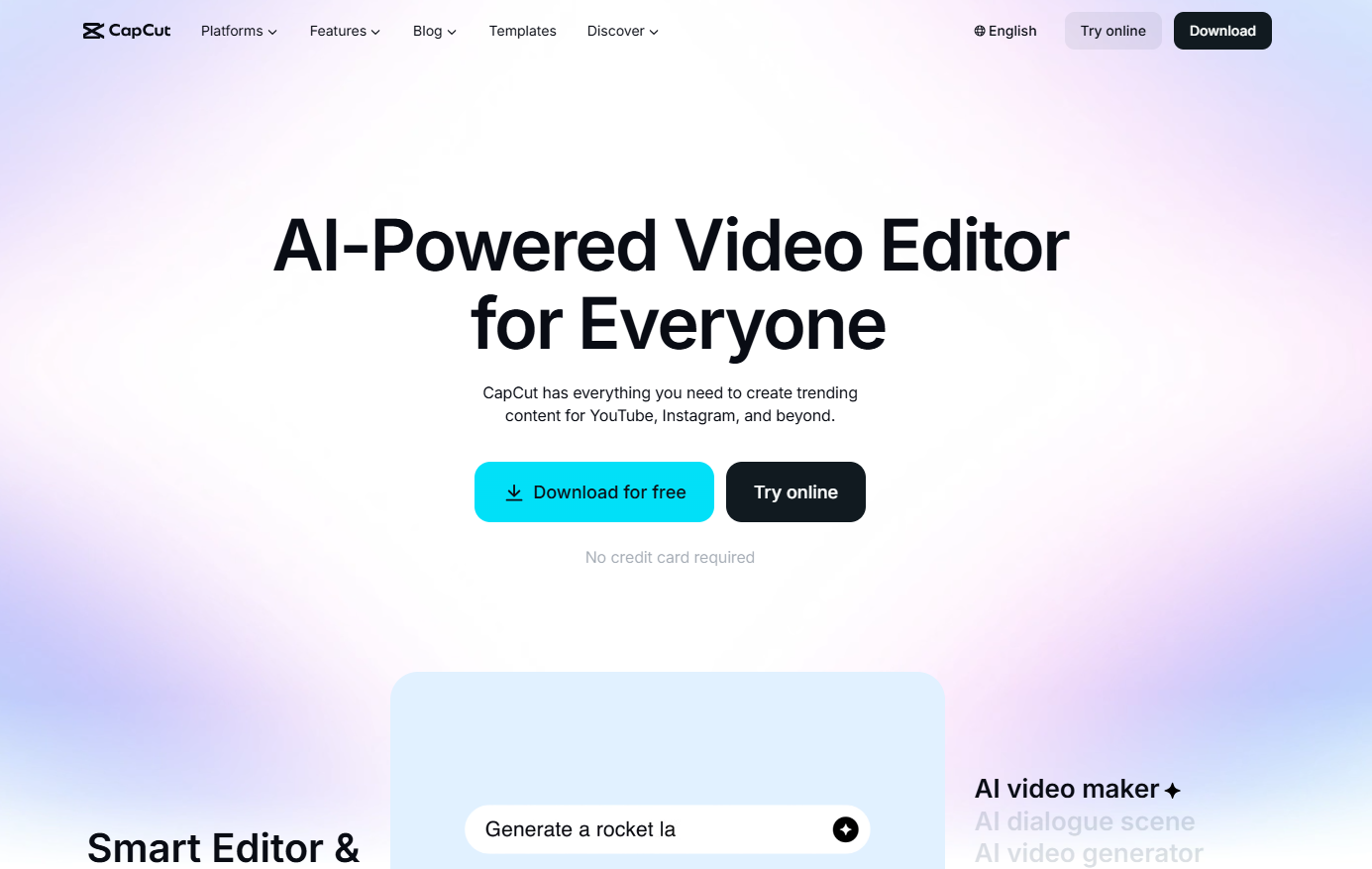
AI-powered video editor for everyone.
CapCut has everything you need to create trending content for YouTube, Instagram, and more.
Save big with 850+ deals 💶
Explore all deals
Illustration of CapCut on Freelance Stack's deal page
2 deals available
Free Deal
Premium Deal #1

7 days offered, then 25% off on annual plan

All our deals are negotiated by our team to give you the best discount and are updated regularly.
This deal requires you to create a new account to benefit from the discount. It is reserved for new customers

Additional 30% off on annual plan

All our deals are negotiated by our team to give you the best discount and are updated regularly.
This deal requires you to create a new account to benefit from the discount. It is reserved for new customers
Save Money !
Logo Freelance Stack blanc
Freelance Stack 
Premium
Access our 850+ exclusive promo code for $55/year.
and over 850 other deals.
and +850...
general information
ALTERNATIVES
YOU MAY ALSO LIKE...

📅 May 2026 -

 Our promo code verified with the software 

CapCut

Benefit from additional 30% off on annual plan on CapCut.

Save an additional 30% off on annual plan on CapCut thanks to our exclusive partnership.

Freelance Stack is the first deals platform to access best discounts, coupon codes and credits on 650+ software, SaaS and online services for entrepreneurs and startups. We offer exclusive and validated discounts that we negotiate directly with partners to help you to grow and save money. Our coupon codes enable thousands of entrepreneurs, startups, freelancers and consultants to save thousands of euros on the best software.

Don't wait any longer and save an additional 30% off on annual plan on CapCut.

📄 Information about 

CapCut

CapCut is an all-in-one AI-powered video editor designed to be accessible to everyone, from novice content creators to professionals. Available on mobile, computer, tablet, and web, the platform allows users to create trending videos for YouTube, Instagram, TikTok, and more, without requiring advanced technical skills. Its key features include video generation from text or images, automatic synchronized captions, one-click background removal, stabilization of shaky footage, and an extensive library of filters, effects, and cinematic transitions.

On the audio side, CapCut offers tools for speech synthesis (text-to-speech), personalized voice cloning, sound enhancement, and noise reduction, allowing you to achieve professional-quality results in just a few minutes. The platform also stands out for its generative AI tools such as Dreamina for creating artistic and cinematic videos, and Pippit AI for transforming text, links, or images into publish-ready videos. With over 100 million downloads, a 4.7 rating on the App Store, and availability in 20 languages, CapCut has established itself as one of the world's leading consumer video editing apps.

Creation by AI

  • AI video creation tool: Quickly explain to CapCut's AI video editor what kind of video you want it to create from scratch, including the style, avatar, and everything else. CapCut generates your video automatically, with no technical skills required.
  • AI dialogue scene: Want your photos to talk, sing, or react? With CapCut's video editor, you can effortlessly create animated dialogue scenes, ideal for bringing portraits to life, creating expressive reactions, or producing viral content.
  • AI Video Generator: Turn text, images, or keyframes into videos with the smartest online video editor you've ever used.
  • AI Image Generator: Turn text or reference images into stunning, personalized visuals with CapCut's powerful online photo editor.
  • Dreamina AI: Got a simple prompt? Try CapCut's AI-powered video creation to get a stunning, artistic, cinematic video from just a simple descriptive text.
  • Pippit AI: This viral video generator transforms text, links, images, or anything else into videos that are ready to be published immediately on all platforms.

Text Tools

  • AI Caption Generator: Add accurate, perfectly timed captions to your videos with CapCut's powerful AI caption generator. Transcription is fully automatic, with no manual input required.
  • Caption templates: In our video editor, find the perfect caption style from over 100 templates for music, gaming, vlogs, and more.
  • Removal of verbal tics: Verbal tics such as "um" and "uh" are automatically removed as our AI caption generator transcribes your video, for a clean and professional result without any editing effort.
  • Bilingual captions: Generate captions in multiple languages and display bilingual captions to double your audience and reach an international community.

Audio Content

  • Text to speech: With CapCut's advanced AI voice generator, turn any text into natural voiceovers in seconds, in many languages and voice styles.
  • Custom voices: Record your voice once, then use it as a voiceover whenever you convert text to speech. Your unique voice becomes a production tool that can be reused over and over again.
  • Voice enhancement: From text-to-speech functionality to voice enhancement, get broadcast-quality sound for any project in minutes.
  • Noise reduction: From video enhancement tools to noise reduction, CapCut restores your footage to perfection every time, removing ambient noise, microphone hiss, and sound interference.

Image and Video

  • Background removal: The one-click background removal tool for your videos and images provides perfect cropping every time, without any manual selection.
  • Editing: All the powerful editing tools you love in a photo editor are now built right into our video editor, so you can edit faces, colors, and visual details in real time.
  • Quality enhancement: Adjust your clips to make them look like they were captured with a professional camera. The one-click video enhancement tool automatically optimizes sharpness, brightness, and contrast.
  • Video stabilization: Turn shaky, handheld footage into smooth, stable videos with our smart online video editor.

📋 CapCut features:

In this section, you will find our opinion the main features of CapCut. All of these features are subject to regular updates. We recommend that you check that they are available before purchasing any software.

CapCut is a free video editing solution developed by ByteDance, the parent company of TikTok. This mobile and desktop app is revolutionizing video editing by offering professional tools that are accessible to everyone, without requiring a paid subscription. Its intuitive interface allows content creators—whether beginners or experienced—to produce professional-quality videos directly from their smartphone or computer.

The tool stands out for its extensive library of effects and built-in AI features that automate many time-consuming tasks. CapCut excels particularly in creating content for social media, offering pre-optimized formats and templates tailored to different platforms. This specialization makes it a top choice for creators looking to build their online presence without investing in expensive software.

Synchronization between the mobile and desktop versions offers remarkable flexibility, allowing you to start a project on your smartphone and finish it on your computer. This cross-platform approach meets the needs of modern creators who balance mobility with the need for technical precision.

  • Advanced multi-track editing: CapCut lets you layer multiple video, audio, and graphic tracks with precise timeline control. You can adjust each element independently, apply transitions between tracks, and manage audio levels with remarkable precision for a free app.
  • Visual effects and smart transitions: The app offers a library of over 1,000 visual effects, filters, and automatic transitions. AI algorithms analyze your content to suggest the most suitable transitions, creating seamless flows between your clips without the need for complex manual adjustments.
  • Color and Calibration Tools: Color correction features include automatic and manual adjustments for brightness, contrast, saturation, and temperature. You also have access to professional LUTs and customizable presets to ensure a consistent visual style across your projects.
  • Automatic subtitle generation: Artificial intelligence automatically transcribes your dialogue into synchronized subtitles using multilingual speech recognition. This feature, which is particularly useful for accessibility, also allows you to customize the appearance of the text according to your design preferences.
  • Built-in music library: CapCut provides access to a vast collection of royalty-free music, organized by genre, mood, and duration. The tool also offers automatic synchronization of cuts to key beats in the music, allowing you to create rhythmically engaging edits without any technical effort.
  • Ready-to-use templates: Hundreds of pre-designed templates automatically adapt to your content, covering all popular social media formats. These templates include animations, text effects, and narrative structures to significantly speed up your creative process.
  • Multi-format export: The app supports exporting in various resolutions up to 4K, with specific optimizations for each social media platform. You can also adjust the compression settings to balance quality and file size according to your distribution needs.
  • Collaboration and cloud sharing: The automatic cloud backup system makes it easy to collaborate and ensures continuity across devices. Your projects sync instantly, allowing you to pick up where you left off, no matter which device you’re using.

This unique combination of professional features and accessibility makes CapCut an ideal tool for creators who want to produce high-quality content without facing technical or financial barriers.

📊 CapCut Pros and Cons:

This section provides a summary of the advantages and limitations of using CapCut on a daily basis. We are not paid or influenced by brands, and this content is solely our own. These features, their advantages and disadvantages are likely to change regularly, both positively and negatively. If you have complex needs, we invite you to contact the software publisher directly for more information about your requirements. 

👍 Pros with CapCut:

  • Exceptional accessibility for everyone: CapCut is revolutionizing video editing with an intuitive interface that never compromises on powerful features. Unlike complex solutions that require weeks of training, you can create professional-quality content from your very first use. This approach truly democratizes video creation, allowing entrepreneurs, content creators, and marketing professionals to produce engaging videos without investing in costly training or hiring a specialized editor.
  • Unparalleled library of creative resources: One of CapCut’s key strengths lies in its ecosystem of ready-to-use content. You have access to thousands of visual effects, transitions, filters, royalty-free music, and professional templates, all integrated directly into the interface. This wealth of resources saves you considerable time by eliminating the need to search for external resources, while ensuring aesthetic consistency across your projects. The templates are particularly popular for quickly creating content in popular social media formats.
  • Speed and efficiency for short-form content: CapCut is a powerhouse for producing content quickly. Its rendering engine is designed to output vertical videos in just a few seconds. It’s the perfect tool for creators who need responsiveness, though, like any modern video software, it will require a recent smartphone or computer to process 4K files loaded with effects without stuttering.
  • Native integration with the TikTok ecosystem and social media: CapCut has a unique competitive advantage thanks to its close connection with TikTok and its deep understanding of social media trends. Export formats are automatically optimized for each platform, effects follow the latest viral trends, and synchronization with your TikTok account makes publishing a breeze. This synergy allows you to stay on the cutting edge of current visual trends and maximize engagement with your content.
  • Advanced visual tools available for free: CapCut offers an impressive array of tools without costing a penny, such as object tracking and smart masks. Color grading options and filters let you give your videos a polished look in just a few clicks. This is more than enough for web and advertising content, though professional colorists may find the curve and color wheel adjustments a bit too simplified.
  • Exceptional versatility in formats and use cases: CapCut adapts remarkably well to a wide range of needs, from creating short-form content for social media to professional presentations or detailed tutorials. You can handle everything from personal branding projects to marketing campaigns, online training courses to event-related content. This flexibility eliminates the need to switch between multiple software programs depending on the type of project, thereby simplifying your workflow and reducing the time needed to learn new tools.

👎 Cons with CapCut:

  • Reliance on the cloud and an internet connection: CapCut requires a stable internet connection for most of its advanced features, particularly to access effects, music, and templates. This reliance can be problematic when traveling or in areas with poor connectivity. Additionally, your projects are automatically synced with ByteDance’s servers, which raises privacy concerns for creators working on sensitive or commercial content.
  • Limited editing capabilities for complex projects: While sufficient for most social media content, CapCut shows its limitations as soon as you want to create more sophisticated edits. Color correction options remain basic, handling multiple audio tracks is simplified, and advanced animation capabilities are limited. For professional projects requiring precise control, you’ll need to turn to more robust alternatives.
  • The pressure of the Pro version: While CapCut remains generous, the line between the free and paid versions is getting blurrier. Many trendy effects, fonts, and advanced AI tools are now locked behind a subscription. It’s not the watermark that will hold you back (since it can be removed), but rather the frustration of not being able to use the best assets in the library without paying up.
  • Performance varies depending on the device used: CapCut may run slowly on less powerful devices, especially when processing high-resolution videos or applying complex effects. Export times can be quite long on mobile devices, and the app tends to drain the battery quickly. On a computer, while it runs more smoothly, the interface can sometimes feel less responsive than optimized native software.
  • A closed and inflexible workflow: CapCut is great for starting and finishing a video in one place. However, it doesn’t play well with others. If you want to start editing on CapCut and finish it in professional software like DaVinci Resolve or Premiere Pro, it’s practically impossible. It’s a closed ecosystem that makes you dependent on its own tools and export formats.

💰 CapCut pricing:

All prices listed are taken from the CapCut software website. However, these prices are subject to change regularly. We recommend that you check them directly on each software's website to be sure. 

CapCut offers a freemium model with a particularly feature-rich free version and paid plans for creators with more demanding needs. The pricing model stands out for its simplicity, with just two main plans that cover all video editing needs.

Pricing remains affordable compared to traditional enterprise solutions, while offering advanced artificial intelligence and team collaboration features. Prices are the same across all platforms, whether you use the mobile, desktop, or web version.


Plan Rates Included
CapCut Free Free Full video editing, basic effects, templates, CapCut watermark, export up to 1080p
CapCut Pro €9.99/month or €74.99/year Watermark removal, 4K export, premium effects, advanced AI, 100GB cloud storage, exclusive templates


The free versionof CapCut is surprisingly comprehensive for those new to video editing. You have access to all the essential editing tools, including trimming, splicing, transitions, basic color filters, and a substantial library of royalty-free sound effects. Ready-to-use templates let you quickly create content for social media, even without prior experience. The only notable limitations are the CapCut watermark on your creations and the restriction to Full HD export.

Upgrading to CapCut Proprimarily unlocks 4K export without a watermark, a key feature for creators seeking a professional look. The subscription also includes priority access to new AI effects, which are particularly effective for background removal, automatic video stabilization, and AI-generated transitions. The 100GB of cloud storage makes it easy to sync across devices and automatically back up your projects.

Exclusive Premium templatesare a huge asset for regular content creators. These pre-designed templates, updated monthly, are tailored to current trends on platforms like TikTok, Instagram Reels, and YouTube Shorts. Each template features sophisticated animations, smooth transitions, and synchronized sound effects, significantly reducing production time.

The advanced artificial intelligenceincluded in the Pro subscription truly transforms the editing experience. Features such as moving object removal, automatic generation of multilingual subtitles, and smart color correction rival those found in much more expensive software. AI upscaling technology even improves the quality of low-resolution videos.

The billing modeloffers significant flexibility, allowing users to choose between monthly payments or save substantially with an annual subscription. The savings amount to approximately 37% compared to the monthly rate, making the annual plan particularly attractive for regular users. ByteDance regularly offers promotions on any plan , especially during peak sales periods.

The collaborative featuresincluded in CapCut Pro are particularly noteworthy for creative teams. Real-time project sharing, built-in comments, and version control make it easy for multiple people to work together on the same edit. This collaborative aspect, which is rare in this price range, positions CapCut as a serious alternative to traditional enterprise solutions.

It should be noted that CapCut does not offer a free trial for its Pro features, but the extensive capabilities of the free version allow users to effectively evaluate the interface and overall performance before committing. The cancellation policy remains flexible, allowing users to cancel at any time without penalty, effective at the end of the current billing period.

💬 Frequently asked questions about CapCut's promo:

In this section, you will find all the main questions you may have about accessing this discount. We wanted to provide you with as much information as possible to help you save as much as possible on your software subscriptions. 

1️⃣ How to access to the deal with CapCut?

This promo code allows you to save money and enjoy premium features on CapCut paid plans and subscriptions. Check the eligibility criteria on this page to see if you can benefit from this discount. Don't miss out on the opportunity to pay less for your subscription to one of the best tools on the market.

2️⃣ Why Freelance Stack can help you to access to CapCut discount?

As a partner of CapCut, you can easily save on your subscription to this software. Without us or another affiliate partner, you will have difficulties to activate the discount. We are the largest discount promo code platform for software and SaaS in the world.

3️⃣ How to use CapCut deal?

To use the discount with CapCut, you need to click on the various buttons that may be available on the right side of the deal page and follow the instructions to unlock this promotion.

4️⃣ What are CapCut's promo requirements?

We specify all the terms and conditions on each deal page. You must click on the various buttons on the deal page to view all the terms and conditions. This deal requires you to create a new account to benefit from the discount. It is reserved for new customers of CapCut.

🔄 Alternatives to CapCut software:

Find the right software with our suggestions for alternative solutions.

When growing a business, comparing the right tools is essential. With thousands of options available, these solutions are strong alternatives to CapCut 
Indeed, CapCut is a solution that can adapt according to your needs:

1️⃣ If you are a freelancer or consultant:

For your video production needs asentrepreneur, DaVinci Resolve is an excellent choice—it’s completely free and offers advanced professional features. Although it requires a longer learning curve, this tool will allow you to deliver cinematic-quality content to your clients. Adobe Premiere Pro remains the industry standard for professional content creators, with a comprehensive Creative Cloud ecosystem that facilitates client collaborations. Its subscription cost can be offset by billing your services. For a more accessible option, Filmora combines ease of use with creative features sufficient for most freelance projects, at a fixed annual rate that fits entrepreneurs budgets. These three solutions offer different levels of investment depending on your pricing strategy.

2️⃣ If you are a startup:

In the startup ecosystem, where agility and collaboration are crucial, Loom excels at quickly creating product demos, team presentations, and internal communication content. Its ease of use allows all your employees to contribute to video creation without technical training. Canva Video integrates seamlessly into your content marketing strategy, offering templates tailored for social media and ensuring visual consistency with your other communication materials. For more advanced motion design and animation needs, After Effects combined with Premiere Pro will empower you to create standout content for your product communication. These tools scale with your growth, allowing you to evolve your video production in step with your business development.

3️⃣ If you are a small business or an SME:

When it comes to structuring your corporate video content, Camtasia is a wise investment thanks to its built-in screen recording and editing capabilities, which are ideal for creating product tutorials or internal training materials. Its intuitive interface allows your non-technical teams to produce professional-quality content. Vyond paves the way for creating engaging explainer animations to showcase your services in a unique way, particularly effective for simplifying complex concepts for your prospects. If your budget allows, Adobe Premiere Pro with a team license guarantees a sustainable and scalable solution capable of handling all your current and future video needs. This approach allows you to capitalize on internally developed skills and maintain consistent quality in your audiovisual production.

Otherwise, these other software programs may also be a good alternative to CapCut

🆕 Our new Premium deals:

We offer discounts on 650+ different software. We regularly add new discounts on the best software for freelancers, consultants and entrepreneurs.

Discover these new software in addition to the deal we offer with CapCut.

👤 Our members have just used these other deals:

We offer on 850+ different software. That's both a lot and a little compared to all the software that exists and that could help you in your business as entrepreneur or business owner.

Discover new software and discounts to complement the deal we offer on CapCut