logo anime freelance stack blanc
Logo de l'outil Akiflow sur Freelance Stack
Tous les deals (850+)
Logo de l'outil Akiflow sur Freelance Stack

Akiflow

Deal Gratuit
2 deals disponibles
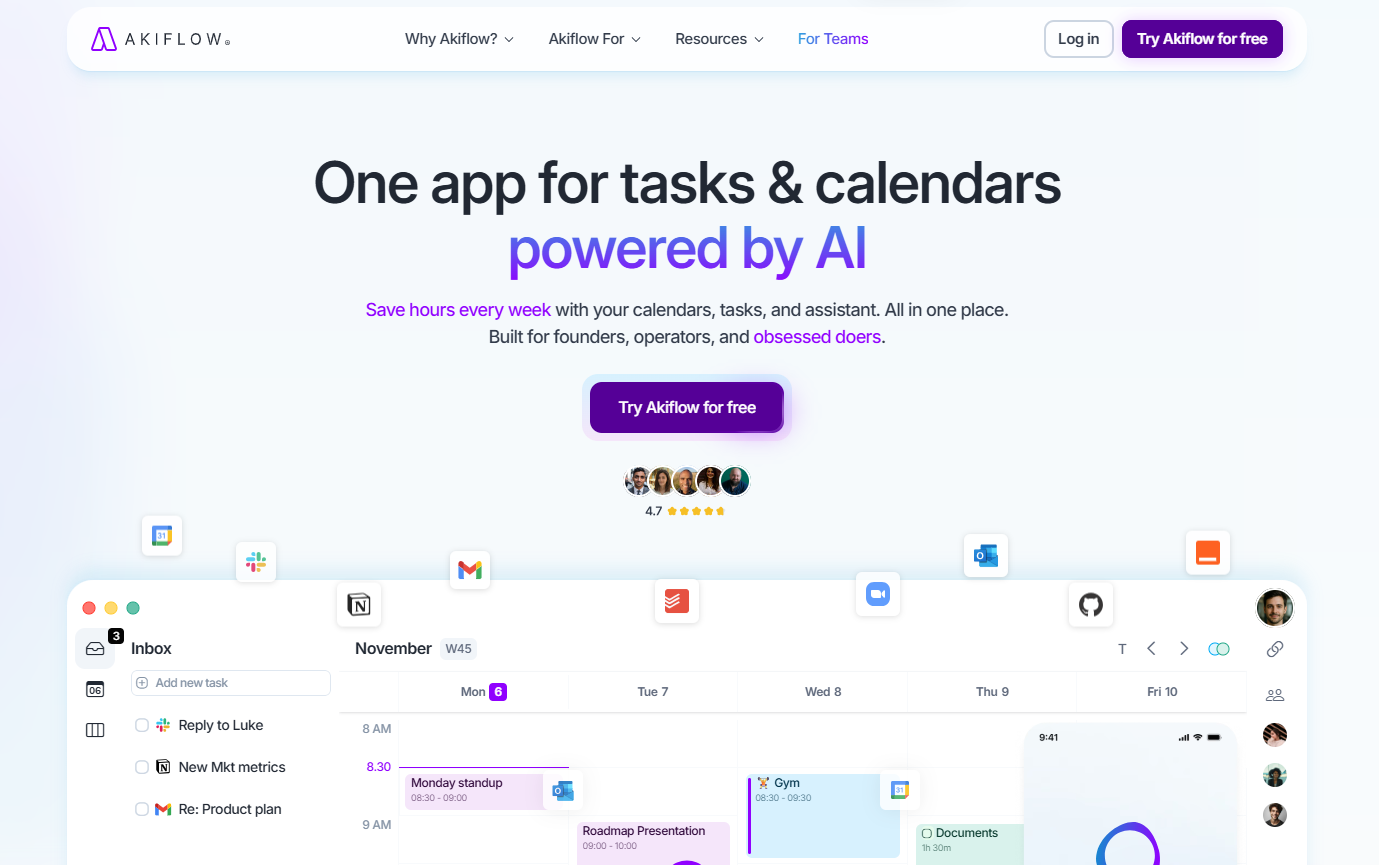
One app for tasks & calendars powered by AI.
Save hours every week with your calendars, tasks, and assistant. All in one place. Built for founders, operators, and obsessed doers.
Faites le plein d’économies avec +850 deals 💶
Explorer tous des deals
Illustration de Akiflow sur la page du deal de Freelance Stack
2 deals disponibles
Deal Gratuit
Deal Premium #1

-40% sur l'abo. annuel

Tous nos les deals sont négociés par notre équipe pour vous permettre de bénéficier de la meilleure réduction et sont mis à jour régulièrement.
Ce deal nécessite de vous créer un nouveau compte pour bénéficier de la réduction. Il est réservé aux nouveaux clients

-50$ en plus sur votre abonnement

Tous nos les deals sont négociés par notre équipe pour vous permettre de bénéficier de la meilleure réduction et sont mis à jour régulièrement.
Ce deal nécessite de vous créer un nouveau compte pour bénéficier de la réduction. Il est réservé aux nouveaux clients
Save Money !
Logo Freelance Stack blanc
Freelance Stack 
Premium
Accédez à nos 850+ codes promo exclusifs pour 55€ / an 💶.
et plus de 850 autres deals.
et +850...
INFORMATION Générale
ALTERNATIVES
VOUS AIMEREZ AUSSI...

📅 mai 2026 -

 Notre code promo vérifié avec le logiciel 

Akiflow

Profitez d’une réduction de -50$ en plus sur votre abonnement sur les services proposées par Akiflow

Economisez -50$ en plus sur votre abonnement sur l’adhésion à une offre chez Akiflow grâce à notre partenariat exclusif. 

Freelance Stack est la première plateforme de deal à vous proposer des réductions, codes promos et crédits sur 650+ logiciels, SaaS et service en ligne pour les entrepreneurs et startups. Nous proposons des réductions exclusives validées que nous négocions directement avec les éditeurs afin de vous permettre de faire des économies. Nos codes promos permettent à des milliers d'entrepreneurs, de startups, d'indépendants, freelances ou encore consultants d'économiser des milliers d'euros lors de la souscription de ces logiciels.

N’attendez plus et économisez -50$ en plus sur votre abonnement sur les services proposés par Akiflow.

📄 Information sur le logiciel 

Akiflow

Akiflow is an all-in-one time management app that centralizes your tasks and calendar in a single, AI-powered interface. Designed for founders, managers, and busy professionals, it is based on the time-blocking method, which involves reserving dedicated slots in your calendar for each task to help users better structure their days and save time each week. The tool integrates with popular applications such as Gmail, Notion, Slack, and Google Calendar, allowing users to centralize all their to-do lists in one place without switching tools.

Akiflow also offers an AI assistant called Aki, which can automatically suggest available slots, schedule tasks, and answer questions about the calendar in natural language. Features such as Rituals (automated routines), Focus Timer, and keyboard shortcuts aim to reduce the daily friction associated with planning. The tool is particularly aimed at highly organized profiles such as developers, designers, and salespeople, and also offers a version for teams.

Aki The Built-in AI Assistant:

  • Your smart planning assistant: Aki is the AI at the core of Akiflow. Give it instructions in natural language like "Clear my afternoon and push everything that isn't on fire to tomorrow" and it executes immediately. It schedules routines, reschedules conflicts and sends proactive alerts before your calendar gets overloaded.
  • AI-powered task & event creation: Aki creates tasks, events and time slots from a simple message. It handles the following fields : title, date and time, duration, recurrence, description, deadline, priority, projects and tags. It can also move tasks, identify your next free slots or tell you what's left to do in your day.

Task Management:

  • Centralized inbox: All your tasks land in a single inbox. Automatically import tasks from 3,000+ tools without ever leaving Akiflow. No more jumping between apps.
  • Precise scheduling: Schedule every task with a specific date, time or slot. Set a duration, deadline, priority, recurrence (daily, weekly, monthly) and assign it to a project. Deadlines appear at the top of the calendar for immediate visual tracking.
  • Task locking on the calendar: Lock a task in your calendar to make it visible to your colleagues, with visibility settings : public, private or busy.
  • Tags & projects: Assign tags and projects to your tasks for optimal organization. Tasks can inherit their project's color, making the calendar easier to read at a glance.

Time-Blocking & Time Management:

  • Time slots: Create time blocks in your calendar to group similar tasks or block time for your essential activities (morning routine, gym, deep work). These slots are recurring, fully customizable and come with a magic button to automatically reschedule unfinished tasks.
  • Rituals Daily & weekly reviews: Rituals are guided review assistants that walk you through the beginning and end of each day or week. They help you plan, prioritize and stay focused on what matters most, even when your week takes unexpected turns.
  • Focus Timer: Activate the Focus Timer to enter deep work mode without interruptions. It shields you from distractions and keeps you focused on a single task at a time.

Collaboration & Teams:

  • Colleague visibility: View your teammates' schedules with a single click for smooth, real-time coordination no need to ask for availability.
  • Akiflow for Teams: A dedicated plan for teams enabling collaborative task and schedule management, with shared visibility and simplified coordination.

📋 Les principales fonctionnalités de Akiflow :

Retrouvez dans cette section notre avis sur les principales fonctionnalités de Akiflow. L'ensemble de ces fonctionnalités sont amenées à évoluer régulièrement. Nous vous conseillons de bien vérifier l'existance de celle-ci avant de souscrire à chaque logiciel.

Akiflow is a task management solution designed specifically for busy professionals who need to consolidate their entire workflow into a single, streamlined interface. This platform distinguishes itself by functioning as both a powerful task manager and a universal inbox that aggregates tasks, calendar events, and notifications from multiple sources into one cohesive workspace. Rather than forcing you to constantly switch between different applications, Akiflow creates a centralized command center where you can process everything from emails and Slack messages to project deliverables and meeting preparations.

What sets Akiflow apart from traditional productivity tools is its intelligent task capture system that automatically pulls in actionable items from your connected apps and presents them in a unified view. The platform recognizes that modern professionals don't just manage standalone tasks, they navigate complex workflows that span multiple tools and require constant context switching. By bringing everything together, Akiflow eliminates the mental overhead of remembering which platform contains which information, allowing you to focus entirely on execution rather than organization.

The software caters particularly well to knowledge workers, freelancers, and small business owners who juggle multiple projects simultaneously while maintaining active communication across various channels. Its approach centers on the concept of time-blocking and contextual task management, ensuring that every task is not just captured but properly scheduled and executed within your actual available time slots.

  • Universal Task Capture: Akiflow automatically imports tasks and actionable items from over 20 popular applications including Gmail, Slack, Notion, Asana, and Linear, creating a comprehensive inbox where nothing falls through the cracks. The system intelligently recognizes actionable content and converts it into manageable tasks without requiring manual input.
  • Intelligent Time Blocking: The platform provides advanced scheduling capabilities that allow you to drag and drop tasks directly onto your calendar, automatically calculating time estimates and suggesting optimal scheduling based on your energy levels and existing commitments. This feature transforms abstract task lists into concrete time commitments.
  • Command Bar Navigation: A powerful quick-access system enables you to perform virtually any action through keyboard shortcuts and natural language commands, significantly reducing the time spent navigating through menus and interfaces. You can create tasks, schedule items, and jump between projects without ever touching your mouse.
  • Smart Calendar Integration: Beyond basic calendar syncing, Akiflow provides intelligent calendar management that suggests meeting preparation tasks, automatically blocks focus time, and creates buffer periods between appointments to ensure realistic scheduling. The system learns from your patterns and proactively optimizes your schedule.
  • Multi-App Notifications Hub: Rather than dealing with scattered notifications across different platforms, Akiflow consolidates all your important alerts into a single notification center where you can triage and respond to items based on priority and context. This eliminates the constant interruption cycle that destroys deep work sessions.
  • Project Context Management: The platform maintains rich context around each task by preserving connections to original sources, related documents, and associated team members, ensuring you never lose track of why something is important or where it originated. This contextual awareness speeds up task execution significantly.
  • Focus Mode and Deep Work Protection: Akiflow includes sophisticated distraction blocking features that can temporarily silence non-critical notifications and create protected time blocks for concentrated work, helping you maintain flow states while ensuring truly urgent items still reach you.
  • Cross-Platform Synchronization: The software maintains perfect synchronization across desktop, mobile, and web platforms, with offline capabilities ensuring you can capture and manage tasks even without internet connectivity. Changes sync seamlessly once connection is restored.

This comprehensive feature set makes Akiflow particularly valuable for professionals who have outgrown simple to-do list applications but need something more integrated and intelligent than traditional project management tools. The platform excels at bridging the gap between task capture and actual execution, ensuring that your productivity system works with your natural workflow rather than against it.

📊 Avantages et inconvénients de Akiflow :

Cette section vous permet de retrouver une synthèse des avantages et limites que peut représenter l'usage de Akiflow au quotidien. Nous ne sommes pas rémunéré ou influencé par les marques et ce contenu n'engage que nous. Ces fonctionnalités, leurs avantages et inconvénients sont susceptibles d'évoluer très régulièrement positivement comme négativement. En cas de besoin complexe, nous vous invitons à contacter directement l'éditeur de logiciel afin d'obtenir plus d'informations sur votre besoin. 

👍 Ce que l'on aime avec Akiflow :

  • A central hub for your professional noise: Akiflow is designed to stop the endless tab-switching. It pulls in tasks from the heavy hitters like Slack, Notion, Asana, and Gmail into a single inbox. This isn't just about viewing them; it’s about actually managing your GitHub issues or Jira tickets without leaving your command center. It turns a fragmented workflow into a unified list, making it much harder for a stray Slack request to disappear into the void.
  • Mastering the art of time blocking: The real magic happens when you connect your calendar. Akiflow allows you to drag a task directly onto your schedule to create a time block. This forces you to be honest about how much work you can actually fit into twenty-four hours. Instead of an infinite to-do list that just causes anxiety, you end up with a realistic, visual plan for your day that accounts for meetings and focus deep-work sessions.
  • Intelligent task capture and shortcuts: The command palette is a dream for people who hate using a mouse. You can hit a shortcut from anywhere on your computer to capture a thought, tag it, and schedule it in seconds. The natural language processing is sharp enough to understand that Meeting with Sarah tomorrow at 2pm means exactly what it says, saving you from clicking through date pickers and dropdown menus.
  • Streamlined focus with ritual workflows: The app encourages a Morning Planning and Daily Shutdown ritual. It walks you through your pending tasks and your calendar, helping you decide what to tackle now and what to snooze for later. This systematic approach helps clear the mental fog that usually hits at the start of a workday, ensuring you enter your first meeting with a clear head.
  • A power-user command interface: For those who live in their keyboard, the filtering and batch-processing tools are top-tier. You can filter by priority or project and move ten tasks to next Tuesday in two keystrokes. It’s built for people who manage a high volume of work and need an interface that can keep up with a fast-moving brain.

👎 Ce qu'on aime moins avec Akiflow :

  • A desktop-first soul with mobile gaps: We cannot claim full functionality on mobile while admitting to major feature gaps. Akiflow is available on your phone, but it is very much a companion app rather than a standalone workspace. While the desktop version is a powerhouse, the mobile experience is significantly lighter. You can check your list and check off tasks, but complex scheduling, advanced filtering, and certain deep integrations are much harder to manage on the go. If you’re looking for a mobile-only productivity tool, this isn't it.
  • Specific integration blind spots: Comparing Akiflow to Zapier is a category error. Akiflow is a task manager, not an automation engine. While Akiflow covers the big names like Notion and Jira, it isn't an all-access pass to every niche software on the planet. If your company uses a specialized CRM or a less common project management tool, you might find yourself back in the world of manual entry. It doesn't have a massive library of thousands of apps like a dedicated automation tool, so check their supported list before you commit.
  • The luxury tax on your productivity: The price isn't just a challenge for small teams; it’s one of the highest in the industry for an individual tool. Akiflow is expensive. At around 15 dollars or more per month, it costs significantly more than competitors like Todoist or TickTick. You are essentially paying a premium for the time-blocking and integration features. For a freelancer or a small team on a budget, it can be a tough pill to swallow when you’re already paying for five other SaaS subscriptions.
  • A learning curve that requires commitment: This isn't an app you just open and master in five minutes. To get your money's worth, you have to learn the shortcuts, set up the integrations, and actually adopt the time-blocking philosophy. For the first week or two, you might actually feel less productive as you fight your old habits and try to figure out the command palette. It’s an investment that only pays off if you’re willing to do the homework.
  • Performance weight with massive lists: If you are the type of person who keeps thousands of archived tasks and dozens of active integrations, you might notice the app getting a bit heavy. Power users have reported occasional sync delays or a slight lag when switching between complex views. It’s built to be fast, but it’s also pulling data from all over the internet, and sometimes you can feel the gears turning under the hood.

💰 Les tarifs de Akiflow :

L'ensemble des tarifs indiqués proviennent du site du logiciel Akiflow. Cependant, ces tarifs sont susceptibles d'évoluer réguilèrement. Nous vous conseillons de les vérifier directement sur le site de chaque logiciel pour vous en assurer. 

Akiflow offers a clear pricing structure in 2026 with two main options tailored to the needs of individual users and teams.

The platform offers a 7-day free trial on its paid plans, allowing you to test all features before committing. Note that there is no permanent free version; access ends after the trial period.


Plan Pricing Included
Individual (Maker) $34/month or $19/month (billed annually) All core features, 80+ integrations, smart scheduling, time blocking, calendar sync
Team $18/user/month (billed annually) All Individual features, team management, centralized billing, 40% discount for first year


The Individual plan is designed for independent professionals and power users looking to optimize their personal productivity. It includes full access to the platform with all available integrations (Asana, Notion, Jira, Slack, etc.), the automatic scheduling system using the "Aki" assistant, time blocking features, and two-way synchronization with Google and Outlook calendars. This formula also provides access to rituals for daily planning and shutdown.

The Team plan is particularly advantageous for organizations, offering a 40% discount for team members during the first year. It brings essential collaborative features such as centralized user management, allowing admins to invite or remove members and manage billing from a single dashboard. When individual users join a team, their personal subscriptions are paused to ensure they are not double-charged.

Akiflow also offers exclusive discounts for students and military personnel. To benefit from these rates, which can reach up to 50% off, users must contact the support team directly with valid proof of status. Startups in early stages may also qualify for preferential conditions upon request.

Annual billing provides a significant economic advantage, reducing the monthly cost of the individual plan from $34 to $19, representing an annual saving of $180. This approach also ensures priority access to new integrations and beta versions of features in development.

The process of upgrading or joining a team is handled instantly through the account settings. For teams, Akiflow can provide personalized onboarding and training workshops to help ensure the workflow is optimized across the entire organization.

💬 Questions fréquentes autour de cette promo avec Akiflow :

Retrouvez dans cette section l'ensemble des principales questions que vous pourriez vous poser concernant l'accès à cette réduction. Nous avons voulu vous apporter un maximum d'informations pour vous permettre de faire un maximum d'économies sur vos abonnements logiciels. 

1️⃣ Comment accéder au deal avec Akiflow ?

Ce code promo vous permet d’économiser ainsi que de profiter des fonctionnalités premium disponibles sur les formules et abonnement payants de Akiflow. Consultez les critères d’éligibilité sur cette page pour vérifier si vous pouvez bénéficier de cette réduction. Ne ratez pas l’occasion de payer moins cher votre abonnement à cet outil grâce l'un des meilleurs outils du marché.

2️⃣ Pourquoi profiter de cette réduction avec Akiflow en passant par Freelance Stack ?

En tant que partenaire de Akiflow, vous pouvez économiser facilement sur votre adhésion à ce logiciel. Sans nous ou un autre partenaire affilié, vous n’aurez pas accès à cette réduction ni aux économies importantes qu’elle propose. Nous sommes la plus grosse plateforme de réductions et de codes promo sur les logiciels et SaaS dans le monde.

3️⃣ Comment utiliser ce deal Akiflow ?

Pour utiliser ce deal Akiflow, cliquez sur les différents boutons qui peuvent être disponibles à droite de la page du deal et suivez les instructions pour débloquer cette promo.

4️⃣ Qui peut profiter de la réduction avec Akiflow ?

Nous précisons l'ensemble des conditions sur la page de chaque deal. Il faut alors cliquer sur les différents boutons sur la page du deal pour connaitre l'ensemble des conditions. Ce deal nécessite de vous créer un nouveau compte pour bénéficier de la réduction. Il est réservé aux nouveaux clients de Akiflow.

🔄 Alternatives au logiciel Akiflow :

Trouvez le bon logiciel grâce à nos propositions de solutions alternatives.

Quand on développe son activité, il est important de comparer les outils qui peuvent vous aider à développer votre activité. Il existe des milliers d'outils et logiciels différents. Ces outils sont des alternatives intéressantes à Akiflow
En effet, Akiflow est une solution qui peut s'adapter en fonction de vos besoins :

1️⃣ If you are a freelancer or consultant:

Todoist represents an excellent alternative for freelancers seeking simplicity and reliability. Its natural language processing allows you to quickly add tasks by typing phrases like "Call client tomorrow at 3pm," making task capture effortless during busy workdays. The project organization system helps you separate client work from personal tasks, while the karma system gamifies productivity. Notion offers another compelling option for consultants who need more than task management. You can create comprehensive client workspaces combining project tracking, note-taking, and document storage in one platform. Its database functionality lets you track client information, project timelines, and deliverables seamlessly. For freelancers who prefer visual organization, ClickUp provides multiple view options including Kanban boards, Gantt charts, and calendar views. Its time tracking features help you monitor billable hours across different projects, while custom fields allow you to adapt the system to your specific workflow requirements.

2️⃣ If you are a startup:

Linear stands out as the preferred choice for tech startups focused on product development. Its clean interface eliminates distractions while providing powerful issue tracking and project management capabilities. The tool integrates seamlessly with GitHub and other development tools, making it ideal for engineering-focused teams. Monday.com offers excellent scalability for growing startups, with colorful, intuitive boards that non-technical team members can easily adopt. Its automation features help streamline repetitive processes as your team expands, while custom workflows accommodate different departments from marketing to customer success. Asana provides robust project management features with excellent team collaboration tools. Its goals feature helps startups align daily tasks with quarterly objectives, while timeline view gives leadership clear visibility into project dependencies and potential bottlenecks. The platform scales well from small founding teams to larger organizations, making it a sustainable long-term choice for ambitious startups.

3️⃣ If you are a small or medium-sized business:

Microsoft Project remains a solid choice for established small businesses already invested in the Microsoft ecosystem. Its comprehensive project management capabilities include resource allocation, budget tracking, and detailed reporting features that satisfy formal project requirements. Integration with Office 365 ensures seamless document collaboration across teams. Smartsheet bridges the gap between spreadsheets and project management, making it perfect for businesses transitioning from Excel-based workflows. Its familiar grid interface reduces learning curves while providing advanced features like automated workflows and dashboard reporting. The platform excels at managing complex projects with multiple stakeholders and dependencies. Wrike offers enterprise-grade features at SME-friendly pricing, with robust approval workflows and custom request forms that streamline client communication. Its proofing capabilities allow teams to collaborate on creative assets directly within the platform, while detailed time tracking and reporting help optimize team productivity and project profitability across departments.

Sinon, ces autres logiciels peuvent également être une alternative intéressante à Akiflow

🆕 Nos nouveaux deals Premium :

On vous propose des réductions sur plus de 650 logiciels différents. Nous ajoutons régulièrement de nouvelles réductions sur les meilleurs logiciels dédiés aux freelances, consultants et entrepreneurs.

Découvrez ces nouveaux logiciels en complément du deal que nous vous proposons avec Akiflow.

👤 Nos membres viennent d'utiliser ces différents deals :

On vous propose des réductions sur plus de 850 logiciels différents. C'est à la fois beaucoup et peu par rapport à tous les logiciels qui peuvent exister et qui pourront vous aider dans votre activité en tant qu'indépendant ou entrepreneur.

Découvrez de nouvelles solutions et de nouveaux logiciels en complément du deal que nous vous proposons sur Akiflow.