logo anime freelance stack white
Logo de l’outil webflow sur le deal de Freelance Stack
All deals (850+)
Logo de l’outil webflow sur le deal de Freelance Stack

Webflow

Premium Deal
1 deal available
Your site should do more than look good.
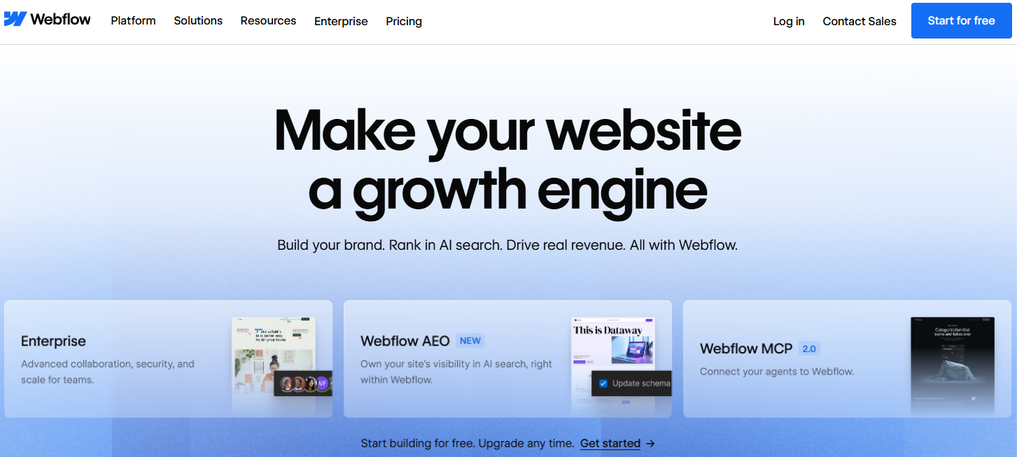
Break the code barrier. Create better professional websites, faster. No coding.
Save big with 850+ deals 💶
Explore all deals
Illustration of Webflow on Freelance Stack's deal page
1 deal available
Premium Deal #1

12 months free on "CMS" plan 

All our deals are negotiated by our team to give you the best discount and are updated regularly.
This deal is available to new customers or customers on a free plan of the tool.
Save Money !
Logo Freelance Stack blanc
Freelance Stack 
Premium
Access our 850+ exclusive promo code for $55/year.
and over 850 other deals.
and +850...
general information
ALTERNATIVES
YOU MAY ALSO LIKE...

📅 May 2026 -

 Our promo code verified with the software 

Webflow

Benefit from 12 months free on "CMS" plan on Webflow.

Save 12 months free on "CMS" plan on Webflow thanks to our exclusive partnership.

Freelance Stack is the first deals platform to access best discounts, coupon codes and credits on 650+ software, SaaS and online services for entrepreneurs and startups. We offer exclusive and validated discounts that we negotiate directly with partners to help you to grow and save money. Our coupon codes enable thousands of entrepreneurs, startups, freelancers and consultants to save thousands of euros on best software.

Don't wait any longer and save 12 months free on "CMS" plan on Webflow.

📄 Information about 

Webflow

Webflow is a website design and management platform that enables users to create professional, dynamic websites without the need for programming skills. It offers a visual editor that combines design, development and content management in a single tool, enabling designers to create responsive, interactive websites with drag-and-drop functionality and advanced customization options.

Webflow also includes tools for complete control of CSS styling, animations and interactions, as well as content management capabilities with an integrated CMS system. The platform enables users to directly publish their sites and manage hosting, while providing analysis tools for tracking performance. Thanks to its flexibility and powerful functionalities, Webflow facilitates the creation of visually attractive and functional websites, while simplifying the development and management process.

Build:
Create production-ready experiments without coding.

The designer:
Bring your design vision to life in clean, semantic HTML5, CSS and JavaScript - with Webflow Designer.

CMS and e-commerce:
Create fully customized databases for dynamic content types, including online stores.

Interactions:
Easily create immersive interactions and animations.

Launch:
Get started on a fast, reliable and hassle-free hosting network that fits your business - with just one click.

Powered by Amazon Web Services :
Designed to scale - on the same network as Netflix, Pinterest, Airbnb, Slack and Adobe.

99.9% uptime:
So you don't have to worry about your site going down.

Maintenance-free:
No updates to run, packages to install or headaches to manage.

Grow:
Create, launch and repeat new marketing campaigns without distracting your product team.

Integrated SEO tools:
Metadata controls, automatic XML sitemaps, easy 301 redirects and canonical tags.

Flexible integrations:
Connect your marketing tools with integrated integrations and the flexibility of custom code.

Easy content updates:
Easily create and update pages - right on the page, with the Webflow editor.

Get up and running fast:

Our university, blog and showcase give you the training, information and inspiration you need to succeed with Webflow - and as a business.

📋 Webflow features:

In this section, you will find our opinion the main features of Webflow. All of these features are subject to regular updates. We recommend that you check that they are available before purchasing any software.

Webflow has established itself as one of the most innovative web design platforms on the market, allowing users to design, develop, and host professional websites without writing a single line of code. This solution revolutionizes the traditional approach to web development by offering an ultra-powerful visual editor that automatically generates clean, optimized HTML, CSS, and JavaScript code. Unlike traditional website builders, Webflow gives you complete control over design and interactions, rivaling the capabilities offered by custom development.

The platform is designed for both experienced web designers looking to bring their creative visions to life and entrepreneurs and agencies seeking to quickly build high-performing websites. Webflow combines the flexibility of code with the simplicity of drag-and-drop, allowing you to create professional-quality, responsive, and interactive websites. Its unique approach transforms your design process into ready-to-use production code, thereby eliminating the traditional gap between design and development.

The Webflow ecosystem includes all the components needed to build a modern website: an advanced visual editor, a flexible content management system, e-commerce tools, high-performance hosting, and built-in SEO optimization. This all-in-one approach allows you to manage the entire lifecycle of a web project from a single interface.

  • Visual design with precise CSS control: Webflow's editor lets you directly edit every aspect of CSS through an intuitive graphical interface, offering a level of customization comparable to manual coding while remaining visually accessible.
  • Built-in grid and Flexbox system: The platform offers native tools for creating complex layouts using CSS Grid and Flexbox, enabling users to design sophisticated responsive layouts without any prior technical knowledge.
  • Advanced animations and interactions: Webflow includes a powerful animation engine that lets you create transitions, scrolling effects, and complex interactions directly from the interface, rivaling animations created with JavaScript.
  • Flexible and customizable CMS: Webflow’s content management system lets you organize your data according to your specific needs, create dynamic templates, and easily manage evolving content such as blogs, portfolios, or product catalogs.
  • Comprehensive e-commerce solution: The platform offers built-in online store features, including product, variant, order, payment, and inventory management-all of which can be customized to match your brand identity.
  • Native SEO optimization: Webflow automatically generates clean, search engine-optimized code, while offering dedicated tools to customize meta tags, manage redirects, and optimize loading performance.
  • Fast and secure hosting: Webflow hosting uses a global CDN, automatic SSL certificates, and an optimized infrastructure to ensure excellent load times and maximum uptime for your websites.
  • Team Collaboration: The platform facilitates collaborative work with features for file sharing, real-time commenting, and permission management, enabling teams to work efficiently on complex web projects.

This unique combination of features makes Webflow an ideal solution for demanding professionals who refuse to compromise on creativity, performance, and ease of use, while remaining accessible to less tech-savvy users thanks to its modern visual interface.

📊 Webflow Pros and Cons:

This section provides a summary of the advantages and limitations of using Webflow on a daily basis. We are not paid or influenced by brands, and this content is solely our own. These features, their advantages and disadvantages are likely to change regularly, both positively and negatively. If you have complex needs, we invite you to contact the software publisher directly for more information about your requirements. 

👍 Pros with Webflow:

  • A powerful visual interface, accessible to technical users: Webflow automatically generates clean HTML, CSS, and JavaScript code from a visual editor, allowing designers to bring complex creative visions to life without writing code. This is a real advantage for anyone who already has a foundation in CSS and responsive design. For complete beginners, however, the tool requires an understanding of concepts such as flexbox, grid, and element hierarchy, which means a significant investment in training is needed before becoming productive.
  • Design flexibility without technical constraints: Unlike traditional website builders that impose rigid templates, Webflow offers you complete creative freedom. You can create complex CSS animations, custom interactions, sophisticated responsive layouts, and advanced visual effects directly from the interface. This flexibility allows you to build unique websites that stand out, without needing in-depth front-end development knowledge or third-party plugins that can slow down performance.
  • Integrated and customizable CMS system for everyday needs: Webflow’s native CMS allows you to create custom collections, define custom fields, and efficiently manage blogs, portfolios, or product catalogs. For the vast majority of showcase or content sites, it does the job well and integrates seamlessly with the design. For more complex needs-such as advanced content relationships, sophisticated filters, or approval workflows-it will show its limitations compared to dedicated solutions like WordPress.
  • Optimized performance and hosting for most use cases: Webflow generates clean code, automatically compresses images, and leverages a global CDN for fast loading times. For most sites, hosting is reliable and requires no technical configuration. However, for projects with extensive animations or high traffic, the automatically generated code can become verbose, and the lack of access to server-side code limits the fine-tuning these scenarios require.
  • Seamless collaboration and simplified project management: Webflow makes teamwork easier with its built-in collaboration tools. Clients can review and comment directly on designs, teams can work simultaneously on different sections of the site, and changes are synced in real time. The versioning system allows you to revert to previous versions of the project, while granular permissions ensure that each collaborator has access only to the features necessary for their role.
  • Scalability and advanced integrations: The platform grows with your needs thanks to its extensive integration capabilities with popular third-party services such as Zapier, Google Analytics, and e-commerce solutions. Built-in e-commerce features let you create sophisticated online stores with inventory management, payment processing, and order tracking. For more complex needs, the Webflow API and custom code capabilities offer virtually unlimited extensibility without compromising the platform’s core ease of use.

👎 Cons with Webflow:

  • A steep learning curve for those new to CSS: Webflow isn’t a tool for everyone. Without a basic understanding of CSS, responsive design, and positioning, the platform quickly becomes incomprehensible. It’s less of an accessible website builder and more of a technical design tool, and comparing it to Wix or Squarespace in terms of ease of use would be misleading. The investment in training is real and significant, even for users who have already worked with other web design tools.
  • High costs for advanced features: Webflow plans can quickly become expensive, especially for sites that require e-commerce features or handle high traffic. The basic plan severely limits the number of CMS pages and collaboration features, often forcing users to upgrade to premium plans even for medium-sized projects. For agencies or freelancers managing multiple clients, costs can add up significantly, especially since each client site requires its own subscription.
  • Limited CMS for projects with complex business logic: Webflow’s CMS works well for standard use cases but quickly reaches its limits with advanced configurations. Content relationships remain basic, complex filters and searches are difficult to implement, and multi-user roles or validation workflows are rudimentary. For sites requiring true business logic or advanced custom features, you will likely need to consider another solution.
  • Total dependence on the platform and associated risks: Your site is entirely hosted on Webflow’s infrastructure, which means you have no control over the servers, backups, or the portability of your data. In the event of a service issue, a drastic change in pricing policy, or the platform’s shutdown, you could find yourself in a difficult situation. This dependency is particularly problematic for businesses with strict requirements regarding data sovereignty or service continuity.
  • Limited technical optimization complex projects: Webflow’s managed hosting is convenient but removes all control over fine-tuned server optimization. There is no direct access to the cache, no low-level customization, and generated code that can become heavy on highly dynamic projects. For high-traffic sites or those with demanding performance requirements, these limitations can pose a real problem that the platform’s standard performance cannot fully compensate for.

💰 Webflow pricing:

All prices listed are taken from the Webflow software website. However, these prices are subject to change regularly. We recommend that you check them directly on each software's website to be sure. 

Webflow offers a flexible pricing structure that adapts to the needs of website creators, from freelancers to agencies. The pricing plans are organized into two Categories : Site plans for publishing websites and Workspace plans for accessing design features.

This approach allows you to choose exactly what you need based on your project and budget.


Plan Rates Included
Starter (Website) Free webflow.io subdomain, 50 CMS items, 1 GB bandwidth
Basic (Website) $14/month Custom domain, free SSL, 100 form submissions per month
CMS (Website) $23/month 2,000 CMS items, 1,000 form submissions per month, on-site search
Business (Website) $39/month 10,000 CMS items, 2,500 submissions per month, advanced Google Analytics
Enterprise (Website) Upon request Unlimited features, priority support, SSO, custom SLA
Free (Workspace) Free 2 projects, limited collaboration, limited code export
Core (Workspace) $16/month 10 projects, extensive collaboration, full code export
Growth (Workspace) $35/month 25 projects, advanced features, third-party integrations

💬 Frequently asked questions about Webflow's promo:

In this section, you will find all the main questions you may have about accessing this discount. We wanted to provide you with as much information as possible to help you save as much as possible on your software subscriptions. 

1️⃣ How to access to the deal with Webflow?

This promo code allows you to save money and enjoy premium features on Webflow paid plans and subscriptions. Check the eligibility criteria on this page to see if you can benefit from this discount. Don't miss out on the opportunity to pay less for your subscription to one of the best tools on the market.

2️⃣ Why Freelance Stack can help you to access to Webflow discount?

As a partner of Webflow, you can easily save on your subscription to this software. Without us or another affiliate partner, you will have difficulties to activate the discount. We are the largest discount promo code platform for software and SaaS in the world.

3️⃣ How to use Webflow deal?

To use the discount with Webflow, you need to click on the various buttons that may be available on the right side of the deal page and follow the instructions to unlock this promotion.

4️⃣ What are Webflow's promo requirements?

We specify all the terms and conditions on each deal page. You must click on the various buttons on the deal page to view all the terms and conditions. This deal is available to new customers or customers on a free plan with Webflow.

🔄 Alternatives to Webflow software:

Find the right software with our suggestions for alternative solutions.

When growing a business, comparing the right tools is essential. With thousands of options available, these solutions are strong alternatives to Webflow 
Indeed, Webflow is a solution that can adapt according to your needs:

1️⃣ If you are a freelancer or consultant:

Framer stands out as the most appealing option for creative freelancers who want to seamlessly combine design and development. This platform lets you create high-fidelity interactive prototypes and turn them directly into functional websites. The intuitive interface and reusable components significantly speed up your design process, allowing you to deliver more projects in less time. Squarespace is also a smart choice if your clients are looking for elegant solutions without extensive customization. Its premium templates and built-in content management system let you deliver professional results quickly, while keeping costs under control. The advantage lies in its ease of use, which makes it easy to train your clients to maintain their sites independently.

2️⃣ If you are a startup:

Bubble is the perfect solution for startups looking to quickly develop complex web applications without a dedicated technical team. This no-code platform lets you create functional MVPs with databases, automated workflows, and advanced API integrations. You can quickly test your business hypotheses and iterate based on user feedback without making a massive investment in development. WordPress with a builder like Elementor remains a solid choice if your strategy relies on content marketing and SEO. This open-source solution offers maximum flexibility for growth, with a rich ecosystem of plugins to easily integrate e-commerce, CRM, or analytics features. The value for money is unbeatable for startups on tight budgets that need a solid, scalable foundation.

3️⃣ If you are a small business or an SME:

Wix offers the best balance between simplicity and functionality for small businesses that need a professional online presence without technical complexity. Its drag-and-drop editor, industry-specific templates, and built-in marketing tools allow you to manage your site completely on your own. The native e-commerce features and online booking tools meet the essential needs of most small businesses. Shopify is must-have your business focuses online sales. This specialized platform provides all the tools you need to efficiently manage your store: inventory management, optimized order processing, multiple payment options, and detailed analytics. The ecosystem of third-party apps lets you expand functionality to meet your specific business needs, while managed hosting frees you from technical concerns.

Otherwise, these other software programs may also be a good alternative to Webflow

🆕 Our new Premium deals:

We offer discounts on 650+ different software. We regularly add new discounts on the best software for freelancers, consultants and entrepreneurs.

Discover these new software in addition to the deal we offer with Webflow.

👤 Our members have just used these other deals:

We offer on 850+ different software. That's both a lot and a little compared to all the software that exists and that could help you in your business as entrepreneur or business owner.

Discover new software and discounts to complement the deal we offer on Webflow