logo anime freelance stack white
Logo de l’outil Userback sur le deal de Freelance Stack
All deals (850+)
Logo de l’outil Userback sur le deal de Freelance Stack

Userback

Premium Deal
1 deal available
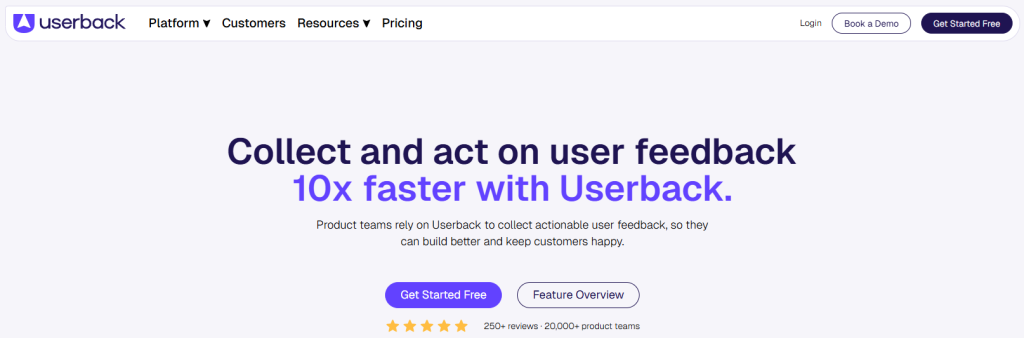
#1 Visual User Feedback Platform.
Userback allows you to automate, streamline and structure yours feedback loops, from collection to closure.
Save big with 850+ deals 💶
Explore all deals
Illustration of Userback on Freelance Stack's deal page
1 deal available
Premium Deal #1

50% off on any plan

All our deals are negotiated by our team to give you the best discount and are updated regularly.
This deal is available to new customers or customers on a free plan of the tool.
Save Money !
Logo Freelance Stack blanc
Freelance Stack 
Premium
Access our 850+ exclusive promo code for $55/year.
and over 850 other deals.
and +850...
general information
ALTERNATIVES
YOU MAY ALSO LIKE...

📅 April 2026 -

 Our promo code verified with the software 

Userback

Benefit from 50% off on any plan on Userback.

Save 50% off on any plan on Userback thanks to our exclusive partnership.

Freelance Stack is the first deals platform to access best discounts, coupon codes and credits on 650+ software, SaaS and online services for entrepreneurs and startups. We offer exclusive and validated discounts that we negotiate directly with partners to help you to grow and save money. Our coupon codes enable thousands of entrepreneurs, startups, freelancers and consultants to save thousands of euros on best software.

Don't wait any longer and save 50% off on any plan on Userback.
.

📄 Information about 

Userback

Userback is a feedback collection platform designed to help teams gather and analyze user insights on their digital products. It provides tools for capturing comments directly from applications or websites, making it easier for users to communicate with developers. Userback also allows users to annotate screenshots and generate reports, which assists in prioritizing necessary improvements.

Additionally, its integration with project management tools enables teams to track and manage feedback efficiently. By leveraging Userback, companies can enhance the user experience and optimize their products according to the actual needs of their users.

Userback is a visual feedback & bug reporting tool for websites. It is a beautifully simple way to collect visual feedback and bug reports from websites and applications using annotated screenshots and video recordings.

Capture ans collect:
Get visual in-app feedback 'on the fly'

  • Let users submit bug reports, feature requests and general comments without leaving your platform, along with supporting screenshots, notes, videos and session replays.

Asses and prioritize:
Make smarter product decisions with richer insights

  • Automatically collect background session and system data and know what features and fixes are most important to your users so you can prioritize the activities that will deliver the greatest value.

Assign and action:
Do it right first time, every time

  • Seamlessly integrate user feedback tasks into your existing workflows and give your developers all the detail and information they need to deliver features and fixes faster.

Follow up and close :
Build a greater sense of community

  • Use the Feedback Portal to engage users in product roadmaps; votes for features and fixes; task tracking and loop them back in to ensure their feedback has been addressed.

📋 Userback features:

In this section, you will find our opinion the main features of Userback. All of these features are subject to regular updates. We recommend that you check that they are available before purchasing any software.

Userback is a comprehensive visual feedback platform designed to streamline the way teams collect, manage, and act on user feedback throughout the development process. This powerful tool transforms the traditional feedback loop by enabling stakeholders to provide contextual feedback directly on websites, web applications, and prototypes through an intuitive visual interface. Rather than dealing with vague bug reports or scattered feedback across multiple channels, Userback centralizes all feedback into a unified dashboard where development teams can prioritize, track, and resolve issues efficiently.

The platform addresses one of the most persistent challenges in digital product development: the disconnect between what users experience and what developers understand. By allowing users to annotate screenshots, record screen sessions, and provide detailed context about issues or suggestions, Userback eliminates the guesswork that often accompanies traditional feedback methods. This visual approach not only speeds up the debugging process but also ensures that nothing gets lost in translation between feedback providers and development teams.

What sets Userback apart is its ability to integrate seamlessly into existing workflows while maintaining the simplicity that encourages widespread adoption across organizations. Whether you're managing a small website or coordinating feedback for a complex SaaS application, the platform scales to meet your needs while preserving the real-time collaboration that modern development teams require.

  • Visual Feedback Collection: allows users to capture screenshots of any webpage or application and annotate them directly with comments, highlights, and markup tools. The system automatically captures technical details such as browser information, screen resolution, and console logs alongside each piece of feedback, providing developers with the complete context they need to reproduce and resolve issues quickly.
  • Screen Recording Capabilities: enable users to record their interactions with applications, creating video documentation of bugs or user experience issues that static screenshots cannot adequately convey. These recordings include audio narration and automatically sync with the feedback dashboard, making it easy for teams to understand complex user journeys and interaction problems.
  • Collaborative Review Workflows: facilitate structured feedback processes by allowing teams to create custom approval chains and review stages for different types of content or development phases. Stakeholders can assign feedback to specific team members, set priority levels, and track resolution progress through customizable status indicators that keep everyone aligned on project timelines.
  • Smart Categorization and Filtering: automatically organizes feedback based on page URLs, user roles, feedback types, and custom tags, enabling teams to quickly identify patterns and prioritize issues that affect the most users. The system's intelligent sorting capabilities help product managers and developers Focus on efforts Focus on the most impactful improvements.
  • Real-time Notifications and Updates: ensure that relevant team members are immediately notified when new feedback arrives or when assigned issues are updated. The notification system integrates with popular communication tools and can be customized to prevent notification fatigue while maintaining awareness of critical issues.
  • Integration Ecosystem: connects Userback with over 50 popular development and project management tools, including Jira, Trello, Slack, GitHub, and Azure DevOps. This seamless connectivity ensures that feedback flows directly into existing development workflows without requiring teams to change their established processes or switch between multiple platforms.
  • Analytics and Reporting Dashboard: provides comprehensive insights into feedback trends, resolution times, and user satisfaction metrics through customizable reports and visualizations. Teams can track their responsiveness to user feedback, identify recurring issues, and measure the impact of improvements over time.
  • Customizable Widget and Branding: allows organizations to align the feedback collection interface with their brand guidelines while controlling exactly where and how the feedback widget appears on their websites. This flexibility ensures a consistent user experience while maintaining professional presentation standards.

The combination of these features creates a feedback ecosystem that not only captures user insights more effectively but also transforms them into actionable development tasks that drive continuous product improvement.

📊 Userback Pros and Cons:

This section provides a summary of the advantages and limitations of using Userback on a daily basis. We are not paid or influenced by brands, and this content is solely our own. These features, their advantages and disadvantages are likely to change regularly, both positively and negatively. If you have complex needs, we invite you to contact the software publisher directly for more information about your requirements. 

👍 Pros with Userback:

  • Seamless Visual Feedback Collection: Userback transforms the traditional feedback process by allowing stakeholders to provide comments directly on live websites, prototypes, or applications through an intuitive point-and-click interface. Users can automatically capture screenshots, annotate specific elements, and provide contextual feedback without having to describe locations or navigate complex forms. This visual approach eliminates miscommunication and ensures that developers receive precise, actionable feedback tied to specific UI elements, significantly reducing back-and-forth exchanges and project delays.
  • Comprehensive Bug Tracking with Automatic Technical Data: When users report issues through Userback, the platform automatically captures crucial technical information, including browser details, screen resolution, operating system, console errors, and network requests. This automated data collection saves countless hours of manual debugging and provides development teams with the exact context needed to reproduce and resolve issues. The system even captures user sessions and JavaScript errors, creating a complete picture of the problem without requiring technical expertise from the person reporting it.
  • Seamless integration with project management tools, including over 5,000 apps via Zapier: Userback connects natively with Jira, ClickUp, Linear, Slack, Trello, Asana, GitHub, Monday.com, Zendesk, and WordPress, with full two-way status and comment sync for Jira, ClickUp, and Linear. For everything else, Zapier provides access to over 5,000 additional integrations without requiring any coding. For most development teams, this covers the entire stack seamlessly. Gaps may arise with very niche internal or proprietary tools that are not supported by either native integrations or Zapier’s library.
  • Real-time Collaboration and Communication Hub: The platform serves as a centralized communication space where team members, clients, and stakeholders can discuss feedback, share updates, and track resolution progress in real time. Comments naturally form threads around each piece of feedback, creating focused discussions tied to specific issues rather than scattered across emails or chat platforms. Status updates and notifications keep everyone informed of progress, while @mentions and assignment features ensure accountability and clear ownership of tasks.
  • Advanced Filtering and Organization Capabilities: Userback offers sophisticated filtering and categorization tools that help teams efficiently manage large volumes of feedback. You can organize feedback by priority level, project phase, team member, device type, or custom tag, making it easy to Focus on critical issues first or work through feedback systematically. The search functionality allows you to quickly retrieve specific feedback items, while bulk actions enable efficient status updates and assignments across multiple items simultaneously.
  • Client and Stakeholder Empowerment: The platform democratizes the feedback process by giving non-technical stakeholders an easy way to contribute meaningfully to project development. Clients can provide feedback without having to learn complex tools or technical terminology, while still delivering the precise information developers need. This accessibility leads to more frequent, higher-quality input throughout the development process, resulting in better final products and improved client satisfaction due to their greater involvement in the creative process.

👎 Cons with Userback:

  • Limited advanced project management capabilities: While Userback excels at collecting and organizing feedback, it lacks the comprehensive project management features found in dedicated tools like Jira or Asana. You won't find advanced workflow automation, custom field types, or sophisticated reporting dashboards that larger development teams often require. The platform focuses primarily on feedback collection and basic task management, which means you might need to integrate with other tools or maintain parallel workflows for complex project coordination.
  • Pricing can rise rapidly for larger teams: Userback’s pricing structure, while reasonable for small teams, can become expensive as your organization grows. The per-user pricing model means costs increase significantly when onboarding larger development teams, QA departments, or extended stakeholder groups. For enterprises requiring extensive user access across multiple departments, the monthly costs can become prohibitive compared to some enterprise-focused alternatives that offer more flexible pricing tiers.
  • Limitations of the mobile app compared to the web platform: The Userback mobile apps do not offer the full range of features available on the web platform. Creating detailed bug reports, managing complex feedback threads, or accessing advanced administrative functions can be cumbersome on mobile devices. This limitation can affect teams that rely heavily on mobile workflows or need to capture feedback while testing mobile apps in real-world scenarios.
  •  Two-way sync is limited to a handful of tools: The integration ecosystem is broad, but the depth of integration varies. Full two-way status and comment sync is only available for Jira, ClickUp, and Linear; other integrations are one-way push only. For teams where real-time bidirectional sync across all their tools is critical, this can create gaps in workflow alignment. Teams relying heavily on Azure DevOps, Basecamp, or more specialized platforms will either need to use Zapier workarounds or accept one-way data flow, which may not suit every development process.
  • Learning curve for non-technical stakeholders: Despite its user-friendly interface, Userback can present a learning curve for stakeholders who aren't familiar with development workflows or bug tracking concepts. The terminology, feedback categorization system, and collaborative features might overwhelm casual users-such as marketing teams or external clients-who simply want to provide basic feedback. This can lead to underutilization of the platform's capabilities or require additional training time for broader adoption.

💰 Userback pricing:

All prices listed are taken from the Userback software website. However, these prices are subject to change regularly. We recommend that you check them directly on each software's website to be sure. 

Userback offers a flexible pricing structure tailored to the needs of teams of all sizes. The platform provides a generous free plan to get started, as well as paid plans that scale based on the number of users and the advanced features required.

Pricing plans are designed to support your project's growth, from initial user feedback to large-scale deployments requiring deep integrations and priority support.


Plan Pricing Includes
Startup Free 2 projects, 100 feedbacks per month, 1 GB of storage, basic integrations
Company $29/month per user Unlimited projects, unlimited feedback, 100 GB of storage, and all integrations
Premium $59/month per user Company features + priority support, SSO, advanced security
Enterprise Custom quote Tailored solution, dedicated deployment, custom SLA

💬 Frequently asked questions about Userback's promo:

In this section, you will find all the main questions you may have about accessing this discount. We wanted to provide you with as much information as possible to help you save as much as possible on your software subscriptions. 

1️⃣ How to access to the deal with Userback?

This promo code allows you to save money and enjoy premium features on Userback paid plans and subscriptions. Check the eligibility criteria on this page to see if you can benefit from this discount. Don't miss out on the opportunity to pay less for your subscription to one of the best tools on the market.

2️⃣ Why Freelance Stack can help you to access to Userback discount?

As a partner of Userback, you can easily save on your subscription to this software. Without us or another affiliate partner, you will have difficulties to activate the discount. We are the largest discount promo code platform for software and SaaS in the world.

3️⃣ How to use Userback deal?

To use the discount with Userback, you need to click on the various buttons that may be available on the right side of the deal page and follow the instructions to unlock this promotion.

4️⃣ What are Userback's promo requirements?

We specify all the terms and conditions on each deal page. You must click on the various buttons on the deal page to view all the terms and conditions. This deal is available to new customers or customers on a free plan with Userback.

🔄 Alternatives to Userback software:

Find the right software with our suggestions for alternative solutions.

When growing a business, comparing the right tools is essential. With thousands of options available, these solutions are strong alternatives to Userback 
Indeed, Userback is a solution that can adapt according to your needs:

1️⃣ If you are a freelancer or consultant:

For your individual client projects, Marker.io is the perfect fit, thanks to its sleek interface and essential visual feedback features. You can capture bugs directly from your clients’ browsers and organize them efficiently without any administrative hassle. BugHerd is also an excellent option thanks to its virtual sticky notes system, which allows your non-technical clients to easily report issues directly on their site. The tool integrates seamlessly into your workflow without requiring any specific training. For those working primarily on mobile applications, Instabug offers lightweight SDKs and automatic crash reports that save you valuable time during testing phases. These solutions allow you to maintain clear communication with your clients while retaining full control over feedback management, which is essential when juggling multiple projects simultaneously.

2️⃣ If you are a startup:

Hotjar combines user feedback with behavioral analytics, giving you a comprehensive view of the user experience that goes beyond simple bug reporting. This holistic approach is essential when you need to optimize your product with limited resources. LogRocket records user sessions and automatically captures JavaScript errors, allowing you to reproduce exactly what your users encountered without needing detailed explanations. For fast-paced development teams, Sentry excels at real-time error monitoring with native integrations into most modern frameworks. This tool alerts you immediately to critical issues and helps you prioritize fixes based on their actual impact on your users. These platforms scale with your growth and naturally adapt to increasing volumes of feedback without compromising your application’s performance.

3️⃣ If you are a small or medium-sized business (SMB):

Jira Service Management is the industry standard for established companies that require structured workflows and detailed reporting for both internal teams and external clients. The platform offers configurable SLAs and full incident traceability, which is essential for maintaining service quality. Zendesk excels at centralizing customer feedback from multiple channels (email, chat, phone) while maintaining a complete history of interactions. Its ticketing system enables efficient task distribution between your technical and customer support teams. Freshdesk offers a similar approach with a more modern interface and intelligent automations that reduce administrative overhead. These enterprise solutions provide the robustness and advanced features necessary to manage large volumes of feedback while maintaining high security and compliance standards, which are essential for mature businesses.

Otherwise, these other software programs may also be a good alternative to Userback

🆕 Our new Premium deals:

We offer discounts on 650+ different software. We regularly add new discounts on the best software for freelancers, consultants and entrepreneurs.

Discover these new software in addition to the deal we offer with Userback.

👤 Our members have just used these other deals:

We offer on 850+ different software. That's both a lot and a little compared to all the software that exists and that could help you in your business as entrepreneur or business owner.

Discover new software and discounts to complement the deal we offer on Userback