logo anime freelance stack white
Logo de l'outil Revit LT sur Freelance Stack
All deals (850+)
Freelance Stack > Design & Modeling (CAD) >

Autodesk Revit LT Promo Code

Logo de l'outil Revit LT sur Freelance Stack

Autodesk Revit LT

Premium Deal
1 deal available
3D modelling tools for design changemakers
Experience intuitive Building Information Modeling (BIM) with Revit LT™ software. Produce high-quality 3D architectural designs and documentation using BIM software that uses a coordinated, model-based environment
Save big with 850+ deals 💶
Explore all deals
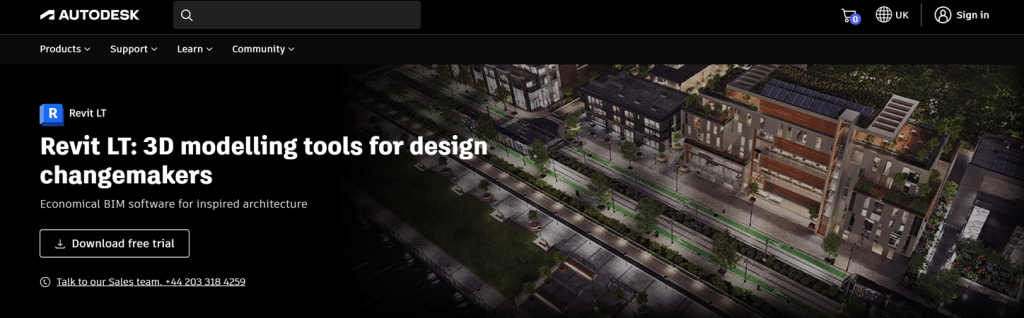
Illustration of Revit LT on Freelance Stack's deal page
1 deal available
Premium Deal #1

7% off on any plan

All our deals are negotiated by our team to give you the best discount and are updated regularly.
This deal is available to new customers or customers on a free plan of the tool.
Save Money !
Logo Freelance Stack blanc
Freelance Stack 
Premium
Access our 850+ exclusive promo code for $55/year.
and over 850 other deals.
and +850...
general information
ALTERNATIVES
YOU MAY ALSO LIKE...

📅 April 2026 -

 Our promo code verified with the software 

Autodesk Revit LT

Benefit from 7% off on any plan on Autodesk Revit LT.

Save 7% off on any plan on Autodesk Revit LT thanks to our exclusive partnership.

Freelance Stack is the first deals platform to access best discounts, coupon codes and credits on 650+ software, SaaS and online services for entrepreneurs and startups. We offer exclusive and validated discounts that we negotiate directly with partners to help you to grow and save money. Our coupon codes enable thousands of entrepreneurs, startups, freelancers and consultants to save thousands of euros on software subscriptions.

Don't wait any longer and save 7% off on any plan on Autodesk Revit LT.

📄 Information about 

Autodesk Revit LT

Revit LT is a simplified version of Revit, the building information modelling (BIM) software developed by Autodesk. Designed for architects and designers who focus on primarily on 3D modelling and 2D documentation, Revit LT offers the essential functionality of Revit, but with more limited tools for collaboration and the creation of more advanced content.

It allows you to create 3D plans, sections and views, while automatically generating detailed construction drawings. Revit LT is ideal for small companies or individual professionals who want to adopt BIM at a reduced cost, while maintaining a high level of precision in design and documentation.

What is Revit LT? A BIM (Building Information Modelling) solution for the self-starter, Revit LT™ is a cost-effective project workhorse for the small architecture studio or solo practitioner.

  • Get all the design-to-documentation power of Revit at a fraction of the cost.
  • Win more work where BIM is required.
  • Accelerate production workflows and standardize deliverables to reduce rework.

What you can do with Revit LT:

  • Quickly define and document design intent: With tools for sketching, model family creation, scheduling, annotating and document production, Revit LT drives efficient BIM workflows for architectural design.
  • Grow your design business around BIM: Qualify and win projects with a BIM approach. Impress clients in design review with 3D visualisation and data-rich documentation, and effectively protect timelines and fees with Revit LT's productivity and co-ordination tools.
  • Work with the best of BIM and CAD software: Manage and integrate CAD and BIM data into clear, co-ordinated and complete design deliverables. Purchase Revit LT and AutoCAD LT together in the AutoCAD Revit LT Suite and save big compared to stand-alone subscriptions.

📋 Autodesk Revit LT features:

In this section, you will find our opinion the main features of Autodesk Revit LT. All of these features are subject to regular updates. We recommend that you check that they are available before purchasing any software.

Autodesk Revit LT is a streamlined yet powerful Building Information Modeling (BIM) solution specifically designed for architects, designers, and smaller architectural firms who need professional-grade 3D modeling capabilities without the complexity of enterprise-level features. This software bridges the gap between basic CAD tools and full-scale BIM platforms, offering an accessible entry point into intelligent 3D design workflows that automatically coordinate drawings, schedules, and documentation as your project evolves.

Unlike traditional drafting software, which treats each drawing as a separate entity, Revit LT uses a unified, model-based approach where every change you make instantly updates across all project views, ensuring consistency across plans, sections, elevations, and schedules. This intelligent coordination eliminates the tedious manual updates that plague traditional CAD workflows, allowing you to Focus on design rather than documentation maintenance. The software particularly excels in residential and small commercial projects, where its intuitive interface and comprehensive library of building components can significantly accelerate the design process.

What sets Revit LT apart in the marketplace is its subscription-based model combined with genuine BIM capabilities, making it an attractive option for solo practitioners and small firms who previously found full BIM solutions to be prohibitively expensive or unnecessarily complex. The software remains compatible with the broader Autodesk ecosystem while providing the essential tools needed for modern architectural practice, including parametric modeling, automated documentation generation, and basic visualization capabilities.

  • Parametric 3D modeling: allows you to create intelligent building components that automatically adjust when parameters change, such as wall heights updating throughout the model when you modify floor-to-floor dimensions. This parametric behavior extends to doors, windows, and other building elements, ensuring geometric relationships remain intact as your design evolves.
  • Automated documentation generation: generates construction drawings, sections, and elevations directly from your 3D model, with annotations and dimensions that update automatically when design changes occur. You can create detailed floor plans, building sections, and exterior elevations without manually redrawing elements, significantly reducing documentation time and eliminating coordination errors.
  • Building component libraries: provide access to thousands of pre-built families, including doors, windows, structural elements, and MEP components, that you can customize to match project specifications. These families contain embedded intelligence about their real-world behavior, such as doors that automatically cut openings in walls and windows that adjust to wall thickness.
  • Worksharing capabilities: enable small teams to collaborate on the same model simultaneously, with each team member able to work on different building elements or areas while changes are synchronized across the project. The software manages file conflicts and maintains model integrity even when multiple users modify related components.
  • Schedule and quantity generation: automatically extracts material quantities, room areas, and component counts from your 3D model, creating accurate schedules that update in real time as your design changes. These schedules can include door schedules, window schedules, room finish schedules, and material takeoffs for cost estimation.
  • Basic rendering and visualization: tools help you convey design intent through photorealistic images and simple walkthroughs, using built-in materials and lighting to showcase spaces effectively. While not as advanced as dedicated rendering software, these capabilities provide sufficient quality for most design presentations and client communications.
  • Cloud collaboration features: through Autodesk's A360 platform enable file sharing, version control, and remote access to projects from any device with internet connectivity. Team members can review models, add comments, and track design progress without requiring the full software installation.
  • Standards-compliant output: ensures that drawings and documentation meet industry standards and can be easily shared with consultants, contractors, and regulatory agencies who may use different software platforms. The software supports standard file formats and maintains compatibility with traditional CAD workflows when necessary.

The integration of these features creates a cohesive design environment where architectural intent translates seamlessly into accurate documentation, making Revit LT particularly valuable for firms transitioning from traditional CAD methods to modern BIM workflows without overwhelming complexity or excessive licensing costs.

📊 Autodesk Revit LT Pros and Cons:

This section provides a summary of the advantages and limitations of using Autodesk Revit LT on a daily basis. We are not paid or influenced by brands, and this content is solely our own. These features, their advantages and disadvantages are likely to change regularly, both positively and negatively. If you have complex needs, we invite you to contact the software publisher directly for more information about your requirements. 

👍 Pros with Autodesk Revit LT:

  • Streamlined BIM workflow for small to medium-sized projects: Autodesk Revit LT provides the core Building Information Modeling capabilities that architects and designers need without the complexity of the full Revit suite. You can create detailed 3D models, generate accurate 2D documentation, and maintain design consistency across all project views. The software automatically updates drawings when you make changes to the model, eliminating the tedious manual coordination that plagues traditional CAD workflows. This intelligent approach significantly reduces errors and ensures that your construction documents always reflect the latest design decisions.
  • Cost-effective entry into professional BIM: For solo practitioners and small firms, Revit LT offers an affordable gateway to industry-standard BIM technology without requiring a substantial upfront investment. You gain access to the same parametric modeling engine used by major architectural firms worldwide, allowing you to compete for projects that require BIM deliverables. The subscription model makes budgeting predictable while providing access to regular updates and cloud services. This democratization of BIM technology levels the playing field for smaller practices that previously couldn’t justify the cost of full BIM solutions.
  • Seamless integration with construction industry standards: Revit LT speaks the language of modern construction projects, supporting industry-standard file formats such as IFC for seamless collaboration with consultants and contractors. You can easily share models with team members using the full version of Revit, participate in federated model reviews, and contribute to larger BIM coordination efforts. The software’s compatibility with Autodesk’s ecosystem ensures smooth data exchange with other design tools, while its support for CAD imports helps you leverage existing drawing libraries during the transition to BIM.
  • Intelligent documentation generation: Unlike traditional drafting tools, where each view exists independently, Revit LT maintains live connections between your 3D model and all 2D outputs. When you modify a wall height or adjust room layouts, floor plans, sections, elevations, and schedules update automatically throughout the project. This parametric relationship extends to annotations, dimensions, and tags, ensuring that your documentation remains accurate and coordinated. The software can generate detailed material takeoffs, room schedules, and other project data directly from the model, providing valuable insights for cost estimation and project management.
  • Professional-grade visualization and presentation tools: Revit LT includes robust rendering capabilities that transform your BIM models into compelling visual presentations without requiring additional software. You can apply realistic materials, set up lighting scenarios, and generate high-quality renderings that effectively communicate design intent to clients and stakeholders. The software supports both interior and exterior visualization, with advanced material libraries and environmental settings that produce photorealistic results. These visualization tools help you win projects by presenting designs in a format that non-technical audiences can easily understand and appreciate.
  • Cloud-based collaboration and mobility: Modern architectural practice requires flexibility, and Revit LT delivers through its integration with Autodesk's cloud services. You can store projects in the cloud, enabling secure access from multiple devices and locations while maintaining version control. The mobile companion apps allow you to review models and markups in the field, streamlining the connection between the design office and the construction site. This cloud connectivity also facilitates client presentations and remote collaboration-essential capabilities in today's distributed work environment.

👎 Cons with Autodesk Revit LT:

  • Shift from Drafting to Data Management: The learning curve is no longer about the interface, which has been streamlined for 2026. The challenge lies in the information within BIM. Users must learn to manage data parameters and phasing rather than simply drawing lines. It is a mental shift from "drawing a building" to assembling a database of components, which requires a higher level of technical discipline during the early design phases to ensure that automated schedules and sections remain accurate.
  • Restrictions on Synchronous Multi-User Editing: The limitation in 2026 is specifically the lack of internal worksets. In a small firm, two people cannot open the same project file and check out different worksets to design at the same time. While you can coordinate seamlessly with external consultants in the cloud, an internal team of more than one person will find it difficult to collaborate on a single, large project file simultaneously, making it best suited for solo leads or projects that can be split into separate linked files.
  • Project-Level Parametric Constraints: While the 2026 version allows you to create sophisticated custom families, Revit LT still lacks the ability to use Global Parameters within the project file itself. This means you cannot link dimensions across different family categories or drive project-wide changes through a single global value (e.g., a uniform window sill height across various types). This remains a key differentiator, requiring more manual coordination for large-scale architectural changes compared to the full Revit suite.
  • Curated Automation vs. Custom Development: You can now use a library of standard automation scripts to speed up documentation, but you still cannot install third-party add-ins from the Autodesk App Store or develop your own custom plugins. If your firm relies on specialized niche tools like Enscape (as a live-sync plugin) or complex structural analysis extensions, you will find that these third-party developers still prioritize the full Revit API, leaving LT users with only the native, built-in toolset.
  • Subscription-only pricing model with ongoing costs: Autodesk has switched exclusively to a subscription-based pricing structure, meaning you'll have to make ongoing annual or monthly payments to maintain access to Revit LT. Unlike traditional software purchases where you could use the software indefinitely, the subscription model creates an ongoing financial commitment that can become burdensome for freelancers or small firms with fluctuating project volumes. Additionally, if you cancel your subscription, you lose access to your files unless you maintain a separate viewer or convert them to other formats before cancellation.

💰 Autodesk Revit LT pricing:

All prices listed are taken from the Autodesk Revit LT software website. However, these prices are subject to change regularly. We recommend that you check them directly on each software's website to be sure. 

Autodesk Revit LT offers a streamlined pricing structure with a single subscription plan designed for individual users and small teams. The software is available exclusively through monthly or annual subscriptions, providing access to core BIM functionality at a more affordable price than the full Revit suite.

All subscriptions include cloud services, technical support, and automatic updates to ensure you always have access to the latest features and improvements.


Plan Rates Included
Monthly Subscription $75/month Core BIM tools, cloud services, technical support
Annual Subscription $600/year Core BIM tools, cloud services, technical support, 20% savings

💬 Frequently asked questions about Autodesk Revit LT's promo:

In this section, you will find all the main questions you may have about accessing this discount. We wanted to provide you with as much information as possible to help you save as much as possible on your software subscriptions. 

1️⃣ How to access to the deal with Autodesk Revit LT?

This promo code allows you to save money and enjoy premium features on Autodesk Revit LT paid plans and subscriptions. Check the eligibility criteria on this page to see if you can benefit from this discount. Don't miss out on the opportunity to pay less for your subscription to one of the best tools on the market.

2️⃣ Why Freelance Stack can help you to access to Autodesk Revit LT discount?

As a partner of Autodesk Revit LT, you can easily save on your subscription to this software. Without us or another affiliate partner, you will have difficulties to activate the discount. We are the largest discount promo code platform for software and SaaS in the world.

3️⃣ How to use Autodesk Revit LT deal?

To use the discount with Autodesk Revit LT, you need to click on the various buttons that may be available on the right side of the deal page and follow the instructions to unlock this promotion.

4️⃣ What are Autodesk Revit LT's promo requirements?

We specify all the terms and conditions on each deal page. You must click on the various buttons on the deal page to view all the terms and conditions. This deal is available to new customers or customers on a free plan with Autodesk Revit LT.

🔄 Alternatives to Autodesk Revit LT software:

Find the right software with our suggestions for alternative solutions.

When growing a business, comparing the right tools is essential. With thousands of options available, these solutions are strong alternatives to Autodesk Revit LT 
Indeed, Autodesk Revit LT is a solution that can adapt according to your needs:

1️⃣ If you're a freelancer or consultant:

As an independent architect or designer, you need cost-effective solutions that don't compromise on quality. SketchUp Pro offers excellent 3D modeling capabilities at a fraction of Revit LT's cost, with an intuitive interface that significantly reduces the learning curve. Its extensive library of plugins and components makes it particularly well-suited for conceptual design and client presentations. Archicad Solo provides full BIM functionality specifically designed for individual practitioners, offering parametric design tools and comprehensive documentation features. The software includes excellent collaboration tools for working with consultants and clients. For simpler projects, Vectorworks Architect combines 2D drafting with 3D modeling in a more affordable package, featuring robust presentation capabilities and industry-standard file compatibility that ensures seamless project handovers to larger firms.

2️⃣ If you're a startup:

Growing architectural firms need scalable solutions that can adapt to changes in team size and project complexity. Archicad offers robust BIM capabilities with flexible licensing options, making it ideal for small teams expecting to grow. Its collaborative features allow multiple team members to work on projects simultaneously while maintaining design integrity. Vectorworks Architect provides comprehensive design tools from concept to construction documentation, with strong interoperability features that facilitate collaboration with engineers and contractors. The software's modular approach allows startups to add functionality as needed. Chief Architect presents an excellent middle-ground solution, combining ease of use with professional-grade features. Its automated building tools and extensive material libraries help small teams produce high-quality deliverables quickly, while its competitive pricing structure makes it accessible for budget-conscious startups establishing their technological foundation.

3️⃣ If you're a small or medium-sized business:

Established firms require enterprise-level capabilities with predictable costs and reliable support. Archicad delivers comprehensive BIM functionality with excellent team collaboration features, robust project management tools, and a strong technical support infrastructure. Its open BIM approach ensures compatibility with consultants using different software platforms, which is essential for multidisciplinary projects. Bentley MicroStation provides powerful CAD and BIM capabilities with exceptional file format support, making it ideal for firms working on diverse project types and scales. The software's customization options allow teams to develop standardized workflows and templates. Vectorworks Architect offers a complete design solution from schematic design through construction administration, with strong rendering capabilities and comprehensive documentation tools. Its network licensing options and multi-platform support make it particularly suitable for firms with mixed hardware environments and varying user needs across different project phases.

Otherwise, these other software programs may also be a good alternative to Autodesk Revit LT

🆕 Our new Premium deals:

We offer discounts on 650+ different software. We regularly add new discounts on the best software for freelancers, consultants and entrepreneurs.

Discover these new software in addition to the deal we offer with Autodesk Revit LT.

👤 Our members have just used these other deals:

We offer on 850+ different software. That's both a lot and a little compared to all the software that exists and that could help you in your business as entrepreneur or business owner.

Discover new software and discounts to complement the deal we offer on Autodesk Revit LT