logo anime freelance stack blanc
Logo de Veed sur Freelance Stack
Tous les deals (850+)
Logo de Veed sur Freelance Stack

Veed

Deal Gratuit
2 deals disponibles
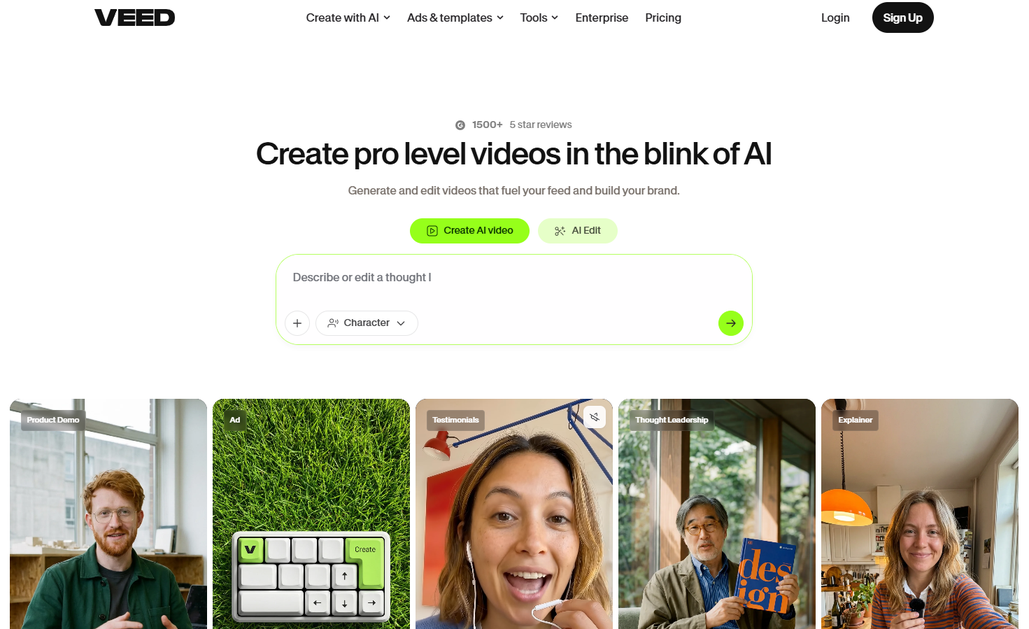
Create Pro level videos in the Blink of AI.
The easy way to create stunning videos, add subtitles and grow your audience.
Faites le plein d’économies avec +850 deals 💶
Explorer tous des deals
Illustration de Veed sur la page du deal de Freelance Stack
2 deals disponibles
Deal Gratuit
Deal Premium #1

Jusqu'à -50% sur l'abo. annuel

Tous nos les deals sont négociés par notre équipe pour vous permettre de bénéficier de la meilleure réduction et sont mis à jour régulièrement.
Ce deal nécessite de vous créer un nouveau compte pour bénéficier de la réduction. Il est réservé aux nouveaux clients

-30% en plus sur l'abo.

Tous nos les deals sont négociés par notre équipe pour vous permettre de bénéficier de la meilleure réduction et sont mis à jour régulièrement.
Ce deal est disponible pour les nouveaux clients ou client sur un plan gratuit de l'outil.
Save Money !
Logo Freelance Stack blanc
Freelance Stack 
Premium
Accédez à nos 850+ codes promo exclusifs pour 55€ / an 💶.
et plus de 850 autres deals.
et +850...
INFORMATION Générale
ALTERNATIVES
VOUS AIMEREZ AUSSI...

📅 avril 2026 -

 Notre code promo vérifié avec le logiciel 

Veed

Profitez d’une réduction de -30% en plus sur l'abo. sur les services proposées par Veed

Economisez -30% en plus sur l'abo. sur l’adhésion à une offre chez Veed grâce à notre partenariat exclusif. 

Freelance Stack est la première plateforme de deal à vous proposer des réductions, codes promos et crédits sur 650+ logiciels, SaaS et service en ligne pour les entrepreneurs et startups. Nous proposons des réductions exclusives validées que nous négocions directement avec les éditeurs afin de vous permettre de faire des économies. Nos codes promos permettent à des milliers d'entrepreneurs, de startups, d'indépendants, freelances ou encore consultants d'économiser des milliers d'euros lors de la souscription de ces logiciels.

N’attendez plus et économisez -30% en plus sur l'abo. sur les services proposés par Veed.

📄 Information sur le logiciel 

Veed

Veed is a powerful and easy-to-use online video editing platform that enables users to create professional-quality videos directly from their web browser. Designed for content creators, marketers, educators, and businesses, Veed eliminates the need for complex desktop software, offering a seamless, cloud-based editing experience.

Whether you're creating social media videos, marketing ads, tutorials, or presentations, Veed simplifies the entire video production process.

Here are key features of Veed:

  • Online Video Editing:

Edit videos directly from your web browser without the need for software downloads. The intuitive drag-and-drop interface allows for easy trimming, cutting, and merging of clips.

  • Automatic Subtitles & Transcription:

Generate subtitles and transcriptions in multiple languages using AI, making your videos more accessible and searchable. The platform allows easy customization of the generated text.

  • Text, Effects & Filters:

Add dynamic text overlays, animations, stickers, and various visual effects to enhance your video content. Customize filters, transitions, and color grading for a professional touch.

  • Background Noise Removal:

Improve audio clarity with AI-powered noise reduction, eliminating unwanted background sounds and enhancing voice quality for a better viewing experience.

  • Screen & Webcam Recording:

Record your screen, webcam, or both at the same time, making it perfect for creating tutorials, presentations, or remote work content.

  • AI-Powered Features:

Utilize AI-driven tools like text-to-speech and automatic voiceovers, helping you save time and produce high-quality content effortlessly.

  • Branding & Customization:

Easily add logos, watermarks, and brand colors to maintain a professional and consistent look across your videos.

  • Collaboration & Cloud Storage:

Collaborate with teams in real-time on video projects, and store all your work securely in the cloud, accessible from any device.

  • Export & Sharing Options:

Download videos in HD or 4K quality and share them directly to popular social media platforms like YouTube, Instagram, and TikTok.

  • Content Repurposing & Podcast Editing:

Repurpose videos into different formats and optimize them for various platforms. Additionally, edit podcasts with audio enhancement tools and visual elements to make them more engaging.

📋 Les principales fonctionnalités de Veed :

Retrouvez dans cette section notre avis sur les principales fonctionnalités de Veed. L'ensemble de ces fonctionnalités sont amenées à évoluer régulièrement. Nous vous conseillons de bien vérifier l'existance de celle-ci avant de souscrire à chaque logiciel.

Veed is a video editing platform designed specifically for content creators, marketers, and businesses who need to produce professional-quality videos without the complexity of traditional editing software. The platform operates entirely through your web browser, eliminating the need for downloads or installations while providing access to powerful editing tools that rival desktop applications. What sets Veed apart is its focus on accessibility and speed, making video editing approachable for users regardless of their technical background.

The platform excels at bridging the gap between basic online video tools and professional editing suites. Veed understands that modern content creation demands efficiency without sacrificing quality, which is why it combines intuitive drag-and-drop functionality with advanced features like AI-powered transcription, multi-track editing, and collaborative workflows. Whether you're creating social media content, educational videos, marketing materials, or corporate presentations, Veed provides the tools necessary to produce engaging content that meets professional standards.

At its core, Veed operates on a cloud-based infrastructure that ensures your projects are always accessible and automatically saved. This approach not only provides flexibility in where and how you work but also enables seamless collaboration with team members, making it particularly valuable for agencies, content teams, and remote workers who need to coordinate video production efforts across different locations and time zones.

  • Browser-based video editor: The platform runs entirely in your web browser without requiring any software installation, providing full access to editing tools through a clean, responsive interface that works consistently across different operating systems and devices. This accessibility means you can start editing immediately from any computer with an internet connection.
  • AI-powered automatic transcription: Veed generates accurate subtitles and captions for your videos using advanced speech recognition technology, supporting multiple languages and allowing for manual editing of the generated text. The system handles various accents and audio qualities effectively, making it invaluable for creating accessible content and improving video SEO.
  • Multi-track timeline editing: The editor supports multiple video and audio tracks, enabling complex editing workflows with layered content, background music, voiceovers, and visual elements. You can precisely control timing, transitions, and synchronization between different media elements to create sophisticated video compositions.
  • Extensive media library: Access to millions of stock videos, images, audio tracks, and sound effects directly within the editor, along with the ability to upload and manage your own media assets. The library integrates seamlessly with the editing workflow, allowing you to enhance your content without leaving the platform.
  • Advanced text and graphics tools: Comprehensive typography controls with customizable fonts, colors, animations, and positioning options, plus graphic elements like shapes, icons, and overlays. These tools enable the creation of professional-looking titles, lower thirds, call-to-action graphics, and branded elements that enhance video engagement.
  • Real-time collaboration features: Multiple team members can work on the same project simultaneously, with changes synchronized in real-time and commenting functionality for feedback and approval workflows. The collaboration system includes version control and project sharing options that streamline team-based video production.
  • Format optimization and export options: Intelligent export settings that automatically optimize videos for different platforms and use cases, including social media formats, web streaming, and high-quality downloads. The system handles aspect ratio adjustments, compression settings, and quality optimization based on your intended distribution channel.
  • Screen and webcam recording: Built-in recording capabilities that capture your screen, webcam, or both simultaneously, with options for system audio recording and microphone input. This functionality is particularly valuable for creating tutorials, presentations, and educational content without needing separate recording software.

These features work together to create a cohesive editing environment that scales from simple video adjustments to complex multi-element productions. Veed's strength lies in making professional video editing capabilities accessible to users who need reliable, high-quality results without investing time in learning complex software interfaces or managing technical setup requirements.

📊 Avantages et inconvénients de Veed :

Cette section vous permet de retrouver une synthèse des avantages et limites que peut représenter l'usage de Veed au quotidien. Nous ne sommes pas rémunéré ou influencé par les marques et ce contenu n'engage que nous. Ces fonctionnalités, leurs avantages et inconvénients sont susceptibles d'évoluer très régulièrement positivement comme négativement. En cas de besoin complexe, nous vous invitons à contacter directement l'éditeur de logiciel afin d'obtenir plus d'informations sur votre besoin. 

👍 Ce que l'on aime avec Veed :

  • Cloud-Powered Browser Editing: You can edit your videos directly in your browser, meaning you don't need to install massive files or check for system compatibility. Since the heavy rendering happens on remote servers, it is easier on your computer’s hardware than traditional software. This allows you to start a project on your office desktop and finish it on a laptop at a cafe, provided you have a solid connection.
  • Professional-grade automatic subtitles and transcription: The platform's AI-powered subtitle generation goes beyond basic speech recognition to deliver remarkably accurate transcriptions that understand context, punctuation, and speaker changes. You can generate subtitles in over 95 languages with impressive accuracy rates, and the system automatically formats them for readability. What sets VEED apart is the ease of editing these subtitles directly in the timeline, with real-time preview and the ability to adjust timing, styling, and positioning with simple clicks. This feature alone can save hours of manual transcription work, making content accessible to broader audiences while improving SEO performance for social media and web content.
  • Extensive template library for rapid content creation: VEED provides thousands of professionally designed templates across various categories including social media posts, marketing videos, educational content, and business presentations. These aren't just basic layouts but complete video frameworks with coordinated graphics, transitions, and even suggested text placements. Each template is fully customizable, allowing you to maintain brand consistency while dramatically reducing production time. The templates are regularly updated to reflect current design trends and platform requirements, ensuring your content always looks contemporary and platform-appropriate whether you're creating for Instagram Stories, LinkedIn posts, or YouTube thumbnails.
  • Seamless integration with popular platforms and workflows: The platform excels at understanding the specific requirements of different social media platforms and automatically optimizes your content accordingly. You can export videos in multiple formats simultaneously, with VEED handling the aspect ratio adjustments, compression settings, and file size limitations for each platform. The integration extends to popular tools like Dropbox, Google Drive, and various social media schedulers, streamlining your entire content distribution process. This eliminates the common headache of manually reformatting content for different channels and ensures optimal quality across all your publishing destinations.
  • Collaborative features that streamline team workflows: VEED's collaboration tools allow multiple team members to work on projects simultaneously with real-time commenting, version control, and approval workflows. Team members can leave timestamped feedback directly on the video timeline, making communication precise and actionable. The platform maintains a complete revision history, so you can easily revert changes or compare different versions. Permission levels ensure that stakeholders can review and comment without accidentally modifying the project, while editors retain full control over implementation. This collaborative approach significantly reduces the back-and-forth emails and confusion that typically plague video production projects, especially when working with clients or distributed teams.
  • Social-First Advanced Tools: While the interface is built for speed, it includes high-impact features like one-click green screen removal, AI background noise cleaning, and brand kit integration. These tools allow you to produce polished, professional-looking social content without needing to master complex software like After Effects. It is the perfect middle ground for creators who want more than basic cutting but don't need the frame-by-frame complexity of a traditional desktop suite.

👎 Ce qu'on aime moins avec Veed :

  • Simplified Toolset for Social Content: Even though it is feature-rich, it lacks the surgical precision of professional software like Premiere Pro. You won't find advanced color grading wheels, complex motion graphics keyframing, or highly granular timeline controls. If your project requires intricate layers and high-end visual effects, the browser-based environment might feel too restrictive. It is built for efficiency in social media production rather than long-form cinematic editing.
  • Performance issues with large files: Veed's browser-based nature becomes a significant limitation when working with large video files or high-resolution content. Upload times can be substantial for lengthy videos or 4K footage, and processing speeds may vary dramatically depending on your internet connection quality. The platform can struggle with files over several gigabytes, sometimes resulting in failed uploads or extended rendering times. This makes it less suitable for professional workflows that regularly handle large-scale video content or tight deadline projects where processing speed is crucial.
  • Subscription costs can escalate quickly: While Veed offers a free tier, the limitations quickly push users toward paid plans for any serious video work. The pricing structure can become expensive for frequent users, especially when compared to one-time purchase desktop alternatives. Advanced features like removing watermarks, accessing premium stock content, or extending export limits require higher-tier subscriptions. Small businesses or independent creators might find the monthly costs challenging to justify, particularly if they only edit videos occasionally or are working with tight budgets.
  • Internet dependency and offline limitations: Being entirely cloud-based means Veed becomes unusable without a stable internet connection. This creates challenges for users who travel frequently, work in areas with unreliable connectivity, or prefer to work offline. Unlike traditional editing software that operates independently once installed, every aspect of Veed requires continuous internet access, from file uploads to real-time editing and final exports. This dependency can be particularly problematic for urgent projects when internet issues arise unexpectedly.
  • Automated Audio Processing: The audio tools are heavily reliant on AI, such as the one-click button to remove background noise or hum. This works well for quick fixes, but the platform lacks a full multitrack mixer or granular equalizer controls. If you are working on a project with complex sound design or need to balance multiple audio layers with professional precision, you will likely need to process your sound in a dedicated audio editor before importing it.

💰 Les tarifs de Veed :

L'ensemble des tarifs indiqués proviennent du site du logiciel Veed. Cependant, ces tarifs sont susceptibles d'évoluer réguilèrement. Nous vous conseillons de les vérifier directement sur le site de chaque logiciel pour vous en assurer. 

VEED offers a progressive pricing approach tailored to every user's needs, from occasional creators to professional teams. The platform provides a generous free plan for getting started, complemented by paid plans that unlock advanced features and higher production capacity.

The rates are designed to scale with your projects, allowing you to start for free before migrating to more comprehensive plans based on your needs for video duration, export quality, and collaborative features.


Plan Pricing Includes
Free Free Videos up to 10 min, VEED watermark, 720p export, basic tools
Basic $18/month Videos up to 25 min, no watermark, 1080p export, auto-subtitles, 50 GB storage
Pro $30/month Videos up to 2h, 4K export, advanced transcription, 500 GB storage, brand kit, collaboration
Business $59/month per seat Unlimited videos, priority rendering, AI avatars, 2 TB storage, team workspace

💬 Questions fréquentes autour de cette promo avec Veed :

Retrouvez dans cette section l'ensemble des principales questions que vous pourriez vous poser concernant l'accès à cette réduction. Nous avons voulu vous apporter un maximum d'informations pour vous permettre de faire un maximum d'économies sur vos abonnements logiciels. 

1️⃣ Comment accéder au deal avec Veed ?

Ce code promo vous permet d’économiser ainsi que de profiter des fonctionnalités premium disponibles sur les formules et abonnement payants de Veed. Consultez les critères d’éligibilité sur cette page pour vérifier si vous pouvez bénéficier de cette réduction. Ne ratez pas l’occasion de payer moins cher votre abonnement à cet outil grâce l'un des meilleurs outils du marché.

2️⃣ Pourquoi profiter de cette réduction avec Veed en passant par Freelance Stack ?

En tant que partenaire de Veed, vous pouvez économiser facilement sur votre adhésion à ce logiciel. Sans nous ou un autre partenaire affilié, vous n’aurez pas accès à cette réduction ni aux économies importantes qu’elle propose. Nous sommes la plus grosse plateforme de réductions et de codes promo sur les logiciels et SaaS dans le monde.

3️⃣ Comment utiliser ce deal Veed ?

Pour utiliser ce deal Veed, cliquez sur les différents boutons qui peuvent être disponibles à droite de la page du deal et suivez les instructions pour débloquer cette promo.

4️⃣ Qui peut profiter de la réduction avec Veed ?

Nous précisons l'ensemble des conditions sur la page de chaque deal. Il faut alors cliquer sur les différents boutons sur la page du deal pour connaitre l'ensemble des conditions. Ce deal est disponible pour les nouveaux clients ou client sur un plan gratuit de l'outil Veed.

🔄 Alternatives au logiciel Veed :

Trouvez le bon logiciel grâce à nos propositions de solutions alternatives.

Quand on développe son activité, il est important de comparer les outils qui peuvent vous aider à développer votre activité. Il existe des milliers d'outils et logiciels différents. Ces outils sont des alternatives intéressantes à Veed
En effet, Veed est une solution qui peut s'adapter en fonction de vos besoins :

1️⃣ If you are a freelancer or consultant:

For solo professionals working on client video projects, DaVinci Resolve stands out as a powerful free alternative that offers professional-grade editing capabilities without subscription fees. Its advanced color grading tools and multi-track editing make it perfect for delivering high-quality content to demanding clients. Canva provides an excellent middle ground for freelancers who need quick video creation capabilities alongside graphic design tools. Its template library and intuitive interface allow you to produce social media videos efficiently while maintaining brand consistency across projects. OpenShot offers a lightweight solution for freelancers handling straightforward editing tasks, with cross-platform compatibility and no licensing costs that eat into project margins.

2️⃣ If you are a startup:

Loom excels for startups needing quick screen recordings and team communication videos, with seamless sharing capabilities that facilitate remote collaboration and customer onboarding. Its async video messaging features help distributed teams stay connected without scheduling conflicts. Animoto provides startups with professional marketing video templates that require minimal editing skills, perfect for creating product demos and social media content when design resources are limited. InVideo offers extensive template libraries and stock footage access, enabling startups to produce polished promotional content quickly. Its collaborative features allow multiple team members to contribute to video projects, while the affordable pricing scales with growing content needs.

3️⃣ If you are a SMB:

Adobe Premiere Pro remains the industry standard for businesses requiring advanced editing capabilities and seamless integration with other Creative Suite applications. Its professional toolset justifies the investment for companies producing regular video content across multiple channels. Filmora strikes an excellent balance between functionality and ease of use, offering intuitive editing tools that non-specialists can master quickly while still providing enough features for professional output. Its lifetime licensing option appeals to budget-conscious businesses. Camtasia specializes in screen recording and tutorial creation, making it invaluable for companies developing training materials, software demonstrations, or educational content. Its built-in annotations and interactive elements enhance viewer engagement without requiring additional software investments.

Sinon, ces autres logiciels peuvent également être une alternative intéressante à Veed

🆕 Nos nouveaux deals Premium :

On vous propose des réductions sur plus de 650 logiciels différents. Nous ajoutons régulièrement de nouvelles réductions sur les meilleurs logiciels dédiés aux freelances, consultants et entrepreneurs.

Découvrez ces nouveaux logiciels en complément du deal que nous vous proposons avec Veed.

👤 Nos membres viennent d'utiliser ces différents deals :

On vous propose des réductions sur plus de 850 logiciels différents. C'est à la fois beaucoup et peu par rapport à tous les logiciels qui peuvent exister et qui pourront vous aider dans votre activité en tant qu'indépendant ou entrepreneur.

Découvrez de nouvelles solutions et de nouveaux logiciels en complément du deal que nous vous proposons sur Veed.