






A Comprehensive Comparison of No-Code Video Editing Tools
In this guide, we review six leading no-code solutions: Descript, Veed.io, InVideo AI, Pictory, OpusClip, and Lumen5.…
Read more


Just two or three years ago, getting a website ranked on Google was a relatively straightforward process: well-placed keywords, high-quality backlinks, a solid site structure—and that was all it took. Things aren’t that simple anymore. The rise of AI-powered search engines, the widespread use of direct answers in SERPs, and the latest updates to Google’s algorithm have completely changed the game.
What was enough yesterday might land you on the second page today. What didn’t exist in 2022 has become must-have 2026. Content churned out in bulk with no added value is penalized; signals of expertise and authority take precedence; and SEO must now be approached with an understanding of how AI systems (Perplexity, ChatGPT Search, Google SGE, etc.) consume and synthesize information.
Given these changes, the good news is that there are robust tools available to help you stay on track. From all-in-one platforms to solutions focused on specific areas (content optimization, ranking tracking, technical analysis, etc.), the market has evolved as well. In this selection, you’ll find only tools available on Freelance Stack with discount just for you.


SEMrush is likely the most comprehensive SEO suite on the market. Used by over 10 million professionals worldwide, it covers the entire SEO spectrum: keyword research, competitive analysis, technical audits, rank tracking, backlink analysis, and now AI-powered content features. If you had to choose just one tool to manage your SEO strategy from start to finish, SEMrush is hard to beat.
The platform is built on an impressive database: over 25 billion indexed keywords, traffic data for 808 million domains, and rankings updated nearly every day. Among its most widely used modules:
Keyword Magic Tool:
Undoubtedly the most powerful keyword research tool on the market. It helps identify search intent, topic clusters, and long-tail opportunities that are often overlooked by competitors.
Website Audit:
A comprehensive crawler that identifies technical errors (missing tags, broken redirects, load times, Core Web Vitals, etc.) and prioritizes them based on their actual SEO impact.
Backlink Analytics:
To analyze your backlink profile and that of your competitors, identify link-building opportunities, and spot toxic links before they hurt your rankings.
Position Tracking:
Daily tracking of your strategic keywords' rankings, with customizable alerts.
SEO Content Template + SEO Writing Assistant:
Two tools that help you create content aligned with Google's expectations by analyzing what the top-ranking pages do for a given search query.
🧑💼 Freelancers and SEO consultants:
SEMrush is practically must-have consultants who need to produce audits and recommendations for their clients. The wealth of data and the quality of the reports make it possible to back up every recommendation with precise figures.
🚀 Growing startups and scale-ups:
When organic growth becomes a strategic priority, SEMrush provides the visibility needed to identify content opportunities, monitor competitors on the rise, and track performance over time.
🏢 In-house marketing teams:
For organizations that manage their SEO in-house, the platform centralizes everything: there’s no longer a need for separate tools for auditing, monitoring, and keyword research.


Surfer SEO occupies a unique position in the SEO tool ecosystem. While most platforms tackle a wide range of issues (technical, backlinks, content), Surfer has opted for radical specialization: everything is focused on content optimization. And in this regard, it is now the gold standard.
At the heart of Surfer is its Content Editor. You enter a target query, and the tool analyzes the top 10 ranking pages in real time to provide you with highly precise recommendations: keyword density, word count, heading structure, semantic entities to include, and an overall optimization score. You write directly in the editor, and a real-time score measures the SEO quality of your content.
Keyword Research:
Surfer includes a keyword research module that can automatically group queries into thematic clusters. This is very useful for planning a consistent content strategy across multiple pages.
Content audit:
To analyze existing pages and identify what’s missing to improve search rankings. Useful for websites that already have content but aren’t making progress.
SERP Analyzer:
A detailed analysis of the top-ranking pages for any search query, including data on page length, backlinks, structure, and more...
Surfer AI:
Surfer's generative AI feature, which can produce SEO-optimized drafts. It's very useful as a starting point, although human proofreading is still essential.
✍️ Content creators and SEO writers:
Surfer is the perfect tool for anyone whose daily work involves writing articles or web pages that need to rank well. The real-time editor eliminates guesswork and lets you know exactly where to make changes.
📈 Content marketing teams:
For teams that produce large volumes of content, Surfer helps ensure consistent SEO quality across all pieces, even when multiple writers are involved.
🔍 SEO managers and editorial project managers:
The combination of keyword research, clustering, and content briefs makes it a highly effective strategic planning tool.


Moz is not a newcomer to the SEO scene. Founded in 2004, the platform has helped shape the field and remains a leading authority, particularly thanks to its proprietary metrics: Domain Authority (DA) and Page Authority (PA). These metrics have become industry standards for assessing a domain’s credibility.
Keyword Explorer:
Moz's keyword research tool stands out for the quality of its difficulty data. It provides a more nuanced difficulty score than its competitors, allowing you to identify realistic opportunities based on your current domain authority.
Link Explorer:
Backlink analysis is probably Moz's strongest feature. Its link database is robust, and the interface allows you to conduct a detailed analysis of a domain's authority profile, identify the pages that receive the most backlinks, and compare multiple domains.
Site Crawl:
a regular technical audit that identifies critical issues and errors that need to be corrected. The reports are clear and actionable.
Rank Tracker:
Track your rankings for target keywords, with comparisons over time and against competitors.
MozBar:
Moz's Chrome extension, which displays authority metrics directly in the SERPs. Handy for a quick analysis during your daily searches.
🔗 SEO link-building specialists:
The quality of its backlink data and the accuracy of its authority metrics make Moz the go-to resource for anyone serious about link-building strategy.
🧑🎓 Professionals new to SEO:
Moz has always been known for its outstanding educational resources. With its educational materials (Moz Academy, the blog, and free guides), it provides the perfect environment for building your skills while using the tool.
📊 Marketing managers who want a simple and clear report:
Moz's interface is perhaps less cluttered than SEMrush's, making it a good choice for users who want clear insights without getting overwhelmed by data.


Mangools is often seen as the affordable alternative to the major platforms. But to reduce this tool to its price alone would be to do it a disservice: Mangools offers a suite of five truly well-designed tools that cover most SEO needs with a level of ease of use rarely matched by the industry giants.
The Mangools suite consists of five separate applications:
KWFinder:
The keyword research tool, arguably the most popular feature of the suite. It identifies long-tail keywords with realistic difficulty levels, and its interface is particularly intuitive.
SERPChecker:
To analyze the SERP for any search query and understand why certain pages rank. The metrics displayed (DA, PA, backlinks, estimated traffic) allow you to quickly assess the competitiveness of a search query.
SERPWatcher:
Mangools' ranking tracking, featuring a proprietary metric called the "Dominance Index," provides a comprehensive view of a website's visibility that goes beyond just its average ranking.
LinkMiner:
Backlink analysis, featuring a streamlined interface that lets you quickly identify a competitor’s most powerful links.
SiteProfiler:
An overview of a domain’s authority, its main keywords, and its backlink profile.
🌱 Entrepreneurs and creators new to SEO:
Mangools is one of the best ways to get started in the world of SEO. The interface isn't overwhelming for beginners, the data is easy to understand, and the pricing makes it easy to try it out without a significant financial commitment.
💼 Freelancers and consultants on a tight budget:
For someone who manages a few client projects without needing the vast amount of data provided by a suite like SEMrush, Mangools offers everything you need at a reasonable price.
🏪 Small businesses that handle their SEO in-house:
When there isn't a dedicated SEO specialist on the team, Mangools lets any marketing manager quickly understand where the website stands and what needs to be done.
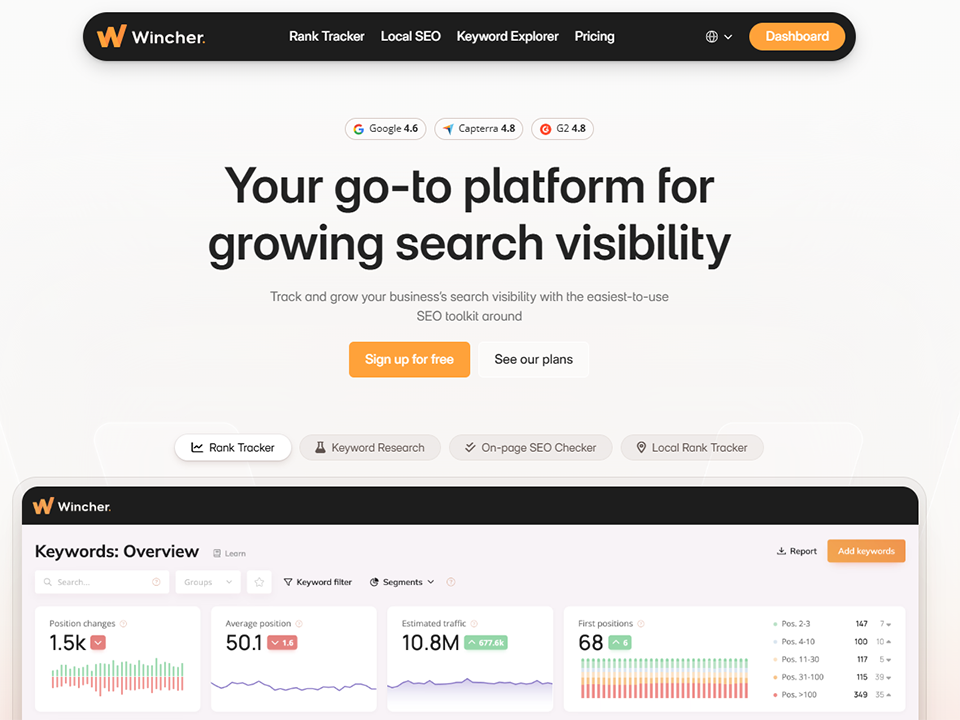
Wincher is a Swedish tool that has built a strong reputation in a highly competitive market: rank tracking. Unlike platforms that try to do everything, Wincher focuses on a single promise: to tell you exactly where your keywords are ranking, how your rankings are changing, and why.
Daily positioning tracking:
The main feature, with data updated daily. You set your keywords, and Wincher monitors them and alerts you if there are any significant changes.
Multi-country and multi-engine tracking:
This is particularly useful for websites that target multiple geographic markets. Wincher allows you to track rankings by country, region, and even city.
Automatic reports:
Wincher can send weekly or monthly reports to your clients or your team. This saves agencies and consultants a significant amount of time.
Competitive analysis:
Compare your rankings to those of your competitors for the same keywords, and view how they’ve changed over time.
Integration with Google Search Console:
By connecting your GSC, Wincher enriches its data with information on clicks and impressions, providing a more comprehensive view.
🧑💼 SEO consultants who manage multiple clients:
Automated reporting and multi-domain tracking make Wincher an ideal tool for agencies and entrepreneurs manage multiple portfolios.
📉 Webmasters and website publishers who want to monitor their rankings:
You don't need a full suite of tools if all you want to know is how your positions are performing. Wincher provides the answer accurately and without any unnecessary frills.
🌍 Entrepreneurs with a multilingual or international strategy:
Tracking by country and language, combined with a user-friendly interface, makes Wincher a valuable tool for companies targeting multiple markets.

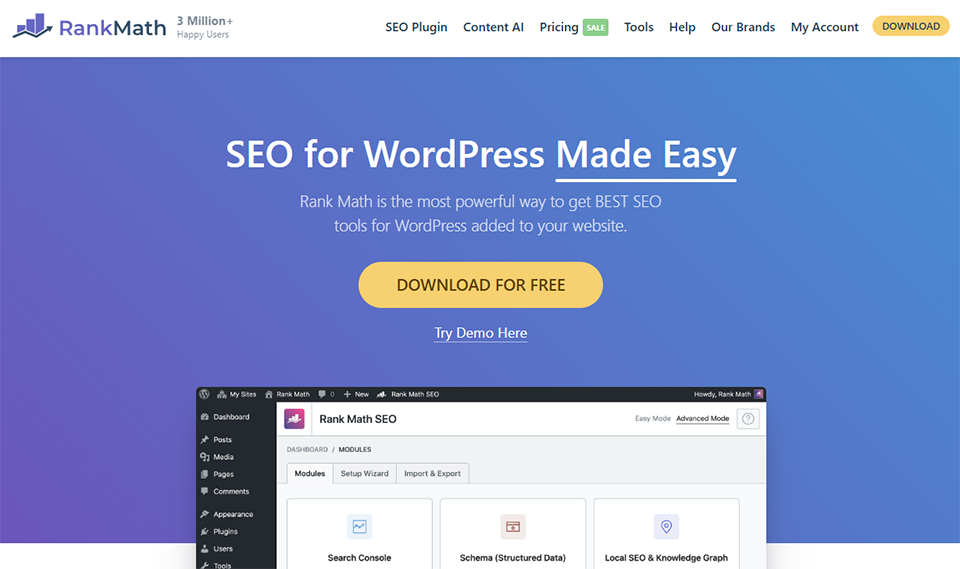
RankMath is an SEO plugin for WordPress released in 2018 that quickly gained millions of users by offering premium features that competitors charged for. Today, it has established itself as a serious alternative to Yoast and, for many users, the new standard.
Guided on-page optimization:
For each page or post, RankMath displays an optimization score and a list of specific recommendations. Title tags, meta descriptions, target keyword density, heading structure... everything is analyzed and explained.
Advanced Schema Markup:
RankMath excels at managing structured data. It offers a built-in schema builder for posts, recipes, reviews, events, products, FAQs, and more—without having to touch the code.
Integrated positioning tracking:
a feature not available in the free version of Yoast, which allows you to track changes in rankings directly from the WordPress dashboard.
SEO Analysis for WooCommerce:
For WordPress online stores, RankMath includes specific optimizations for product and Categories pages.
Built-in AI:
Recent versions include an AI assistant that generates meta descriptions, optimized titles, and even content suggestions.
Redirects:
a module for managing 301/302 redirects directly from WordPress, which is useful for avoiding 404 errors.
🖥️ WordPress website builders who want full control:
RankMath offers highly granular configuration options without requiring advanced technical skills. It’s ideal for anyone who manages their own website and wants to make sure nothing is left to chance.
🛒 WooCommerce Stores:
Native integration with WooCommerce and e-commerce-specific optimizations make RankMath a natural choice for online merchants.
🔄 Users who want to switch from Yoast:
RankMath offers a migration tool that imports existing Yoast data. The transition is virtually seamless.

Yoast SEO is something of a pioneer. Launched in 2010, it has long been the must-have SEO plugin must-have WordPress, installed on over 13 million websites. Its reputation rests on one thing: consistency. The tool has evolved alongside search engine algorithms, incorporated new features, and maintained a level of reliability that continues to earn the trust of millions of users.
On-page analysis using a traffic light system:
Yoast's visual scoring system is probably the best known in the industry. A red, orange, or green indicator shows whether your content is well optimized for the target query and whether its readability is satisfactory.
Metadata management:
SEO titles, meta descriptions, canonical tags, robots.txt directives... Yoast centralizes everything related to the technical metadata for each page.
Automatic XML sitemaps:
generated and updated automatically, compatible with Google Search Console.
Readability analysis:
Yoast evaluates not only SEO optimization but also writing quality (sentence structure, use of the passive voice, paragraph length, etc.). This is an interesting point of differentiation.
Social Preview:
Preview what your content will look like when shared on LinkedIn, Facebook, or Twitter, and adjust the visuals and descriptions accordingly.
Integration with Elementor, Gutenberg, and WooCommerce:
Yoast integrates natively with the leading page builders and the WordPress e-commerce platform.
🧑🎓 WordPress beginners:
Yoast's educational approach is its greatest strength. Every recommendation is explained, justified, and accompanied by resources to help you understand why it matters. It's the perfect tool for learning SEO as you go.
📝 Bloggers and content creators:
For someone whose main job is to publish content regularly, Yoast is a discreet and effective tool that guides every post.
🏢 Business websites that need a reliable tool with no surprises:
Yoast’s stability and maturity make it a safe choice for organizations that don’t want to end up with unexpected issues following a plugin update.


ImageSEO tackles a very specific but real problem: most websites leave a significant amount of potential traffic on the table by failing to optimize their images for SEO. Generic file names, empty or poorly written alt text, uncompressed images... these mistakes are all too common, and ImageSEO corrects them automatically and intelligently.
Automatic generation of alternative text (alt text):
ImageSEO analyzes the visual content of each image and generates relevant alt text, taking into account the page's context. No more need to manually fill in hundreds of alt attributes.
Automatic renaming of image files:
File names like "IMG_4589.jpg" or "screenshot-1.png" have no SEO value. ImageSEO automatically renames them with descriptive, optimized names.
Optimizing image title tags:
Although often overlooked, the title tag also helps with image search rankings in Google Images.
Smart compression:
To improve loading times (an important ranking factor) without compromising visual quality.
WordPress Integration:
The plugin integrates directly into the WordPress media library and processes images on the fly as they are uploaded.
ImageSEO plans are based on the number of images to be optimized each month. The entry-level plan is affordable, and custom plans are available for high-volume needs.
📷 Visual-heavy websites (e-commerce, photography, media):
For an online store with hundreds or thousands of product images, optimizing each one manually is impossible. ImageSEO automates the entire process.
📰 Content publishers and bloggers:
Every image-based article is an opportunity to drive traffic through Google Images. ImageSEO ensures that no image falls through the cracks of SEO.
🛠️ WordPress developers and web agencies:
Integrated into the publishing process, ImageSEO ensures that best practices for image SEO are followed across all client projects, without any manual effort.

Here is a summary to help you quickly identify the tool that best suits your needs. Prices are for reference only and are subject to change.
| Tool | Specialty | Admission price (approximate) | Ideal for | Recommended level |
|---|---|---|---|---|
| SEMrush | Full suite | ~€130/month | Consultants, agencies, scale-ups | Intermediate to advanced |
| Surfer SEO | Content Optimization | ~€90/month | SEO writers, content managers | Intermediate |
| Moz SEO | Backlinks & Authority | ~€50/month | Specialized SEO links, beginners | Beginner to intermediate |
| Mangools | Accessible suite | ~$30/month | Freelancers, small businesses | Beginner to intermediate |
| Wincher | Rank tracking | ~€15/month | Agencies, multi-client consultants | All levels |
| RankMath SEO | On-page WordPress plugin | Free (freemium) | WordPress websites, e-commerce | All levels |
| Yoast SEO | On-page WordPress plugin | Free (freemium) | Beginners, bloggers | Beginner |
| ImageSEO | Image SEO | Variable | E-commerce sites, visual media | All levels |
The prices listed are for reference only. We recommend that you check the rates directly with each publisher, as they are subject to change.
Now more than ever, even though its form has changed. AI search engines like Perplexity or Google with its Search Generative Experience rely on well-structured, authoritative, and technically flawless content to power their responses. In other words, the fundamentals of quality SEO have become even more important. What has changed is that superficial or generic content no longer works at all.
Free tools (Google Search Console, Google Analytics, Google Keyword Planner) remain essential and complementary. However, they do not allow you to analyze the competition, conduct an in-depth website audit, or identify content opportunities on a large scale. Paid tools like the ones presented here are investments that quickly pay for themselves once you start taking your online visibility seriously.
The two plugins cannot coexist on the same WordPress site. You have to choose one. If you’re starting from scratch, RankMath offers more features in its free version. If you already have a site set up with Yoast and everything is working, there’s no rush to switch: both tools do the job well.
The answer depends largely on your budget and how intensively you plan to use the tool. If you manage multiple clients, produce a lot of content, and need a professional tool that covers all aspects of SEO, SEMrush is worth the investment despite its price. If you manage just one or two projects and need an effective tool without breaking the bank, Mangools is a great fit.
No, and that’s not its focus. Surfer SEO specializes in content optimization and does not offer technical audits, backlink monitoring, or advanced competitive analysis. The two tools complement each other: SEMrush for strategy and technical aspects, Surfer for editorial execution.
According to some studies, Google Images accounts for between 20% and 30% of total search traffic. An e-commerce site or blog with visual content can generate a significant portion of its traffic through this channel. Image optimization (alt text, file names, compression, structured data) is an often-overlooked strategy that can quickly produce measurable results.
Three key metrics: changes in rankings for your target keywords (Wincher, SEMrush, or Mangools), changes in organic traffic (Google Search Console + Analytics), and changes in conversions from the organic channel. SEO is a long-term effort: results are measured over several weeks or months, not just a few days.
It depends on your situation. For a WordPress site, the combination of RankMath (free) + Wincher (rank tracking) + Mangools (keyword research) already covers the essentials for less than €50/month. For a more ambitious SEO strategy, adding SEMrush or Surfer SEO allows you to take it further. The key is to make full use of every tool you pay for: it’s better to have two tools you’ve mastered than five subscriptions you don’t use to their full potential.
